
Best Routers for Spectrum in 2026: Which Type Is Right for You?
Disclosure: We may earn a commission when you buy through links on this page, at no extra cost to you. As an Amazon Associate I earn from qualifying purchases. Learn more

The best routers for Spectrum compared by type, from budget WiFi 6 to WiFi 7, mesh and DOCSIS 3.1 combos.
Spectrum internet runs over a cable connection, so your home network has two jobs: a cable modem that talks to Spectrum's network and a WiFi router that spreads the connection around your home. Shoppers face budget WiFi 6 routers, new WiFi 7 models, mesh systems and modem router combos, and it is not always clear which type fits. This guide to the best routers for spectrum compares each type side by side, explains the features that matter and helps you pick the right style for your home and plan.
We start with a comparison table, explain each type, compare standard routers with WiFi 7 routers, then cover how to choose, situation based advice, care tips and answers to common questions. Every device in the table above is sold new on Amazon US. Before buying a modem or modem router combo, confirm it is approved for Spectrum and supports your plan's speed; a standalone router that plugs into your existing modem works with almost any cable service.






Types of Routers Compared
Standard WiFi 6 routers suit most apartments and average homes, WiFi 7 routers suit fast plans and new devices, budget routers suit small spaces and basic plans, mesh systems suit large or multi story homes and modem router combos suit people who want one box.
| Type | Best For | Pros | Cons | Typical Price |
|---|---|---|---|---|
| Budget WiFi 6 router | Apartments, basic plans | Low cost, simple setup | Limited range and speed | around $60 to $90 |
| Midrange WiFi 6 router | Most homes up to about 2,000 sq ft | Strong speed and range for the price | No 6 GHz band | around $100 to $170 |
| WiFi 7 router | Gigabit plans, many new devices | Fastest speeds, multi gig ports | Higher price, needs WiFi 7 devices for full benefit | around $180 to $320 |
| Mesh system | Large or multi story homes | Whole home coverage | Costs more | around $90 per unit to $700 per set |
| Modem router combo | One box setups | Replaces rented modem and router | Harder to upgrade one part | around $300 to $330 |
Single WiFi 6 Routers
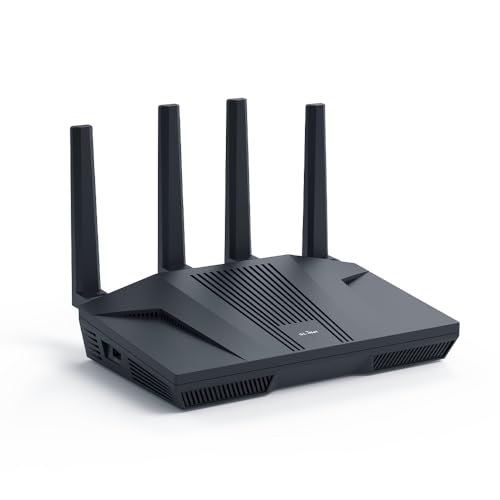
A single router plugs into your Spectrum modem and creates your home WiFi network. The TP-Link Archer AX73, at around $117, lists AX5400 WiFi 6 speeds, MU-MIMO and OFDMA for busy networks, coverage up to 2,000 square feet with 6 antennas and beamforming and a USB 3.0 port. The GL.iNet Flint 2, at around $170, adds two 2.5G ports and fast WireGuard VPN speeds up to 900 Mbps.
Single routers suit most apartments and average sized homes. The trade off is weaker coverage at the far corners of large or multi story homes.
WiFi 7 Routers
WiFi 7 routers add a 6 GHz band, wider 320 MHz channels and Multi Link Operation, which can combine bands for faster, steadier connections. The NETGEAR Nighthawk WiFi 7 router, at around $249, lists up to 9.3 Gbps across three bands, coverage up to 2,500 square feet for up to 100 devices and a 2.5 Gig WAN port. The TP-Link Archer BE550, at around $223, lists a 2.5G WAN port and four 2.5G LAN ports. The ASUS RT-BE88U, at around $299, adds two 10G ports.
WiFi 7 routers suit gigabit plans and homes with new phones, laptops and consoles. Older devices still connect but will not see the full benefit.
Budget Routers
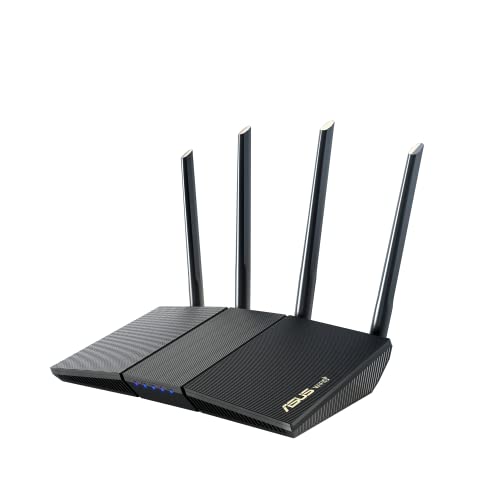
Budget WiFi 6 routers cost around $60 to $90. The TP-Link Archer AX10, at around $69, lists 1201 Mbps on 5 GHz plus 300 Mbps on 2.4 GHz, a dual core processor and OneMesh support for adding extenders. The ASUS RT-AX1800S, at around $62, lists 4 Gigabit LAN ports, AiProtection Classic security and AiMesh support.
Budget routers suit apartments, small homes and plans under about 500 Mbps.
A budget router is also a good way to replace an old WiFi 5 router cheaply. Both models support mesh add ons, so you can extend coverage later instead of buying a new system.
Mesh Systems and Modem Router Combos
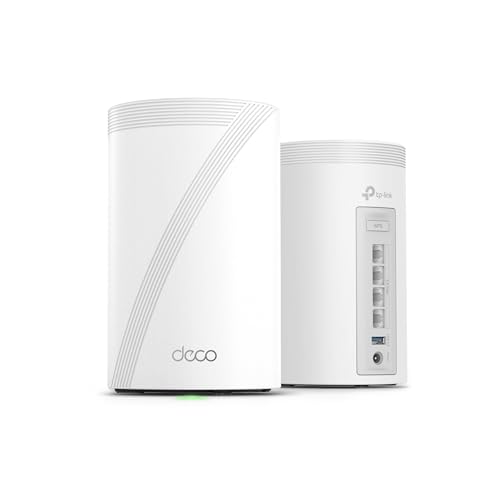
Mesh systems use several units to blanket a home in WiFi. The Amazon eero 6, at around $90 per unit, lists coverage up to 1,500 square feet per unit and a built in Zigbee smart home hub, and the TP-Link Deco 7 Pro BE63 2 pack, at around $330, lists WiFi 7 coverage up to 5,800 square feet and support for over 200 devices.
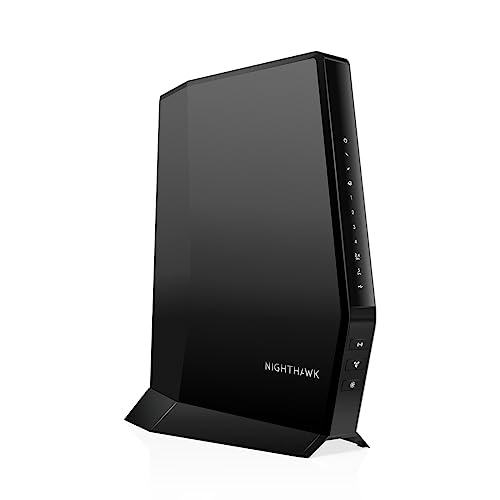
Modem router combos put both jobs in one box. The NETGEAR Nighthawk CAX30S, at around $330, lists a DOCSIS 3.1 modem with AX2700 WiFi 6, approval for Spectrum plans up to 1 Gbps and four Gigabit Ethernet ports.
Buying your own modem may also reduce monthly equipment fees, as Hitron notes, but check current rates and policies with Spectrum first.
Single Routers vs WiFi 7 Routers: Which Should You Choose?
Choose a WiFi 6 router if your Spectrum plan is under about 1 Gbps, your home is average sized and most of your devices are a few years old. Choose a WiFi 7 router if you have a gigabit plan, many new devices or want to future proof your network.
On speed, WiFi 7 wins, with NETGEAR listing 2.4 times the speed of WiFi 6. On price, WiFi 6 wins, with strong models around $100 to $120.
On ports, WiFi 7 routers usually add 2.5G ports that matter for multi gig plans. On device support, WiFi 6 is fine for most current devices. On congestion, WiFi 7's 6 GHz band gives fast devices their own lane.
For most Spectrum households today, a solid WiFi 6 router is enough; WiFi 7 is a smart upgrade for gigabit users.
How to Choose the Best Routers for Spectrum
Setup, Spectrum fit, WiFi standard, device capacity and gaming features matter most. Here is what to check.
Setup and App Management
App based setup makes life easier. NETGEAR's Nighthawk app offers guided setup, speed checks, device pausing and guest networks. eero's app walks you through setup in minutes, and eero offers free US support 7 days a week. GL.iNet recommends updating firmware during first setup.
Security features vary. TP-Link's HomeShield adds parental controls and IoT protection, ASUS includes AiProtection powered by Trend Micro and NETGEAR lists automatic firmware updates. Some advanced security features need a paid subscription, so check before you buy.
Features That Matter for Spectrum
Spectrum supplies a cable modem or gateway with service, and any standard router connects to it by Ethernet. NETGEAR notes some gateways and combos may need bridge mode. If you buy your own modem, choose a DOCSIS 3.1 model approved for Spectrum, like the Hitron CODA56 at around $175, which lists Spectrum support up to 1 Gbps and a 2.5 Gbps Ethernet port. The Hitron is modem only, so you still need a router.
WiFi Standard (WiFi 6, 6E, 7)
WiFi 6 is the value standard today. WiFi 6E adds a 6 GHz band.
WiFi 7 adds wider channels and Multi Link Operation. TP-Link lists up to 5760 Mbps on the 6 GHz band for the BE550. Your devices must support the newer standard to use its extra speed.
Number of Devices and MU-MIMO/OFDMA
Busy homes with phones, laptops, TVs and smart home devices need MU-MIMO and OFDMA, which let a router serve several devices at once. NETGEAR's WiFi 7 router lists support for up to 100 devices, eero 6 lists 75 plus and TP-Link's Deco 7 Pro lists over 200 across the mesh.
Gaming Features (QoS, Low Latency)
Quality of Service, or QoS, prioritizes gaming and video traffic. Wired Ethernet gives the lowest latency, so look for multiple LAN ports, like the four Gigabit ports on the NETGEAR CAX30S. Gaming routers, like the GL.iNet Flint 2, add 2.5G ports and VPN support.
Your router cannot fix a slow game server or a congested Spectrum node, but it can keep other traffic in your home from slowing your game.
Choosing Routers for Your Situation
Here is which type fits common Spectrum setups.
Best Compatible Routers for Spectrum: Which Type Works Best
The best compatible routers for spectrum are standalone routers that connect to Spectrum's modem by Ethernet, since they work with nearly any cable service. Look for a WAN port that matches your plan speed and easy app setup. The TP-Link Archer AX73 is a strong all round choice.
Best Cable Routers for Spectrum: Which Type Works Best
The best cable routers for spectrum are DOCSIS 3.1 modem router combos approved for Spectrum. They replace the separate modem and router with one device. The NETGEAR CAX30S lists Spectrum plans up to 1 Gbps. Confirm approval with Spectrum before buying.
Best Streaming Routers for Spectrum
The best streaming routers for spectrum offer strong 5 GHz or 6 GHz speeds, good range and QoS. Mesh systems, like eero 6 and TP-Link Deco, keep 4K streams steady in far rooms. Wire your main streaming TV with Ethernet when possible.
Care and Maintenance Tips
Place the router centrally and elevated, away from thick walls, metal and microwaves. Update firmware regularly, or turn on automatic updates.
Change the default admin password and use WPA3 or WPA2 security. Restart the router and modem every so often to clear glitches. Keep vents clear for airflow.
Routers: Your Questions Answered
What features matter most in routers for Spectrum?
A WAN port that matches your plan speed, WiFi 6 or newer, MU-MIMO and OFDMA for many devices, easy app setup and regular firmware updates matter most. If you buy a modem too, it must be DOCSIS 3.1 and approved for Spectrum.
Will a new router speed up my internet?
It can improve WiFi speed and coverage, but it cannot exceed your Spectrum plan speed. A new router helps most when your old one is slow, outdated or cannot reach parts of your home.
Run a speed check wired to the modem first to see what your plan delivers.
Do I need WiFi 7 yet?
Not usually. WiFi 7 helps with gigabit plans and new WiFi 7 devices. Most Spectrum households do well with a quality WiFi 6 router, which costs much less.
If you plan to keep your router for five years, WiFi 7 can be worth it.
Mesh or a single router: which is better?
A single router is better for apartments and average homes. Mesh is better for large, multi story or oddly shaped homes where one router leaves dead spots.
Some single routers, like ASUS models with AiMesh and TP-Link models with EasyMesh, can grow into a mesh later, so you do not have to choose forever.
How often should I replace my router?
Many people replace routers every 3 to 5 years, or when they upgrade to a much faster plan, add many devices or the router stops receiving firmware updates.
The Bottom Line
The best routers for spectrum match your plan speed, home size and devices. Choose a budget WiFi 6 router for small spaces, a midrange WiFi 6 router for most homes, a WiFi 7 router for gigabit plans, a mesh system for large homes or a Spectrum approved modem router combo for one box simplicity.
For more networking guides, see the best wireless routers for home, the best mesh wifi router for large home, the best linksys wifi router for home and the best home surveillance cameras. Then compare current prices in the product table above.


