
The Best Wireless Routers for Home: Buying Guide and Top Picks
Disclosure: We may earn a commission when you buy through links on this page, at no extra cost to you. As an Amazon Associate I earn from qualifying purchases. Learn more

The best wireless routers for home: WiFi 7, WiFi 6 value and mesh picks plus coverage and security tips.
Your router is the traffic cop for every device in your home: laptops, phones, TVs, game consoles, doorbells and smart speakers. An old or underpowered router causes buffering, dropped video calls and dead zones in back bedrooms, even if you pay for fast internet. Modern routers with WiFi 6 and WiFi 7 handle many more devices at higher speeds, and mesh systems spread coverage across large homes. This guide to the best wireless routers for home explains what matters and shares three picks for different homes and budgets.
We start with our top picks, then cover how to choose, the main router types, picks for different uses, care tips and answers to common questions. Every router in the table above is sold new on Amazon US. A new router cannot make your internet plan faster than it is, but it can help you get the speed you already pay for throughout your home.




Our Top 3 Picks at a Glance
Our picks are the TP-Link Archer BE550 WiFi 7 router for most homes, the NETGEAR Nighthawk RAX36 WiFi 6 router for value and the Amazon eero 6+ mesh system for beginners who want the easiest whole home setup.
We compared WiFi standard, speeds, wired ports, coverage, security features, setup apps and price, along with the overall pattern in owner feedback. We did not run these routers ourselves; the notes reflect maker specifications.
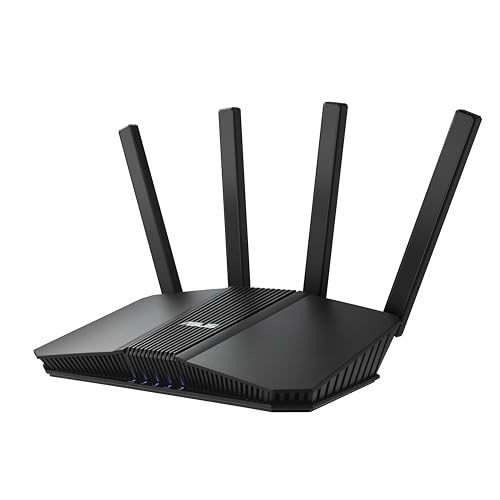
Best Overall: TP-Link Archer BE550 BE9300 WiFi 7 Router
The TP-Link Archer BE550 suits busy homes that want fast, future ready WiFi at a moderate price, at around $223. It is a tri band WiFi 7 router with Multi-Link Operation, 320 MHz channels and 4K-QAM, listing speeds of 5,760 Mbps on 6 GHz, 2,880 Mbps on 5 GHz and 574 Mbps on 2.4 GHz, according to TP-Link.
Two strengths stand out: one 2.5G WAN port and four 2.5G LAN ports for fast wired connections, and EasyMesh support for adding compatible extenders to eliminate dead zones. TP-Link HomeShield adds parental controls and IoT security, and you can create a separate network for smart home devices with WPA3 encryption. The limitation is that WiFi 7 speeds need WiFi 7 devices to fully benefit. Skip it if all your devices are older and your internet plan is modest.

In practice, the BE550 makes the most sense for households with a fiber or cable plan above 1 Gbps, several people streaming at once and a mix of new phones and laptops. The 2.5G ports let a desktop or NAS use more than gigabit speeds over a cable, which many routers at this price still lack. Six antennas and beamforming aim the signal at your devices to improve range in a medium home.
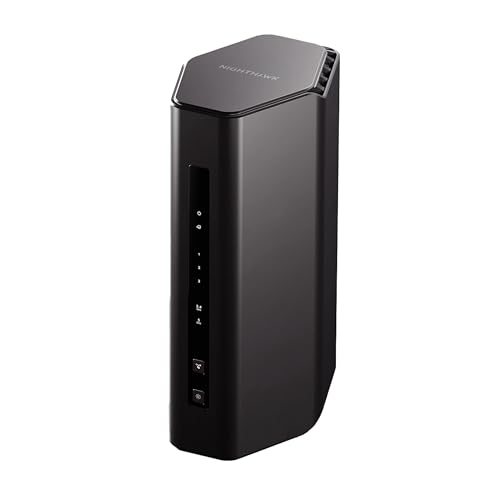
Best Value: NETGEAR Nighthawk RAX36 WiFi 6 Router
The NETGEAR Nighthawk RAX36 is for small and medium homes that want reliable WiFi 6 for little money, at around $100. It offers AX3000 speeds up to 3 Gbps, coverage up to 2,000 square feet for up to 25 devices, four gigabit Ethernet ports, a USB 3.0 port and built in VPN support, according to NETGEAR.
Its strengths are price and broad compatibility: it works with any internet provider up to 1 Gbps when connected to your existing modem. The trade off is coverage and device count compared with tri band or mesh systems. Skip it if you have a large home or more than 25 active devices. Note that it is router only and needs a separate modem.

For a one or two bedroom apartment, a townhouse or a small house with a plan of 500 Mbps or less, the RAX36 covers the basics well. WiFi 6 handles phones, laptops and smart TVs more efficiently than older WiFi 5 routers, so a household upgrading from a provider supplied router often sees fewer slowdowns in the evening. Use the four wired ports for a console, a TV and a desktop.
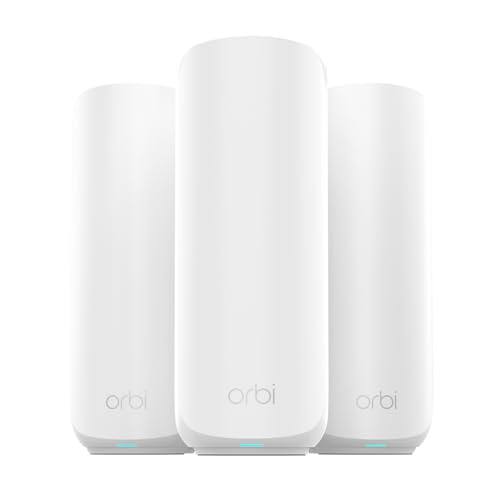
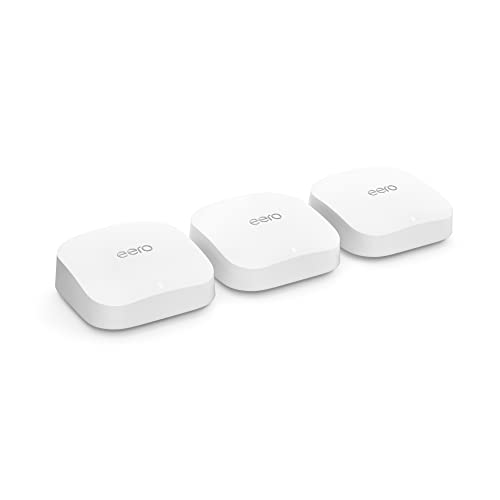
Best for Beginners: Amazon eero 6+ Mesh WiFi System (3 Pack)
The eero 6+ mesh system suits first time buyers who want strong coverage with minimal setup, at around $300 for three units. It supports internet plans up to a gigabit, covers up to 4,500 square feet and connects 75 or more devices, according to Amazon.
The appeal is simplicity: the eero app guides setup in minutes, TrueMesh technology routes traffic around dead spots and automatic updates keep the network secure. The limitation is that some advanced security and management features need a separate subscription. Skip it if you want detailed manual controls or plans faster than a gigabit.

Each eero unit has two Ethernet ports, and the system works with Alexa for voice commands like pausing WiFi for a child's device. Place one unit by the modem, then spread the other two about halfway to the rooms that had weak signal. If you outgrow it, eero units work together, so you can add more later, including newer eero models.
How to Choose the Best Wireless Routers for Home: Buying Guide
The best wireless routers for home match your home size, number of devices and internet speed. Here is what to compare.
WiFi Standard (WiFi 6, 6E, 7)
WiFi 6 is the current baseline, handling many devices efficiently. WiFi 6E adds the 6 GHz band for less interference. WiFi 7 adds wider 320 MHz channels and Multi-Link Operation, which uses multiple bands at once for speed and reliability, like the TP-Link Archer BE550 and NETGEAR Nighthawk WiFi 7 routers.
Choose WiFi 6 for value, WiFi 6E or 7 if you have newer devices and fast internet.
Remember that every device connects at the speed of its own WiFi chip. An older laptop with WiFi 5 will not get WiFi 7 speeds, though it can still benefit from a less crowded network. Check the WiFi version of your main phone and laptop before paying extra for the newest standard.
Wired Ports (Multi Gig, WAN/LAN)
Multi gig ports, like the BE550's 2.5G WAN and LAN ports or the ASUS RT-BE88U's two 10G ports, unlock speeds above 1 Gbps for fiber plans and wired devices. Gigabit ports are enough for most plans up to 1 Gbps.
Wired connections give the most stable speeds for desktops, consoles and TVs.
Count how many devices you want to plug in. Smart TVs, game consoles, desktop PCs, streaming boxes and network storage all run better wired. If you need more ports than the router has, an inexpensive network switch adds more without slowing anything down.
Security and Parental Controls
Look for WPA3 encryption, automatic firmware updates, built in security services and parental controls that filter content and set schedules. TP-Link HomeShield and NETGEAR Armor offer protection, sometimes with paid tiers. Guest networks keep visitors separate from your main devices.
Separate IoT networks protect computers and phones from vulnerable smart devices.
Before you buy, check whether security features are free or need a subscription. Some brands include basic parental controls for free but charge for advanced threat protection, detailed reports or VPN services. Factor that monthly cost into your budget if you want those extras.
Setup and App Management
Modern routers set up through smartphone apps in minutes. eero, TP-Link Tether and Deco, NETGEAR Nighthawk and ASUS apps let you check connected devices, pause internet and run speed checks. Simple apps suit beginners, while web interfaces offer advanced settings.
Automatic updates save effort and improve security.
Number of Devices and MU MIMO/OFDMA
Homes with many smart devices need routers that handle traffic efficiently. MU MIMO and OFDMA, standard in WiFi 6 and newer, let routers talk to multiple devices at once. Check device limits; NETGEAR lists 25 devices for the RAX36, while eero 6+ lists 75 or more.
Count your devices, including smart plugs and cameras, before choosing.
Coverage and Home Size
A single router typically covers 1,500 to 3,500 square feet depending on walls and layout. Larger homes, multiple floors or thick walls benefit from mesh systems, like the eero 6+ (up to 4,500 square feet) or NETGEAR Orbi 370 (up to 6,000 square feet).
Place the router centrally and high for the best coverage.
Coverage numbers from makers are measured in ideal conditions. Brick, concrete, plaster with metal lath, mirrors and large appliances all weaken WiFi. If your home has these, expect less range than the box claims, and lean toward mesh even in medium sized homes.
Gaming Features (QoS, Low Latency)
Quality of Service (QoS) prioritizes gaming and video calls over downloads. Gaming routers, like ASUS ROG models, add gaming ports and traffic prioritization. A wired connection still gives the lowest latency for competitive gaming.
Many standard routers include basic QoS that works well for families.
Gamers on WiFi should look for a router with a strong 5 GHz or 6 GHz band and place the console or PC within a room or two of the router. Mesh systems add a small amount of latency between units, so wire the main gaming device directly to a unit whenever possible.
Types of Wireless Routers
Home routers fall into five main types. Here is who each suits.
WiFi 6E Routers
WiFi 6E routers, like the eero Pro 6E mesh system, add the 6 GHz band without the higher price of WiFi 7. The eero Pro 6E supports internet plans up to 2.5 Gbps, covers up to 6,000 square feet with three units and connects 100 or more devices, according to Amazon. They suit busy homes with newer devices that do not need WiFi 7 yet.
WiFi 7 Routers
WiFi 7 routers, like the TP-Link Archer BE550, NETGEAR Nighthawk RS140 and ASUS RT-BE82U, offer the fastest speeds and future readiness. They suit homes with gigabit plus internet and new devices.
Budget Routers
Budget WiFi 6 routers, like the NETGEAR RAX36 and TP-Link BE400, deliver solid performance for apartments and small homes at low prices.
Single Routers
Single high performance routers cover medium homes well and offer the most wired ports and advanced settings. They suit open layouts and users who want control.
The ASUS RT-BE88U is a strong example, with dual band WiFi 7 and two 10G ports for very fast wired connections. Single routers also tend to offer more detailed settings for port forwarding, VPN servers and network monitoring.
Mesh WiFi Systems
Mesh systems, like eero 6+, eero Pro 6E, TP-Link Deco and NETGEAR Orbi, use multiple units to blanket large or multi story homes with seamless coverage.
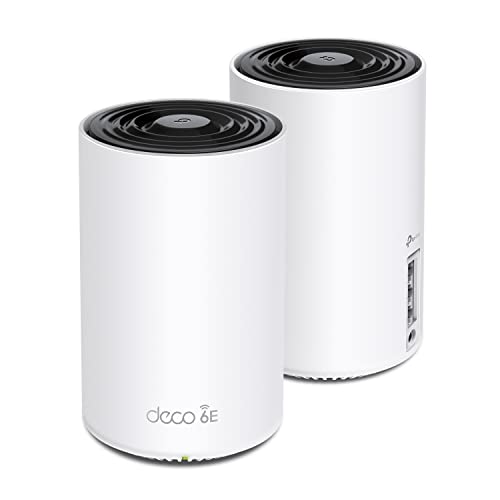
Mesh units connect to each other wirelessly or through Ethernet backhaul. If your home has Ethernet in the walls, wiring the units together gives the best speeds. Systems like the TP-Link Deco XE75 two pack and Deco BE23 offer good value for medium to large homes.
Picking the Right Wireless Routers for Different Uses
Your home layout and habits point to the right router.
Best Routers for Apartments and Small Homes
Apartments and small homes usually need only a single router. A WiFi 6 router like the NETGEAR RAX36 covers up to 2,000 square feet affordably, and WiFi 7 budget options like the TP-Link BE400 add future readiness.
In apartments, interference from neighbors' networks is often a bigger problem than range. Routers with the 6 GHz band, available on WiFi 6E and WiFi 7 models, give your devices a less crowded lane, which can help in dense buildings.
Best Routers for Large and Multi Story Homes
Large homes benefit from mesh systems. The eero 6+ covers up to 4,500 square feet with three units, and the NETGEAR Orbi 370 WiFi 7 mesh covers up to 6,000 square feet.
For multi story homes, place one mesh unit on each floor, roughly above or below each other, rather than all on one level. Avoid hiding units in closets or behind TVs, and keep them off the floor for better signal.
Best Wireless Routers for Home Offices
Remote workers need stable connections for video calls. Choose a router with QoS, strong coverage in your office and an Ethernet port for your computer. WiFi 6E or 7 reduces interference in busy neighborhoods.
If your office sits far from the router, add a mesh unit in or near the office and connect your computer to it with an Ethernet cable. This setup gives you the stability of a wired connection without running long cables across the house.
Best Wireless Routers for Gaming Households
Gaming households benefit from multi gig ports, QoS and low latency features, like ASUS RT-BE88U and ROG gaming routers. Wire consoles and PCs when possible.
Care and Maintenance Tips
Keep your router updated with the latest firmware, change the default admin password and use strong WiFi passwords with WPA3 where available. Place the router in a central, open location away from metal objects, microwaves and thick walls. Restart it occasionally if speeds slow, and dust vents to prevent overheating.
Check your router's app every few months to review connected devices and remove ones you do not recognize. Change your WiFi password if you shared it widely, and use the guest network for visitors and smart devices. If your router no longer gets firmware updates from its maker, plan to replace it for security reasons.
When speeds drop, run a speed check near the router and again in the problem room. If speeds are good near the router but poor elsewhere, the issue is coverage, which mesh or better placement fixes. If speeds are poor everywhere, contact your internet provider.
Frequently Asked Questions
Mesh or a single router: which is better?
A single router is better for apartments and small to medium homes with open layouts. Mesh systems are better for large, multi story homes or homes with thick walls and dead zones, since multiple units spread coverage evenly.
Will a new router speed up my internet?
A new router will not exceed your internet plan's speed, but it can improve speeds across your home by reducing congestion, extending coverage and supporting newer WiFi standards on your devices.
Do I need WiFi 7 yet?
You do not need WiFi 7 unless you have WiFi 7 devices, very fast internet or a crowded network. WiFi 6 routers remain excellent for most homes and cost less.
How often should I replace my router?
Many routers stay useful for four to five years. Replace yours if it no longer receives security updates, struggles with many devices or does not support your internet plan's speeds.
Can I use my own router instead of the one from my provider?
Yes, most cable and fiber providers let you use your own router. Connect it to the provider's modem or gateway, and if the gateway also has WiFi, either turn that off or set it to bridge mode to avoid two networks competing. Using your own router can save rental fees and improve performance.
Do I need a modem as well as a router?
Yes, you need a modem or provider gateway to connect to the internet. Routers like the NETGEAR RAX36 and the TP-Link BE550 are router only and connect to your existing modem through the WAN port.
Our Verdict
The best wireless routers for home match your home size, devices and internet plan. The TP-Link Archer BE550 is our best overall pick for fast, future ready WiFi 7, the NETGEAR Nighthawk RAX36 offers great WiFi 6 value and the eero 6+ mesh system is the easiest way to cover a larger home. Place your router well and keep firmware updated.
For more networking guides, see the best mesh wifi router for large home, the best linksys wifi router for home, the best streaming camera and the best laptop backpack. Then compare current prices in the product table above.