
Best Cable Modems and Routers: Building a Matched Pair for 2026
Disclosure: We may earn a commission when you buy through links on this page, at no extra cost to you. As an Amazon Associate I earn from qualifying purchases. Learn more

Skip the rental fee: compare cable modems and routers as separate pairs by plan speed, Wi-Fi standard and home size, with setup tips for a smooth switch.
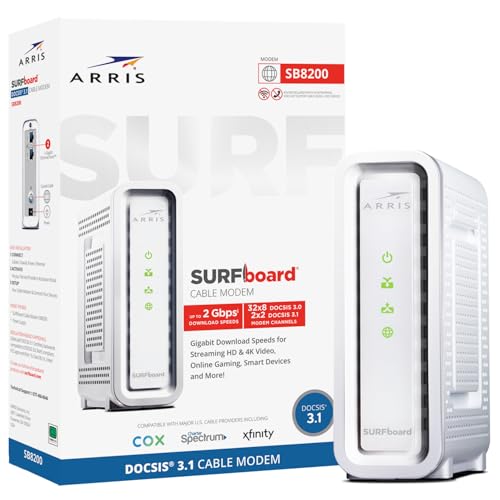
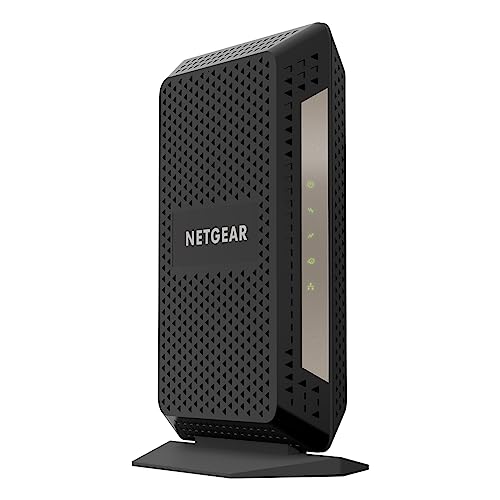
Many households still rent one box from their internet provider and pay for it every month, even though buying your own gear is simple and usually pays for itself within a year. This guide to the best cable modems and routers takes the pairing route: one modem that talks to the cable network, plus a separate router that spreads Wi-Fi through your home. The product table lists modems and routers side by side so you can build a matched pair.
Keeping the two jobs in separate boxes costs a little more up front, but it lets you replace either one on its own schedule. If you would rather have a single unit, our guide to cable modem routers covers combined boxes instead.




Why Buy a Modem and a Router Separately?
A modem is the translator between your cable line and your home network. A router creates the Wi-Fi network and manages every phone, TV and laptop on it. They age at different speeds: cable standards change slowly, while Wi-Fi standards move on every few years. Splitting them means a faster router later does not force you to buy another modem.
- You can upgrade Wi-Fi coverage without touching the cable connection.
- A failed router does not take your internet line down with it.
- Router features such as parental controls and guest networks are usually richer in a stand-alone model.
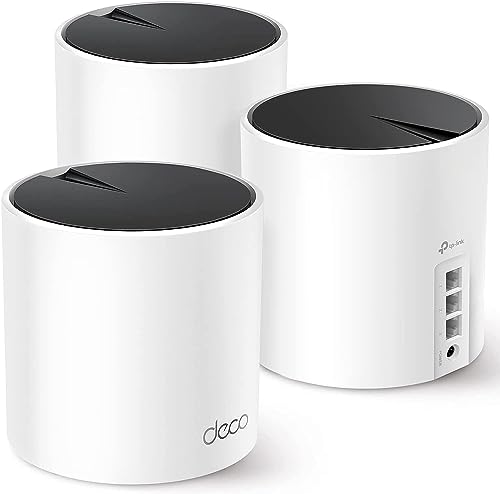
- A mesh system can replace the router and grow with the house.
Choosing the Modem Half
Match the Speed of Your Plan
Look at the top download speed you pay for, then choose a modem built for more than that. A plan around 300 Mbps runs well on a basic current standard modem, while gigabit plans benefit from a DOCSIS 3.1 model, and multi-gig plans need a modem with a faster Ethernet port as well.
Check Provider Approval
Most large cable providers publish a list of approved modems. A modem that is not on the list may not activate. Search the model name together with your provider before you order, and keep a note of the model number printed on the label.
Skip Modems Built With Phone Ports Unless You Need Them
Some units add voice lines for the provider phone service. If you do not use that service, a plain data modem is cheaper and simpler.
Choosing the Router Half
Wi-Fi Standard and Number of Devices
A Wi-Fi 6 router handles a crowded home better than older models, because it shares airtime between devices more fairly. Wi-Fi 7 adds more headroom, but it matters mostly for a house full of new devices and fast plans. For a typical family of four, a solid Wi-Fi 6 router is plenty.
Single Router or Mesh System
One router suits an apartment or a small single-story house. Larger homes, brick walls and several floors usually do better with a mesh system, where small units placed around the house act as one network.
Ports and Placement
Check that the router has a fast WAN port that matches the modem and a few Ethernet ports for a console or desktop. Place the router in the middle of the house, off the floor and away from metal appliances.
Three Common Pairings
| Home | Modem | Router |
|---|---|---|
| Apartment, plan up to 300 Mbps | Entry level modem with gigabit port | Budget Wi-Fi 6 router |
| Family house, gigabit plan | DOCSIS 3.1 modem | Mid range Wi-Fi 6 router or two unit mesh |
| Large house, multi-gig plan | Multi-gig DOCSIS 3.1 modem | Tri-band mesh system with wired backhaul |
What Separate Gear Costs Over Time
Provider rental fees commonly run ten to fifteen dollars a month, which means a modem and a router bought together often pay for themselves in under a year. After that, the savings are yours. When you compare the best cable modems and routers, add the two prices together and divide by your current rental fee to see the break-even point, then count any returned equipment credit as a bonus.
There is also a hidden benefit in support. When a connection drops, separate boxes let you see quickly which half is at fault: if the modem lights stay solid and the router restarts, the problem is inside your home network rather than on the street.
Setup Steps That Save a Phone Call
- Connect the coax cable to the modem and plug in power.
- Wait until the lights settle, then connect the router to the modem with an Ethernet cable.
- Contact your provider or use its app to register the modem by serial number.
- Change the default Wi-Fi name and password, and update the router firmware.
- Return the rented equipment and confirm the rental fee has stopped on your next bill.
Cabling and Placement Details Most Guides Skip
Use a short, good quality Ethernet cable between the modem and the router, and avoid long runs of cheap flat cable that can limit speed. Keep the coaxial cable from the wall tight at both ends and free of sharp bends, since a loose connector is a common cause of random drops. If your wall outlet has a splitter, ask your provider whether it is needed, because every splitter weakens the signal reaching the modem.
Power both devices from a surge protector, and leave a few inches of airflow around each box. Heat shortens the life of modems and routers, so avoid stacking them under a pile of papers or inside a closed cabinet.
Mistakes to Avoid
The biggest error is buying a modem a provider does not support. The second is pairing a gigabit modem with a slow router and blaming the provider for poor speeds. A third is hiding the router in a cabinet, which can cut range sharply. Finally, do not buy older used gear for a modern plan, since its standard may not support the speed you pay for.
FAQ
Do I need both a modem and a router?
Yes, unless you choose a combined box. The modem connects to the provider, and the router shares that connection with your devices.
Can any router work with any modem?
Almost always. The modem hands the router a standard Ethernet connection, so brand mixing is fine.
How often should I replace them?
Modems commonly last five or more years. Routers are worth a refresh every three to five years as Wi-Fi standards improve.
Will my own equipment give me faster internet?
It cannot exceed your plan speed, but it removes bottlenecks and monthly rental fees.
Final Thoughts
A matched modem and router pair gives you control, cuts rental charges and lets each part be upgraded on its own. Check provider approval, size the router to your home and the best cable modems and routers for your plan will serve you for years.


