Best Cameras for Twitch Streamers: A First Time Buyer's Guide for 2026
Disclosure: We may earn a commission when you buy through links on this page, at no extra cost to you. As an Amazon Associate I earn from qualifying purchases. Learn more
Shopping for the best cameras for twitch streamers for the first time? Learn the terms, compare options, and avoid rookie mistakes with this easy guide.
Buying a camera for your stream feels confusing at first, because shop pages list video modes, sensor names and lens terms all at once. The best cameras for twitch streamers are rarely the priciest models, because a stream rewards a clean and steady picture for hours. This guide starts with the basics, and the comparison table below will make more sense once the key terms are clear.
Think about your room before price. Note your desk depth, your usual lighting and how much you move while you play or chat. Those three facts decide which sensor, lens and focus system will suit you.

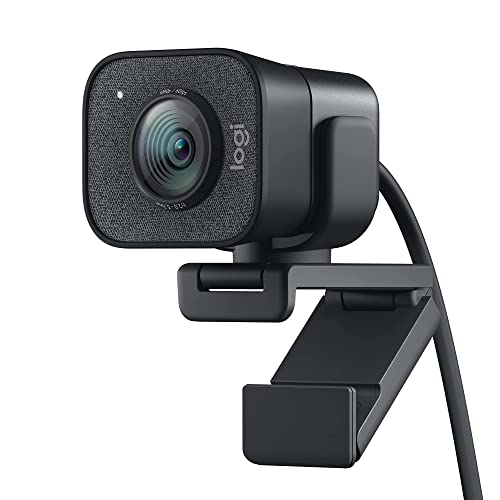


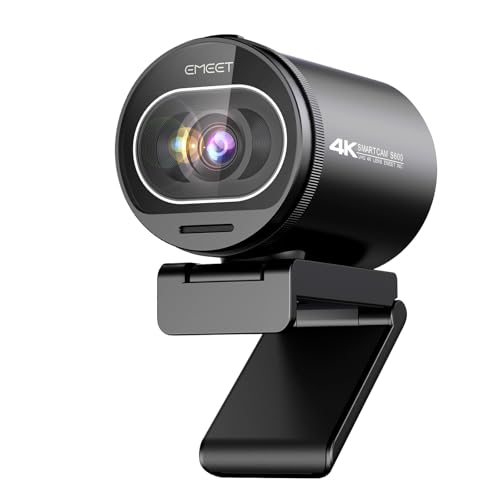
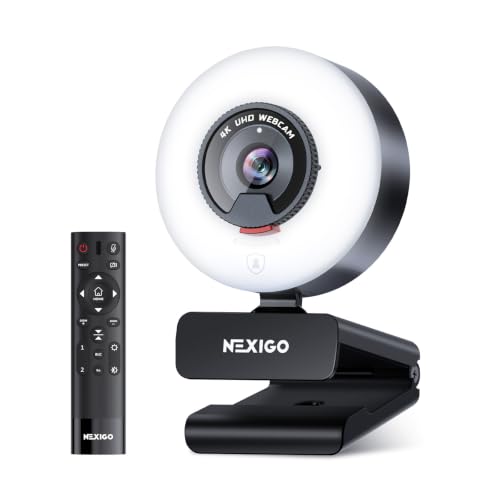


Cameras 101: The Basics for a Twitch Desk
A streaming camera works as a live video source, not as a still photo tool. It sends a moving picture to your computer through a USB cable or an HDMI cable, and your streaming software adds your game and overlays around it. If camera terms are new to you, see our guide to the best digital cameras for a plain primer on sensors and lenses.
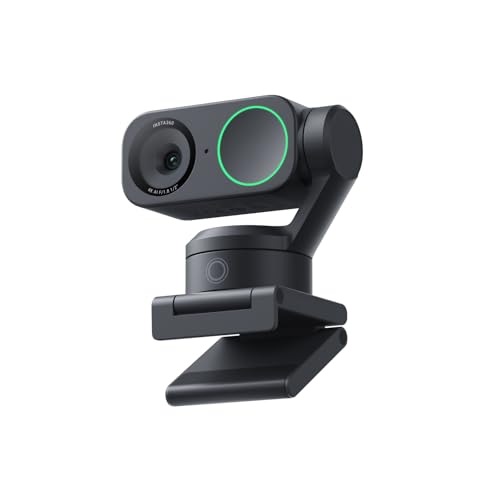
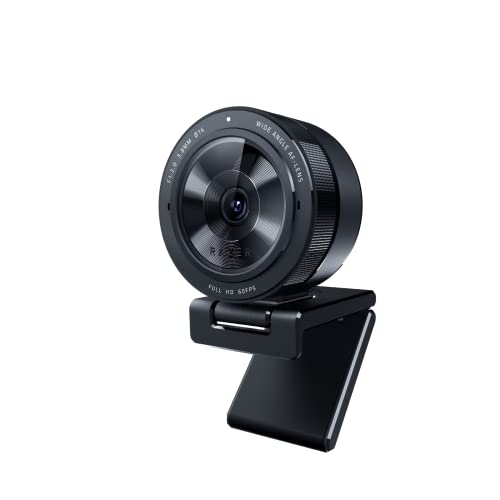
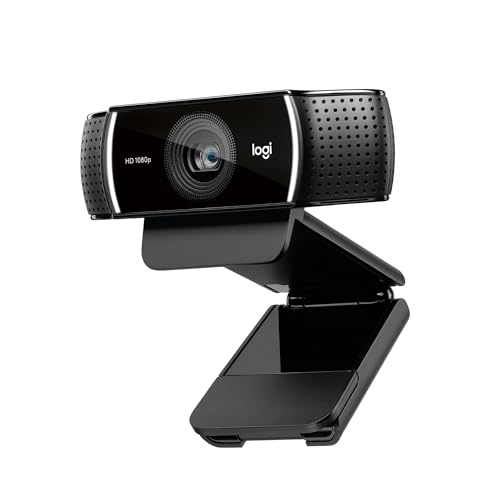
Three camera types cover most desks. A dedicated webcam is the simplest route, with a fixed lens and a direct USB link. A compact or mirrorless camera gives you a larger sensor and a lens you can swap, and many vlogging cameras fit this group because they add a flip screen and a mic input. A camcorder sits between them, built for long video runs.
Who Should Buy Which Camera for Twitch Streaming?
Match the camera type to the stream you run each week, because a quiet talk stream and a fast game stream reward different strengths. Readers who want models built only for live work can also see our guide to the best streamer cameras.
New Streamers at a Small Desk
You sit close to the camera, often less than two feet away, so you need a wide view at a short distance or your face will fill the frame. A simple webcam with a direct USB link suits this space, needs no extra capture gear and leaves room for your keyboard and mic. Save part of your budget for a desk light.
Growing Streamers Who Move, Gesture and Talk to Camera
You lean in, hold up objects and turn toward a second monitor, so your camera must hold focus on your face through constant small moves. Look for eye detection focus, a flip screen for quick framing checks, and a mic input for clear speech. If your short list is only for this platform, see our guide to the best cameras for twitch.
Streamers Who Also Shoot Videos and Photos Away From the Desk
You want one camera to stream on weekdays and record clips or take photos on weekends, so lens choice and still photo quality join your streaming needs. A mirrorless camera with a hot shoe and 4K video covers both jobs, though it costs more. If still images matter as much as your stream, see our guide to the best cameras for photography.
Five Spec Checks That Decide Your Stream Picture
Listings for the best cameras for twitch streamers mix photo terms with video terms, so use the five checks below in order. Each check names what the spec is and what it changes on screen.
Features That Matter for Twitch Streamers
Start with clean output, which means the camera sends a picture with no menus, icons or battery marks over it. Look for 1080p at 30 or 60 frames per second, or 4K video if you plan to crop the picture in your software. The camera should also let you lock exposure and white balance, so your face stays the same brightness and color when a bright game scene flashes behind you.
Sensor Size and a Clean Picture in Room Light
Sensor size sets how much light the camera gathers for each frame. Small webcam sensors work in bright rooms, a 1 inch sensor gives a cleaner picture in normal room light, and APS C or full frame sensors give the cleanest results in dim rooms plus softer background separation. Megapixels matter less than sensor size for streaming, because your stream leaves at 1080p even when the sensor holds far more detail.
Continuous Power and Battery Life for Long Streams
A still photo shot count tells you little about stream length, because streaming holds the screen, sensor and focus system on without pause. For streams of about 2 to 4 hours, look for power through a USB C cable while you stream, or a dummy battery that plugs into wall power. Treat the internal battery as a backup for short sessions, and check the manual for heat warnings before a long stream.
Low Light Performance in a Streaming Room
Low light performance decides whether your evening stream looks clean or grainy. A wide lens opening, around f 1.8 to f 2.8, lets in more light, while a high ISO setting can brighten the picture but adds grain and softens detail. A larger sensor handles that trade with less grain. Before you pay for a bigger sensor, add one soft desk light facing you, because better light improves every camera at once.
Autofocus and Stabilization at Your Desk
Continuous autofocus with eye detection follows your face as you lean toward the screen or sit back, and a good system moves smoothly instead of pulsing in and out. If you sit very still, a locked focus setting can be even steadier. Image stabilization matters less at a desk, because a firm mount already holds the camera still. Spend on a solid mount before stronger stabilization.
Setting Up Your Camera Before the First Stream
Place the camera at eye level on a tripod or desk mount, about 2 to 3 feet from your face, with a small space above your head in the frame. Run the cable with slack and keep it clear of chair wheels. For a platform focused setup checklist, see our guide to the best cameras for twitch streaming.
Next, open your streaming software and set the same resolution and frame rate you chose in the camera menu, because a mismatch can cause a black screen or a soft picture. Lock white balance and exposure, record a short test, and watch it back for focus drift and flicker. Clean the lens with a lens cloth, not your shirt.
Rookie Mistakes to Avoid
First time buyers tend to repeat the same few errors, and each one shows up on stream.
- Buying for megapixels alone leaves you with a grainy evening stream, because sensor size and lens light matter more at stream resolution.
- Mounting the camera well below eye level forces viewers to look up at you and makes the room behind you dominate the frame.
- Leaving exposure on full auto makes your face pulse bright and dark each time a game scene changes behind you.
- Powering a long stream from a small internal battery alone risks a shutdown in the middle of a raid or a final match.
- Placing the camera far across the room makes your face small in the frame and leaves focus free to wander to objects behind you.
Care and Maintenance for a Streaming Camera
A desk camera collects dust and skin oils even though it rarely leaves the room. Wipe the lens gently with a clean lens cloth about once a week, and use a soft dry cloth on the body and screen. Keep drinks behind the camera line, because a splash on a cable port can end a camera that never travels.
Heat and cable strain shorten camera life during long sessions. Leave the vents clear of papers and fabric while you stream, coil cables loosely instead of wrapping them tight around the mount, and unplug by the connector rather than the cord. Check the maker support page for software updates a few times a year.
Cameras for Twitch Streamers: Your Questions Answered
What features matter most in cameras for Twitch streamers?
Clean output, steady eye detection focus and continuous power matter most in cameras for Twitch streamers. Test any camera at your own desk during a return window, because your room depth and lighting decide framing in ways a spec sheet cannot show. A short evening test tells you more than shop page reading.
Is a smartphone enough instead of a dedicated camera for Twitch streaming?
Yes, a smartphone is enough for a first Twitch stream, and many new streamers start this way. Set the phone to do not disturb before you go live, because a call or alert banner can cover your picture mid stream. A spare phone works best, since your main phone stays free for chat checks and stream alerts.
How much should a first time Twitch streamer spend on a first camera?
A first time Twitch streamer can start at about $100 to $250 for a capable webcam, or about $400 to $900 for a larger sensor camera with a kit lens. Match the tier to your schedule, because a camera used five nights a week earns its cost faster than one used once a month.
Which camera and lens setup is better for low light on Twitch?
A larger sensor paired with a wide aperture lens is better for low light on Twitch. Angle your desk light slightly to one side and a little above eye level, because straight on light can glare on glasses and flatten your face. Run your test after dark with only your normal monitor glow.
Do Twitch streamers need 4K video or is 1080p enough for streaming?
No, 1080p is enough for most Twitch streams, because the platform compresses your picture before viewers see it. A 4K camera still helps if you crop the picture in your software to frame tighter, since the cropped area stays sharp at stream size. Choose 60 frames per second if your games move fast.
Wrapping Up
For a first streaming camera, check clean output, sensor size for your room light and a power plan for your longest stream, in that order. Use the product table above to compare those points across your short list.
When you shop for best cameras for twitch streamers with those checks in hand, the right type is usually easy to spot. Pick the simplest camera that fits your desk and your light, and run one honest test stream.