
Best Wireless Gaming Mice: Which One Fits the Way You Use It?
Disclosure: We may earn a commission when you buy through links on this page, at no extra cost to you. As an Amazon Associate I earn from qualifying purchases. Learn more

The best wireless gaming mice for every player: Logitech, Razer and budget tri mode picks with shape and sensor tips.
A wireless gaming mouse used to mean trading speed for freedom: laggy connections, heavy batteries and frequent charging. Not anymore. Modern 2.4GHz gaming connections are as responsive as cables for nearly every player, the lightest esports mice weigh under 60 grams and some run hundreds of hours on a single AA battery. The hard part now is choosing among very different designs, from ultralight shooter mice and button packed MMO mice to budget tri mode mice that double for office work. This guide to the best wireless gaming mice starts with how you play and work, then matches the features that matter, so you avoid overpaying and get the right fit the first time.
We cover who should buy which kind of mouse, the key features to compare, common mistakes, tips to get more from your mouse and answers to common questions. Every mouse in the table above is sold new on Amazon US.




Who Should Buy Which Wireless Gaming Mice?
Students and everyday users should buy an affordable, long lasting mouse like the Logitech G305, travelers should buy a compact tri mode mouse with Bluetooth, competitive shooter players should buy an ultralight esports mouse like the Logitech PRO X Superlight 2 or Razer Viper V3 Pro and MMO and productivity players should buy a mouse with many programmable buttons. Here is how to match a mouse to the way you use it.
For Students and Everyday Users
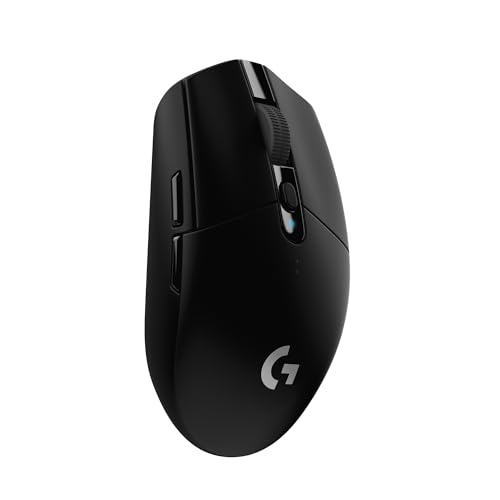
Students and casual players do best with an affordable mouse that lasts a long time between battery changes and works for both games and schoolwork. The Logitech G305, at around $30, uses Logitech's HERO sensor with up to 12,000 DPI, LIGHTSPEED wireless with a 1 ms report rate and runs up to 250 hours on one AA battery, according to Logitech. It weighs 3.4 ounces and stores its receiver inside the mouse.
The G305 has six programmable buttons and on board memory, so your settings follow the mouse to any computer. Its simple, symmetrical shape suits most hand sizes and grip styles.
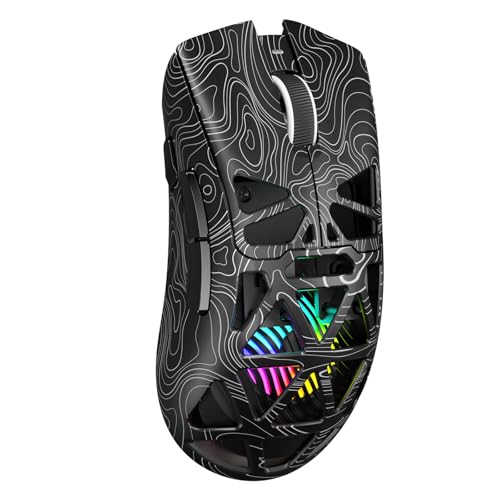
If you want RGB lighting and more buttons at a similar price, the Aula SC620, at around $29, offers 2.4GHz, Bluetooth 5.3 and wired modes, seven programmable buttons, six DPI levels up to 12,000 and a 67 gram weight, according to its maker.
For Travelers and Commuters
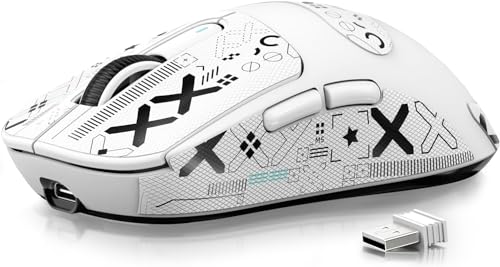
Travelers need a light, compact mouse that connects to laptops without hogging a USB port. Tri mode mice that support Bluetooth as well as a 2.4GHz receiver are ideal: use Bluetooth for email and browsing on the go, then switch to the low latency receiver for games. The ATTACK SHARK X3, at around $43, weighs 49 grams and supports Bluetooth 5.2, 2.4GHz and wired modes with a PixArt PAW3395 sensor, according to its maker.
The G305 also travels well, since it uses a single AA battery you can replace anywhere and has built in receiver storage. Avoid mice with large charging docks or tall bodies that do not fit laptop bags.
A small hard case protects the mouse and its receiver in a backpack.
For Competitive Gamers and Power Users
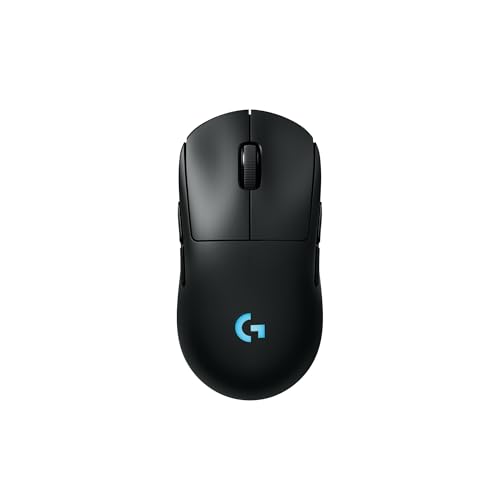
Competitive shooter players benefit most from ultralight mice with top sensors and fast polling. The Logitech PRO X Superlight 2, at around $146, weighs 60 grams and uses the HERO 2 sensor with up to 44,000 DPI, 8 kHz polling, LIGHTFORCE hybrid switches, USB-C charging and about 95 hours of battery life, according to Logitech. The Razer Viper V3 Pro, at around $125, weighs 55 grams and uses the Focus Pro 35K Gen 2 sensor with up to 8,000 Hz HyperPolling and up to 95 hours of battery.
Players who prefer an ergonomic right handed shape should look at the Razer DeathAdder V3 HyperSpeed, at around $99, which weighs 55 grams and lists up to 100 hours of battery. Ambidextrous players can choose the Logitech PRO 2 Lightspeed, at around $119, with swappable magnetic side buttons for either hand.
These mice cost more, but light weight and precise sensors make fast flicks and tracking easier over long sessions.
For MMO and Productivity Players
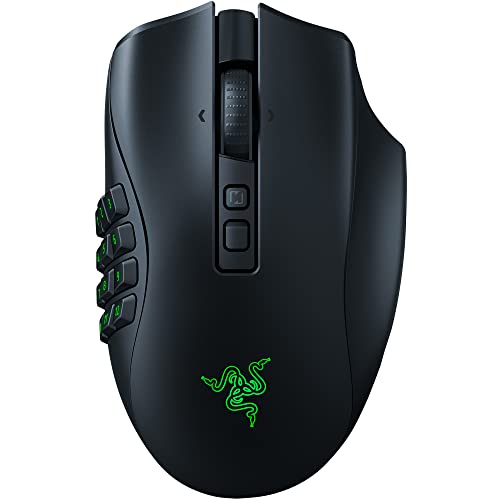
Players of MMOs, MOBAs and strategy games and people who use macros for work benefit from extra buttons. The Razer Naga V2 Pro, at around $150, includes 12, 6 and 2 button magnetic side plates for up to 19 plus 1 programmable controls and lists up to 150 hours on HyperSpeed wireless or 300 hours on Bluetooth. The Logitech G502 X Plus, at around $148, offers a dual mode scroll wheel, a removable DPI shift button and RGB lighting.
The Razer Basilisk V3 Pro 35K, at around $130, offers 13 customizable controls, a HyperScroll tilt wheel and up to 140 hours of battery life, according to Razer.
Key Features to Compare in the Best Wireless Gaming Mice
Shape and weight, wireless connection, sensor and switches, battery life and software matter most. Here is what to look for.
Ergonomics, Size, and Grip Style
Shape matters more than specs. Palm grip players rest their whole hand on the mouse and prefer larger, ergonomic shapes like the DeathAdder or G502. Claw grip players arch their fingers and like medium mice with a raised back. Fingertip grip players use only their fingertips and prefer small, light mice like the Superlight 2 or ATTACK SHARK X3.
Measure your hand from wrist to fingertip and compare it with the maker's size guide when available. Weight affects control too: ultralight mice under 60 grams make quick movements easier, while heavier mice feel steadier for some players.
Left handed players should choose ambidextrous designs, like the Logitech PRO 2 with switchable side buttons.
Wired vs Wireless (2.4GHz, Bluetooth)
Gaming grade 2.4GHz wireless, like Logitech LIGHTSPEED and Razer HyperSpeed, delivers latency comparable to wired connections for nearly every player. Bluetooth uses less power and connects without a receiver but adds latency, so it suits office work and travel rather than competitive games.
Tri mode mice, like the Aula SC620 and ATTACK SHARK X3, switch between 2.4GHz, Bluetooth and wired USB-C, which helps when you use one mouse on several devices.
Keep the receiver close to the mouse, ideally on the desk with an extension cable, to avoid interference from Wi-Fi routers and USB 3 ports.
Sensor/Switch Type and Performance
Modern sensors track accurately at any DPI most players use; huge maximum DPI numbers matter less than consistent tracking with no acceleration. Logitech's HERO 2 and Razer's Focus Pro 35K both list tracking with zero smoothing or acceleration. Polling rate, measured in Hz, controls how often the mouse reports its position; 1,000 Hz is standard, while 4,000 to 8,000 Hz can feel smoother on high refresh monitors.
Switches affect click feel and durability. Optical and hybrid switches, like Razer's Gen 3 optical switches rated for 90 million clicks and Logitech's LIGHTFORCE hybrids, avoid the double click problems that can affect older mechanical switches.
Battery Life and Charging
Battery life ranges from about 95 hours on ultralight rechargeable mice to 250 hours on the G305's AA battery and 300 hours on the Naga V2 Pro over Bluetooth. Higher polling rates and RGB lighting reduce battery life. USB-C charging is now standard, and some mice support wireless charging pads like Logitech POWERPLAY.
To stretch battery life, turn off RGB lighting, lower the polling rate to 1,000 Hz for everyday use and let the mouse sleep after a few minutes idle. Logitech says Endurance mode in G HUB can extend the G305 to about nine months on one AA battery. Charging docks keep rechargeable mice topped up between sessions so they never die mid match.
Customization and Software
Software like Logitech G HUB and Razer Synapse lets you remap buttons, set DPI levels, record macros, adjust polling rate and lighting and save profiles to on board memory. Check whether the software supports your operating system, and save profiles to the mouse so they work on computers without the software installed.
Create separate profiles for different games and for desktop work, such as a higher DPI for spreadsheets and a lower DPI for shooters, and assign a button to switch between them. Many players also bind push to talk, reload or an ability to a side button.
Common Mistakes to Avoid When Buying Wireless Gaming Mice
The most common mistake is buying a mouse for its specs instead of its shape; a mouse that does not fit your hand will hold you back no matter how fast its sensor is. Another is choosing an MMO mouse with 12 side buttons for shooters, where accidental presses get in the way. Many buyers also chase the highest DPI number, when most players use 400 to 3,200 DPI. Finally, people often plug the receiver into a rear USB port behind a metal PC case, which can cause dropouts; use the included extension or a front port.
Also avoid buying a new mouse without a matching mousepad. Ultralight mice with PTFE feet glide best on a clean cloth pad large enough for your arm movements.
Tips to Get the Most From Your Wireless Gaming Mouse
Disable "Enhance pointer precision" in Windows mouse settings, as Razer recommends, so movement stays consistent. Pick one DPI and in game sensitivity and stick with it to build muscle memory.
Use a large, consistent mousepad to give the sensor a clean surface. Keep the receiver within about a foot of the mouse. Charge overnight or between sessions so you never run out mid game, and clean the mouse feet and sensor window occasionally with a dry cloth.
Wireless Gaming Mice: Your Questions Answered
Wired or wireless: which is better for gaming?
Modern 2.4GHz gaming wireless is effectively as fast as wired for nearly all players, and it removes cable drag. Wired mice cost less and never need charging. Bluetooth is not ideal for competitive games due to higher latency.
What DPI do I need?
Most players use between 400 and 3,200 DPI. Lower DPI with larger arm movements suits shooters, while higher DPI suits high resolution screens and quick cursor movement. Any modern gaming sensor covers these settings accurately.
Many esports players use 800 or 1,600 DPI with a low in game sensitivity for steady aim.
Does it work with Mac and consoles?
Most wireless gaming mice work with Macs for basic use, but software features may be limited. Some consoles, including PlayStation and Xbox, support USB mice in specific games. Check the maker's compatibility list before buying.
How long does a wireless gaming mouse battery last?
It depends on the mouse and settings. Logitech lists about 95 hours for the Superlight 2, Razer lists up to 100 hours for the DeathAdder V3 HyperSpeed and the Logitech G305 lists up to 250 hours on one AA battery. Higher polling rates and lighting shorten runtime.
Is a heavier or lighter mouse better?
Lighter mice, under about 70 grams, make fast flicks easier and reduce fatigue, which suits shooters. Heavier mice can feel more stable for slow, precise movements. Choose the weight that feels controllable in your hand.
If you are switching from a heavy office mouse to an ultralight gaming mouse, give yourself a week or two to adjust your sensitivity and aim.
Our Verdict
The best wireless gaming mice fit your hand and the way you play. The Logitech G305 is a long lasting value for students, the ATTACK SHARK X3 and Aula SC620 suit travelers with tri mode connections, the Logitech PRO X Superlight 2, Razer Viper V3 Pro and DeathAdder V3 HyperSpeed suit competitive players and the Razer Naga V2 Pro, Basilisk V3 Pro and Logitech G502 X Plus suit MMO and productivity users. Start with shape, then compare weight, battery and software.
For more gaming guides, see the best mouse for gaming, the best silent computer mice, the best gaming monitors for ps5 and the best office chairs for gaming. Then compare current prices in the product table above.


