
Best Mouse for Gaming at Every Price: What Your Money Really Gets You
Disclosure: We may earn a commission when you buy through links on this page, at no extra cost to you. As an Amazon Associate I earn from qualifying purchases. Learn more

The best mouse for gaming by budget: what $45, $99 and $150 mice deliver in weight, sensors, wireless and comfort.
Your mouse is the part of your setup you touch more than anything else in a shooter or MOBA, and the right one can make aiming feel effortless. The price range is huge, from $45 wireless favorites to $180 esports models that weigh barely more than a deck of cards. This guide to the best mouse for gaming at every budget explains what each extra dollar actually buys, so you can decide where to spend and where to save.
We cover three picks across price tiers, what to expect from budget, midrange and premium mice, the features worth paying for, options for specific needs and the long term costs, such as replacement feet and batteries. Every mouse mentioned is sold new on Amazon US.










Top 3 Picks by Budget
These three come from the product table above and represent standout value at each price level. All are wireless models from established gaming brands with strong software support.
We compared sensor specifications, weight, shape, wireless technology, battery life and switch design, along with the overall pattern in owner feedback. We did not run our own aim trials; the notes reflect maker specifications and aggregated buyer experience.
Before you compare picks, decide which shape you prefer. Ergonomic mice are sculpted for right hands and support the palm, while symmetrical mice suit claw and fingertip grips and work for either hand on ambidextrous models. Shape and weight affect comfort more than any sensor number, so they should guide your choice first.
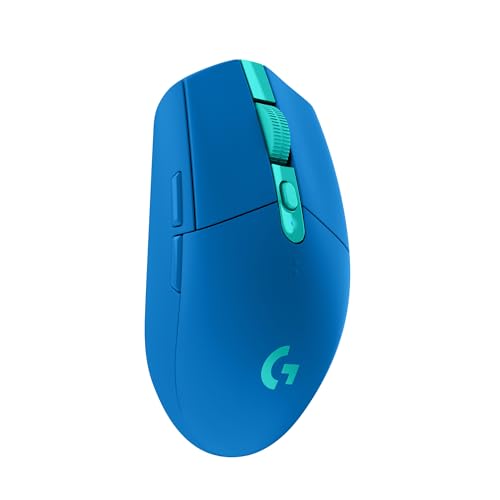
Best Budget Pick: Logitech G305 Lightspeed
The Logitech G305 Lightspeed suits students, casual players and anyone who wants reliable wireless gaming for around $45. It uses Logitech's HERO sensor with up to 12,000 DPI and 400 IPS tracking, LIGHTSPEED wireless with a 1 ms report rate and a single AA battery that Logitech rates for up to 250 hours of continuous play.
Two things stand out: battery efficiency, with an Endurance mode that can stretch a single AA battery for months of lighter use, and a compact design with storage for the nano receiver, which makes it travel friendly. The limitation is weight, since at 3.4 ounces with a battery it is heavier than modern ultralight mice. Skip it if you play fast shooters and want the lightest possible mouse.

Best Midrange Pick: Razer DeathAdder V3 HyperSpeed
The Razer DeathAdder V3 HyperSpeed is for competitive players who want an ergonomic, ultralight wireless mouse without flagship pricing, at around $99. Razer lists a 55 gram weight, a Focus X 26K optical sensor, Gen 3 optical switches rated for 90 million clicks and up to 100 hours of battery life with USB-C charging.
Its strengths are an ergonomic right handed shape developed with esports players and optical switches that avoid double click issues, plus the option to upgrade to 8000Hz polling with Razer's HyperPolling dongle. The trade off is that the ergonomic shape suits right handed palm and claw grips, not left handed players. Skip it if you are left handed or prefer a symmetrical shape.

Best Premium Pick: Logitech G PRO X Superlight 2
The Logitech G PRO X Superlight 2 suits serious shooter players who want an esports staple, at around $150. It weighs 60 grams, uses a HERO 2 sensor with up to 44,000 DPI and over 888 IPS tracking, supports up to 8 kHz polling and lists up to 95 hours of battery life with USB-C charging and POWERPLAY wireless charging support.
The appeal is a simple, symmetrical shape that suits many grip styles, LIGHTFORCE hybrid switches with a tactile click and zero additive PTFE feet for a smooth glide. The limitation is minimal extra buttons, so MMO and productivity users may want more. Skip it if you prefer a sculpted ergonomic shape or need many programmable side buttons.

What Your Money Gets You at Each Price Tier
Gaming mice on Amazon US fall into three price bands. Sales are common, especially on previous generation models, so these ranges are typical rather than fixed.
Budget Tier: What to Expect
Under around $60 you can get excellent wired mice and solid wireless models such as the Logitech G305, Razer Basilisk V3 X HyperSpeed and Redragon M913. Sensors at this level are accurate enough for most players, and many include software for DPI and button customization.
What you give up is weight reduction, premium switches and very high polling rates. Budget wireless mice may run on AA batteries, which adds weight, and build quality relies on simpler plastics. For casual and intermediate players, though, a budget mouse rarely holds back performance.
Wired mice remain a smart budget choice. Without a battery they are lighter for the price, never need charging and deliver consistent performance, which makes them popular with players on a tight budget.
Watch out for no name mice that advertise enormous DPI figures and flashy lighting at very low prices. Sensor quality, click reliability and software support vary widely, and a slightly more expensive mouse from an established brand usually lasts longer and tracks more consistently.
Midrange Tier: The Sweet Spot for Most Buyers
Between around $60 and $120 you find lightweight wireless mice in the 55 to 70 gram range, rechargeable batteries with USB-C, optical switches and better sensors. Models like the Razer DeathAdder V3 HyperSpeed, Logitech G703 and GravaStar Mercury M2 sit here.
This tier is the sweet spot because it delivers most of the performance of flagship esports mice at a lower price. Battery life is long, shapes are refined and software support is strong. Many players never need to spend more.
Previous generation flagships often drop into this price range when new models launch. A last generation esports mouse still offers excellent sensors and switches, so watching for these discounts is one of the best ways to get premium performance for midrange money.
Premium Tier: When Spending More Pays Off
Above around $120 you get flagship esports mice such as the Logitech G PRO X Superlight 2, Razer Viper V4 Pro and DeathAdder V4 Pro. Expect ultralight builds around 50 to 60 grams, top sensors, 4K to 8K polling, premium switches and refined feet. Feature rich models like the Logitech G502 X Plus and Razer Basilisk V3 Pro add RGB lighting, extra buttons and wireless charging.
Spending more pays off if you play competitive shooters seriously, want the lightest wireless mouse or need advanced features like many programmable buttons. For casual play, the difference from a good midrange mouse is small.
Premium mice also tend to include better wireless receivers and extension adapters, which keep the signal close to the mouse on crowded desks. This matters at tournaments and LAN parties where many wireless devices compete for the same frequencies.
Best Mouse for Gaming: Features Worth Paying For (and Ones to Skip)
Some features affect your aim and comfort every day. Others look impressive on a box but matter little in practice. Here is how to tell them apart.
Customization and Software
Companion software like Logitech G HUB, Razer Synapse, Corsair iCUE and SteelSeries GG lets you remap buttons, adjust DPI steps, set polling rates, create macros and save profiles for different games. Onboard memory stores settings on the mouse, so they work on any computer without the software running.
Customization is worth paying attention to if you play MMOs, MOBAs or use your mouse for productivity shortcuts. RGB lighting is fun but adds cost and slightly reduces battery life on wireless mice, so treat it as a style choice.
Profiles are especially useful if you play several genres. A shooter profile might use low DPI and minimal buttons, while a strategy profile adds keyboard shortcuts to side buttons. Switching profiles automatically when a game launches saves time and keeps settings consistent.
Wired vs Wireless (2.4GHz, Bluetooth)
Modern 2.4GHz wireless gaming mice, such as Logitech LIGHTSPEED and Razer HyperSpeed, perform as well as wired mice for virtually all players, with no noticeable lag. They remove cable drag, which many players appreciate. Bluetooth modes save battery and connect to laptops easily but add latency, so use them for work rather than games.
Wired mice are cheaper, never need charging and offer consistent performance. Lightweight paracord style cables reduce drag. Choose wireless for freedom and a clean desk, wired for value and simplicity.
Battery type affects weight and convenience. Rechargeable mice charge over USB-C and often let you play while charging, while AA powered mice can swap batteries instantly but carry extra weight. Some flagship mice support wireless charging pads that keep the battery topped up as you play.
Ergonomics, Size, and Grip Style
Comfort and shape matter more than any spec. Palm grip players rest their whole hand on the mouse and often prefer larger ergonomic shapes. Claw grip players arch their fingers and like a pronounced back hump. Fingertip players control the mouse with fingertips only and often prefer small, light mice.
Measure your hand from wrist to fingertip and compare with brand sizing guides. Weight preferences vary: lighter mice feel fast for flick shots, while slightly heavier mice can feel more controlled. If possible, try shapes in a store or buy from a seller with easy returns.
Side grip texture matters during long or intense sessions. Matte coatings, grip tapes and textured sides help prevent slipping, and many players add aftermarket grip tape to lightweight mice for extra control.
Features That Matter for Gaming
Sensor quality matters, but nearly all modern gaming sensors are accurate enough for every player. DPI, the sensitivity setting, matters less than consistent tracking; most players use 400 to 1600 DPI. Polling rate, how often the mouse reports to your PC, is standard at 1000Hz, with 4K and 8K options on premium models offering marginal gains for high refresh monitors.
Optical switches resist double clicking and last longer than many mechanical switches. Smooth PTFE feet improve glide. These details add up to a mouse that feels responsive and reliable over years of play.
Lift off distance, the height at which the sensor stops tracking when you lift the mouse, matters to low sensitivity players who reposition often. Many modern mice let you adjust it in software, which prevents the cursor from drifting when you pick the mouse up.
Best Gaming Mice for Specific Needs
Different players need different mice. Here is how to match the mouse to your situation.
Best Mouse for Gaming and Why
For most players, the best mouse for gaming is a lightweight wireless mouse with a shape that fits their grip, such as the Razer DeathAdder V3 HyperSpeed for ergonomic fans or the Logitech G PRO X Superlight 2 for symmetrical fans. These mice combine accurate sensors, long battery life and comfort for long sessions.
If you are switching from an office mouse, expect a short adjustment period. Lower in game sensitivity and a lighter mouse feel strange for a few days, but most players find their aim becomes steadier once their arm, rather than their wrist, does more of the movement.
Best Mouse for You Gaming: Where Your Money Goes
When choosing the best mouse for your gaming, spend on shape and weight first, then wireless performance and battery life, and only then on extras like RGB and extreme polling rates. A comfortable midrange mouse will improve your play more than a premium model that does not fit your hand.
A quality mouse pad is part of the same budget. A large cloth pad gives room for low sensitivity swipes and consistent glide, while hard pads feel faster. Pairing a midrange mouse with a good pad often feels better than a premium mouse on a bare desk.
Best Mouse for Gaming Computer
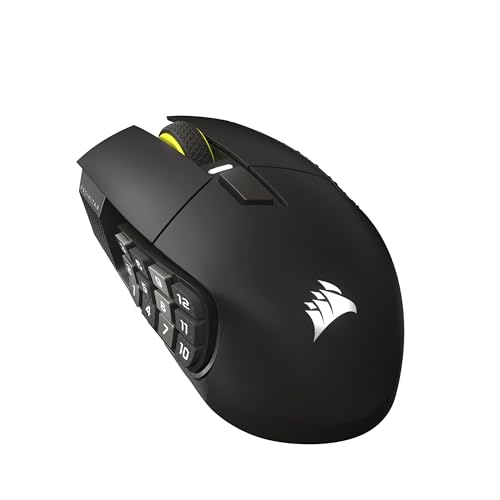
The best mouse for a gaming computer depends on your games. Shooter players prefer light, simple mice, MMO players benefit from side button grids like the Razer Naga or Corsair Scimitar, and players who also work on the same PC may like feature rich mice such as the Logitech G502 X with extra buttons and fast scrolling.
Left handed players should look specifically for ambidextrous or left handed models, since most ergonomic gaming mice are right handed only. Symmetrical mice with side buttons on both sides offer the most flexibility.
Long Term Costs to Factor In
Gaming mice carry modest ongoing costs. Mouse feet wear down over time and can be replaced with inexpensive PTFE or glass skates. A good mouse pad improves glide and protects your desk. AA battery mice need regular battery changes, so rechargeable batteries save money over time.
Rechargeable mice slowly lose battery capacity over several years. Wireless charging pads such as POWERPLAY add convenience but cost extra. Choosing a durable mouse with optical switches and replaceable feet keeps the cost per year low.
Cleaning keeps a mouse feeling new. Wipe the shell and feet occasionally, clean the mouse pad and blow dust out of the sensor area. These small habits prevent tracking issues and keep glide smooth for years.
FAQs
What features matter most in mouses for gaming?
The most important features are a comfortable shape for your grip, a weight that suits your play style and a reliable sensor. After that, consider wireless performance, battery life, switch quality and software. Extra buttons matter for MMO and productivity users, while competitive shooter players often prefer light, simple mice.
Does it work with Mac and console?
Most gaming mice work with Mac computers for basic functions, and many companion apps support macOS. Consoles vary: some games on Xbox and PlayStation support mouse and keyboard, but many do not. Check whether your game supports mouse input and whether the mouse needs software that runs only on Windows.
For console players, a few adapters exist that translate mouse input, but they can violate game rules or feel inconsistent, so check each game's policies first.
What DPI do I need?
Most players use between 400 and 1600 DPI, and many competitive shooter players use 400 or 800 DPI with low in game sensitivity for precise aiming. Very high DPI numbers like 26,000 or 44,000 are rarely used in practice. Choose a mouse with accurate tracking, then pick the DPI and sensitivity that feel comfortable.
Wired or wireless: which is better for gaming?
Modern 2.4GHz wireless gaming mice are as responsive as wired ones for nearly everyone and remove cable drag. Wired mice cost less and never need charging. Choose wireless for freedom and a tidy desk, and wired if you want the best value or dislike charging. Avoid using Bluetooth mode for competitive games.
How much should a gaming mouse weigh?
Many competitive players prefer mice between about 50 and 70 grams, which feel fast and reduce fatigue during long sessions. Others like 80 to 100 grams for a more planted, controlled feel. There is no single right weight; choose based on your grip, play style and personal preference.
Our Verdict
The best mouse for gaming is the one that fits your hand and your games. The Logitech G305 is an unbeatable budget wireless pick, the Razer DeathAdder V3 HyperSpeed offers ultralight ergonomic performance in the midrange, and the Logitech G PRO X Superlight 2 is a premium esports favorite. Prioritize shape and weight, then wireless performance and battery life.
For more gear, see our guides to the best gaming mouse and pad, the best gaming mouse mat, the best inexpensive gaming mouse, the best cordless gaming mouse and the best silent computer mice. Then compare current prices in the product table above.


