Best Ambidextrous Wireless Gaming Mouse 2026
Disclosure: We may earn a commission when you buy through links on this page, at no extra cost to you. As an Amazon Associate I earn from qualifying purchases. Learn more

How to choose the best ambidextrous wireless gaming mouse: shape, buttons on both sides, weight, sensor and battery life.
A symmetrical shell sounds simple until you compare button layouts, weights and wireless modes. The best ambidextrous wireless gaming mouse for you fits your hand, your grip and the hand you play with. This guide compares types first, so you can read the comparison table below with a clear shortlist.
True ambidextrous models mirror their shape and give you usable side buttons on both sides. Other models copy the symmetrical shape but place buttons for the right hand only. That detail changes who should buy what.

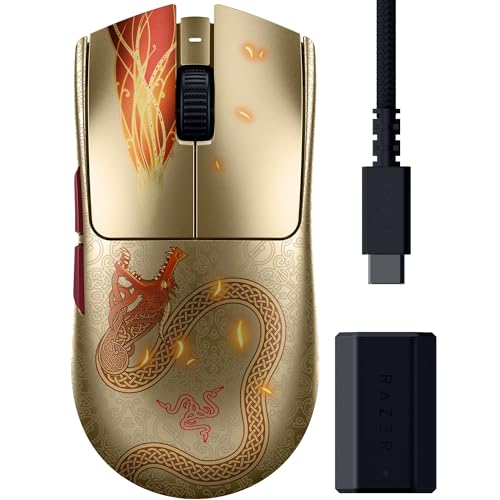
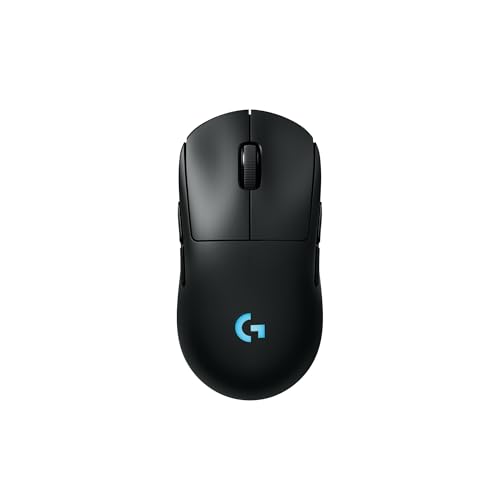
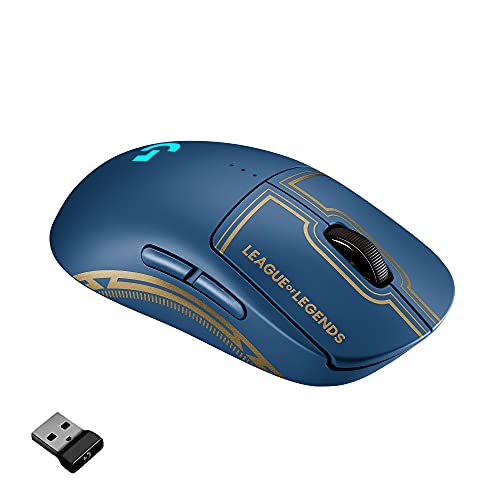
How Ambidextrous Wireless Gaming Mice Compare to Other Options
These comparisons cover the choices buyers weigh before settling on a symmetrical model.
Ambidextrous Wireless Gaming Mice Compared With Ergonomic Models
Ergonomic models tilt the hand, raise one side and add a thumb rest shaped for one hand only. That support can feel relaxed, but it locks you into one hand. A symmetrical shell keeps your wrist neutral and lets either hand take over. Choose ergonomic for single hand comfort, and symmetrical for freedom to switch.
Ambidextrous Wireless Gaming Mice Compared With Wired Models
Wired models never need charging and often cost less. The cable, though, can drag on the desk edge and pull against fast swipes. Wireless models remove that drag and keep your desk clear. If you hate charging, wired makes sense. If you value clean aim, wireless earns its price.
Ambidextrous Wireless Gaming Mice Compared With Compact Travel Models
Compact travel models are short, flat and built to slip into a laptop sleeve. Their small shells suit short tasks, but they can cramp a full palm grip and use smaller batteries. A gaming model gives you a taller hump, larger skates and stronger switches for daily play. Pick full size when aim matters most.
Who Should Choose an Ambidextrous Wireless Gaming Mouse?
Your dominant hand and grip style matter more than the game you play. These groups show why buyers choose a symmetrical shell.
Left Handed Players Who Want Full Button Access
You need side buttons on the right side of the shell, where your left thumb rests, not buttons placed for a right thumb. Look for models that let you enable those buttons in software and disable the unused set, so a stray press cannot interrupt a match.
Players Who Switch Hands or Share a Desk
You may play with one hand, work with the other, or share the mouse with a partner who uses the opposite hand. A symmetrical model moves between you without a new learning curve. Keep one shared profile saved on the mouse itself, so settings travel without extra software.
Claw and Fingertip Grip Players Who Prefer a Symmetrical Shell
You steer with your fingers and the front half of your palm, so a centered hump and straight sides give you control without forcing your wrist to one angle. Both sides offer the same place to lift and reset the mouse. If you rest your whole palm and want deep support, an ergonomic model may suit you better.
Key Features to Compare
Compare these factors in order when you shop for the best ambidextrous wireless gaming mouse for your desk. Shape and buttons decide who can use the mouse at all, while sensor and battery details refine the choice.
Symmetrical Shape, Hand Size and Grip Fit
Measure your hand from fingertip to wrist and across the knuckles, then match shell length to that size. Small hands often suit shells under about 120 mm long, while large hands need more length so fingers do not hang past the main buttons. A hump toward the center favors claw grip, and a taller hump fills the palm for a relaxed hold.
Side Buttons That Work for Either Hand
Count buttons on both sides, not just the side shown in photos. A true ambidextrous model carries buttons for each thumb, and good software lets you turn off the unused set. Check button reach with your normal grip, because a button placed too far forward forces you to shift your thumb before every press. Raised buttons are easier to find by touch.
Weight and Balance for Fast Aiming
Most models in this class weigh about 50 to 90 grams without a cable. A lighter mouse asks less effort during repeated swipes and stops with less overshoot, while a heavier mouse can feel steadier for slow tracking. Balance matters as much as total weight, so look for weight centered under your grip. For a deeper look at weight alone, see our guide to the best lightweight wireless gaming mouse before you decide.
Sensor, DPI and Polling Rate
The sensor turns your hand movement into cursor movement. DPI sets how far the pointer moves for each inch you move the mouse, and most players settle between about 400 and 3200 DPI. Higher maximum numbers add little for most people. Polling rate sets how often the mouse reports its position, with 1000 Hz now common. A stable sensor matters more than the biggest number on the box.
Wireless Modes, Battery Life and Charging
A 2.4 GHz receiver gives the lowest wireless latency and is the mode most players use for gaming. Bluetooth stretches battery life and pairs easily with laptops, but it can feel less responsive in fast games. Battery claims range from about 40 to 150 hours depending on mode and lighting. USB C charging is now standard, and most models let you plug in and keep playing while the battery fills. Our guide to the best mouse gaming wireless explains receiver placement.
Switch Feel, Durability and Warranty
Main switches decide how each click sounds and feels. Mechanical switches give a crisp, familiar press, while optical switches use light to register the click and resist the double click fault that worn contacts can cause. Click ratings often run from about 50 to 90 million presses, and some models offer hot swappable main switches. Check warranty length as well.
How to Check Fit and Buttons Before You Commit
Start on paper if you cannot try a mouse in a store. Trace your hand, mark your usual grip, and compare shell length and width against that drawing. A shell that is too long pushes the main buttons past your fingertips, and one too narrow crowds your fingers.
Once a mouse arrives, check it before you remove every tag. Reach each side button without shifting your palm, and make ten slow swipes across your pad. Your wrist should stay relaxed. If you are still comparing broad options, see our guide to the best mouse for gaming. For mirrored shapes, see our guide to the best gaming mouse ambidextrous.
Common Mistakes to Avoid
- Buying a shell with buttons on one side only leaves left handed players without reachable thumb buttons.
- Choosing by maximum DPI alone leaves you with a number you never use and a poor fit.
- Ignoring shell length makes your fingers overreach the main clicks and tires your hand.
- Leaving lighting and the highest polling rate on drains the battery sooner than you expect.
- Playing on Bluetooth during fast games adds delay that makes tracking feel loose.
- Forgetting to disable unused side buttons invites stray presses mid match.
Setup and Care Tips for an Ambidextrous Wireless Gaming Mouse
Place the receiver close to your pad, ideally on an extension cable, so your desk and monitor do not block the signal. Pair Bluetooth as your second connection for travel. Update firmware through the companion app at setup, then check every few months.
Clean the sensor lens and skates with a dry, soft cloth, and wipe the shell where sweat builds up. Replace worn skates when the glide feels scratchy, because rough feet can make aim feel uneven. Charge before the battery is empty.
Frequently Asked Questions
Does an ambidextrous wireless gaming mouse work with Mac and console systems?
Yes, an ambidextrous wireless gaming mouse works with Mac and many console systems for basic pointing and clicking. The receiver usually works as a standard input device, and Bluetooth pairing works on Mac without extra steps. Advanced button mapping, though, often needs Windows software. Consoles also limit which buttons games can use, so test your layout first.
What DPI should an ambidextrous wireless gaming mouse use for gaming?
Most players should start an ambidextrous wireless gaming mouse at about 800 DPI and adjust from there. Lower settings give finer control for careful aim, while higher settings suit small pads and fast turns. Try one change for a full session before you judge it. Your in game sensitivity multiplies with DPI, so change only one setting at a time.
Is a wired or wireless connection better for an ambidextrous gaming mouse?
For most players, a wireless connection on an ambidextrous gaming mouse now matches wired play closely enough that the cable free desk is worth it. A 2.4 GHz receiver keeps delay low, and modern sensors track the same on either link. Wired play still helps when the battery runs low, so keep the charging cable at the desk.
Can left handed players use every side button on an ambidextrous gaming mouse?
Left handed players can use the side buttons on an ambidextrous gaming mouse only when the model places buttons on both sides of the shell. Some models mirror the shape but fit buttons for the right thumb alone. Check photos of both sides and read the button count carefully. Software cannot add a physical button that was never built in.
How long does the battery in an ambidextrous wireless gaming mouse last?
The battery in an ambidextrous wireless gaming mouse lasts about 40 to 150 hours per charge, depending on connection, lighting and polling rate. Bluetooth use sits near the top of that range, while bright lighting sits near the bottom. A short top up during a break often adds enough charge for the evening.
Wrapping Up
Start with a shell that fits your hand and a button layout that serves your dominant hand, then compare weight, sensor and battery. Models cost about $50 to $150, and budget minded readers can see our guide to the best affordable wireless gaming mouse. Use the product table above to confirm size and connection.
Your search for the best ambidextrous wireless gaming mouse gets easier when fit and button access come first. Pick the model you can grip, reach and charge without thinking about it.