
Best Automatic Duplex Printers: Which One Fits the Way You Use It for 2026
Disclosure: We may earn a commission when you buy through links on this page, at no extra cost to you. As an Amazon Associate I earn from qualifying purchases. Learn more

Match printer type, duplex speed and cost per page to your routine and choose the best automatic duplex printers without overpaying.
There is no single printer that suits every desk, because a student printing essays and a home office printing contracts need different things. This guide to the best automatic duplex printers starts with your routine, then matches it to printer type, speed, and running cost. Automatic duplex printing means the machine prints both sides of a sheet on its own, so you save paper and skip manual flipping.
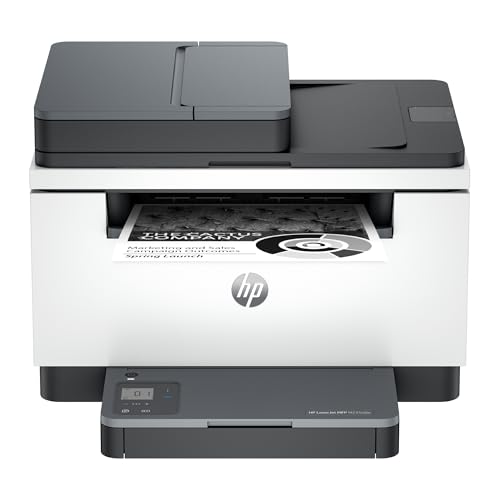
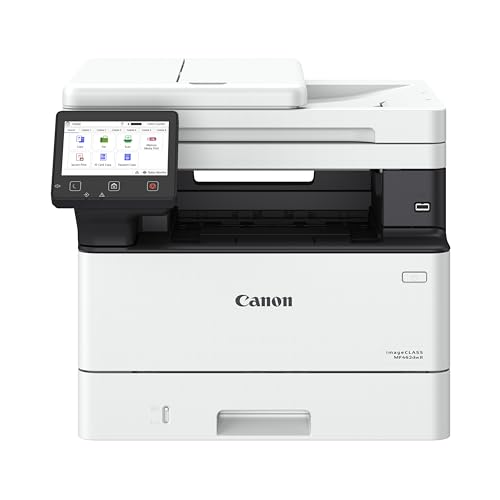
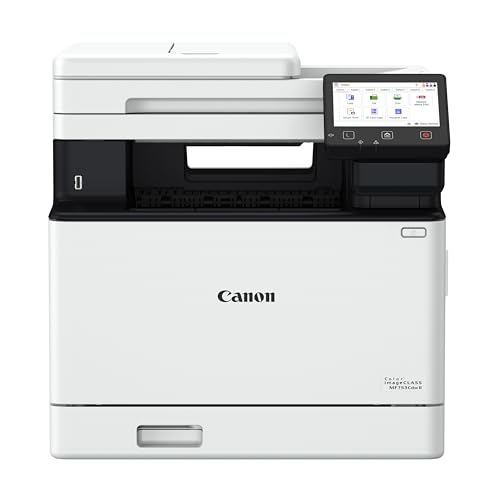
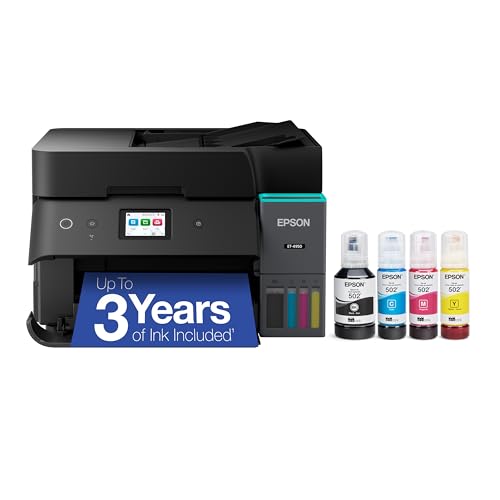
Start with the comparison table below to see which models offer automatic two sided printing, scanning, and WiFi. Then use the sections that follow to narrow the list by how much you print each month and what those pages mostly contain.





Who Should Buy Which Automatic Duplex Printers?
Your monthly page count and your mix of text, color, and photos decide more than any single spec. Match yourself to one of the three groups below before you compare prices.
For Students and Everyday Users
Students need a printer that works after sitting idle during breaks, prints essays and forms without fuss, and costs little to run on a tight budget. A compact inkjet or a small ink tank model with automatic duplex printing covers coursework well. Prioritize simple WiFi setup, a basic scanner for worksheets, and replacement ink that is easy to find locally. Raw speed matters less here, because most jobs are short. Reliability after idle weeks matters more, so a model known for resisting clogged nozzles is worth a small premium.
For Remote Workers and Creators
Remote workers need sharp text for contracts, dependable scanning for signed pages, and color that looks credible in client handouts. A midrange all in one with automatic duplex printing and automatic duplex scanning saves the most time, because long documents feed through without your help. Strong app support and AirPrint help when you print from a phone between calls. If color accuracy drives your work, compare options in our guide to the best duplex color laser printer before you settle on an inkjet.
For Power Users and Busy Offices
Power users print in bursts, such as event guides, manuals, labels, and long reports, and they hate waiting. A laser model with fast first page output, a large paper tray, and automatic duplex printing as standard fits this pattern best. Look for a monthly duty cycle well above your peak month, plus Ethernet for a stable connection on a busy home network. Shared households and small offices also benefit from user codes or secure print release, so a private document does not sit in the tray.
Key Features to Compare
Specs only help when you tie each one to a real task. The five features below decide daily satisfaction and total cost far more than headline resolution numbers.
Printer Type: Inkjet, Laser and Ink Tank
Inkjet models handle photos and mixed color documents well and cost less upfront. Laser models print crisp text fast and suit high volume offices, which is why our guide to the best duplex laser printers focuses on speed and toner cost. Tank models are inkjets with refillable reservoirs that cut ink cost sharply for heavy users.
Connectivity and Mobile Printing
WiFi is the baseline, and dual band support helps on crowded networks. AirPrint lets Apple devices print without extra software, while a maker app adds scanning to your phone and ink level alerts. Ethernet still wins for a fixed desk, because it avoids dropout during large jobs. A practical tip is to place the printer within a clear line of the router or use Ethernet, since weak signal causes more failed jobs than any print setting. USB remains a useful backup for one computer setups.
Print Speed
Speed is quoted in pages per minute, often shown as PPM, and makers measure it on simple text pages. Duplex speed is the number that matters for this category, and it is always lower than single sided speed, so check the duplex figure when a listing shows both. First page time matters for short jobs, because a fast rated printer that wakes slowly feels sluggish. For home use, about 10 to 20 pages per minute is comfortable. Busy offices should look higher and value a large tray.
Cost per Page and Ink or Toner Costs
Cost per page decides whether a cheap printer stays cheap. Cartridge inkjets can cost several times more per page than tank models, and laser toner usually lands between the two. Ink subscriptions can help steady moderate users but punish anyone whose volume drops. Do a quick estimate before buying. Multiply your monthly pages by the stated cost per page, then add paper. Readers comparing broader categories can see our guide to the best quality printers for how output quality trades against running cost.
Footprint and Noise
Measure your shelf or desk before you fall for a feature list, including space for the output tray and for opening the scanner lid. All in one models with a document feeder stand taller than basic printers. Noise matters in a bedroom office or a shared flat. Laser printers make brief fan and roller noise during jobs, while inkjets are quieter but slower. If you print early or late, look for a quiet mode, accept that it slows output, and place the printer on a solid surface to reduce vibration.
Common Mistakes to Avoid When Buying Automatic Duplex Printers
Most regrets come from a short list of repeat errors. Check your shortlist against these points before you pay.
- Buying on purchase price alone and ignoring cost per page, which decides what you spend over the next three years.
- Assuming duplex in a listing means automatic, when some models only support manual two sided printing with prompts.
- Picking the wrong printer type for your volume, such as a cartridge inkjet for a busy office or a large laser for ten pages a month.
- Skipping the scanner and document feeder check, then discovering that duplex scanning is missing even though duplex printing is present.
- Ignoring warranty terms and local service options, which matter when a feeder fault stops a home business.
If you are unsure which category fits, start from the broader overview in our guide to the best duplex printers and then return here with your monthly page count in hand.
Tips to Get the Most From Your Automatic Duplex Printer
Set duplex as your default in the print driver, or long documents will still come out single sided out of habit. For inkjet models, print a color page about once a week to keep nozzles clear, since dried ink is the top cause of streaks after holidays. Use genuine ink or a reputable refill brand, because poor ink can leak and damage print heads. Keep paper in its wrapper in a dry place, fan each new stack before loading, and update firmware through the maker app so mobile printing stays stable.
Automatic Duplex Printers: Your Questions Answered
Are ink tank printers worth it?
Yes, ink tank printers are worth it if you print a few hundred pages a month or more. The printer costs more upfront, but bottled ink drops cost per page so far that heavy users recover the gap within the first year or two. A point many buyers miss is yield honesty. Quoted yields assume light page coverage, so photo heavy printing uses ink faster. If you print rarely, a tank can still suit you, since liquid ink in sealed tanks resists drying better than small cartridges.
Is manual duplex the same as automatic duplex?
No. Manual duplex asks you to reload the pages yourself after the first side prints, which is slow and easy to get wrong. Automatic duplex flips the sheet inside the printer, so long documents print on both sides without your help. Check the listing for the words automatic duplex or auto two-sided printing before you buy.
Inkjet or laser: which is cheaper long term?
Laser is usually cheaper long term for text heavy, high volume printing, while tank inkjet can beat both for mixed home use. Cartridge inkjet is the most expensive pattern over time. The deciding factor is your page mix. Color photos push you toward inkjet quality, but each photo page costs far more than a text page. Run your own numbers for one year of pages before deciding, because national averages rarely match a student, a freelancer, and a family at the same time.
What does cost per page mean?
Cost per page means the ink or toner cost of printing one page, excluding the paper itself. Makers estimate it from cartridge yield at a standard light coverage, so treat it as a comparison tool rather than a promise. A useful habit is to track your first cartridge or tank fill. Note how many pages you printed when it ran out, divide the replacement price by that count, and you will have your true cost per page for every future buying decision.
Wrapping Up
Match printer type to your volume first, confirm that duplex printing is fully automatic, and then compare cost per page across your final two or three options. Students can buy small, remote workers should value duplex scanning, and power users should pay for speed and tray size. When you are ready, revisit the best automatic duplex printers in the product table above and choose the model whose running costs still look sensible a year from now.


