
Best WiFi Adapter for PC Gaming: PCIe and USB Types Compared (2026)
Disclosure: We may earn a commission when you buy through links on this page, at no extra cost to you. As an Amazon Associate I earn from qualifying purchases. Learn more

WiFi adapters for gaming PCs compared: WiFi 7 and 6E PCIe cards, WiFi 6 budget cards and USB adapters.
Not every gaming PC can sit next to the router with an Ethernet cable, and a weak or outdated wireless card can turn an online match into a lag fest. A good WiFi adapter gives a desktop PC faster speeds, lower latency and better range. The best wifi adapter for pc gaming depends on your router, your PC case and whether you want to open the case at all.
We compare the main types of adapters, from WiFi 7 and WiFi 6E PCIe cards to budget WiFi 6 cards and USB dongles, then explain how to choose, how to keep an adapter working well and common questions. An adapter cannot beat the router it connects to, so check your router's WiFi standard before you buy.




Types of Wifi Adapters Compared
Here is how the main types compare at a glance.
| Type | Best For | Pros | Cons | Typical Price |
|---|---|---|---|---|
| WiFi 7 PCIe cards | New WiFi 7 routers, high end gaming PCs | Fastest speeds, 6 GHz, MLO, Bluetooth 5.4 | Windows 11 needed, pricier | around $65 to $80 |
| WiFi 6E PCIe cards | WiFi 6E routers, best value performance | 6 GHz band, low latency, Bluetooth | Need a free PCIe slot | around $25 to $45 |
| WiFi 6 PCIe cards | WiFi 6 routers on a budget | Cheap, reliable, external antennas | No 6 GHz band | around $26 to $30 |
| USB WiFi adapters | Prebuilt PCs, laptops, no tools | Plug and play, portable | Can be less stable than PCIe | around $23 to $75 |
Premium Options: WiFi 7 PCIe Cards
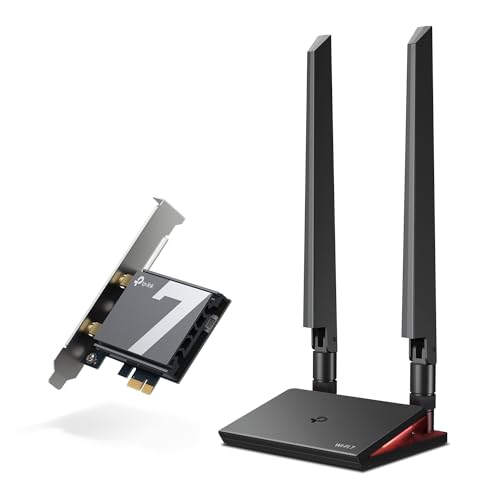
WiFi 7 cards suit gamers with a WiFi 7 router who want the fastest wireless connection. TP-Link's Archer TBE550E, around $65, is a tri band BE9300 card with speeds up to 5,760 Mbps on 6 GHz and 2,880 Mbps on 5 GHz, Multi-Link Operation to reduce latency on busy networks, 4K-QAM, Bluetooth 5.4 and two antennas on a magnetic base with a status LED. TP-Link notes it supports AMD and Intel systems but is not compatible with Windows 10 or Linux.
ASUS's PCE-BE92BT, around $80, is another WiFi 7 card with 6 GHz support, 320 MHz channels, Bluetooth 5.4 and two external antennas. These suit high end builds and anyone planning a router upgrade.
Mid Range Options: WiFi 6E PCIe Cards
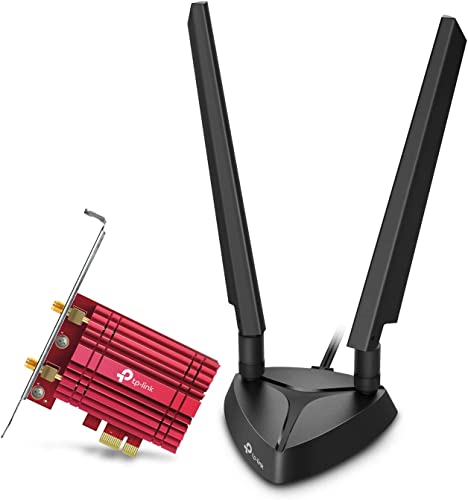
WiFi 6E cards offer the 6 GHz band, which is less crowded than 2.4 and 5 GHz, at a lower price. TP-Link's Archer TXE75E, around $45, uses an Intel AX210 chipset with speeds up to 2,402 Mbps on 6 GHz plus 2,402 Mbps on 5 GHz, Bluetooth 5.3, WPA3, OFDMA and MU-MIMO, two antennas on a magnetic base and both standard and low profile brackets.
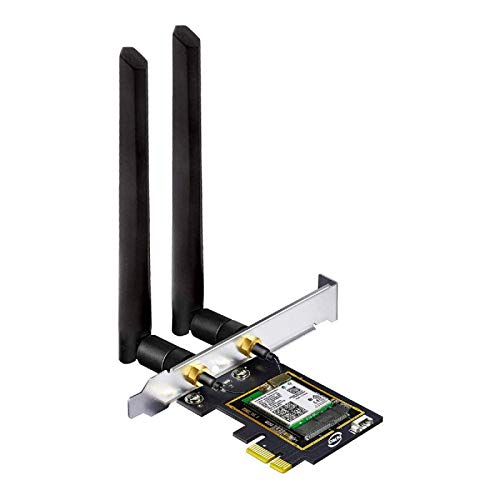
OKN's AX210 based card, around $25, offers similar WiFi 6E and Bluetooth features with two 5 dBi antennas and brackets for different case sizes, though you download the driver from Intel. These suit most gamers with a WiFi 6E router.
Budget Options: WiFi 6 PCIe Cards
WiFi 6 cards are the budget path for a real upgrade over old WiFi 5 adapters. TP-Link's Archer TX55E, around $26, offers up to 2,402 Mbps on 5 GHz, OFDMA and MU-MIMO, two high gain antennas, Bluetooth 5.2 and WPA3, with standard and low profile brackets. ASUS's PCE-AX1800, around $30, is a WiFi 6 card with Bluetooth 5.2 and two external antennas.
These suit gamers with WiFi 6 routers who want low latency without paying for 6 GHz support.
Compact Options: USB WiFi Adapters
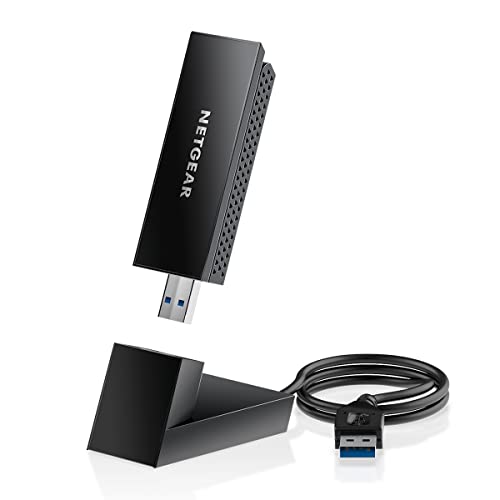
USB adapters suit prebuilt PCs, small cases without free slots and anyone who prefers not to open the case. BrosTrend's BE6500 USB WiFi 7 adapter, around $47, lists speeds up to 2,882 Mbps on 6 GHz and 5 GHz, dual external antennas, beamforming and a pre loaded driver; it needs Windows 11 for the 6 GHz band. TP-Link's Archer TX20U Plus, around $23, is a WiFi 6 AX1800 USB adapter with high gain antennas and NETGEAR's Nighthawk A8000 WiFi 6E USB 3.0 adapter, around $75, brings the 6 GHz band to a USB stick with tri band speeds up to 3 Gbps. Nineplus's AC1300 USB adapter, around $26, is a simple WiFi 5 option.
Use a USB 3.0 port, which TP-Link specifically recommends, and a short USB extension cable to move the adapter away from the case for better signal.
PCIe Cards vs USB Adapters: Which Should You Choose?
Choose a PCIe card if you have a desktop with a free PCIe slot and want the most stable, lowest latency wireless connection. PCIe cards connect directly to the motherboard, often include Bluetooth and use external antennas on a magnetic base that you can place on top of the case. WiFi 6E and WiFi 7 cards like TP-Link's TXE75E and TBE550E are the strongest gaming choices.
Choose a USB adapter if you cannot open your PC, have no free slot or want something you can move between computers. Modern USB adapters like BrosTrend's WiFi 7 model are fast, but USB connections can be more sensitive to port quality and interference. If you can, run an Ethernet cable or use powerline networking for the absolute lowest latency, and use WiFi as the backup.
How to Choose the Best Wifi Adapter for PC Gaming
Setup, support, specs, gaming features and intended use decide which adapter fits.
Ease of Use and Setup
USB adapters are the easiest to set up; BrosTrend includes a pre loaded driver. PCIe cards need you to power down, open the case, insert the card into a PCIe slot and, for Bluetooth, connect a cable to a motherboard USB header, as TP-Link notes for its TX55E. Standard and low profile brackets help fit different cases. Always install the latest drivers from the chipset or adapter maker.
Key Performance Specs
Match the adapter's WiFi standard to your router: WiFi 7 cards need a WiFi 7 router to reach full speed, and WiFi 6E cards need a 6E router to use 6 GHz. Look at real band speeds, such as 2,402 Mbps on 5 GHz for WiFi 6 cards and up to 5,760 Mbps on 6 GHz for WiFi 7 cards. Antennas matter; external antennas on a magnetic base usually beat tiny internal ones.
Features That Matter for PC Gaming
Low latency matters more than headline speed. OFDMA and MU-MIMO, listed on most adapters here, help when many devices share the network.
WiFi 7's Multi-Link Operation can use multiple bands at once for steadier connections. The 6 GHz band reduces interference from neighbors. Bluetooth support lets you connect controllers and headsets without a separate dongle.
Intended Use and Who It's For
Competitive gamers with new routers should choose WiFi 7 or 6E PCIe cards. Casual gamers with WiFi 6 routers can save with a WiFi 6 PCIe card. Prebuilt and small form factor PC owners often prefer USB adapters. Linux and Windows 10 users should check compatibility carefully, since some WiFi 7 adapters require Windows 11.
Warranty and Customer Support
TP-Link and ASUS are major networking brands with driver downloads and support pages. Generic brands may rely on chipset drivers, such as OKN's AX210 card using Intel's driver. Keep your receipt and check the warranty on the listing.
Router Placement and Your Network
Even the best adapter cannot fix a poorly placed router. Put the router in a central, elevated spot, away from microwaves, cordless phones and thick walls, and keep its firmware updated.
If your gaming PC is far away, a mesh system or a range extender designed for gaming can help more than a pricier adapter. On WiFi 6E and WiFi 7 routers, connect your PC to the 6 GHz band when you are in range, and use 5 GHz when walls weaken the signal. Limiting heavy downloads and streaming on other devices during matches also reduces lag spikes.
How to Make Your Wifi Adapter Last Longer
Keep drivers and Windows updated, since updates often fix stability and latency issues. Place antennas on top of the case or desk, away from metal and other electronics, and angle them for the best signal.
Avoid bending antenna cables sharply. For USB adapters, use a rear USB 3.0 port or a short extension cable and avoid unpowered hubs. Keep the PC case dust free so the card does not overheat.
Frequently Asked Questions
What features matter most in wifi adapters for pc gaming?
A WiFi standard that matches your router, low latency features and good antennas matter most. Choose WiFi 7 or 6E for new routers, look for OFDMA and MU-MIMO and pick external antennas you can position for the best signal.
How much should I spend on a wifi adapter?
Most gamers should spend around $25 to $65. That covers WiFi 6 and 6E PCIe cards from TP-Link and OKN and WiFi 7 cards like TP-Link's TBE550E. USB adapters cost around $23 to $75.
How do I maintain a wifi adapter?
Update drivers regularly, keep antennas positioned well and keep the PC dust free. Reseat a PCIe card if the connection becomes unstable, and try different USB ports for USB adapters.
Are expensive wifi adapters worth it?
Expensive adapters are worth it only if your router supports their features. A WiFi 7 card gives the biggest boost with a WiFi 7 router. With an older router, a budget WiFi 6 card performs nearly as well.
How long does a wifi adapter last?
Most adapters last many years, but they may become outdated as routers improve. Plan to upgrade when you replace your router with a newer WiFi standard.
Is WiFi good enough for competitive gaming?
Modern WiFi can be very good for gaming, but a wired Ethernet connection is still the most consistent. If wiring is not possible, a WiFi 6E or 7 PCIe card on a clean 6 GHz channel comes closest.
The Bottom Line
When choosing a WiFi adapter for gaming, focus on three things: a standard that matches your router, a PCIe or USB form factor that fits your PC and low latency features with good antennas. TP-Link's TBE550E and ASUS's PCE-BE92BT suit WiFi 7 setups, TP-Link's TXE75E and OKN's AX210 card suit WiFi 6E, TP-Link's TX55E suits budgets and BrosTrend's WiFi 7 or NETGEAR's Nighthawk A8000 USB adapters suit prebuilt PCs. The best wifi adapter for pc gaming keeps your connection fast and steady when it matters most.
For more gaming guides, see the best gaming pc prebuilt, the best gaming pc for the money, the best wifi range extender for gaming and the best gaming headphones. Then compare current prices in the product table above.


