Best Gaming Headphones of 2026: Complete Buying Guide
Disclosure: We may earn a commission when you buy through links on this page, at no extra cost to you. As an Amazon Associate I earn from qualifying purchases. Learn more

The best gaming headphones for your setup: how to judge sound, mic, comfort and connectivity, plus three picks from beginner to wireless.
Good gaming headphones do more than make explosions louder. They let you hear footsteps behind you, keep your voice clear for teammates and stay comfortable through a three hour session. The wrong pair pinches after an hour, makes your microphone sound like it is underwater or drops connection in the middle of a match. This guide to the best gaming headphones explains what actually matters, so you can choose the right headset for your platform, your budget and how you play.
We start with three picks, then cover sound, microphones, battery life, comfort, durability, connectivity and software. You will also see how gaming headsets compare with other headphones, which setup suits laptop gamers and how to care for a headset so it lasts.




Our Top 3 Picks at a Glance
These three come from the product table above and cover a premium feeling wireless all rounder, a wired value champion and an easy first headset for new or younger gamers. All are current models sold new on Amazon US from established gaming brands.
We compared driver size, microphone design, wireless technology, battery life, weight and platform support, along with the overall pattern in owner feedback. We did not run our own trials; the notes reflect maker specifications and aggregated buyer experience.
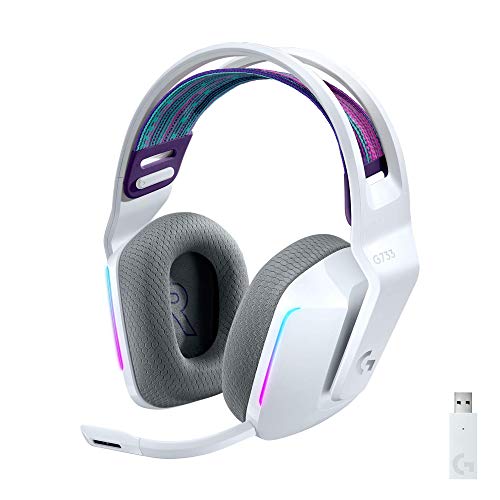
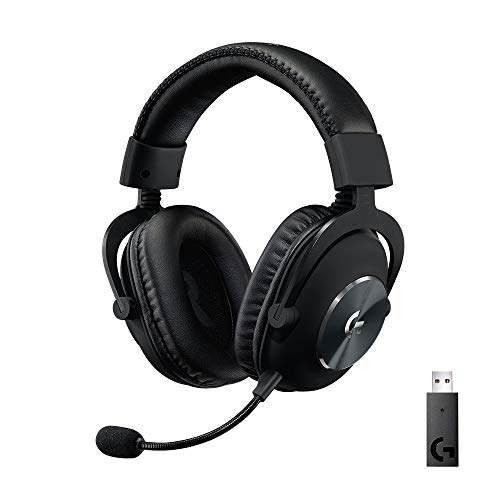
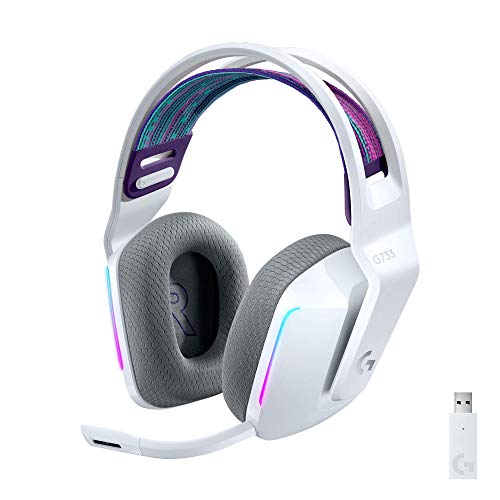
Best Overall: Logitech G733 Lightspeed Wireless
The Logitech G733 suits PC and PlayStation gamers who want a light, comfortable wireless headset with personality, at around $130. Logitech lists a weight of only 278 grams, up to 29 hours of battery life, LIGHTSPEED wireless with up to 20 meters of range and PRO-G drivers tuned to reduce distortion.
Two features stand out: dual layer memory foam ear pads with a reversible suspension headband for long sessions, and advanced mic filters you can tune in G HUB software. The limitation is platform support, since it focuses on PC and PlayStation rather than Xbox. Skip it if you play mainly on Xbox or prefer a more muted, professional look without RGB lighting.
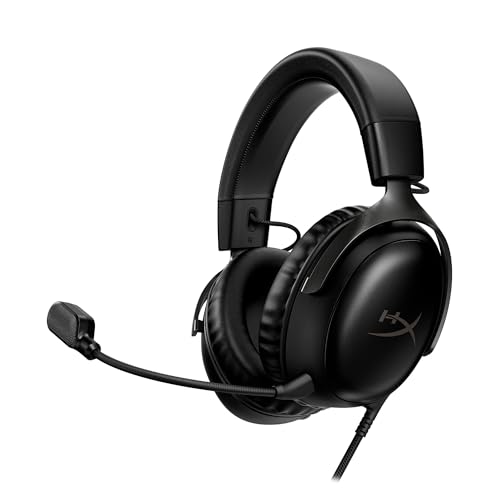
Best Value: HyperX Cloud III Wired
The HyperX Cloud III wired headset is for gamers who want excellent comfort and clear voice chat without paying for wireless, at around $65. It uses angled 53mm drivers, memory foam cushions, an aluminum frame and a noise cancelling 10mm microphone with a mesh filter and LED mute indicator.
Its strengths are versatility and durability: it connects by USB-C, USB-A or 3.5mm, so it works with PC, PS5, Xbox Series X|S, Switch and phones, and the metal frame handles daily use. The trade off is the cable, which limits movement and can snag. Skip it if you want to walk around freely or need a wireless dongle for couch gaming.

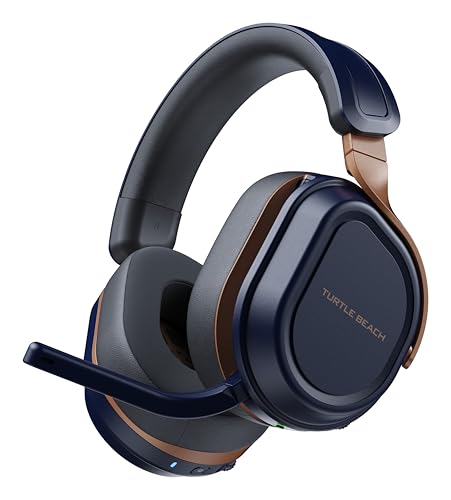
Best for Beginners: Turtle Beach Recon Spark
The Turtle Beach Recon Spark is an easy, affordable first headset for younger players and casual gamers, at around $50. It uses 40mm speakers, memory foam ear cushions, on ear volume controls and a convenient flip to mute microphone.
The appeal is simplicity and compatibility: it works across Xbox, PlayStation, Nintendo Switch, PC and mobile through a standard wired connection, and it supports spatial audio technologies on platforms that offer them. The limitation is sound detail compared with pricier headsets. Skip it if you play competitive shooters seriously and want the most precise positional audio.

How to Choose the Best Gaming Headphones: Buying Guide
Gaming headsets combine headphones and a microphone in one device, and each part matters. Here is how to compare them.
Sound Quality and Tuning
Gaming headsets are usually tuned to emphasize footsteps, gunfire and effects, with punchy bass and clear mids. Driver size, typically 40mm to 53mm, affects volume and bass depth, but tuning and build matter more than size alone. Closed back headsets isolate outside noise and keep sound from leaking, while open back models sound more spacious but let in room noise.
Spatial audio helps you locate sounds in 3D. Many headsets support platform spatial audio such as Windows Sonic, Dolby Atmos for Headphones, DTS Headphone:X or PlayStation Tempest 3D Audio. Companion apps with an equalizer let you boost footsteps or reduce harsh treble.
Volume limits matter for younger gamers. Some headsets and consoles include volume limiting options, and parents can set maximum levels in system settings. Encouraging breaks and moderate volume protects hearing over years of play.
Microphone Quality
Your teammates hear your microphone, not your headphones, so mic quality matters for team games. Look for noise cancelling or noise suppressing mics, a flexible boom you can position near your mouth and a clear mute indicator. Detachable or retractable mics are convenient when you also use the headset for music.
Software features such as AI noise reduction can remove keyboard clicks and background chatter. If you stream or record, consider a separate USB microphone, but a good headset mic is plenty for chatting in games and calls.
Sidetone, sometimes called mic monitoring, feeds a little of your own voice back into the headphones. It stops you from shouting during heated matches because you can hear how loud you are, and many companion apps let you adjust its level.
Battery Life and Charging
Wireless headsets list battery life from around 20 hours to more than 100 hours. Lighting and active noise cancellation reduce battery life, so check figures with those features on. USB-C charging and the ability to play while charging help during long sessions.
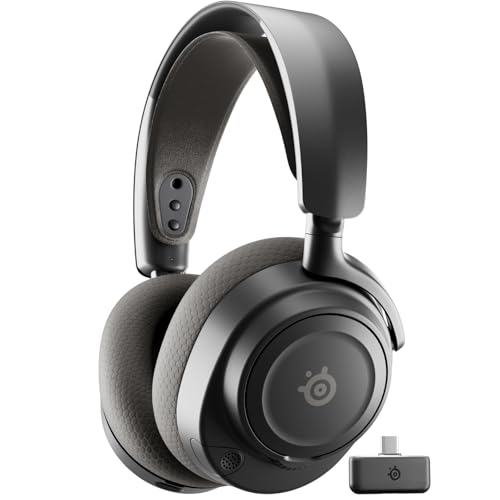
Some premium headsets, such as the SteelSeries Arctis Nova Pro Wireless, use swappable batteries so you can charge one while using the other. For most players, 30 hours or more means charging only once or twice a week.
Battery health lasts longer if you avoid leaving the headset fully drained for weeks and keep it out of hot cars. Charging overnight is fine for modern headsets, which stop charging when full, but unplugging once a week or so does no harm.
Comfort, Fit, and Weight
Comfort determines how long you can play. Lighter headsets, under about 300 grams, reduce neck strain, while memory foam ear cushions and suspension or padded headbands spread pressure. Clamping force matters too; too tight causes headaches, too loose causes slipping.
Ear cushion materials affect heat. Leatherette seals well but can get warm, while fabric or velour stays cooler. Glasses wearers should look for soft cushions that leave room for frames, and replaceable cushions extend a headset's life.
Head size varies a lot, so check the headband adjustment range if you have a larger or smaller head, and look for swiveling ear cups that adapt to your jawline. If possible, buy from a seller with easy returns so you can try the fit during a real gaming session.
Durability and Build Quality
Headsets get dropped, twisted and stretched, especially with kids. Metal frames or reinforced headbands, such as aluminum in the HyperX Cloud line, resist cracking. Replaceable cables and ear pads make repairs easier and cheaper.
Check warranty terms, typically one to two years for major gaming brands. Read owner feedback for comments about broken hinges or failing microphones, which are common weak points on cheaper models.
For households with kids, a flexible headband and a detachable microphone are worth extra attention, since the boom is often the first part to snap. A headset stand or wall hook prevents most accidental damage, which usually happens when a headset is left on a chair or the floor.
Connectivity (Bluetooth Version, Codecs, Wired)
Gaming headsets connect in three main ways. Wired connections through 3.5mm or USB give zero latency and work on nearly any device. Low latency 2.4GHz wireless dongles, such as Logitech LIGHTSPEED or Razer HyperSpeed, deliver lag free gaming without cables. Bluetooth is great for phones and music but adds latency, so it is less ideal for competitive gaming.
Platform matters: Xbox requires headsets with Xbox wireless support or a wired connection to the controller, while PlayStation, PC and Switch work with most USB dongles. Many headsets combine 2.4GHz and Bluetooth for gaming and phone calls at the same time.
Multi system headsets, like the SteelSeries Arctis Nova Pro Wireless with its base station, connect to two devices at once and switch with a button. They cost more but save swapping dongles if you play on both a console and a PC at the same desk.
Ecosystem and App Features
Companion software such as Logitech G HUB, SteelSeries Sonar, Razer Synapse and HyperX NGENUITY offers equalizers, mic settings, lighting control and firmware updates. These apps can make a mid priced headset sound noticeably better once tuned.
If you already use a brand's keyboard or mouse, staying in the same ecosystem keeps lighting and settings in one app. Some features are PC only, so console players should check what works without a computer.
ChatMix is a handy feature on many headsets: a dial that balances game audio against voice chat, so you can turn teammates up without lowering the game, or vice versa. It works best on PC and some consoles that separate the two audio streams.
Gaming Headphones vs Other Options
Gaming headsets are not the only way to hear your games. Here is how they compare with other choices.
Speakers are another option for single player games at home, but they share sound with the room and offer weaker positional cues than a good headset.
Wireless/Bluetooth Models
Wireless gaming headsets with 2.4GHz dongles offer freedom without lag, making them ideal for couch gaming and tidy desks. Regular Bluetooth headphones work well for music and phones but usually add noticeable delay in fast games. Choose a gaming headset with a dongle if responsiveness matters.
Wired Models
Wired headsets are cheaper, never need charging and deliver zero latency. They suit desk gaming, competitive players and anyone who wants simplicity. Look for detachable cables, since a damaged cable is the most common failure.
Wired headsets also suit tournaments and LAN events, where wireless interference from many devices can cause dropouts. Many competitive players keep a wired headset as a backup for exactly this reason.
Regular Headphones and Earbuds
Studio and audiophile headphones can sound excellent for games, especially open back models, and you can add a separate microphone. Gaming earbuds are compact for travel and handheld consoles. Dedicated gaming headsets still win for convenience, since the mic and controls are built in.
For handheld consoles and phones, wired earbuds still offer the lowest latency, while many newer wireless earbuds include a low latency gaming mode that reduces delay enough for casual play.
Choosing Gaming Headphones for Your Situation
Your setup changes which headset works best. Laptop gamers face a few specific challenges.
Best Gaming Headphones for Laptops
The best gaming headphones for laptops connect simply and travel well. USB dongles with low profile designs or USB-C receivers leave ports free, and Bluetooth plus 2.4GHz combos let you switch between gaming and calls. Wired headsets with a single 3.5mm combo plug work with most laptops. Lighter, foldable designs pack easily into a laptop bag.
Laptop speakers and fans can be noisy, so closed back headsets help block fan whine during demanding games. If your laptop has a single combo audio jack, make sure the headset uses a four pole 3.5mm plug or includes an adapter, otherwise the microphone may not work.
Care and Maintenance Tips
Wipe ear cushions and headbands regularly with a slightly damp cloth, and let them dry fully. Replace worn ear pads when they flatten or crack, which restores comfort and sound seal. Store your headset on a stand or hook rather than tossing it in a drawer, which protects the headband and cable.
For wireless models, charge before the battery fully drains and keep firmware updated through the companion app. Avoid wrapping cables tightly, and unplug by pulling the connector rather than the cord.
Sweat and skin oils wear down leatherette over time, so wiping cushions after long sessions in warm weather noticeably extends their life. Many brands sell replacement cushions and headband covers, and swapping them refreshes an older headset for a fraction of the price of a new one.
FAQs
Do I need a special codec?
For gaming, codecs matter less than connection type. Low latency 2.4GHz wireless dongles and wired connections avoid the delay that standard Bluetooth codecs add. If you use Bluetooth for music on your phone, codecs like AAC or LDAC can improve sound quality, but they do not fix Bluetooth gaming latency.
Wired or wireless: which sounds better?
At the same price, wired headsets often sound slightly better and have no latency, since the budget goes into drivers instead of batteries and radios. Modern wireless gaming headsets with 2.4GHz dongles sound excellent and feel lag free for most players. Choose wired for value and competitive play, wireless for freedom and comfort.
Do gaming headsets work with phones and consoles?
Most do, but compatibility varies. Wired headsets with a 3.5mm plug work with most controllers and many phones, though newer phones may need a USB-C adapter. Wireless dongles work with PC and PlayStation, while Xbox needs headsets designed for Xbox wireless. Check the listing for your exact platforms before buying.
Is ANC worth the extra cost?
Active noise cancellation is worth it if you game in noisy spaces, travel with your headset or use it for music and calls on the go. In a quiet room, good passive isolation from closed back ear cups is often enough. ANC also reduces battery life, so check the battery figures with ANC on.
How long does the battery last?
Battery life ranges from about 20 hours to more than 100 hours, depending on the headset and features. RGB lighting and noise cancellation shorten it. Most players with 30 hours or more charge once or twice a week. Batteries gradually lose capacity over a few years, so swappable batteries are a plus for heavy users.
Final Thoughts
The best gaming headphones balance comfort, clear sound and a microphone your teammates can understand, with a connection that suits your platform. The Logitech G733 is our best overall pick for light wireless comfort, the HyperX Cloud III is the wired value champion, and the Turtle Beach Recon Spark makes an easy first headset for new gamers.
To round out your setup, see our guides to the best headphones for music and gaming, the best gaming monitors, the best gaming keyboard picks and the best headphones for pc gaming, plus our best studio headphones list. Then compare current prices in the product table above.