
Best Gaming PC Prebuilt: Every Type Explained Side by Side
Disclosure: We may earn a commission when you buy through links on this page, at no extra cost to you. As an Amazon Associate I earn from qualifying purchases. Learn more

The best gaming pc prebuilt depends on how you play: budget, upgrade friendly, 4K and brand desktops compared side by side.
Buying a prebuilt gaming PC saves you from choosing a dozen compatible parts, assembling them and troubleshooting a system that will not boot. It also means trusting someone else's choices on the power supply, cooling and memory you cannot see in the listing photos. Finding the best gaming pc prebuilt for you starts with understanding the different kinds of machines on sale and what each one is really built for.
This guide compares the main types side by side: systems configured like custom builds, budget 1080p towers, high end 4K rigs and mass market gaming desktops from big brands. You will learn which parts matter most inside any prebuilt, how to read a listing for warning signs, and how to set up and care for your new PC so it stays fast for years.
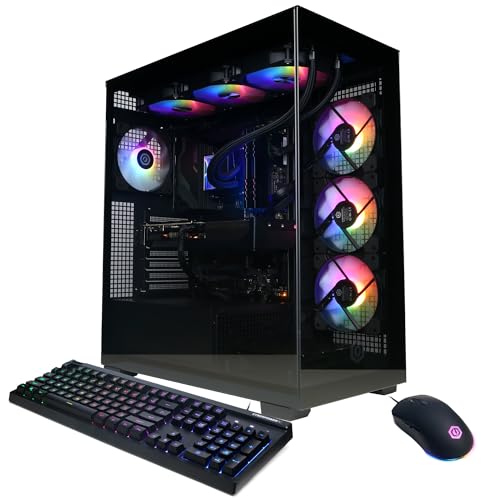


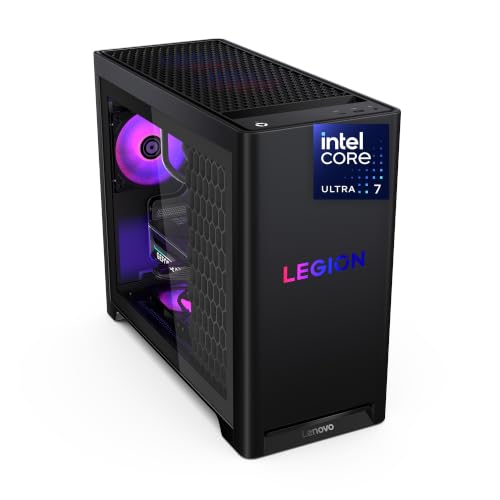

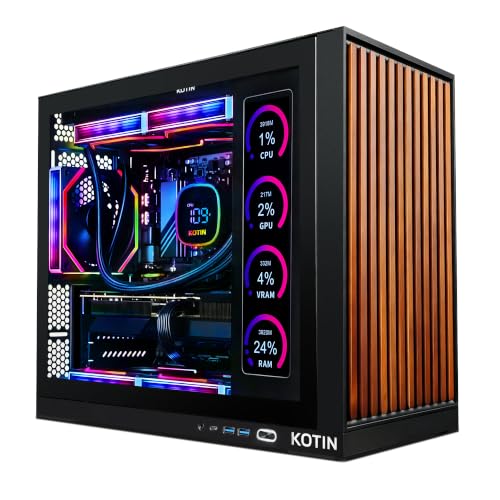
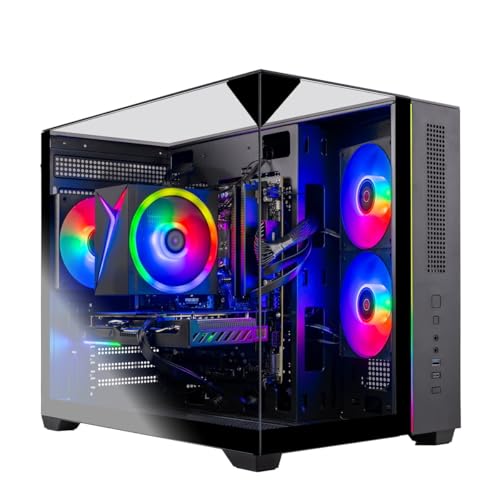


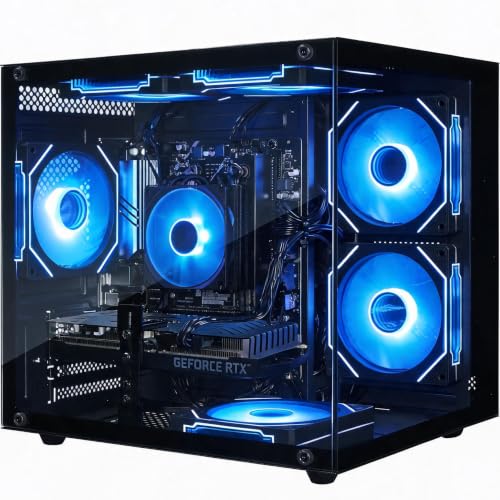
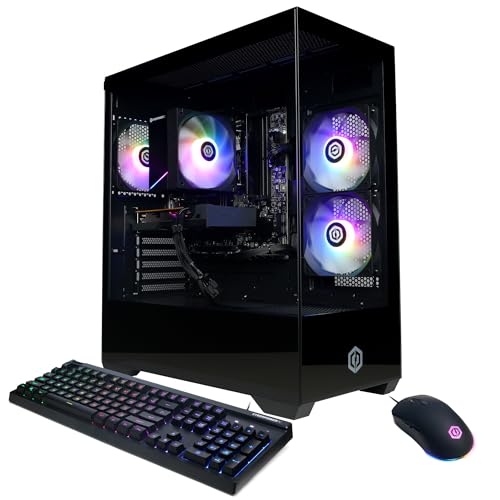
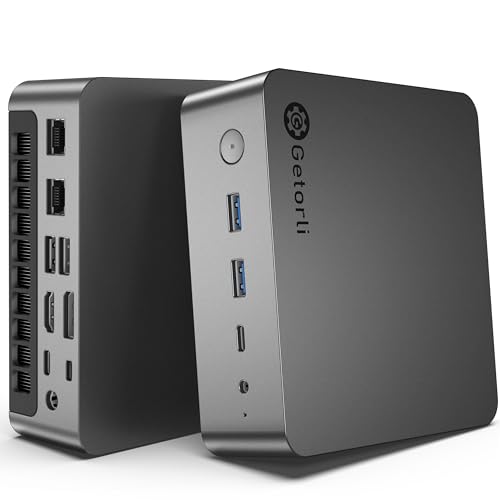
Types of Gaming PC Prebuilts Compared
Prebuilt gaming PCs on Amazon US come from three kinds of sellers. Boutique builders such as Skytech, CyberPowerPC and iBUYPOWER assemble systems from retail parts. Large brands such as Alienware, Lenovo Legion and HP OMEN design their own cases and sometimes their own motherboards. Smaller marketplace sellers offer low prices with varying part quality and support.
Each type suits a different buyer. The four categories below cover how most people shop, and the product table above includes examples of each so you can compare prices and parts directly.
Custom Built PCs
Some prebuilts are essentially custom builds assembled for you. Boutique sellers use standard ATX cases, retail graphics cards, name brand memory and off the shelf motherboards, so the machine behaves like a PC you built yourself. That makes upgrades simple: you can swap the graphics card, add storage or replace the cooler with standard parts later.
These systems are a good fit for buyers who want a clear upgrade path but do not want to assemble the first build. The listing usually names every major part, including the motherboard chipset and power supply wattage. Look for systems that use common case sizes and standard power connectors, which keep future upgrades cheap.
The trade off is variety in quality. Two systems with the same processor and graphics card can differ a lot in power supply quality, cooling and memory speed, so read the full spec sheet rather than just the headline parts.
Budget 1080p Builds
Budget prebuilts aim for smooth 1080p gaming at prices from around $700 to $1,100. They usually pair a six core processor such as the Ryzen 5 5500 or 5600 with an entry graphics card such as an RTX 3050, RTX 3060 Ti or Radeon RX 6500 XT, along with 16GB of memory and a 512GB or 1TB solid state drive.
These machines handle popular competitive games like Fortnite, Valorant and Rocket League at high frame rates, and they run newer titles at medium settings. They are ideal for students, younger gamers and anyone who mostly plays esports titles. The graphics card matters most here, so compare GPU models carefully; an RTX 3060 Ti class card is far stronger than an entry 4GB card.
Watch for budget systems that cut corners on storage or memory. A 512GB drive fills quickly with modern games, and single stick memory runs slower than a matched pair, though both are easy and inexpensive to upgrade later.
High End 4K Builds
High end prebuilts target 4K gaming or high refresh rate 1440p, with prices from around $2,000 to well over $3,000. Expect processors such as the Ryzen 7 9800X3D or Intel Core Ultra 7 265K, graphics cards in the RTX 5070 Ti or RTX 5080 class, 32GB of DDR5 memory and 1TB to 2TB of fast storage.
These systems run demanding single player games with ray tracing at high settings and suit streamers and content creators who need extra power. Cooling and power supply quality become critical at this level, since top graphics cards draw a lot of power and produce heat. Look for liquid or large tower air coolers, high airflow cases and an 850 watt or larger power supply from a known brand.
At these prices, compare the total package with building your own. High end prebuilts sometimes cost only slightly more than the parts, especially during sales, and include a warranty for the whole system.
Prebuilt Gaming Desktops
Mainstream gaming desktops from Alienware, Lenovo Legion and HP OMEN offer a polished experience with branded cases, software for lighting and performance tuning and phone or onsite support options. Many families prefer them because they are easy to buy, set up and get help with.
The downside is that some use proprietary cases, motherboards or power supplies, which can limit upgrades. Read the specifications and reviews for comments about upgrade friendliness, especially if you plan to change the graphics card in a few years. For buyers who want a reliable machine with strong support and little tinkering, these desktops are a sensible choice.
Compact gaming mini PCs are a related option. Systems with integrated graphics, such as models built on Ryzen 7 8745HS processors, run lighter games and older titles in a tiny box, though they cannot match a tower with a dedicated graphics card.
Check how each brand handles warranty repairs before you buy. Some send replacement parts you install yourself, others require shipping the full system, and premium plans may include a technician visit. These differences matter most if you rely on the PC for school or work as well as gaming.
Custom Built PCs vs Budget 1080p Builds: Which Should You Choose?
Choose a prebuilt configured like a custom build if you want to upgrade over time, care about part quality and plan to play newer games at higher settings. Spending a bit more on a standard case, a quality power supply and a stronger graphics card pays off when you upgrade later instead of replacing the whole system.
Choose a budget 1080p build if you mostly play competitive and older games, are buying for a student or younger gamer, or need to stay under about $1,000. Prioritize the graphics card, then make sure the system has at least 16GB of dual channel memory and enough storage for your library. You can always add a second drive or more memory later.
A good middle path is a midrange system with an RTX 5060 or 5060 Ti class card and a modern six or eight core processor. These machines handle 1080p and 1440p gaming well and leave room for upgrades.
How to Choose the Right Gaming PC Prebuilt
Once you know which type fits your budget, compare listings on the factors below. They separate a well built system from one that looks good in photos but disappoints after setup, and they are how you narrow down the best gaming pc prebuilt for your needs.
Cooling and Thermals
Good cooling keeps your processor and graphics card running at full speed without loud fans. Look for cases with mesh front panels, at least two or three intake fans and one or two exhaust fans. Processors above about 100 watts benefit from a tower air cooler or a 240mm or larger liquid cooler rather than a basic stock cooler.
Glass front panels look great but can restrict airflow, so check that the case has side or bottom intakes. Listings that say only "RGB fans" without naming the cooler deserve a closer look at reviews to see whether owners mention high temperatures or noise.
After setup, it is worth checking temperatures with a free monitoring tool during a long gaming session. If the processor or graphics card runs very hot or the fans ramp loudly, adding a case fan or adjusting the fan curve in the BIOS is usually an easy fix.
CPU and GPU Pairing
Balance between processor and graphics card matters more than either part alone. A strong GPU paired with a weak CPU can stutter in busy games, while a top processor with an entry graphics card wastes money for gaming. For 1080p, a six core processor with an RTX 5060 class card is a sensible pairing; for 1440p and 4K, step up to an eight core chip with an RTX 5070 or higher.
Check the exact graphics card model and its video memory. Cards with 8GB of VRAM work well at 1080p, while 12GB or 16GB gives more headroom for 1440p, 4K and future games.
Memory and storage complete the picture. A well paired system with only 8GB of memory or a small hard drive will still feel slow, so treat 16GB of dual channel memory and a 1TB solid state drive as the practical minimum for a gaming prebuilt today.
Warranty, Support, and Build Quality
Prebuilt warranties vary from one year of parts and labor to three years on premium systems. Read whether the warranty is handled by the builder or by each part's maker, and whether you need to ship the whole PC for repairs. Large brands often offer phone support and paid onsite service plans.
Build quality shows in cable management, secure graphics card mounting and the use of name brand components. Reviews that mention loose cables, missing screws or dead parts on arrival are worth taking seriously. Keep the original box for the first month in case you need to return or ship the system.
Case Size, Airflow, and Aesthetics
Mid tower cases fit most desks and allow standard upgrades, while full towers offer more room and quieter cooling. Compact cases save space but limit graphics card length and cooler size, so check dimensions if you plan to upgrade.
Aesthetics matter to many buyers, from glass panels and RGB lighting to white builds. Choose the look you like, but make sure it does not come at the cost of airflow. Many cases let you control lighting through software or turn it off entirely.
Front panel connections are easy to overlook. A USB C port and a couple of USB A ports on the front make it simple to plug in controllers, headsets and flash drives, while a cramped case with few front ports can get annoying in daily use.
Power Supply Quality
The power supply is the part most often skimped on in cheap prebuilts. Look for a named brand, a wattage with headroom above the system's needs and an 80 Plus Bronze or better efficiency rating. A 550 to 650 watt unit suits most midrange systems, while high end graphics cards need 750 to 1,000 watts.
A quality power supply protects every other part and makes future graphics card upgrades possible. If a listing does not name the power supply brand or efficiency, ask the seller or choose another system.
Modular or semi modular power supplies also make upgrades and cable management easier. They are more common in midrange and high end prebuilts, and they are worth a small premium if you expect to add drives or change the graphics card later.
Setup and Care Tips
When your PC arrives, check the inside for loose packing foam or cables that shipped out of place, especially behind the graphics card. Plug your monitor into the graphics card, not the motherboard, so you use the dedicated GPU. Install Windows updates, the latest graphics drivers and motherboard updates from the maker's site.
Set your monitor's refresh rate in Windows display settings, since many systems default to 60Hz. Enable the memory's XMP or EXPO profile in the BIOS if the seller has not, so memory runs at its rated speed. Clean dust filters every few months, keep the PC off thick carpet and leave space around the case for airflow.
Create a recovery drive or note how to reset Windows from the system settings in case something goes wrong. Uninstall trial software that came preinstalled if you do not use it, which frees storage and reduces background tasks. Finally, register the PC with the builder so warranty claims go smoothly if you ever need them.
Frequently Asked Questions
Is it cheaper to build or buy a prebuilt PC?
Building is usually cheaper at the same quality level, since you avoid assembly costs and can pick deals on each part. However, prebuilts can match or beat DIY prices during sales, especially when builders buy graphics cards in bulk. Prebuilts also include a single warranty and save time, which many buyers consider worth a small premium.
How much RAM do I need for gaming?
Aim for 16GB as a minimum and 32GB for a comfortable, future ready system. Many new games and streaming setups use more than 16GB. Make sure the memory runs in dual channel, with two matched sticks rather than one. If a budget prebuilt ships with 16GB, adding another matched kit later is an easy upgrade.
Air or liquid cooling: which is better?
Both work well when sized properly. Tower air coolers are reliable and quiet, with no pump to fail, and they suit most gaming processors. All in one liquid coolers can lower temperatures on high power processors and look clean in glass cases. In prebuilts, the quality of case airflow often matters more than the cooler type.
What GPU do I need for 1440p?
For 1440p gaming at high settings, look for an RTX 5060 Ti with 16GB, an RTX 5070 or a comparable Radeon card with at least 12GB of video memory. These cards deliver smooth frame rates in most modern games. If you want high refresh rates or ray tracing at 1440p, step up to an RTX 5070 Ti class card.
How long will a gaming PC stay relevant?
A well balanced gaming PC typically stays capable for four to six years. Upgrading the graphics card after three or four years extends its life, which is why a quality power supply and standard parts matter. Lowering settings in new games also keeps older systems playable for longer.
Our Verdict
The best gaming pc prebuilt is the one whose type matches how you play. Budget 1080p towers suit esports and students, systems built like custom PCs reward buyers who want to upgrade, high end rigs deliver 4K and high refresh gaming, and big brand desktops offer polished support. Whatever you choose, check the graphics card model, memory configuration, cooling and power supply before you buy.
For more help, see our guides to the best prebuilt gaming pc for 1500, the best upgradable prebuilt gaming pc, the best prebuilt gaming pc manufacturer and the best company for prebuilt gaming pc, plus our best cpu for gaming guide. Then compare current prices in the product table above.
