Best Modems and Routers for Comcast at Every Price: What Your Money Really Gets You (2026)
Disclosure: We may earn a commission when you buy through links on this page, at no extra cost to you. As an Amazon Associate I earn from qualifying purchases. Learn more

Xfinity compatible modems and routers by price tier, with Motorola MB7621, ARRIS SB8200 and NETGEAR CAX30 picks.
Comcast Xfinity customers can rent a gateway every month or buy their own equipment, and the market for owned gear runs from basic modems around $85 to multi gig combo units near $500. Spending more does not always mean faster internet, because your plan and your home layout matter as much as the hardware. This guide to the best modems and routers for comcast shows where extra money pays off and where it does not.
Buying your own modem can cut monthly rental fees, which modem makers estimate at around $150 or more per year on Xfinity. Below you will find three picks by budget, what each price tier delivers, the features worth paying for and the long term costs of owning instead of renting.





Top 3 Picks by Budget
These three come from the product table above and cover a basic modem, a faster modem for gigabit plans and an all in one combo unit.
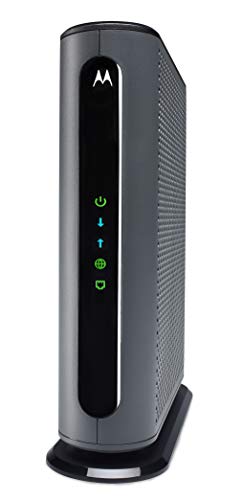
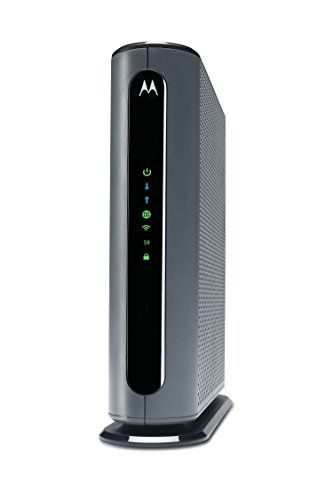
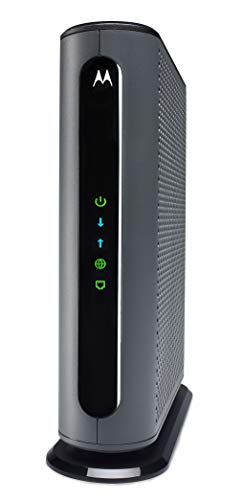
Best Budget Pick: Motorola MB7621 Cable Modem
The Motorola MB7621 is the right pick for Xfinity customers on plans below gigabit speeds who already own a good WiFi router. It is approved by Comcast Xfinity, Cox and Spectrum and is recommended for cable service speeds up to 900 Mbps, with a Full Band Capture digital tuner for more reliable connections.
Motorola estimates that owning your own modem saves the average Xfinity home around $156 per year in rental charges, so it can pay for itself in well under a year. The limitation is that it uses DOCSIS 3.0 and has no built in WiFi, so you need a separate router, and it cannot reach gigabit plan speeds. It sits around $87.
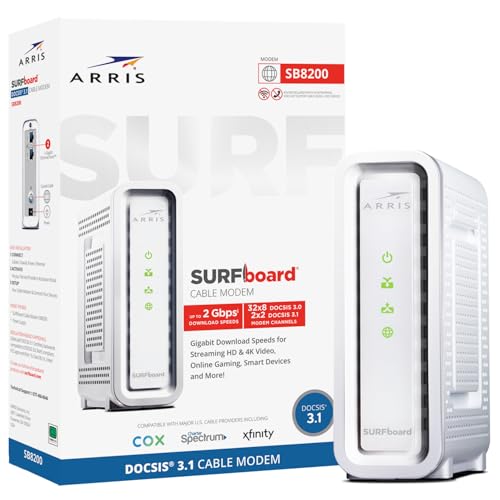
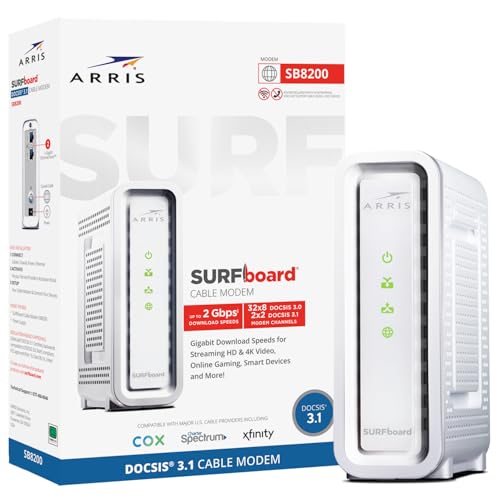
Best Midrange Pick: ARRIS SURFboard SB8200
The ARRIS SURFboard SB8200 is the modem most Xfinity customers on gigabit class plans should consider. It uses DOCSIS 3.1, which handles today's fastest cable plans with headroom for upgrades, and it has two 1 Gigabit Ethernet ports for connecting a router. ARRIS notes that SURFboard modems are CableLabs certified and qualified for use with Xfinity, Cox and Spectrum.
Setup is simple: connect the cable, power on, activate with Xfinity and plug in your WiFi router. It is one of the most widely bought cable modems on Amazon. The limitation is that it is a modem only, so you still need a router or mesh system, and it lacks a 2.5 Gbps port for multi gig plans. It sits around $137.
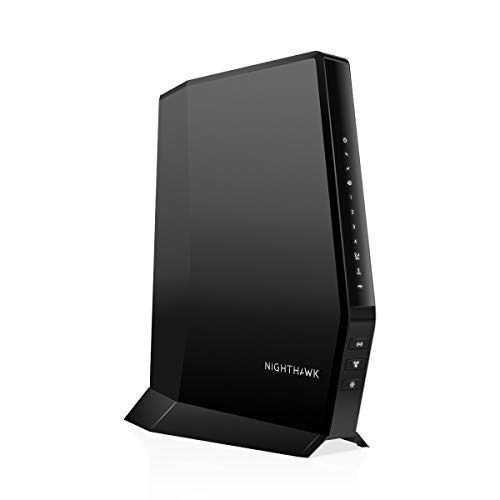
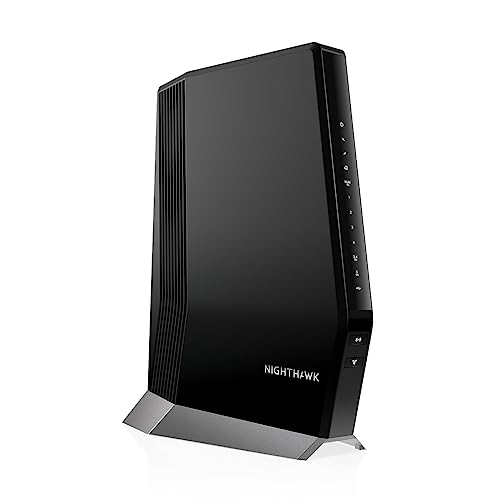
Best Premium Pick: NETGEAR Nighthawk CAX30 Modem Router Combo
The NETGEAR Nighthawk CAX30 suits households that want one box for both modem and WiFi. It pairs a DOCSIS 3.1 cable modem with an AX2700 dual band WiFi 6 router covering up to 2,000 square feet and 25 or more devices, plus four Gigabit Ethernet ports for consoles and desktops. NETGEAR lists it for Xfinity plans up to 800 Mbps, and the Nighthawk app handles setup, guest networks and pausing devices.
DOCSIS 3.1 OFDMA helps keep speeds steady during busy evening hours. The limitation is that a combo unit means replacing both parts at once when you upgrade, and coverage may fall short in large or multi level homes. It sits around $298.

What Your Money Gets You at Each Price Tier
Prices track three things: the DOCSIS version, port speed and whether WiFi is built in.
Budget Tier: What to Expect
Devices around $85 to $140 include DOCSIS 3.0 modems like the Motorola MB7621 and entry DOCSIS 3.1 modems like the ARRIS SB8200, plus budget routers such as the TP-Link Archer AX21 WiFi 6 router around $55. A modem plus a basic router in this tier covers most Xfinity plans up to around 800 Mbps to 1 Gbps. The tradeoff is fewer extras, Gigabit only ports and modest WiFi range. This tier suits apartments, small homes and anyone who wants to stop paying rental fees with the least upfront cost.
Midrange Tier: The Sweet Spot for Most Buyers
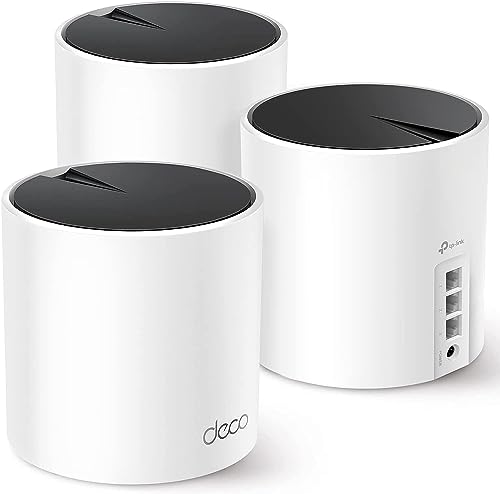
Devices around $170 to $300 include combo units like the Motorola MG7700, ARRIS SBG8300 and NETGEAR CAX30, plus mesh systems like the TP-Link Deco X55 three pack, which covers up to 6,500 square feet. Expect DOCSIS 3.1 on newer units, WiFi 5 or WiFi 6 and four Gigabit Ethernet ports. These suit families with many connected devices, people who work from home and medium to large homes. Pairing a DOCSIS 3.1 modem with a mesh system is often the best value for larger homes.
Premium Tier: When Spending More Pays Off
Devices around $235 to $500 include multi gig modems like the ARRIS S34, Motorola MB8611 and NETGEAR CM3000, and high end combos like the NETGEAR CAX80 with AX6000 WiFi 6 and a 2.5 Gig port. The CM3000 adds mid and high split support for up to 2.5 Gbps download and 1 Gbps upload, which unlocks Xfinity's faster upload tiers. Spending this much pays off only if you pay for multi gig Xfinity plans, upload large files often or want headroom for future upgrades.
Features Worth Paying For (and Ones to Skip) in the Best Modems and Routers for Comcast
Some features change how your connection performs every day, while others matter only for specific plans or homes.
WiFi Standard (WiFi 6, 6E, 7)
WiFi 6 is worth paying for today: it handles many devices better than WiFi 5 and is now affordable, as on the TP-Link Archer AX21 and NETGEAR CAX30. WiFi 6E adds the 6GHz band, which gives faster, less crowded connections for newer phones and laptops at close range. WiFi 7 adds even higher speeds and lower latency but costs much more, and you only benefit with WiFi 7 devices. For most homes, WiFi 6 is the right balance, and WiFi 6E or 7 makes sense only with multi gig plans and newer devices.
Coverage and Home Size
A single router usually covers apartments and homes up to around 2,000 to 2,500 square feet on one level, as NETGEAR lists for the CAX30 and CAX80. Larger homes, multiple floors and thick walls call for a mesh system, which spreads several units around the house for even coverage.
The TP-Link Deco X55 three pack covers up to 6,500 square feet. Our mesh WiFi systems for smart homes guide covers more options. Place the router centrally and off the floor for the best signal.
Gaming Features (QoS, Low Latency)
Quality of service (QoS) settings prioritize gaming and video call traffic over downloads, which reduces lag when the whole family is online. DOCSIS 3.1 modems also include Active Queue Management, which NETGEAR mentions on the CM3000, to keep latency low under load. These features are worth having for gamers and remote workers. Wired Ethernet still gives the lowest latency, so connect consoles and gaming PCs directly when possible, or see our wifi adapter for PC gaming guide for wireless options.
Features That Matter for Comcast
Xfinity requires equipment on its approved device list, so always confirm your model is listed before buying. For plans of 1 Gbps or faster, choose DOCSIS 3.1; DOCSIS 3.0 modems top out below gigabit speeds.
Multi gig plans need a modem with a 2.5 Gbps Ethernet port, such as the ARRIS S34, Motorola MB8611 or NETGEAR CM3000, plus a router with a matching port. For faster upload tiers, mid and high split support matters. Owned modems do not support Xfinity Voice phone service, so keep a rented gateway if you need home phone through Comcast.
Modem Only vs Combo Units
A separate modem and router let you upgrade each part on its own and choose a mesh system for coverage. A combo unit saves space and simplifies setup, which suits smaller homes and people who prefer one box. Both work well with Xfinity; the right choice depends on your home size and how often you upgrade.
Best Modems and Routers for Specific Needs
Best Compatible Modem Routers for Comcast
The best compatible modem routers for comcast share three traits: they appear on Xfinity's approved device list, use DOCSIS 3.1 for current gigabit plans and include WiFi strong enough for your home. Combo units such as the ARRIS SBG8300, Motorola MG8702 and NETGEAR CAX80 meet these marks, and NETGEAR lists Xfinity plan limits clearly on its listings. Always activate the device with Xfinity after setup, and check the plan speed the device supports.
Best for Large Homes
Large homes do best with a separate DOCSIS 3.1 modem like the ARRIS SB8200 paired with a mesh system such as the TP-Link Deco X55. That setup spreads WiFi evenly across floors and lets you add more units as needed.
Long Term Costs to Factor In
The main saving from owning equipment is the monthly rental fee, which modem makers estimate at around $150 to $300 per year depending on the plan and gear. A modem around $87 to $137 often pays for itself within a year.
Plan to replace a modem when Xfinity raises speed tiers beyond what it supports or phases out older DOCSIS versions, and a router every four to five years as WiFi standards improve. Electricity use is small, but power adapters can fail, so keep track of the warranty; ARRIS includes a 2 year warranty card with the SBG8300 and Motorola offers 2 years of expert support on the MG8702. Remember that owned gear means Xfinity support may refer hardware issues to the maker.
FAQs
What features matter most in modems and routers for comcast?
The most important features are Xfinity approval, DOCSIS 3.1 for gigabit plans, Ethernet ports that match your plan speed and WiFi 6 coverage that fits your home. After those, mesh support, QoS, a good mobile app and a strong warranty add value. Always check the plan speed limit on the listing, since some combos cap Xfinity plans at 800 Mbps.
Do I need WiFi 7 yet?
Most homes do not need WiFi 7 yet. It only helps when you have WiFi 7 phones, laptops or consoles and a multi gig Xfinity plan. WiFi 6 handles gigabit plans and many devices well at a lower price. WiFi 7 makes sense for people buying new high end devices who want to keep the same router for many years.
How often should I replace my router?
Most people should replace their router every four to five years, or sooner if it no longer receives security updates or cannot handle your plan speed. Replace your modem when Xfinity upgrades your plan beyond its limits or stops supporting its DOCSIS version. Frequent drops, slow speeds near the router and missing features are other signs it is time.
Mesh or a single router: which is better?
A single router is better for apartments and smaller homes under about 2,000 square feet, since it costs less and is simpler. A mesh system is better for larger homes, multiple floors and spaces with thick walls, because it spreads coverage evenly. Many mesh systems, like the TP-Link Deco X55, can be expanded later by adding units.
Will a new router speed up my internet?
A new router can make your connection feel faster if your old router was the bottleneck, such as an older WiFi 5 model on a gigabit plan or one that struggles with many devices. It cannot raise speeds beyond your Xfinity plan. Upgrading the modem to DOCSIS 3.1 and moving the router to a central spot often helps just as much.
Can I use my own modem with Xfinity?
Yes. Xfinity allows customer owned modems that appear on its approved device list. After connecting, you activate the modem through the Xfinity app or website. Owned modems do not support Xfinity Voice, and some features tied to Xfinity gateways may not be available.
Wrapping Up
Three things matter most: Xfinity approval, DOCSIS 3.1 for gigabit plans and WiFi coverage that matches your home. The Motorola MB7621 is the low cost way to stop renting on slower plans, the ARRIS SB8200 is the best value for gigabit class plans when paired with your own router, and the NETGEAR CAX30 suits households that want one simple combo box. Pair your setup with our smart home hubs guide if you run many connected devices, then check the product table above to choose the best modems and routers for comcast for your home.