
Best Color Photo Printers for Mac: A First Time Buyer's Guide for 2026
Disclosure: We may earn a commission when you buy through links on this page, at no extra cost to you. As an Amazon Associate I earn from qualifying purchases. Learn more

Shopping for the best color photo printers for mac for the first time? Learn the terms, compare options, and avoid rookie mistakes with this easy guide.
Buying your first photo printer for a Mac feels harder than it should. The boxes shout about DPI, ink systems, and wireless standards, while the one question you actually care about, will it work smoothly with your Mac and print photos that look like your screen, gets buried. This guide to the best color photo printers for mac starts with the plain basics, explains each spec in everyday language, and ends with the mistakes that cost first time buyers the most money. Work through it in order and you will know exactly what to look for in the comparison table below.
You do not need to become a printing expert. You only need a few reliable rules of thumb, and those are what the next sections give you, one term at a time.


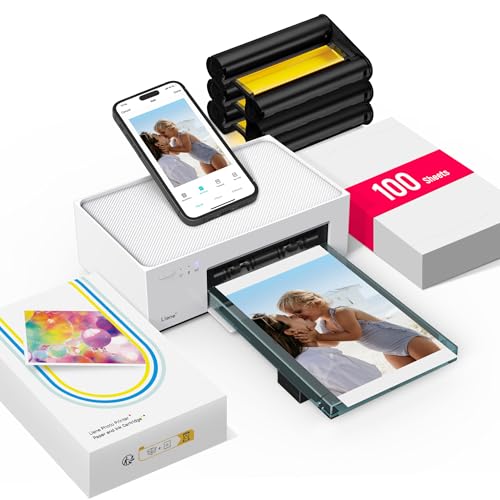
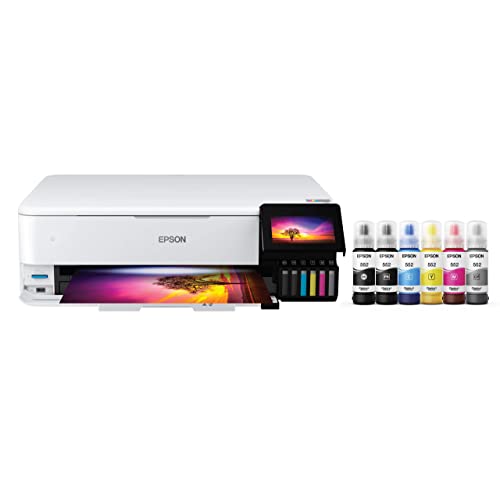

Color Photo Printers 101: The Basics
A color photo printer is built to reproduce photographs, not just documents. Where a basic office printer uses four ink colors, a true photo printer often uses five or six, adding lighter shades that smooth skin tones and skies. It lays down tiny droplets in careful patterns, and the paper matters as much as the machine: glossy and luster photo papers hold detail and depth that plain paper simply cannot.
For Mac owners, the connection story matters too. Your Mac sends print jobs through macOS print settings or through AirPrint, the Apple system that lets Macs, iPhones, and iPads print without installing old style drivers. A printer with solid AirPrint support and a current macOS driver from the maker will feel effortless. One without them can turn setup into an afternoon project. If you are still deciding between photo focused models in general, our guide to the best color printers for photos covers the wider field before you narrow to Mac friendly picks.
Key Specs Explained in Plain English
Features That Matter for Mac
Mac buyers should put compatibility first. Look for AirPrint support, a downloadable driver or app that the maker updates for new macOS versions, and WiFi that joins your home network easily. USB C connection is a welcome bonus for laptops that lack older ports. Check the maker's support page for your exact macOS version before you buy, because a printer abandoned by its maker becomes a paperweight after a system update. Good Mac support also means the print dialog shows real photo options, such as paper type, quality, and borderless printing, instead of a stripped down generic menu.
Printer Type: Inkjet, Laser, or Tank
Inkjet is the photo standard, because liquid ink blends smoothly and produces the gradients photos need. Laser printers are fast and sharp for text, but their toner sits on the page surface and struggles with subtle photo tones, so they suit offices more than albums. Tank printers are inkjets with refillable reservoirs instead of cartridges, which changes cost more than quality.
Reliability and Support
A photo printer asks more of you than a document printer, so support quality shows up fast. Favor makers with current macOS drivers, firmware updates you can install from an app, and clear instructions for cleaning print heads. Check that replacement ink is easy to find and that the maker sells it directly, because a printer you cannot feed is useless. Community forums matter too: popular models have years of shared fixes for banding, color shifts, and WiFi dropouts. An obscure model with no community leaves you alone with every problem.
Print Quality and Resolution
Resolution is measured in DPI, meaning dots per inch, and photo printers commonly advertise numbers like 4800 by 1200 DPI or higher. Past a point, those numbers stop predicting what you see. Ink count, droplet size, and paper choice shape real quality more. Six ink systems render smoother skies and faces than four ink systems, and pigment inks tend to keep prints from fading for decades while dye inks often look more vivid on glossy paper. Judge by the largest print size you plan: a printer that shines at 4 by 6 inches may soften at 13 by 19 inches.
Cost per Page and Ink Costs
Your real cost is the printer plus every drop of ink it will ever drink. A 4 by 6 photo can use a few cents of ink on an efficient model or several times that on a thirsty one, and an 8 by 10 print multiplies the gap. Tank models cost more upfront and far less per print, while cartridge models reverse the math. Subscription ink plans can suit steady printers who hate shopping for cartridges.
Print Speed
Speed is quoted in PPM, pages per minute, but that number usually describes draft text pages, not photos. A quality 4 by 6 photo commonly takes about 30 seconds to a minute, and a full page photo can take several minutes at the highest quality setting. For most home users, that pace is fine, because you print a handful of photos at a time. Speed matters more if you print event photos in batches. Also note the time to first print: a printer that wakes and connects to WiFi quickly feels faster in daily life than raw PPM suggests.
Choosing Color Photo Printers for Your Situation
Best Color Photo Printers for Home: Tips for First Time Buyers
When you shop for the best color photo printers for home use, three things change. First, space counts, so measure your desk and check the footprint with the output tray open. Second, the printer often serves the whole household, so simple controls and AirPrint for family iPhones earn their keep. Third, noise matters in living spaces, and a quiet mode is worth having. A compact tank model with borderless 8 by 10 printing covers most home needs without crowding the room. Readers comparing Mac specific siblings should also see our guide to the best photo printers for mac for models chosen only for Apple setups.
Rookie Mistakes to Avoid
- Buying on printer price alone. A cheap printer with costly cartridges can pass a pricier tank model in total cost within a year of regular photo printing.
- Ignoring Mac support details. No AirPrint and an outdated driver means clumsy workarounds; verify your macOS version on the maker's site first.
- Using plain paper for photos. Photo paper is half the result. Budget for glossy or luster paper that matches the printer's recommended types.
- Letting the printer sit idle for months. Inkjet nozzles dry out. Printing something small every week or two keeps them clear.
- Expecting screen colors without setup. A too bright monitor makes prints look dark. Lower screen brightness and pick the right paper profile in the print dialog.
Getting Started: Setup and First Use
Unbox on a flat surface, remove every strip of shipping tape, including the pieces inside the cartridge bay that are easy to miss. Load ink, run the printer's own alignment and nozzle check pages, and only then join it to your WiFi network. On your Mac, add the printer in System Settings under Printers and Scanners, then print one small photo on the paper type you will use most. Print a page weekly to prevent clogs, and use genuine or reputable ink, because mystery ink is the top cause of streaks and faded colors. Keep spare photo paper stored flat and away from humidity so sheets feed straight.
One tip worth writing on a sticky note: if a print looks wrong, stop and check the selected paper type before you blame the printer. A glossy sheet printed with a matte setting is the most common cause of dull first photos.
Before you buy, confirm that the best color photo printers for mac you are considering list support for your macOS version and AirPrint on the maker page.
FAQs
What features matter most in a color photo printer for Mac?
AirPrint support, a current macOS driver, and at least five or six inks matter most. AirPrint removes setup friction for every Apple device in the house. Six inks give smoother gradients than four. Also confirm borderless printing at the sizes you want, since some models print borders at larger sizes only. Finally, check that the maker's app lets you clean and align the print head from your Mac.
What does cost per page mean for a photo printer?
Cost per page is the ink cost of one print, worked out by dividing the ink price by the number of prints it yields. It matters because photos use far more ink than text pages, especially at large sizes and high quality settings. A model that looks cheap to buy can cost several times more per photo than a tank model. Always compare photo yield figures, not text page yields, when photos are your main job.
Are ink tank printers worth it?
Yes, if you print photos regularly, because refill bottles cost a fraction of cartridges per print and last a long time. The upfront price is higher, and refilling takes a little care to avoid drips. If you print only a few photos a year, a cartridge model can be cheaper overall and avoids ink sitting unused. Be honest about your volume, since the break even point usually arrives within the first year or two of steady use.
Inkjet or laser: which is cheaper long term for photos?
Inkjet is cheaper and better for photos in almost every home scenario. Laser toner costs less per text page, but laser photo quality is weaker, and the glossy papers lasers need cost more per sheet. Over years of photo printing, a tank inkjet gives the lowest cost per photo with the best color. Laser only wins when your real workload is documents with the odd snapshot, not the other way around. Our guide to the best color laser printers for photos explains that document first case in detail.
What should a beginner avoid when buying a photo printer?
Avoid very old used photo printers, since worn print heads and vanished driver support for current macOS versions turn a bargain into a project. Also avoid buying on printer price alone, and skip any model whose ink you cannot find from more than one seller.
The Bottom Line
Start with Mac support, then ink system, then the largest size you truly print. Those three filters will carry you past most of the marketing noise. Check the product table above, read our sibling guide to the best color printers for mac if you also print plenty of documents, and remember that the right best color photo printers for mac choice is simply the one your Mac talks to without a fight and your budget can keep fed with ink.

