
Best Cameras for Video Podcasting for 2026: How to Choose
Disclosure: We may earn a commission when you buy through links on this page, at no extra cost to you. As an Amazon Associate I earn from qualifying purchases. Learn more
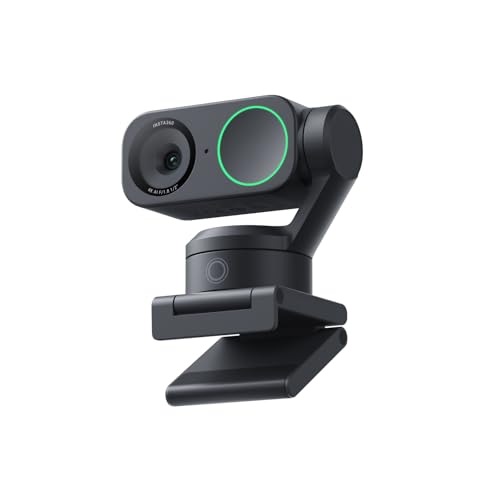
Learn how to choose cameras for video podcasting by use case, with guidance on audio, framing, lighting, and simple setup choices for steady episodes.
There is no single camera that suits every show, because a quiet solo recording, a two person conversation, and a moving field segment place very different demands on framing, sound, and light. The best cameras for video podcasting for your show are the ones that match how you record, where you record, and how much editing you want to do after each episode. Use the comparison table below to see the main types side by side before you compare individual features.
A good choice keeps your face clear, your voice easy to follow, and your recording steady from the first minute to the last. That matters more than chasing the highest resolution or the longest feature list. Start with your room, your guests, and your workflow, then choose a camera that supports that routine without adding friction to every session.


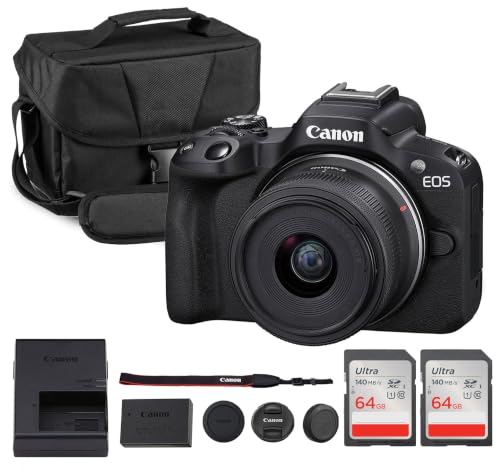
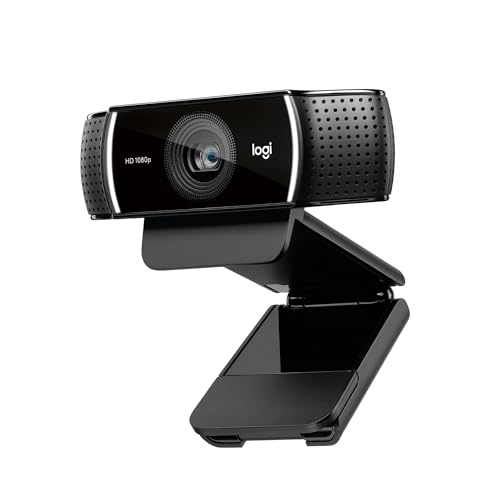
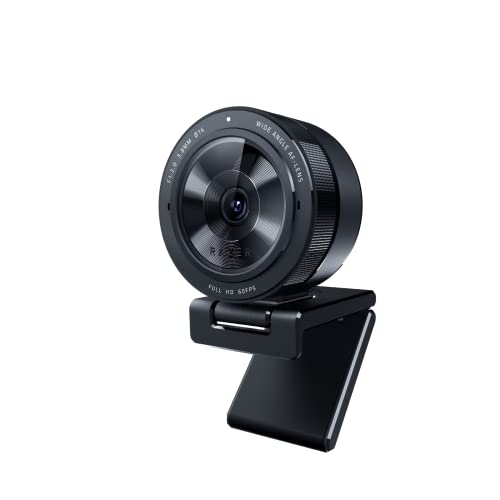

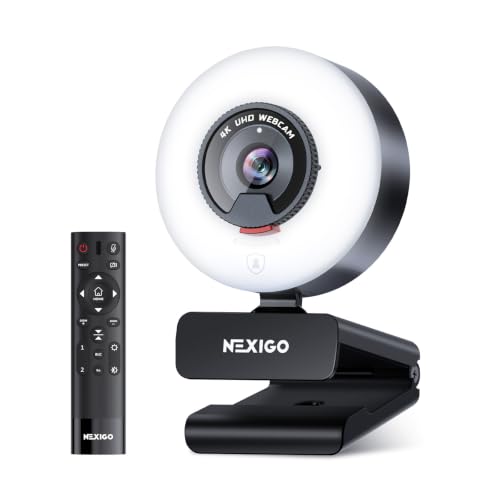

Who Should Buy Which Cameras?
Podcasting cameras differ mainly in how they handle framing, focus, sound, and long recording sessions. The right match depends on whether you sit at a desk, move between locations, or host guests in the same room. Think about the space you use most often, not the space you hope to use one day.
For Remote Workers and Creators
Remote workers and creators usually record at a desk in a fixed spot, so a stable frame and clean audio matter more than portability. Look for reliable autofocus that stays on your face, a lens that frames your head and shoulders without distortion, and a simple connection to your computer. A separate microphone often improves clarity more than a more expensive camera body, so leave room in your budget for sound.
For general video work, see our guide to best cameras for video. Check that the camera can run for a full episode without overheating or stopping, and that its settings stay consistent between sessions.
For Travelers and Commuters
Travelers and commuters need a camera that packs small, starts quickly, and works in changing light. A compact body, a built in battery or USB C charging, and a sturdy mount help you record in hotel rooms, shared spaces, and other temporary setups. For movement heavy work, see our guide to best action video cameras.
Look for image stabilization if you record while walking, and for a simple way to transfer files without carrying extra adapters. Keep the kit light, because a camera you leave behind does not help your show. A small tripod and a lens cloth often matter as much as the camera itself.
For Students and Everyday Users
Students and everyday users usually want a camera that is easy to set up, easy to learn, and easy on the budget. Automatic exposure and automatic focus reduce the need for constant adjustment, while a clear on screen display helps you confirm framing before you press record. Look for a camera with a flip screen or a preview that lets you see yourself, plus a battery that covers a typical study or conversation session. Simple file transfer and widely supported video formats also save time when you move clips to an editor.
If budget is tight, see our guide to best inexpensive video cameras.
For Live Hosts and Power Users
Live hosts and power users often record long sessions with screen capture, overlays, and audience chat, so low latency and a clean video feed matter. Look for a camera that can output a steady signal to capture software, handle indoor lighting without heavy color shifts, and stay in focus while you move slightly in your chair. A wide enough field of view helps if you use hand gestures or show items on your desk. Keep the setup simple enough that you can start a stream or recording without adjusting five settings every time.
Key Features to Compare
Compare features in the context of a podcast episode, not in isolation. A feature only helps if it solves a problem you actually face, such as a dim room, a noisy street, or a guest who sits farther from the lens. Use the table below as a starting point, then check the details that affect your routine.
| Type | Strength | Watch Out For |
|---|---|---|
| Webcam style | Simple setup and direct computer connection | Smaller sensor in dim rooms |
| Compact camera | Flexible framing and a flip screen | Recording limits and battery life |
| Interchangeable lens camera | Cleaner background blur and low light control | Higher cost and more setup |
| Action camera | Small size and wide view for movement | Wide distortion for close face framing |
Features That Matter for Video Podcasting
Video podcasting needs a camera that keeps faces sharp, skin tones natural, and motion smooth during conversation. Look for reliable face tracking or face detection, a lens that avoids an overly wide look at close range, and video settings that suit online playback rather than cinema projection. Clean output, meaning a feed without on screen menus, helps if you record through capture software. Also check whether the camera can record continuously for the length of a typical episode, since some models stop after a set time and need a restart.
Ease of Use for Your Skill Level
Ease of use starts with how quickly you can frame, focus, and start recording without a manual. Automatic modes help new creators, while manual exposure, white balance, and focus controls help experienced creators keep a consistent look across episodes. App transfer can speed up short clips, but a memory card reader or a direct cable connection is often faster for long files. Choose controls you will actually use, and test the full workflow once before an important recording.
If you also publish short vlogs, see our guide to best cameras for video blogging.
Sensor Size and Image Quality
Sensor size affects how a camera handles dim rooms, background blur, and fine detail, but a larger sensor alone does not guarantee a better podcast image. A one inch sensor, an APS C sensor, and a full frame sensor each offer different tradeoffs in cost, lens size, and depth of field. Megapixel count matters less than clean color, stable exposure, and low noise at the light level you actually use. Judge image quality at normal viewing distance on a phone or laptop screen, because that is how most listeners will watch your show.
For a broader choice, see our guide to best digital cameras.
Battery Life and Charging
Battery life matters most for long conversations and for recording away from a power outlet. Check the expected recording time in video mode, not just the number of still photos per charge, because video drains power much faster. USB C charging or a dummy battery adapter can help for desk recording, while a spare battery helps for travel. Keep a simple habit of charging after each session, and confirm that the camera does not stop recording when it switches power sources.
Common Mistakes to Avoid When Buying Cameras
- Choosing by price alone, without checking whether the camera fits your room, your guests, and your recording length.
- Ignoring the features that matter for video podcasting, such as clean output, steady focus, and a usable microphone input.
- Buying a camera that is too large for your desk or too small for comfortable controls during a long session.
- Forgetting to check warranty terms, return terms, and whether accessories such as mounts and memory cards are included.
- Assuming the highest resolution will fix poor lighting, weak audio, or an unstable mount.
Setup and Care Tips
Set the camera at eye level or slightly above, and frame your head with a little space above it. Place your main light in front of you, not behind you, so your face stays bright and the background does not overpower the image. Use a lens cloth, not your shirt, to clean the front glass, because fabric can leave smears that soften the picture. Carry a spare battery for travel sessions, and store the camera in a dry, padded bag when you are not using it.
Before each episode, record a short test clip and check focus, sound, and framing on headphones and a larger screen.
For audio, place your microphone close to your mouth and away from fans, keyboards, and other noise sources. If you use a separate microphone, check that the camera or recorder accepts its input and that levels do not distort when you speak loudly. Keep cables tidy so a guest does not pull the camera during a conversation. A short checklist before recording can prevent most common failures, including a full memory card, a low battery, and a lens cap left in place.
Frequently Asked Questions
What features matter most in cameras for video podcasting?
Steady focus, natural color, clean audio input, and a reliable recording time matter most for podcast episodes. A camera that holds focus on your face, handles indoor light without harsh color shifts, and records for a full session will serve most shows better than a camera with a longer spec list. Also check clean output if you use capture software, and confirm that the camera works with your computer or recorder. Good lighting and a close microphone often improve the result more than a higher resolution setting.
Do I need a capture card for a video podcast?
Not for a webcam, which connects over USB. Many compact and mirrorless cameras need a capture card to send a clean picture to your computer, although some offer a free USB webcam mode from the maker. Check the exact model on the maker support page, confirm it can output without menus or battery icons, and test a full episode length before your first recording.
Is a smartphone enough instead?
A smartphone can be enough for many new shows, especially if you already own one and record in a bright, quiet room. Modern phones offer good autofocus, stabilization, and simple sharing, and they let you start without buying a separate camera. A dedicated camera may still help if you need clean output, a microphone input, interchangeable lenses, or longer recording without phone interruptions. Start with what you own, learn your framing and audio habits, and upgrade only when a specific limit keeps holding back your episodes.
What specs matter most for beginners?
Beginners should focus on automatic focus, automatic exposure, a flip screen or live preview, and simple file transfer. Those features reduce setup time and help you catch framing or lighting problems before you record a full episode. Battery life and a standard memory card format also matter, because they affect how long you can record and how easily you can move files. Avoid chasing advanced manual controls until you have a routine, since a simple camera you use every week beats a complex camera you rarely set up.
Which is better for low light?
A larger sensor, a wider aperture lens, and good noise handling usually perform better in low light, but lighting still matters more than any single spec. A simple lamp placed in front of you can improve a modest camera far more than a sensor upgrade alone. Look for a camera that keeps skin tones natural and noise low at the light level in your room, and test it in that room rather than in a bright store. If your room stays dim, add a light before you spend more on a camera body.
How much should I spend on my first one?
Spend based on your recording frequency and your room, not on a fixed number that fits every creator. A budget around $100 to $250 can cover a simple webcam style setup or a used compact option, while about $250 to $600 opens up more control over lenses, audio input, and low light performance. Above that range, you mainly pay for larger sensors, cleaner output, and more flexible lenses. Leave room for a microphone, a mount, lighting, and memory cards, because those accessories often improve episodes more than a small camera upgrade.
The Bottom Line
Choose a camera that fits your room, your guests, and your recording routine, and that keeps focus, color, and sound steady across a full episode. Prioritize clean output, a usable microphone path, and a setup you can repeat without stress. Then use the product table above to compare types, and revisit your choice only when a specific limit, such as low light, recording time, or audio input, keeps getting in the way. The best cameras for video podcasting are the ones that help you publish consistently, with a clear face and a clear voice in every episode.


