Best 8 Inch Studio Monitors: A Complete Buying Guide for 2026
Disclosure: We may earn a commission when you buy through links on this page, at no extra cost to you. As an Amazon Associate I earn from qualifying purchases. Learn more

Learn how to choose 8 inch studio monitors for your room, with clear guidance on bass response, power, placement, connections, and everyday setup.
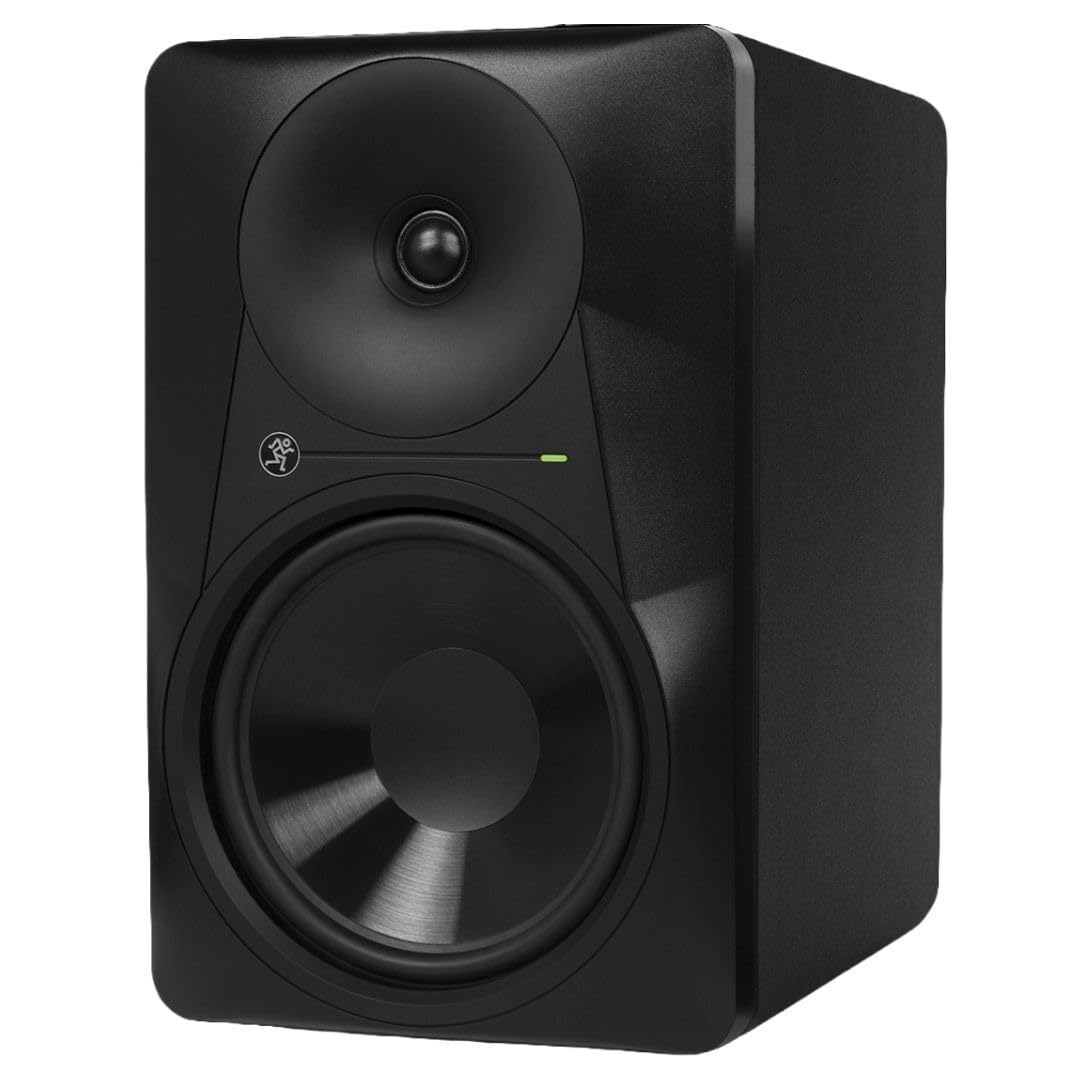
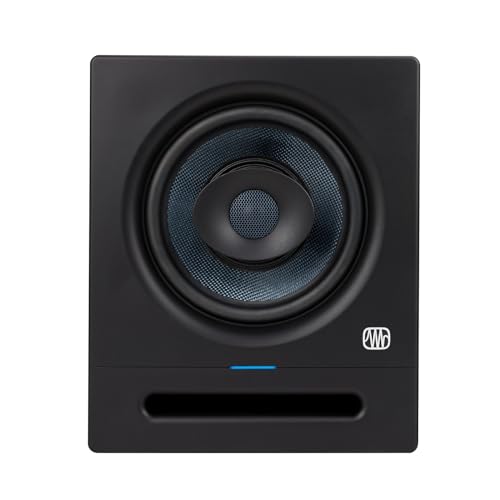
The 8 inch figure in this category describes the woofer, the large driver that handles bass and lower midrange in a studio monitor speaker. Choosing the best 8 inch studio monitors for your room means matching that extra low end reach to your space, your music, and your listening distance. Use the comparison table below to compare key specs as you read.
This guide walks through who benefits most from a woofer this size, the specs that change what you hear, and the setup steps that decide whether a pair sounds accurate or boomy. One quick note on terms first. Studio monitors are speakers, not screens, so if you came here looking for a small display instead, see our guide to the best 8 inch monitors for that separate category.





Who Should Buy 8 Inch Studio Monitors?
Woofer size is a room decision before it is a taste decision. The three groups below get the clearest benefit from an 8 inch driver, while smaller rooms and very close desks often do better with less cone area.
Producers Working in Medium and Large Rooms
If your room measures roughly 150 square feet or more, an 8 inch woofer can fill the space at moderate volume without straining. Smaller monitors in a room that size often sound thin at the mix position, and turning them up only adds distortion rather than useful bass information.
Beat Makers and Electronic Producers Who Mix Low End
Genres built on sub bass, kick drums, and low synths ask questions that small woofers simply cannot answer. An 8 inch driver reaches low enough for you to hear whether a kick and a bass line are competing, instead of guessing and checking the mix in a car later. If your tracks live below 60 Hz, the larger woofer earns its cost and its footprint.
Home Studio Owners Upgrading From Smaller Monitors
Many buyers arrive here after a first pair with 4 or 5 inch woofers left the low end vague. Stepping up adds extension and headroom, but it also reveals room problems your old speakers were too weak to excite. If you are still weighing the step, see our guide to the best 5 inch studio monitors to judge what you would leave behind.
Key Features to Compare
Spec sheets list dozens of numbers, but only a handful predict how a speaker will behave in your room. When you compare the best 8 inch studio monitors side by side, start with the five factors below.
Frequency Response and Low End Extension
Frequency response describes the range of pitches a monitor can reproduce, and the low figure matters most in this size class. Many 8 inch models claim extension down to about 35 to 50 Hz, which covers the fundamental notes of bass guitars and most kick drums. Look for a tolerance figure alongside the range, because a range quoted within 3 dB is far more honest than one with no tolerance. A smooth midrange matters more than a few extra hertz at the bottom.
Power Output and Headroom
Most monitors in this class are active designs with amplifiers built into the cabinet, often rated at about 50 to 150 watts total per speaker. Wattage alone does not tell you how loud a speaker plays cleanly, so pair it with the maximum sound pressure level figure when one is listed. Headroom is the real benefit, since brief peaks in drums and vocals pass without harshness at normal levels. That unused margin is exactly the point.
Woofer and Tweeter Design
Woofer cones in this class are usually woven composite, treated paper, or polypropylene, and each material trades stiffness against weight in a slightly different way. The audible result is less about the material name and more about how controlled the bass sounds on fast, repeated notes. Tweeters are typically 1 inch domes, and a waveguide around the tweeter shapes how widely high frequencies spread, keeping the sweet spot forgiving when you shift in your chair.
Room Controls and Rear Panel Tuning
Switches and knobs on the back panel let you trim bass or treble to compensate for placement, and they are genuinely useful rather than decoration. A bass trim helps when a speaker must sit near a wall, and a high frequency trim can calm a room with bare, reflective surfaces. Change one control at a time while listening to a familiar track. If a mid sized design appeals as a compromise, see our guide to the best 7 inch studio monitors for how the tuning options compare.
Connections and Compatibility
Balanced inputs on XLR or quarter inch TRS connectors are the standard to look for, because balanced cables reject hum and buzz picked up along the run from your audio interface. Many models also include an unbalanced RCA input, which suits casual sources but picks up more noise with long cables. Check that your interface offers two outputs at the matching type and level, since monitors are fed as a stereo pair.
Room Size, Placement, and Setup
The same pair of speakers can sound balanced in one room and bloated in another, and placement explains most of that gap. Treat setup as part of the purchase, because an 8 inch woofer energizes room modes, the resonances where bass piles up or cancels out.
Listening Distance and the Equilateral Triangle
Place the two speakers and your head at the three corners of a triangle with equal sides, commonly about 3 to 6 feet per side in a home studio. Angle both cabinets inward so the tweeters aim at your ears, and raise the speakers until the tweeters sit at ear height when seated. Sitting much closer than about 3 feet can make an 8 inch design sound disjointed, since woofer and tweeter output needs some distance to blend.
Stands, Desks, and Distance From Walls
Speaker stands placed behind the desk give the freest placement, while isolation pads on a desk are the practical fallback when floor space is tight. Keep the back panel at least several inches from the wall when the bass port faces rearward, because a rear port needs breathing room to work as intended. In a truly small room, honest limits apply, and you can see our guide to the best 6 inch studio monitors for a size that asks less of the space.
Types of 8 Inch Studio Monitors
Nearly every model in this class shares the same basic layout, yet a few design families stand apart.
Active Nearfield Monitors
Active models carry their amplifiers inside the cabinet, matched to the woofer and tweeter by the designer. This is the dominant format in the class and the simplest to set up, since each speaker needs only a power outlet and a signal cable. Most home and project studios should start here.
Passive Monitors With a Separate Amplifier
Passive designs leave amplification to an external power amplifier that you supply and match yourself. They appeal to engineers who already own a trusted amplifier or maintain older setups built around one. For a first purchase they add cost and one more place for a mismatch, so they remain a niche choice.
Coaxial Monitors
Coaxial models mount the tweeter at the center of the woofer, so high and low frequencies leave the speaker from the same point. They tend to cost more than conventional layouts of similar size, and supporters value their focused imaging when you move off center or work close.
Monitors With Digital Room Correction
A growing group adds digital signal processing that compensates for the room, using settings you load from an app or dial in on the panel. Correction can tame a stubborn bass peak that placement alone could not fix. It cannot repair deep cancellation or heavy echo, so it works best as a final polish on a sensible setup.
Common Mistakes to Avoid
- Buying an 8 inch pair for a tiny untreated room, so bass buildup masks the detail you paid for.
- Placing speakers flat on a desk with no isolation, so vibrations blur the low midrange and rattle objects nearby.
- Pushing rear ported cabinets tight against a wall, so the port output turns into boom instead of extension.
- Mixing at very high volume for hours, so ear fatigue pushes you toward dull and unbalanced decisions.
- Feeding balanced inputs with long unbalanced cables, so hum and interference creep into quiet passages.
How to Make Your Studio Monitors Last Longer
Studio monitors have no scheduled wear parts, and a careful pair can serve through many years of daily sessions. Dust the cabinets and drivers with a dry microfiber cloth, and never press on a cone or a dome while cleaning, since a dented dust cap can change the sound. Keep drinks away from the speakers, and route cables so nothing tugs at the input jacks.
Heat and level discipline protect the electronics and drivers over time. Power the monitors down during long breaks rather than leaving them idling for days. Avoid sustained playback at maximum volume, which stresses the amplifiers and the woofer surrounds, the flexible rings that let the cone move. If one speaker develops a buzz or a crackle, contact the maker or a repair technician, because continued loud use can turn a small fault into driver damage.
FAQ
Do 8 inch studio monitors need a subwoofer?
Most 8 inch studio monitors do not need a subwoofer for everyday mixing. Their woofers already reach the range where kick drums and bass guitars carry their weight, roughly the span covered in the product table above. A subwoofer becomes worth considering for film work or electronic styles built on notes below about 35 Hz. Adding one also adds crossover setup and room problems, so treat it as a deliberate second step.
How far should you sit from 8 inch studio monitors?
You should generally sit about 3 to 6 feet from 8 inch studio monitors. That span lets the woofer and tweeter blend into one coherent image while keeping direct sound stronger than room reflections. One practical check is to play a centered vocal and shift your chair slowly, since the voice should stay locked in the middle. If it smears at your seat, adjust the triangle before any tone controls.
Are 8 inch studio monitors too big for a small bedroom studio?
An 8 inch pair is often too much speaker for a small bedroom studio. In a room under roughly 100 square feet, the extra bass energy tends to collect in corners and overwhelm the direct sound, and basic treatment only partly offsets physics. A smaller pair placed well will usually give you more trustworthy mixes there. If your heart is set on compact speakers, see our guide to the best 4 inch studio monitors for options that suit tight desks.
What is the difference between 5 inch and 8 inch studio monitors?
The difference between 5 inch and 8 inch studio monitors is mainly low end reach and room demand. The larger woofer moves more air, plays lower notes audibly, and fills a bigger room, while the smaller woofer stays easier to place and excites fewer room resonances. Choose by room first and by genre second.
How long do 8 inch studio monitors last?
A well kept pair of 8 inch studio monitors commonly lasts a decade or longer. The amplifiers and woofer surrounds age fastest, and both last longer when the speakers run at moderate levels in a cool, dry room. Keep your purchase records, because warranty handling is simpler with proof of the original sale, and makers that stock parts make an older pair easier to keep running.
Final Thoughts
Room fit, honest frequency response, and careful placement decide more about your results than any single headline spec. Match the woofer to your space, give the pair distance and symmetry, and use the rear panel controls to finish the job. When those pieces line up, the best 8 inch studio monitors for your studio are simply the pair whose tradeoffs suit your room and your music. Review the product table above with your room measurements in hand before you decide.