
Best 4K Monitors for Coding in 2026: Sharp Text at Every Budget
Disclosure: We may earn a commission when you buy through links on this page, at no extra cost to you. As an Amazon Associate I earn from qualifying purchases. Learn more
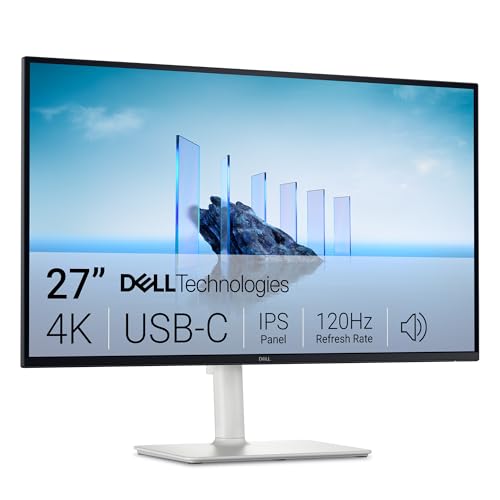
Compare 4k monitors for coding by screen size, panel type, USB C power and price tier, with a clear checklist for sharp text and a tidy desk.
Prices for 4K screens stretch from a basic panel that only shows a sharp picture to a large display that also charges your laptop. The best 4k monitors for coding make text crisp, keep windows readable for hours, and fit the ports on your computer. This guide shows where extra money actually helps you code, so you can use the product table below with a clear budget in mind.
Start with how you work each day. A laptop coder who docks at one desk needs different ports and power than a desktop user with two machines. A developer who reads long files all day cares more about text scaling and stand height than about fast motion.


Who Should Buy a 4K Monitor for Coding?
Your daily setup decides which upgrades are worth paying for. If you are still weighing 4K against lower resolutions, see our guide to the best monitors for coding first.
Laptop Programmers Who Want One Cable Docking
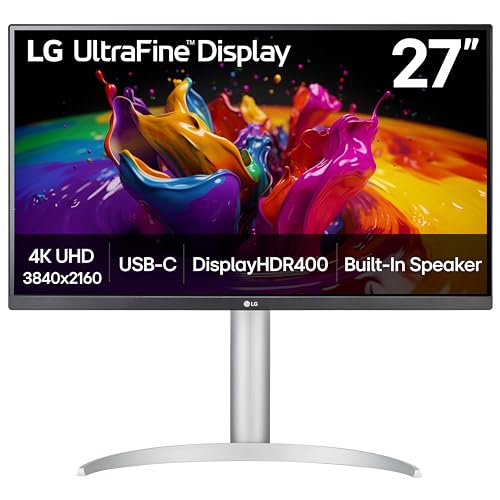
You plug in each morning and leave with your laptop at night, so the monitor should act as your dock. Choose a screen with USB C input, power delivery of about 65 to 90 watts, and USB ports for a keyboard, mouse, and webcam. That single cable carries picture, power, and peripherals.
Developers Who Keep Many Windows Open
You read code beside a terminal, a browser, and chat, and you switch between them all day. A 32 inch screen gives each window more room at a comfortable scale. Look for a stand that rotates to portrait, because a tall view shows more lines of a long file without constant scrolling.
Remote Workers Who Split Time Between Code and Calls
You code in the morning and join video calls and shared documents after lunch. Choose a matte screen that stays readable near a window and a headphone jack that keeps call audio simple. A stand with easy height adjustment helps you raise the camera angle.
Key Features to Compare
Compare these factors in order, because sharp text and the right ports matter more for coding than headline gaming numbers.
Screen Size, Pixel Density, and Text Scaling
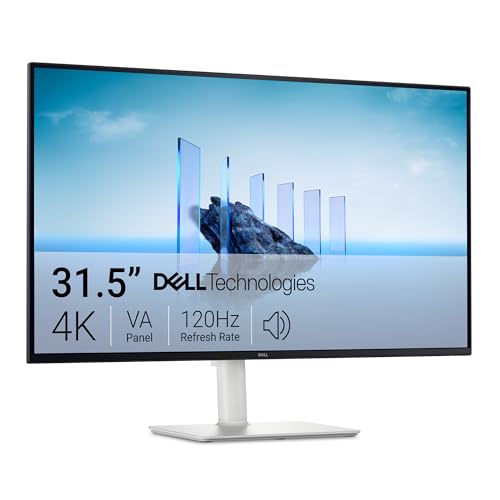
A 4K panel packs 3840 by 2160 pixels, and size decides how that detail feels. At 27 inches, text is very sharp but small at full scale, so most coders set scaling to about 125 to 150 percent and still gain clear edges. At 32 inches, the same scaling leaves more room for an editor, a terminal, and docs side by side. Sit about 28 to 36 inches away.
Panel Type for Static Code Windows
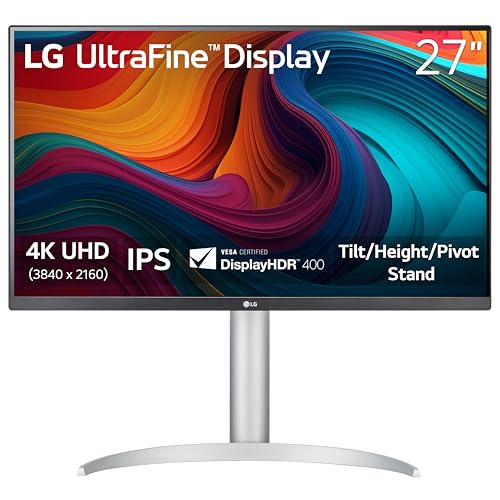
IPS panels are the safe default for coding, because colors stay steady at an angle and text stays even across a wide editor window. VA panels offer deeper contrast for dark themes, though off angle color shift can show on large screens. OLED panels give striking contrast, but code editors and menu bars sit still for hours, and static images raise a burn in concern over years.
USB C, DisplayPort, HDMI, and Hub Ports
DisplayPort and USB C both carry a full 4K picture from modern laptops and desktops, while HDMI 2.1 also suits newer machines. Check the wattage on the USB C port, not only its presence, because a 15 watt port will not charge most work laptops. Mac users should see our guide to the best 4k monitors for mac for notes on scaling and port limits.
Stand Ergonomics, Pivot, and VESA Mounting
You look at this screen all day, so the stand matters as much as the panel. Height adjustment lets the top of the screen sit near eye level, tilt helps with window glare, and pivot turns the panel to portrait for long files. If the stand is basic, check for a 100 by 100 mm VESA mount so you can add an arm later. Desktop builders can also see our guide to the best 4k pc monitors.
Brightness, Matte Coating, and HDR
Brightness of about 300 to 400 nits suits most home offices, and a matte coating cuts reflections that would wash out dark editor themes. HDR labels vary widely at this price range, and coding gains little from HDR, so treat it as a bonus for video rather than a reason to pay more.
Refresh Rate and Response Time for Smooth Scrolling
Most coding monitors run at 60 Hz, which is fine for typing and reading. Higher rates such as 120 or 144 Hz make scrolling and window movement feel smoother. Pay for a high refresh rate only if you also play games at this desk, and for that use see our guide to the best 4k monitors gaming. Other coders can put that money toward size or USB C power.
Coding Monitor Price Tiers, From Sharp Text to Full Docking
Price alone does not rank the best 4k monitors for coding well, because a costly fast panel can still lack the USB C power a laptop coder needs. Use the tiers below to see what each step up buys, and add long term costs such as a monitor arm and longer cables to your total budget.
Budget Tier: Sharp Text Without Docking Extras
Budget 4K coding monitors cost about $250 to $400. You get the same 3840 by 2160 resolution and an IPS panel in most cases. The trade offs are simpler stands with tilt only, USB C that may lack charging, and fewer hub ports. This tier suits a desktop user with one machine who wants sharp text first.
Midrange Tier: Full Docking for Most Coders
Midrange models cost about $450 to $700 and suit most programmers who dock a laptop daily. Expect USB C charging of about 65 to 90 watts, a USB hub, and a stand with height, tilt, swivel, and pivot. Brightness and color coverage also improve a step, which helps if you check interface designs beside your code.
Premium Tier: Larger Screens and Stronger Color
Premium models cost about $800 to $1,500 and buy size, finish, and extras rather than sharper text. You may get a 32 inch or larger screen, wider color for design work, a network port in the dock, and a sensor that adjusts brightness with room light. This tier pays off for developers who also edit photos or video.
Common Mistakes to Avoid
These errors often show up only after the return window feels short.
- Buying a 24 inch 4K screen leaves text tiny at full scale and forces scaling that wastes the extra pixels.
- Assuming every USB C port charges a laptop leaves you with a slow battery drain during long workdays.
- Choosing a glossy screen for a bright room turns dark editor themes into a mirror of your window.
- Ignoring desk depth puts a large screen too close, so you turn your head to read the edges.
- Paying for a very high refresh rate for code alone spends budget that size or ports would use better.
- Skipping a VESA mount check blocks a later monitor arm when the stock stand proves too low.
How to Make Your 4K Coding Monitor Last Longer
Clean the panel with a soft, dry microfiber cloth, and use a cloth dampened with plain water only for stubborn marks. Never spray liquid on the screen or press hard on the coating, because pressure can damage pixels. Keep brightness at the lowest level that stays easy to read.
Give the vents at the back room to breathe, and keep cables loose enough that ports are not strained when you pivot the screen. Check for firmware updates from the maker when your computer changes how it wakes the display.
FAQ
What size 4K monitor is best for coding on a standard desk?
A 27 inch or 32 inch 4K monitor suits most standard desks for coding. Choose 27 inches if your desk is about 24 inches deep and you sit close, and choose 32 inches if you keep three or four windows open and can sit farther back. A 24 inch panel wastes much of that advantage once scaling rises.
Is a 4K monitor worth it for coding compared with a 1440p monitor?
Yes, a 4K monitor is worth it for coding if you read text all day and your computer can drive it well. Letters, symbols, and line numbers render with cleaner edges, and small fonts stay legible at sizes that look fuzzy at 1440p.
Does refresh rate matter for coding on a 4K monitor?
Refresh rate matters little for coding itself, and 60 Hz handles typing, reading, and calls without trouble. A higher rate mainly smooths scrolling through very long files and dragging windows between spaces. If your budget is tight, spend first on size and a good stand.
Can one USB C cable charge a laptop and drive a 4K monitor for coding?
Yes, one USB C cable can charge a laptop and drive a 4K monitor, if the monitor supplies enough watts and your laptop accepts power over that port. Check both numbers before you buy, because a monitor that outputs 65 watts suits thin laptops but may lose ground with a large workstation under heavy compile loads.
Should coders choose an OLED 4K monitor for long static sessions?
Most coders should be cautious with OLED for long static sessions. Editor toolbars, status lines, and terminal panes hold the same bright shapes for hours, and that pattern is exactly what raises burn in risk over time. If you still want OLED contrast, use a dark theme and let the panel run its refresh routines.
Our Verdict
For most programmers, a 27 inch or 32 inch IPS screen with honest USB C charging, a full ergonomic stand, and a matte finish is the balanced buy. Check size, ports, and stand against the product table above before you order.
When you compare best 4k monitors for coding by how you actually sit, plug in, and read each day, the right tier is usually obvious. Buy for your desk and your laptop first, and sharp, calm text will follow.


