Best 4k Monitors for Mac for 2026: Everything to Know Before Your First Purchase
Disclosure: We may earn a commission when you buy through links on this page, at no extra cost to you. As an Amazon Associate I earn from qualifying purchases. Learn more

New to the best 4k monitors for mac? This plain English guide explains resolution, panels, ports and size so first time buyers can choose with confidence.
Buying your first large display can feel confusing, because specification sheets are full of terms that sound important but do not all matter equally. The best 4k monitors for mac for a first time buyer is simply the screen that connects cleanly to your Mac, shows text sharply at your normal sitting distance and fits your desk and budget. Use the product table to narrow the field, then use this guide to understand what each specification means in everyday use.
This guide starts with the basics and builds up slowly. You will learn what 4k resolution actually changes, how panel types differ, which ports matter for a Mac and how to avoid the rookie errors that lead to returns. No prior knowledge is assumed, and no single specification is treated as a must have for everyone.





4k Monitors 101: The Basics
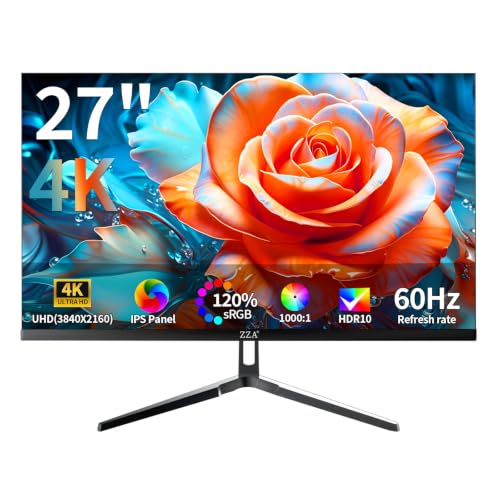
A 4k monitor shows about 3840 by 2160 pixels, which is four times the pixel count of a standard high definition screen. More pixels mean finer detail, so small text looks crisper and photos reveal texture that a lower resolution screen would blur. The monitor itself does not run apps or store files. It only shows what your Mac sends it, so the connection between the two matters as much as the panel.
Most Mac owners connect through USB C, Thunderbolt or HDMI, and the cable you use must support the resolution and refresh rate you want.
Size changes how that resolution feels. On a smaller screen, pixels sit close together and text looks very sharp, but windows can feel cramped. On a larger screen, you gain room for several windows at once, yet you may need to sit further back for the image to feel comfortable. Brightness, color range and surface finish also shape the experience.
A bright glossy screen can look vivid in a dark room and washed out near a window, while a matte screen stays readable in more lighting conditions.
Key Specs Explained in Plain English
Read this section once, then return to it when a specification sheet confuses you. Each term below is explained by what it changes for you, not by engineering detail alone.
Features That Matter for Mac
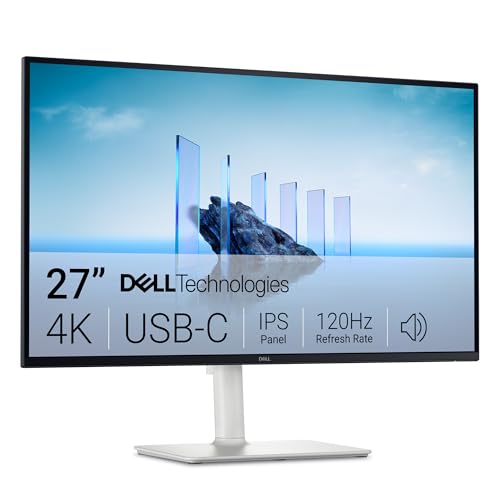
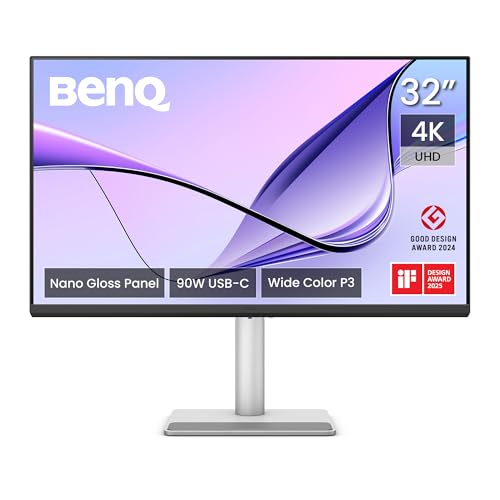
Mac owners should start with scaling and ports. macOS scales interface text and icons so they stay readable on a dense 4k panel, and that scaling works most comfortably at 27 inches for many people. A USB C port that carries video and charges a laptop at the same time can turn one cable into a full docking setup. Check whether the display supports a wide color space such as P3, which helps photos and video look closer to how they appear on a MacBook screen.
Also check that brightness controls respond well with macOS, since awkward controls become a daily annoyance.
Panel Technology
IPS, VA, OLED and Mini LED describe how the panel creates its image. IPS panels keep color steady when viewed from the side, which helps if you share the screen or move around the desk. VA panels offer deeper blacks, which flatter films and dark scenes, but color may shift at wider angles. OLED panels switch each pixel on and off, giving true blacks and striking contrast, yet they cost more and need care with static images.
Mini LED panels use many small backlights behind an LCD panel to improve contrast without the same wear concerns as OLED.
Smart Platform and Sound
Some displays include a built in smart platform or speakers, but Mac owners should treat those extras as a bonus rather than a deciding factor. Your Mac already provides apps, streaming and audio, so a display smart system can duplicate what you already own. Built in speakers suit casual video calls and background music, yet they rarely match even a modest external speaker for films or music. If sound matters to you, budget for a separate speaker or a good headset rather than paying a premium for display speakers you may mute anyway.
Resolution and Screen Size
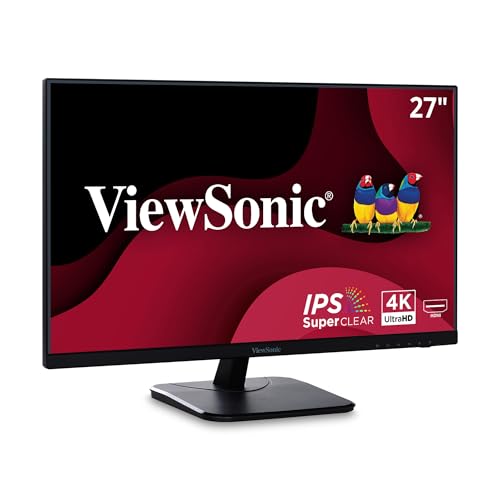
Resolution counts pixels, while size spreads them across the screen. A 27 inch 4k screen gives a good balance for most first time buyers, with sharp text and enough room for two windows side by side. A 32 inch screen gives more workspace and suits deeper desks, while a 24 inch screen can feel cramped for multitasking despite its sharpness. Sit at your normal distance and imagine reading the far edge of the screen without turning your head.
If that feels like a stretch, the screen is too large for your desk.
Adaptive Sync and Gaming Features
Adaptive sync lets the display adjust its refresh timing to match the frames coming from the computer, which reduces tearing during games. Technologies in this family include variable refresh rate support over HDMI and similar systems over other connections. A 120 Hz or 144 Hz refresh rate makes motion look smoother than a standard 60 Hz panel, which matters most in fast games. For office work, browsing and photo editing, these features are pleasant but not essential.
Do not pay a large premium for gaming features if games will only fill a small share of your screen time.
HDR and Brightness
HDR, short for high dynamic range, lets a display show brighter highlights and deeper shadows at the same time, which can make films and photos look more lifelike. True HDR needs high peak brightness and good local dimming, so a basic HDR label alone does not guarantee a dramatic effect. Brightness is measured in nits, and a panel around 300 to 400 nits suits most indoor rooms, while brighter panels help near windows. For general use, even brightness across the screen matters more than a headline peak brightness number that only appears in small highlights.
Picking the Best 4k Monitors for Mac for Different Uses
Use the guide above to match the screen to your main activity. Office workers gain most from readable scaling and a comfortable stand. Photo and video hobbyists gain most from wide color and even brightness. Gamers gain most from a higher refresh rate and adaptive sync.
If your use mixes all three, choose the balanced middle option rather than the specialist at either extreme.
Best External 4k Monitors for Macs: Tips for First Time Buyers
External displays differ from a laptop screen in three ways that first time buyers should weigh. First, you control the size and position, so measure your desk before you fall in love with a large panel. Second, you control the connection, so confirm that your Mac port, cable and display input all support 4k at the refresh rate you want. Third, you control the ergonomics, so choose a stand with height and tilt adjustment or plan for a monitor arm.
A display that excels on all three points will feel like a natural extension of your Mac rather than a compromise.
Rookie Mistakes to Avoid
- Buying on resolution alone, while ignoring size, scaling and port support that decide whether 4k actually feels sharp.
- Choosing the largest screen available, then discovering that a shallow desk forces constant head turning.
- Assuming every cable supports 4k, when an older cable can limit resolution or refresh rate without any warning.
- Paying for gaming speed or smart features that duplicate what a Mac already provides, instead of spending on color and comfort.
- Forgetting to check the return policy, which matters when glare or uneven brightness only shows up in your own room.
Getting Started: Setup and First Use
Unbox the display, attach the stand on a clear surface and connect a single cable first before adding accessories. Open the display settings on your Mac and confirm that the resolution is set to the scaled option that keeps text readable, rather than to the raw pixel count. Turn off any vivid picture mode, then adjust brightness to match your room light. If you bought an OLED panel, run its pixel refresh routine as the maker directs.
Spend ten minutes with a familiar document and photo, since that quick check reveals glare, color or scaling problems while a return is still easy.
For a use case led comparison, see our guide to the best 4k computer monitors for mac. If you own a compact desktop, see our guide to the best 4k monitors for mac mini and our guide to the best 4k monitors for mac pro. For a wider Mac display comparison, see our guide to the best monitors for mac.
4k Monitors: Your Questions Answered
What should a first time buyer check before ordering a 4k display?
Check your Mac port and cable first, since an older cable can quietly limit resolution or refresh rate. Next, measure your desk depth and viewing distance, because those numbers decide the comfortable screen size. Then confirm the display input matches your Mac, and check whether a single USB C cable can also charge a laptop. Finally, read the return terms, because brightness uniformity and glare only become clear in your own lighting.
Which panel type is easiest to live with for a beginner?
IPS panels are usually the easiest starting point, because color stays steady from different angles and the technology is widely available at fair prices. VA panels suit film lovers who value deep blacks, but color can shift when viewed from the side. OLED panels look superb yet cost more and need attention to static images. Beginners who want a safe, versatile choice should start with IPS, then consider OLED later once they know how much they value contrast.
Does a higher refresh rate help someone who rarely games?
A higher refresh rate makes scrolling and window movement feel smoother, but it matters far less than size, color and ergonomics for non gamers. Most office and creative users will be content with a steady 60 Hz panel that offers good color and a comfortable stand. If you notice choppy scrolling and it bothers you, a 120 Hz panel can help, yet it should not outrank readable scaling or a matte surface. Spend first on the factors you will notice during every work session.
How long will a first 4k monitor last?
A well made display often lasts many years, with brightness fading gradually rather than stopping suddenly. LCD panels are generally forgiving, while OLED panels need a little more care around static images left on screen for long periods. Keep the screen away from direct sunlight, avoid running brightness at maximum all day and let the display sleep when idle. Those simple habits extend panel life and keep color looking consistent for longer.
What size works best on a typical desk?
A 27 inch screen suits most typical desks, because it fits an arm length viewing distance while leaving room for two windows side by side. A 32 inch screen suits deeper desks and people who keep three windows open, but it can overwhelm a shallow desk. Measure both the width and the depth of your desk, including the stand footprint, before ordering. A screen that forces you to turn your head to read the edges is too large for that space.
Is 4k resolution worth the extra cost over lower resolutions?
Yes, for most Mac owners, because sharper text eases long reading sessions and extra pixels leave room for side by side work. The gain is clearest at 27 inches, where scaling keeps text readable while showing more content than a lower resolution screen. If your budget is tight and your desk is small, a lower resolution screen can still serve basic browsing and email well. Weigh the extra cost against how many hours each day you spend reading on the screen.
Wrapping Up
Start with connection, size and scaling, then let panel type and extra features follow your budget and your main activity. A first time buyer does not need the fastest or brightest panel on the market. You need a display that connects cleanly, shows text sharply, sits comfortably at your viewing distance and stays pleasant through long sessions. The best 4k monitors for mac for you is the balanced screen that meets those needs in your own room, not the one with the longest specification list.
Check the product table above against your Mac ports and desk measurements, and choose the option that fits your daily routine best.