The Best 4K Monitors of 2026
Disclosure: We may earn a commission when you buy through links on this page, at no extra cost to you. As an Amazon Associate I earn from qualifying purchases. Learn more
A 4K monitor packs roughly four times the pixels of a standard 1080p screen into the same physical space, which means sharper text, more visible detail in photos and video, and enough room to fit multiple windows side by side without anything looking cramped. Prices have dropped considerably, so a genuinely good 4K display no longer requires a premium budget.
Here is what actually matters when shopping at this resolution, along with our picks for the best 4K monitors for 2026. Whether you're upgrading a work setup, building an editing station, or just want the sharpest picture available for everyday browsing, the right 4K monitor depends less on chasing the highest specs and more on matching the panel, size, and refresh rate to how you'll actually use it.


What to Look for in a 4K Monitor
Screen size affects how usable 4K resolution feels day to day. At 27 inches, text and icons stay comfortably readable at 100% scaling for most people. At 32 inches and above, the extra pixel density becomes even more noticeable, but you may need to scale the interface up slightly to keep small text legible.
Panel type still follows the same tradeoffs as smaller monitors. IPS panels offer accurate, consistent color and wide viewing angles, making them the most common choice for both work and general use. VA panels trade some viewing angle for deeper contrast and blacks, which some buyers prefer for movies and dark-room gaming.
Refresh rate used to be a weak point for 4K monitors, but 120Hz and higher panels are now common even at mainstream prices. A higher refresh rate makes everyday scrolling and window dragging feel smoother, and it matters even more if you play games at native 4K resolution.
HDR support adds a wider range of brightness and color, which shows up most clearly when watching HDR video content or playing HDR-enabled games. Entry-level HDR badges on budget monitors don't always deliver a dramatic difference, so treat it as a nice bonus rather than a deciding factor unless you specifically watch a lot of HDR content.
Connectivity matters more at 4K than at lower resolutions, since not every cable and port combination supports 4K at higher refresh rates. Confirm the monitor includes DisplayPort or a recent HDMI version capable of the resolution and refresh rate you actually want to use.
Graphics card requirements are worth considering before you buy. Driving a 4K display at high refresh rates, especially in games, takes considerably more graphics power than 1080p or 1440p, so check that your computer can realistically take advantage of the extra resolution.
Stand adjustability becomes more noticeable at 4K sizes, since these monitors tend to be larger and heavier than budget 1080p displays. A stand with height, tilt, and swivel adjustment makes it much easier to position a 27 or 32-inch screen comfortably, while a fixed tilt-only stand may leave the screen sitting too high or low for your desk setup.
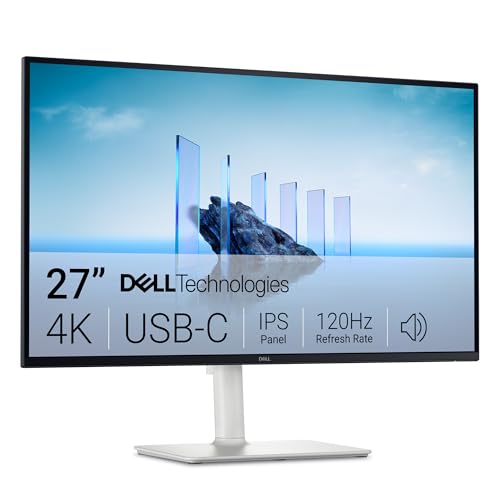
Best Overall: Dell 27 Monitor (S2725QS)
Dell's S2725QS pairs a 27-inch 4K IPS panel with a 120Hz refresh rate and FreeSync Premium support, making it equally comfortable for detailed work and smooth enough for casual gaming. It carries the largest review base of any monitor on this list, which reflects Dell's long track record for reliable panels.
- Panel: IPS, 4K UHD (3840x2160)
- Refresh rate: 120Hz, 5ms response time
- Extras: AMD FreeSync Premium
Pros:
- Sharp, accurate IPS color at a genuinely usable 27-inch size
- 120Hz refresh rate is rare at this price for 4K resolution
- Largest, most consistent review base on this list
Cons:
- Priced above the true budget options further down this list
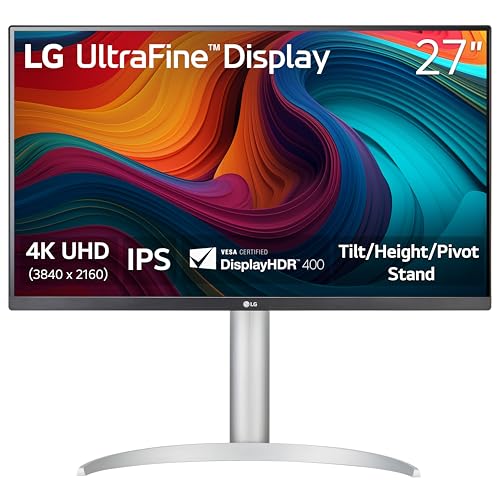
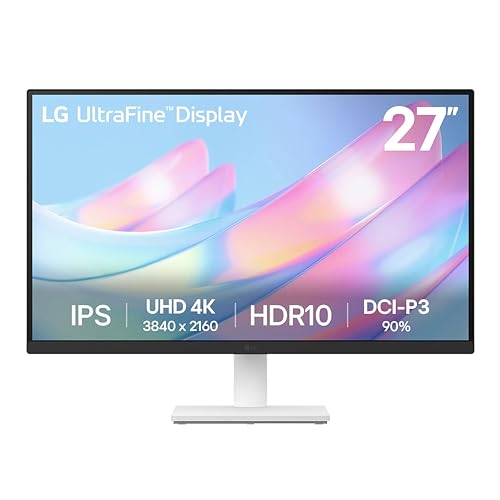
Best Rated: LG 27UP650K-W Ultrafine
LG's Ultrafine line has built a strong reputation for color-accurate IPS panels, and the 27UP650K-W carries the highest average rating of any monitor on this list. It's a solid pick for anyone who prioritizes color accuracy for photo editing or general creative work over the highest possible refresh rate.
- Panel: IPS, 4K UHD (3840x2160)
- Refresh rate: 60Hz
- Extras: HDR10, USB-C connectivity
Pros:
- Highest average review score on this list
- Strong color accuracy suited to creative work
- USB-C input simplifies connecting modern laptops
Cons:
- Standard 60Hz refresh rate rather than the 120Hz found on gaming-oriented picks
Best Budget: Sceptre 32-Inch 4K Monitor
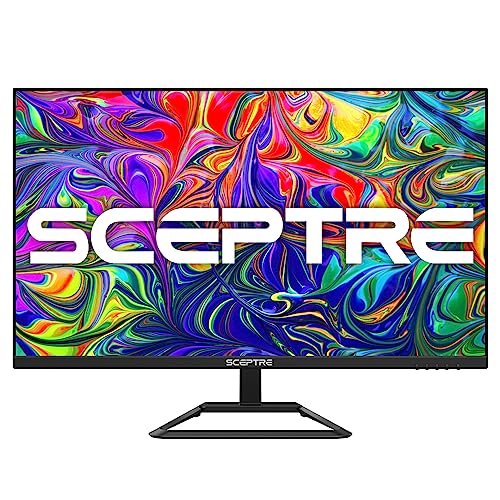
Sceptre makes the case that you don't need to spend $250 or more to get a genuinely large 4K screen. This 32-inch panel offers the biggest display on this list at the lowest price, making it a strong pick for anyone who wants maximum screen real estate for general use and media without paying for gaming-specific features.
- Panel: 32-inch, 4K UHD (3840x2160)
- Connections: 2x DisplayPort, 2x HDMI
- Color: 99% sRGB coverage
Pros:
- Largest screen on this list at the lowest price
- Multiple DisplayPort and HDMI inputs for flexible setups
- Solid value for buyers who mainly want screen space, not gaming features
Cons:
- Lower average rating than the pricier picks above
Do You Need 4K, or Is 1440p Enough?
If your work mostly involves documents, browsing, and spreadsheets, a 1440p monitor already looks sharp and asks much less of your graphics card. 4K makes the biggest difference for photo and video editing, detailed spreadsheets with lots of small text, and gaming or media where the extra sharpness is genuinely visible. If you're upgrading mainly for more screen space rather than sharper detail, it's worth comparing the price difference against a large 1440p monitor before committing to 4K.
Frequently Asked Questions
Do I need to change display scaling on a 4K monitor?
Most people do. At native 100% scaling, text and icons appear quite small on a 27-inch 4K screen, so most users set scaling to 125% to 150% in their operating system display settings for comfortable everyday use, especially at 27 inches. Larger 32-inch 4K panels often look fine closer to 100% to 125% scaling since the same pixel count is spread over more physical space.
Can my computer handle a 4K monitor?
Basic office and browsing tasks run fine on nearly any modern computer at 4K, since displaying a static desktop doesn't require much graphics power. Gaming and video editing at native 4K resolution is more demanding, so if you plan to game at 4K, check that your graphics card is powerful enough to hit a frame rate you're happy with at that resolution.
Is 60Hz enough for a 4K monitor, or do I need 120Hz?
For office work, browsing, and media, 60Hz is perfectly smooth and has been the standard for years. 120Hz becomes worthwhile mainly for gaming, where the extra smoothness is easiest to notice, or if you simply prefer how a higher refresh rate feels when scrolling and dragging windows.
Conclusion
For most buyers who want one well-rounded 4K monitor, the Dell S2725QS combines sharp IPS color with a 120Hz refresh rate that suits both work and casual gaming. If color accuracy matters more than refresh rate, the LG 27UP650K-W carries the strongest reviews on this list. Anyone who mainly wants a large 4K screen without paying a premium should look at the Sceptre 32-inch for the most screen per dollar.