
Best Streaming Camera: Which One Fits the Way You Stream?
Disclosure: We may earn a commission when you buy through links on this page, at no extra cost to you. As an Amazon Associate I earn from qualifying purchases. Learn more

The best streaming camera for your setup: webcams for work, gaming, school and travel, plus key features to compare.
Whether you stream games on Twitch, host a podcast, teach online classes or simply want to look sharp on work calls, the camera you use shapes how people see you. Built in laptop cameras often look grainy and dim, while a dedicated streaming camera delivers sharper video, better color and smarter framing. Options range from $30 1080p webcams to $200 4K cameras with AI tracking, plus mirrorless cameras for creators who want a cinematic look. This guide to the best streaming camera matches camera types to real users, so you can buy the right one the first time.
We group cameras by type of user, cover specific needs, explain the features to compare, list common mistakes and share care tips. Every camera in the table above is sold new on Amazon US.





Who Should Buy Which Streaming Cameras?
Remote workers and creators do best with a 4K webcam with good autofocus, gamers with a 1080p 60fps or 4K webcam with smooth motion, students with an affordable 1080p webcam and travelers with a compact clip on webcam. Here is how each group differs.
Picking the best streaming camera starts with where you stream, how much you move on camera and how much light your room gets. Those three factors matter more than any single spec.
For Remote Workers and Creators
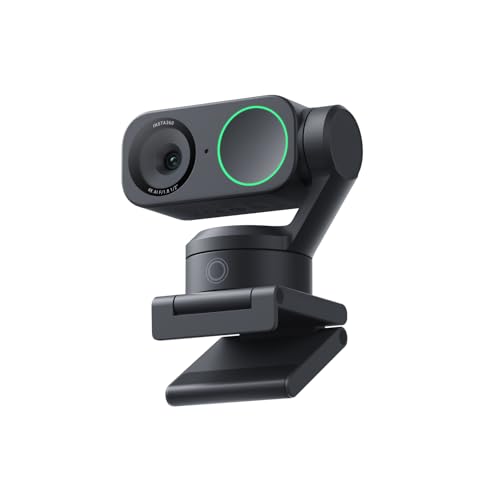
Remote workers and creators benefit from sharp image quality, accurate autofocus and good low light performance. The Insta360 Link 2 uses a 1/2 inch sensor with 4K video, HDR, phase detection autofocus and AI tracking that pans and tilts to keep you in frame, according to Insta360. It also offers DeskView and Whiteboard modes for teaching and presentations. The Logitech MX Brio is another 4K option designed for collaboration and streaming.
Creators who want a more cinematic look often step up to mirrorless cameras, like the Sony ZV-E10 II or Canon EOS R50, connected through a capture card or USB streaming support. They deliver better background blur and color but cost more and need more setup.
Good lighting matters as much as the camera. A simple key light in front of you improves any webcam.
For teaching and product demos, look for overhead or desk view modes, like the Insta360 Link 2's DeskView, which shows your workspace without a second camera. Auto framing keeps you centered when you shift in your chair.
For Gamers and Power Users
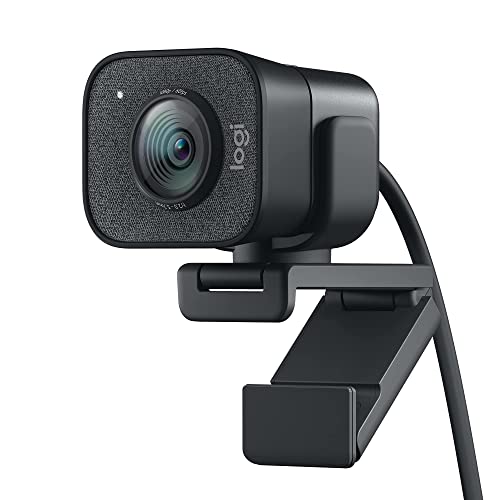
Gamers want smooth motion and a camera that looks good under RGB lighting and dim rooms. The Logitech StreamCam records Full HD 1080p at 60 frames per second for smooth motion, and the OBSBOT Tiny 2 Lite adds 4K with AI tracking. Many streamers place the camera on top of the monitor or on a small arm for a clean angle.
Power users who stream for hours should look for cameras with software controls for exposure, white balance and zoom, which help match the camera to your room.
Mounting matters for gamers with ultrawide or multiple monitors. A small camera arm or tripod behind the monitor gives flexible placement and keeps the camera at eye level. Some streamers use a separate camera angle for hand cams or face cams.
Background removal tools in streaming software work best with even lighting. A green screen still gives the cleanest result if you want to overlay yourself on gameplay.
Consoles have more limited webcam support than PCs, so check compatibility; Logitech notes the Brio 101 works with Nintendo Switch 2's GameChat mode.
For Students and Everyday Users
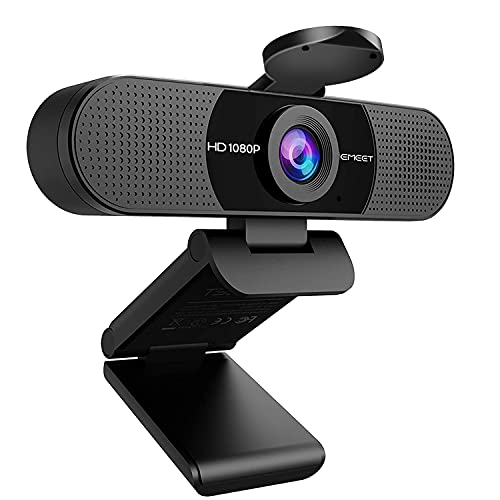
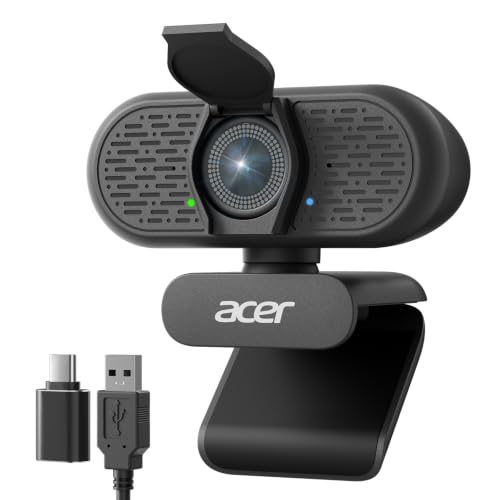
Students and everyday users get great value from affordable 1080p webcams. The Logitech Brio 101 offers Full HD video, a built in privacy shutter, a microphone and RightLight auto light balance, which Logitech says boosts brightness by up to 50 percent compared with previous generations. The EMEET C960 and Acer A640 are other budget friendly choices.
These webcams plug in and work with Zoom, Teams and Google Meet, making them easy for online classes.
Built in microphones on budget webcams are fine for classes and calls, but a headset or USB microphone sounds clearer for presentations and recordings.
Positioning the laptop on a stack of books brings a clip on webcam closer to eye level, which looks more natural on calls than looking down at the camera.
For Travelers and Commuters
Travelers need compact, plug and play cameras that clip onto laptops and pack easily. Small 1080p webcams with privacy covers, like the Brio 101 and EMEET C960, fit in a laptop bag and work across many devices. Some 4K webcams, like the Insta360 Link 2C with auto framing, are compact enough for travel too.
Choose a camera with a sturdy clip that fits thin laptop screens.
A short USB C to USB A adapter in your bag helps when laptops have only one type of port. Some webcams include detachable cables that make packing easier.
Hotel rooms often have harsh overhead lights, so a small clip on light that runs from USB makes a big difference for calls on the road.
Best Streaming Cameras for Specific Needs
Some uses call for particular features.
Best Streaming Cameras with Zoom
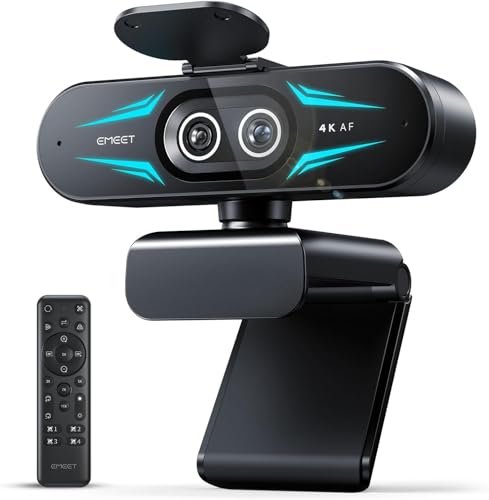
Digital zoom lets you frame yourself tighter without moving the camera. 4K webcams offer the cleanest zoom since they crop from higher resolution. The EMEET C60E combines wide angle and telephoto cameras, and PTZ webcams like the Insta360 Link 2 and OBSBOT Tiny 2 Lite add gesture or app controlled zoom and tracking.
Optical or dual camera zoom keeps detail sharper than heavy digital cropping, which matters if you frame yourself tightly on a 1080p stream.
Best Home Streaming Cameras
For a home studio, choose a camera with good low light performance, autofocus and software controls. A 4K webcam on a tripod or arm, paired with soft lighting and a tidy background, makes a professional looking setup without a full camera rig.
A tidy background with a lamp, plant or shelf adds depth, and keeping some distance between you and the wall helps the camera separate you from the background.
Best Game Streaming Cameras
Game streamers often use 1080p 60fps webcams like the Logitech StreamCam for smooth motion, or AI tracking webcams for creators who move around. Background removal and virtual green screen features in streaming software work best with good lighting and a contrasting background.
A camera with a wide field of view suits streamers who want to show their desk setup, while a narrower view keeps the focus on your face.
Key Features to Compare in the Best Streaming Camera
Size, sensor and image quality, autofocus, video resolution and frame rate and low light performance matter most. Here is how each affects your stream.
Size, Weight, and Ergonomics
Webcams are small and mount on monitors or tripods. Check the clip design for your monitor thickness and whether the camera has a standard tripod thread for flexible placement. Mirrorless cameras need tripods, power solutions and cables.
Privacy shutters, like the Brio 101's sliding cover, add peace of mind when the camera is not in use.
A small desk tripod or flexible arm lets you shoot from a slightly higher angle than a monitor clip allows, which is more flattering and gives you room for a second monitor or lights.
Sensor Size and Image Quality
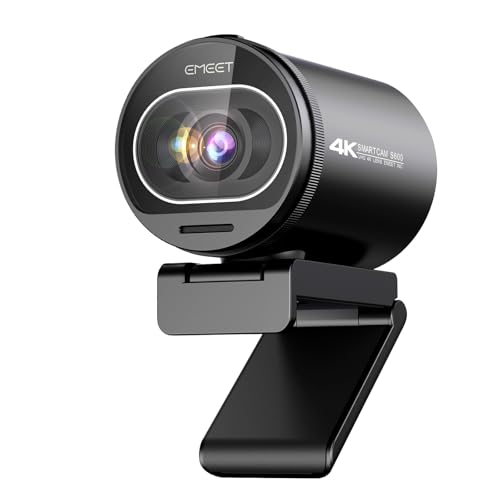
Larger sensors gather more light, improving clarity and low light performance. The Insta360 Link 2 uses a 1/2 inch sensor, and the Link 2 Pro uses a larger 1/1.3 inch sensor. EMEET's S600 uses a Sony 1/2.55 inch sensor. Resolution matters, but sensor size and processing often matter more for real world quality.
Mirrorless cameras with APS-C sensors offer much larger sensors and better image quality.
Processing matters too. Good webcams handle skin tones naturally and avoid over sharpening, which can make faces look harsh. Software controls let you dial back sharpness and adjust color to your room.
Autofocus and Stabilization
Fast autofocus keeps you sharp when you lean in or hold products up to the camera. Phase detection autofocus (PDAF), used by the Insta360 Link 2 and EMEET S600, focuses quickly and accurately. Fixed focus webcams are simpler and fine if you sit still.
AI tracking and auto framing keep you centered as you move, useful for teaching and fitness streams.
If autofocus hunts back and forth in dim light, switch to manual focus in the camera's software once you are framed, which keeps the image steady.
Video Capabilities
1080p at 30 frames per second suits video calls, while 1080p at 60 frames per second looks smoother for gaming streams. 4K provides extra detail and better digital zoom, though most platforms stream at 1080p. HDR helps balance bright windows and dark rooms.
Check that your computer and internet can handle higher resolutions and frame rates.
Upload speed limits stream quality more than the camera does. Most platforms recommend several megabits per second of upload bandwidth for 1080p streaming, so check your internet plan if streams look blocky despite a good camera.
Low Light Performance
Most rooms are darker than they look to cameras. Larger sensors, HDR and auto light correction, like Logitech's RightLight, help. Adding a ring light or LED panel improves any camera dramatically; some kits, like the Angetube webcam with ring light, include lighting.
Avoid backlighting from windows behind you, which turns you into a silhouette.
Three point lighting, with a key light in front, a fill light to soften shadows and a back light to separate you from the background, gives a professional look. Even a single soft light placed slightly above eye level improves most setups.
Matching light color temperature avoids odd color casts.
Common Mistakes to Avoid When Buying Streaming Cameras
- Ignoring lighting. A great camera in poor light still looks grainy.
- Overpaying for 4K you will not stream. Many platforms stream at 1080p.
- Skipping compatibility checks. Confirm support for your OS, apps and consoles.
- Relying on the built in mic for streams. A dedicated microphone sounds much better.
- Poor placement. Cameras below eye level create unflattering angles.
Setting Up Your Streaming Camera
Mount the camera at or slightly above eye level, about an arm's length away, and frame yourself with a little space above your head. Face a window or light source rather than sitting with a window behind you. In your streaming software, lock exposure and white balance once the image looks right, so the picture does not shift as lighting changes. Do a short private recording to check focus, lighting and audio before going live.
How to Make Your Streaming Camera Last Longer
Clean the lens gently with a microfiber cloth, and close the privacy cover when not in use to keep dust off. Avoid bending cables sharply, and use a cable clip to relieve strain on the USB port. Update camera software for new features and fixes, and store travel webcams in a padded pouch.
Unplug webcams during storms or long trips if they connect through a USB hub that stays powered, and avoid leaving cameras in hot cars, which can damage sensors and adhesive mounts.
FAQs
How much should I spend on my first one?
Most people do well spending around $30 to $60 on a 1080p webcam, such as the Logitech Brio 101 or EMEET C960. Spend $100 to $200 for 4K, autofocus and AI tracking, like the Insta360 Link 2. Mirrorless cameras for streaming cost much more.
A ring light or LED panel at around $20 to $40 often improves your stream more than spending extra on the camera itself.
Is a webcam or mirrorless camera better for streaming?
Webcams are simpler, cheaper and plug in with one cable, which suits most streamers. Mirrorless cameras deliver better image quality and background blur but need capture cards or USB streaming support, power solutions and more setup.
If you already own a mirrorless camera with clean HDMI or USB streaming output, it can be a strong upgrade without buying a new webcam.
What specs matter most for beginners?
Resolution of at least 1080p, good low light performance, autofocus and easy compatibility matter most. A privacy shutter and a decent built in mic are useful extras. Lighting improves results more than higher specs.
Start with a simple setup and upgrade lighting and audio before replacing the camera.
Which is better for low light?
Cameras with larger sensors, HDR and auto light correction perform better in low light, like the Insta360 Link 2 and Link 2 Pro. Adding a key light helps any camera far more than upgrading specs alone.
Lowering the frame rate from 60 to 30 frames per second lets some webcams gather more light per frame, brightening the image in dim rooms.
Is a smartphone enough instead?
Modern smartphones can work as streaming cameras using apps that connect to your computer, and their cameras are often excellent. You will need a mount, power and stable connection. Dedicated webcams are more convenient for daily use.
Keep the phone plugged in and cool during long streams, since phones can overheat and dim the screen or stop recording.
Final Thoughts
The best streaming camera matches your use, room and budget. The Logitech Brio 101 is a great affordable start, the Logitech StreamCam suits smooth 1080p 60fps gaming streams and the Insta360 Link 2 delivers 4K, autofocus and AI tracking for creators. Pair any camera with good lighting and a dedicated microphone.
For related guides, see the best cameras for starter photography, the best in ear headphones, the best computer case and the best laptop backpack. Then compare current prices in the product table above.


