Best Laptops and Tablets: What Actually Matters Before You Buy (2026)
Disclosure: We may earn a commission when you buy through links on this page, at no extra cost to you. As an Amazon Associate I earn from qualifying purchases. Learn more
A clear checklist for choosing a laptop or tablet, with MacBook Air M4, iPad 11 inch and Surface Pro 11 picks.
Laptops and tablets now overlap more than ever. Tablets take keyboards and run office apps, while many laptops fold into tablets with touchscreens, so picking the right device starts with a clear set of criteria rather than a brand. This guide to the best laptops and tablets lays out the checklist we use to judge every device: performance, ports, battery, build, graphics, memory and weight, each with a clear good and poor threshold.
After the criteria, you will find three devices from the product table above that pass the checklist, a quick yes or no list to run before you buy, red flags to avoid and simple habits that keep any device running well for years.





How We Evaluate Laptops and Tablets
Each criterion below includes what a good result looks like and what should make you hesitate. Use them in order: if a device fails the first two for your needs, the rest matters less.
Processor and Performance Tier
The chip sets how smooth a device feels for years. For office work, browsing and school, a current Intel Core i5, AMD Ryzen 5, Snapdragon X or Apple A16 class chip is a good result.
For photo editing, coding or heavy multitasking, aim for Apple M4, Intel Core Ultra 7, AMD Ryzen AI 7 or Snapdragon X Plus. Entry chips like the Intel N355 suit Chromebooks and light use only. A poor result is an older low power chip paired with Windows, which often feels slow within a year or two.
Ports and Connectivity
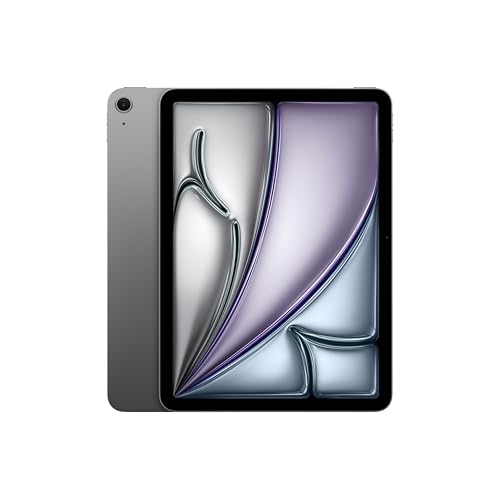
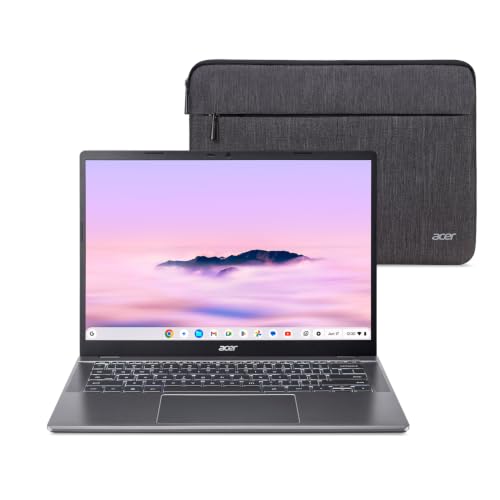
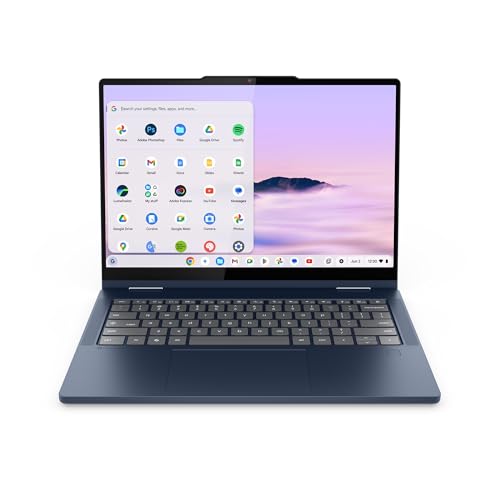
Good laptops offer at least two USB C ports, ideally with charging and display output, plus USB A or HDMI if you use older accessories or an external monitor. The Lenovo Chromebook Plus 2-in-1, for example, has two USB C, two USB A and an HDMI port. Tablets usually have a single USB C port, so plan on a hub if you need more. For wireless, Wi-Fi 6 is the baseline and Wi-Fi 6E or Wi-Fi 7, as on the iPad Air M4 and Acer Chromebook Plus 514, is better on newer routers.
Battery Life in Real World Use
Treat maker claims as best case figures. A good laptop lasts a full school or work day of mixed use, roughly eight hours or more, and recharges quickly over USB C.
Tablets often run all day for video and reading; the Amazon Fire HD 10 lists up to 13 hours. A poor result is a device that needs a charger by lunch, which is common with gaming laptops and older Windows machines. Our laptops for battery life guide goes deeper on this point.
Keyboard, Trackpad, and Build
A good keyboard has firm, consistent keys with enough travel to type for hours, and a trackpad that is large and smooth. Metal bodies, like Apple's aluminum designs, feel sturdier and resist flex better than plastic. For tablets, check whether a keyboard case is included or sold separately, since it changes both the price and the experience; our iPad keyboard cases guide covers options. A poor build shows deck flex, a wobbly hinge or a trackpad that clicks unevenly.
Graphics (Integrated vs Dedicated GPU)
Integrated graphics are a good result for almost everyone: they handle streaming, photo edits, light video work and casual games well, especially on Apple M series and newer AMD and Intel chips. A dedicated GPU is worth it only for modern PC gaming, 3D work or frequent 4K video editing, and it adds weight and cuts battery life. A poor match is paying extra for a gaming laptop when your use is mostly documents and video calls.
RAM and Storage
8GB of memory is the minimum for Chromebooks and light tablet use, and 16GB is the recommended amount for Windows and Mac laptops that you plan to keep for several years. For storage, 256GB is workable if you use cloud storage, and 512GB is more comfortable for photos, apps and offline files. Tablets with 128GB suit reading, video and school apps. A poor result is 4GB of memory or 64GB of slow eMMC storage on a Windows machine.
Weight and Portability
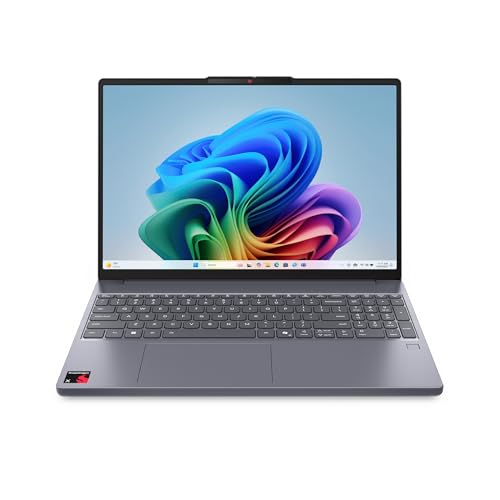
Students and commuters should aim for laptops under about 3.5 pounds and 14 inches or smaller, or a tablet with a keyboard case. The Lenovo Chromebook Plus 2-in-1 weighs 3.3 pounds and is 0.69 inches thick, a good benchmark for this class. Larger 15.6 and 16 inch laptops, such as the ASUS Vivobook 16, offer more screen space but are better for home and office desks. A poor fit is a heavy laptop for someone who carries it all day.
Display Quality
A good display has at least 1920 x 1200 resolution on a laptop, bright enough for indoor use and ideally with an anti glare finish. The Surface Pro 11 offers a 2880 x 1920 120Hz touchscreen, while the iPad models use Liquid Retina displays with True Tone. Touchscreens help on 2-in-1 devices and tablets but add little on a regular clamshell laptop. A poor display has low resolution, dim brightness or washed out colors, which strain the eyes over long sessions.
3 Picks for the Best Laptops and Tablets That Pass Our Checklist
These three devices come from the product table above and each clears our thresholds for performance, build and everyday usability.
Best Overall: Apple MacBook Air 13 inch with M4
The MacBook Air with the M4 chip is the best fit for students, professionals and families who want one laptop that does almost everything well. The M4 chip delivers fast performance for multitasking, photo work and light video editing, and this configuration includes 16GB of unified memory, which keeps it smooth for years.
The 13.6 inch Liquid Retina display is sharp and color accurate, and the 12MP Center Stage camera and Touch ID add real everyday value for calls and sign ins. The main limitation is the 256GB SSD, which fills quickly if you store many photos or videos locally, so plan on cloud storage or an external drive. It sits around $986.

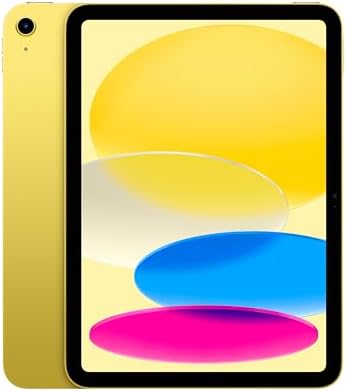
Best Value: Apple iPad 11 inch with A16
The 11 inch iPad is the best value for students, readers and families who want a capable tablet without paying laptop prices. The A16 chip handles streaming, note taking, games and photo edits smoothly, and the Liquid Retina display with True Tone is comfortable for long reading sessions. It supports Apple Pencil (USB C) for notes and drawing and the Magic Keyboard Folio for typing, so it can stand in for a basic laptop.
It also has Wi-Fi 6, a USB C connector, Touch ID and 128GB of storage. The limitation is that iPadOS handles some desktop tasks less flexibly than a laptop, and accessories add to the cost. It sits around $399.

Best Premium Pick: Microsoft Surface Pro 11
The Surface Pro 11 suits professionals and travelers who want a true Windows tablet that works as a laptop. It uses a 10 core Qualcomm Snapdragon X Plus chip with 16GB of memory and a 512GB SSD, enough for demanding office work, multitasking and creative apps.
The 13 inch 2880 x 1920 touchscreen runs at 120Hz, which makes scrolling and pen input feel smooth, and it ships with Windows 11 Pro. The limitation is that the keyboard and pen are sold separately in this configuration, which raises the total price, and a few older Windows apps run less smoothly on Snapdragon chips. It sits around $1,299.

Quick Buyer Checklist
- Does the chip match your heaviest regular task, not just today's lightest one?
- Does it have at least 16GB of memory for Windows or Mac, or 8GB for a Chromebook?
- Is the storage at least 256GB, or will you rely on the cloud?
- Does it have the ports you use every week, or will you need a hub?
- Will the battery last a full day of your normal use?
- Is it light enough to carry where you need it?
- For a tablet, is the keyboard or pen included or priced in?
- Does the maker offer at least a one year warranty and a clear support process?
Red Flags to Watch For
- Vague specs. Listings that hide the exact processor, memory type or storage type often cover weak parts.
- Too little memory or slow storage. 4GB of memory or eMMC storage on a Windows laptop leads to slow performance quickly.
- Refurbished or open box listings mixed with new ones. Check the condition carefully, since used units may carry shorter warranties.
- Unusual review patterns. A sudden burst of short, generic reviews can signal an unreliable listing.
- Short or unclear warranty. Laptops and tablets are costly to repair, so avoid sellers with no stated warranty.
Tips to Get the Most From Your Laptop and Tablet
- Keep the OS and firmware updated. Updates fix security issues and often improve battery life.
- Avoid running at 100% charge all the time. Turn on battery care or optimized charging if the device stays plugged in.
- Use a padded sleeve when commuting. A sleeve or a laptop backpack protects the screen and hinge.
- Clean the screen and vents gently. Use a microfiber cloth and keep vents free of dust.
FAQs
Should I buy a laptop or a tablet?
Buy a laptop if you type a lot, run desktop software or need many ports. Buy a tablet if you mostly read, stream, take handwritten notes or want something light for travel. A tablet with a keyboard case, like the iPad with the Magic Keyboard Folio, covers light work well, while a 2-in-1 such as the Surface Pro bridges both roles for people who need full Windows apps.
Is a Chromebook enough for school?
For many students, yes. Chromebooks handle web apps, Google Docs, video calls and research smoothly, and models like the Acer Chromebook Plus 514 add 8GB of memory and Wi-Fi 7. Check the course list first, because some engineering, design and science programs need Windows or Mac software that Chromebooks cannot run. Our laptops for college guide covers those cases.
Is a dedicated GPU worth it?
Only for modern PC gaming, 3D design or frequent heavy video editing. For schoolwork, office tasks, streaming and photo edits, integrated graphics on chips like the Apple M4 or AMD Ryzen AI are more than enough. A dedicated GPU adds cost, weight and heat and usually shortens battery life, so most buyers are better served by a lighter, cheaper laptop.
How long should a laptop and tablet last?
A good laptop typically stays useful for four to six years, and a quality tablet for about four to five years, depending on how long the maker supplies software updates. Apple devices usually get long update support. Buying enough memory and storage up front, keeping the battery healthy and protecting the device from drops all help it last longer.
How much RAM do I need?
16GB is the right amount for most Windows and Mac laptops today, giving smooth multitasking and room for future software. 8GB is enough for Chromebooks and light use. Choose 32GB only for heavy video editing, large data work or serious multitasking. Many thin laptops cannot be upgraded later, so buy the amount you need at the start.
Is a 13 inch or 15 inch laptop better?
A 13 or 14 inch laptop is better for carrying daily, while a 15 or 16 inch model is better for desk work, spreadsheets and video. If you travel often, a smaller size wins. See our 13 inch laptops guide for compact options.
Wrapping Up
Three criteria matter most: a chip that matches your heaviest regular task, enough memory to stay fast for years and a size and battery that fit where you use it. The MacBook Air M4 is the best all round choice, the 11 inch iPad gives the most value for reading, notes and entertainment, and the Surface Pro 11 suits professionals who want Windows in a tablet. Use the checklist above, then compare the product table above to choose the best laptops and tablets for your needs.