Best iPad Keyboard Cases: A First Time Buyer's Guide for 2026
Disclosure: We may earn a commission when you buy through links on this page, at no extra cost to you. As an Amazon Associate I earn from qualifying purchases. Learn more

A first time buyer's guide to the best iPad keyboard cases: fit, Smart Connector vs Bluetooth, trackpads and protection.
A keyboard case turns an iPad into a compact laptop for schoolwork, email and writing, while still protecting the screen when you toss it in a bag. But first time buyers face many choices: Apple's own Magic Keyboards, Logitech's Smart Connector cases, rugged cases for kids and budget Bluetooth folios under $30. This guide to the best ipad keyboard cases starts with the basics, explains the key specs in plain language and points out the mistakes that lead to returns.
We go from the fundamentals to the specs that matter, rookie mistakes, setup tips and answers to common questions. Every case in the table above is sold new on Amazon US. The most important step comes first: check your iPad's model number on the back of the device or in Settings, then buy a case made for that exact model.


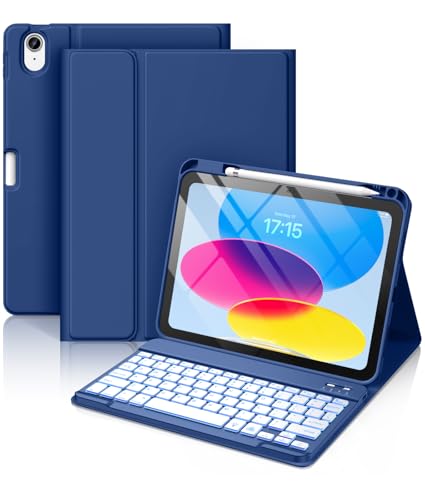
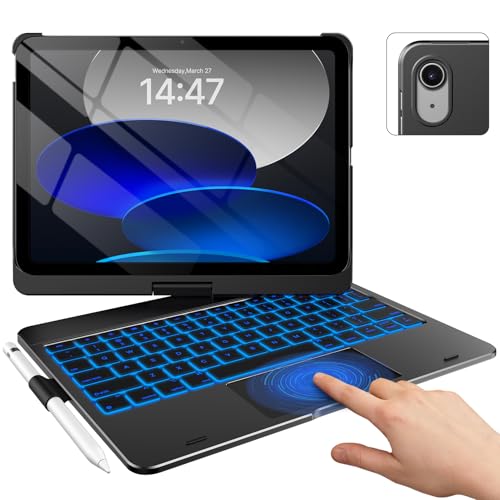
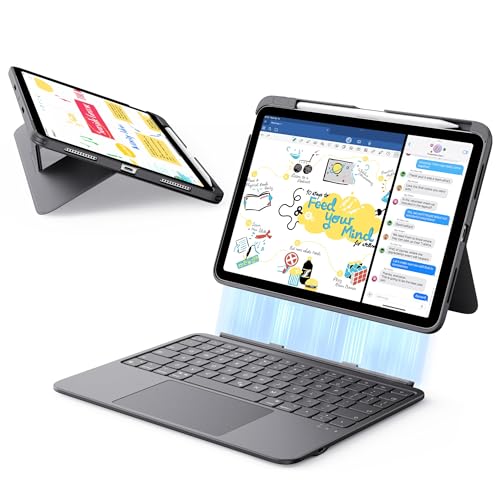
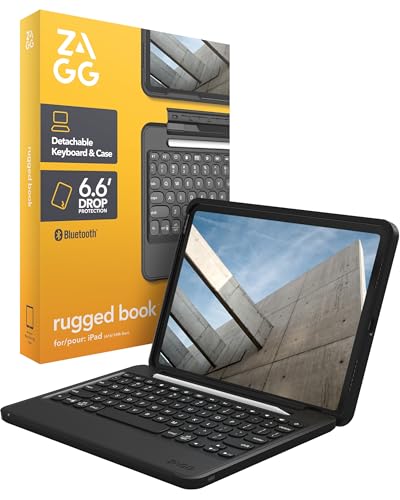




iPad Keyboard Cases 101: The Basics
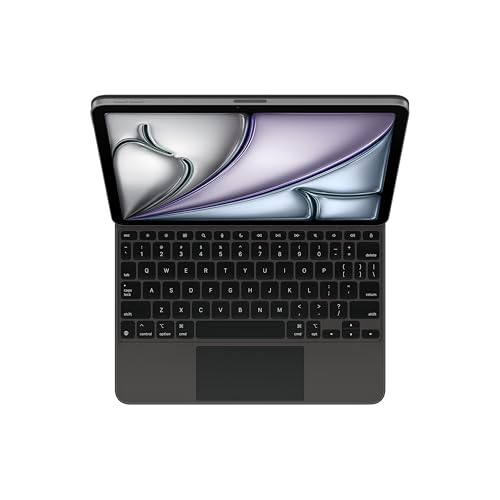
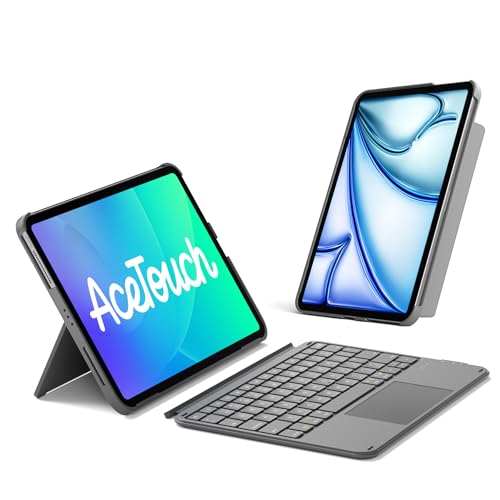
An iPad keyboard case combines a protective cover with a physical keyboard, and often a trackpad, so you can type and navigate like on a laptop. Most cases also include a stand or kickstand that props the iPad at a comfortable viewing angle.
Cases connect in one of two ways. Smart Connector cases, like Apple's Magic Keyboard and Logitech's Combo Touch, attach through three small contacts on the iPad and draw power from it, so you never pair or charge them. Bluetooth cases, like Hamile's and typecase's, pair wirelessly and run on a built in rechargeable battery that you charge with USB-C.
A few other terms come up often. A folio is a case with a cover that folds over the screen.
A detachable keyboard lifts off the case so you can use the iPad as a tablet. A trackpad lets you move a cursor and use Multi-Touch gestures. Backlighting lights the keys for typing in the dark.
Keyboard cases also come in two main shapes. One piece cases keep the keyboard attached through a hinge, so the iPad opens and closes like a laptop. Two piece cases, like Apple's Magic Keyboard Folio, split into a back panel with a stand and a separate keyboard, so you can push the keyboard away and use the iPad on its own.
Key Specs for the Best iPad Keyboard Cases, in Plain English
The specs that matter most are model fit, connection type, weight, battery, typing feel and protection.
What You Can Realistically Get at Each Price
Under around $30, you get Bluetooth folios with backlit keys and sometimes a trackpad, like the Hamile case at around $21 and the CHESONA case at around $28. Around $55 to $130 buys better trackpads, slimmer builds and rugged protection, like the ESR case at around $57, the typecase Touch at around $65, the ZAGG Pro Keys at around $81 and the ZAGG Rugged Book at around $130. Around $150 and up buys Smart Connector cases from Apple and Logitech, from the Magic Keyboard Folio at around $150 to the Magic Keyboard for iPad Pro 11 inch M4 and M5 at around $288.
Where should you not cut corners? Fit, key feel and the trackpad. Cheap cases can have mushy keys or small, imprecise trackpads, which quickly gets frustrating for papers and long emails. If you type a lot, spend a bit more for a well made keyboard.
Model Compatibility
Fit is everything. Cases are built for specific iPad generations and screen sizes, and a case for the iPad 10th generation will not fit an iPad Air or iPad Pro. Logitech lists model numbers A2696, A2757, A2777, A3162, A3354, A3355 and A3356 for its Combo Touch for iPad 10th generation and A16. Apple's Magic Keyboard for iPad Air works with the iPad Air 11 inch (M2, M3 and M4) and the iPad Air 4th and 5th generation.
Screen size alone is not enough. The 10.9 inch iPad 10th generation and the 11 inch iPad Air have different camera positions, button layouts and connector locations, so a case for one will block or miss features on the other. Older models, like the iPad 7th, 8th and 9th generation, need their own cases, such as Logitech's Combo Touch for those generations.
Connection: Smart Connector or Bluetooth
Smart Connector cases connect instantly and never need charging, since Logitech notes the Combo Touch draws power from the iPad. Bluetooth cases cost less and work with any iPad they fit, but you need to charge them. ZAGG's Rugged Book adds multi device pairing, so you can switch between your iPad and another device.
Bluetooth keyboards have one bonus: many also work with other devices. Hamile says its keyboard works with iOS, Windows and Android, and ESR says you can switch between your iPad and a Mac.
Weight and Portability
Keyboard cases add weight, sometimes nearly doubling what the iPad weighs on its own. Slim designs, like ESR's 6.9 mm thick keyboard and Inateck's ultralight 450 gram case, keep things light. Rugged cases weigh more but protect better. If you carry the iPad all day, lighter is better.
Battery Life and Charging
Smart Connector cases need no battery. Bluetooth cases do, and battery life varies.
Hamile lists a 420 mAh battery with at least 230 hours of use and a full charge in 2 hours over USB-C. Backlighting drains the battery faster, so turn it off when you do not need it. Apple's Magic Keyboard for iPad Air adds USB-C pass through charging for the iPad.
Keyboard, Trackpad, and Build
Laptop style scissor keys feel more stable than flat membrane keys. A function row with iPadOS shortcuts, like Apple's 14 key row, saves time. Trackpads vary in size: ESR says its trackpad is 65% larger than those on regular keyboards. Apple and Logitech use premium materials, while budget cases use PU leather and TPU.
Backlit keys help in dim classrooms, on planes and at night. Logitech's Combo Touch has backlit keys, typecase lists 11 RGB colors and Hamile and ZAGG list 7 colors. ESR notes its keyboard has no backlight, which saves weight and battery.
Protection and Viewing Angles
Protection ranges from scratch resistant folios to rugged cases. ZAGG lists drop protection up to 6.6 feet on the Rugged Book. Stands vary too: Logitech's kickstand tilts through 50 degrees, typecase's 360 degree hinge supports 7 modes and ESR offers 65 degree and 20 degree angles. A built in Apple Pencil holder, like typecase's and ZAGG's, keeps the stylus handy.
Rookie Mistakes to Avoid
- Buying for the wrong model. Check the model number before ordering; this is the top reason for returns.
- Ignoring weight. A heavy case can make the iPad less pleasant to carry and hold.
- Skipping the trackpad. Without one, you reach for the screen constantly while typing.
- Forgetting to charge. Bluetooth cases die at bad moments, so charge them on a schedule.
- Overbuying protection. Rugged cases suit kids, but adults may prefer slimmer designs.
Most of these come down to buying in a hurry, so take a few minutes to check the details before you order.
Getting Started: Setup and First Use
Remove the iPad from any old case, then fit it into the new case and line up the camera and buttons. For Smart Connector cases, attach the keyboard and it works right away. For Bluetooth cases, charge the keyboard fully, then turn on pairing mode and connect it in the iPad's Bluetooth settings.
Keep iPadOS and any case firmware updated for the best compatibility. Avoid leaving a Bluetooth keyboard plugged in at 100% charge for long stretches. Learn a few keyboard shortcuts, like Command plus Tab to switch apps, to get more done.
Peel off any protective film and press each key once to make sure it responds.
FAQs
Should I choose a Smart Connector or a Bluetooth keyboard case?
Choose Smart Connector if your iPad supports it and you want instant connection with no charging. Choose Bluetooth if you want to save money or your iPad lacks a Smart Connector. Both work well for typing; Smart Connector cases simply remove the pairing and battery steps.
How long should an iPad keyboard case last?
A good keyboard case often lasts a few years, or until you replace the iPad. Premium cases from Apple and Logitech tend to hold up longer, while budget PU cases may show wear sooner. Bluetooth batteries slowly lose capacity over time.
Wipe the keys and trackpad with a soft, slightly damp cloth to keep them clean.
Should I buy a laptop or an iPad with a keyboard case?
An iPad with a keyboard case is lighter and great for notes, email, browsing and media. A laptop is better for heavy multitasking, specialized desktop software and long typing sessions. Students and travelers often find an iPad setup enough.
Is a trackpad worth it?
Yes, for most people. A trackpad lets you select text, move the cursor and use gestures without touching the screen, which makes typing work faster and more comfortable. It adds cost but improves the experience a lot.
If you mostly watch videos and only send quick messages, a keyboard without a trackpad can save money and weight.
Is an iPad keyboard case enough for school?
For most students, yes. An iPad with a keyboard case handles notes, papers, research and presentations well. Check whether your school requires specific software that only runs on a laptop.
Our Verdict
The best ipad keyboard cases fit your exact iPad model, connect the way you prefer and balance typing comfort with weight and protection. Choose a Smart Connector case for instant, charge free use, a Bluetooth case for value or a rugged case for kids and travel.
For more tech guides, see the best wireless keyboard and mouse, the best laptop backpack, the best laptops for college and the best portable chargers. Then compare current prices in the product table above.