Best Computer Scanner for 2026: Budget, Midrange and Premium Bands
Disclosure: We may earn a commission when you buy through links on this page, at no extra cost to you. As an Amazon Associate I earn from qualifying purchases. Learn more

The best computer scanner depends on your paper: compare price bands, feeder size, duty cycle, speed and optical dpi before you buy.
Scanner prices run from about $60 to well past $700, and nearly every box promises sharp, fast results. Choosing the best computer scanner for your desk gets easier once you know what the extra money actually buys. This guide walks through the three price bands first, then the scanner types and the few specs that decide daily use.
Most buyers fall into one of two camps: a backlog of paper to digitize, or a steady trickle of receipts, photos and forms. The comparison table below puts the main scanner classes side by side, and the sections after it explain which class fits which pile, so you can spend on the features you will feel and skip the rest.






What Each Price Band Buys You
Scanner price bands track three things: how pages move through the machine, how much work it can handle every day, and how much software comes in the box. Star ratings alone tell you none of that. A page of best rated scanners can sort models by score, but a score says nothing about whether a feeder matches your stack of paper.
Budget Band: Flatbed Basics for Occasional Pages
For about $60 to $120, expect a flatbed scanner or a very small feeder model with modest speed. You place each page by hand, scan one side at a time, and wait longer per page than with any feeder machine. Optical resolution is still fine for documents and casual photo copies at this level. This band suits light home use: a few forms, receipts and snapshots each week, with patience standing in for automation.
Midrange Band: Feeders, Duplex and Real Speed
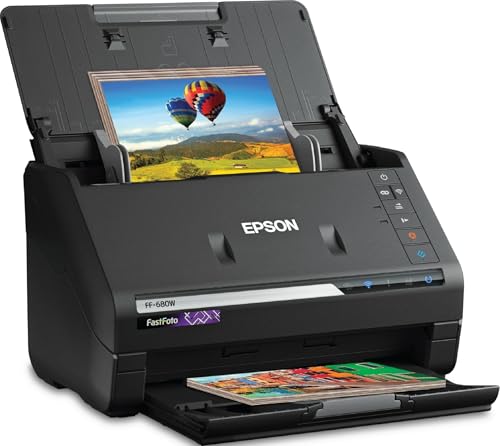
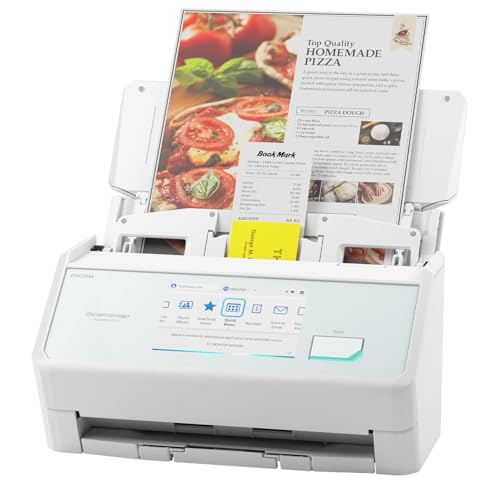
For about $120 to $300, scanners gain an automatic document feeder that holds about 20 to 50 sheets and pulls them through unattended. Two sided pages are captured in a single pass, rated speeds climb into everyday office territory, and bundled software usually adds searchable text recognition. Daily duty ratings around 500 to 1,500 pages fit a busy home office or a small team clearing a paper backlog.
Premium Band: Duty, Networking and Throughput
For about $300 to $700, you are paying for stamina and connection options rather than prettier scans. Premium feeders are rated around 3,000 to 6,000 pages a day, run faster, and add network ports so a whole office can share one machine. Rollers and feed parts are built for volume and are cheaper to replace per page. Buyers who scan all day, every day, feel the difference within a month.
Start With the Type: Flatbed, Feeder or Portable
Type matters more than any single spec. Stated plainly, a flatbed scanner suits books, photos and fragile pages, because each item lies flat and still under a lid. A feeder scanner suits stacks of loose paper, because it pulls pages through one by one while you do something else.
A scanner is a capture device and nothing more. It is not a display, so guides to best computer monitors for gaming cover a different class of hardware entirely. It is also not a computer, so a guide to a best game computer answers a question about processing power, not about paper handling.
| Type | Best for | Strength | Limit |
|---|---|---|---|
| Flatbed | Books, photos, fragile pages | Gentle handling, high optical dpi | One page at a time |
| Feeder | Stacks of loose documents | Fast, unattended batches | Needs flat, undamaged sheets |
| Portable | Travel and tiny desks | Runs from a laptop, stores in a drawer | Slow, narrow pages only |
Flatbed Scanners for Books, Photos and Fragile Pages
A flatbed is the safe choice when pages cannot bend. Book pages, photo prints, artwork and old documents all lie flat under the lid, so nothing is pulled, curled or torn. The trade is speed: every page means lifting the lid, placing the sheet and pressing a button. If your scanning is careful work on mixed originals rather than volume, that trade is worth making.
Feeder Scanners for Stacks of Office Paper
A feeder earns its price when the same kind of page repeats: invoices, contracts, letters and forms. You load the stack, press scan, and collect a tidy digital pile, with both sides captured on duplex models. The limits are physical. Torn, stapled or very thick sheets can jam, so mixed and damaged paper still belongs on a flatbed or in a combo unit that offers both paths.
Portable Scanners for Desks With No Room
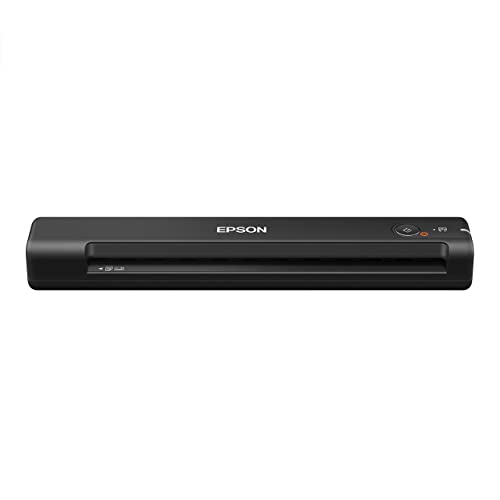
Portable models are slim wands or mini feeders powered from a laptop. They suit receipts on the road, site visits and desks where a full machine will not fit. Expect slower speeds, narrower page widths and basic software. As a second scanner they are handy; as your only scanner for a paper backlog, they will try your patience.
The Specs That Decide Daily Use
Optical Dpi Is the Honest Number
Resolution is quoted in dpi, and two kinds of dpi appear on the box. Optical dpi is the honest figure, because it is what the sensor truly reads. Interpolated dpi is a software figure, created by the program guessing extra pixels, and it can be advertised at five or ten times the optical number.
For documents, about 300 dpi optical gives crisp, readable text. For photos you plan to enlarge or archive, look for about 600 dpi optical. Judge every scanner by the optical figure and ignore the inflated one.
Daily Duty Cycle Governs Office Use
The daily duty cycle is the number of pages the maker rates the machine to scan each day without early wear. It is the clearest line between home and office models. A feeder rated around 500 pages a day is fine for a household that scans in bursts, while an office clearing thousands of pages weekly needs a rating in the thousands. Running a light machine far past its rating wears rollers and feed parts quickly, so match the rating to your busiest realistic day.
Duplex Scanning and Feeder Capacity
Duplex scanning captures both sides of a page in one pass, which halves the handling on two sided documents and removes the flip and rescan routine entirely. Feeder capacity decides how often you reload: about 20 sheets suits short jobs, while about 50 sheets lets a long report run untouched. Check the paper weight range too, because thin receipts and thick card stock do not feed equally well through the same path.
Software and Connections Decide the Workflow
Software turns a scan into something useful. Text recognition makes documents searchable and editable, naming rules file pages automatically, and one button presets save the same settings for receipts, photos and contracts. Many desks pair scanning with printing, and our guide to best computer printers and scanners covers the combined machines that do both jobs in one footprint.
Shoppers building a home setup often compare those combos alongside best computer printers for home to decide whether one shared device beats two separate ones. Connection choices are simpler: USB suits one computer, while WiFi or a network port suits shared desks.
Long Term Costs to Factor In
The purchase price is not the whole cost. Feeder models use up pads and rollers, and a replacement kit typically runs about $20 to $50 every few years depending on volume. Some text recognition and cloud features sit behind a subscription after the first year, so read what the bundled software includes before counting on it.
Electricity use is trivial on any model. A longer warranty matters most on premium feeders, where one repair can approach the price of a midrange machine.
Best Computer Scanner: Your Questions Answered
Can a computer scanner send scans straight to cloud storage or a phone?
Yes, most WiFi models can send scans to cloud folders, email or a phone app without a computer in between. The point buyers miss is that some of these paths depend on the maker cloud service staying active and free. If the service later moves behind a subscription, network scanning to a shared folder on your own computer keeps working, so check that the model offers that fallback before you rely on cloud features.
How do I scan a thick book on a flatbed computer scanner?
Lay the book face down, open it only as far as the spine comfortably allows, and press gently near the spine rather than forcing it flat. Scan one page at a time and shift the book so the page you want sits squarely on the glass. Thick books leave a shadowed curve near the gutter; scanning in two passes at a slight angle and cropping in software usually gives a cleaner result than pressing harder.
Should I save my scans as PDF, JPEG or TIFF files?
Save documents as PDF, ideally the searchable kind, because one file holds many pages and the text stays findable. Save everyday photos as JPEG, which keeps files small and easy to share. Choose TIFF for archival photos you may edit or print large later, since it keeps all the image data, but expect files many times larger. Most scanner software lets you set a different default for each preset button.
Why do my scans come out crooked or shaded at the edges?
Crooked scans usually mean the paper guides in the feeder are loose or the stack was loaded unevenly, so snug the guides against the pages before each batch. Shaded edges on feeder scans often come from a dirty glass strip inside the feed path, which a soft cloth fixes in seconds. On a flatbed, shadowing usually means the lid is not closing fully on a thick original, so even pressure on the lid helps.
How long does a home computer scanner usually last?
A home scanner commonly lasts five to eight years of light use, and the hardware is rarely what ends its life. Support for current operating systems usually stops first, when the maker no longer updates the driver. Flatbeds have almost no wear parts, while feeder models last longer if you replace pads and rollers when pages start to slip. Buying from a line with current driver support matters more than buying extra speed.
Final Thoughts
Start with the type, because a flatbed and a feeder solve different problems. Then check the optical dpi for honest resolution and the daily duty rating against your busiest day. That is why the best computer scanner for you is the one matched to your paper, and why the best computer scanners in any chart are simply the ones whose type, duty rating and software fit the stack waiting on your desk. Use the product table above to compare the bands against your pile before you buy.