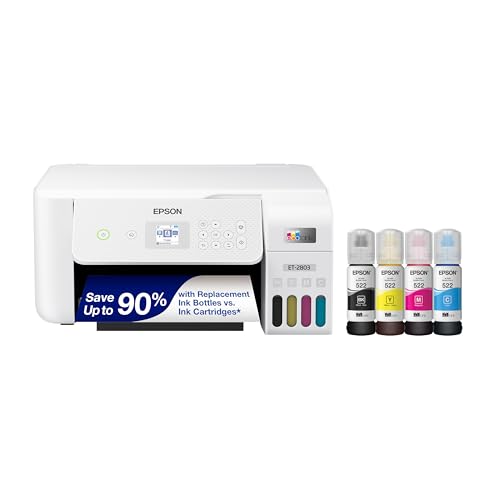
Best Color Printers for Business in 2026: Matching the Right Model to Your Routine
Disclosure: We may earn a commission when you buy through links on this page, at no extra cost to you. As an Amazon Associate I earn from qualifying purchases. Learn more
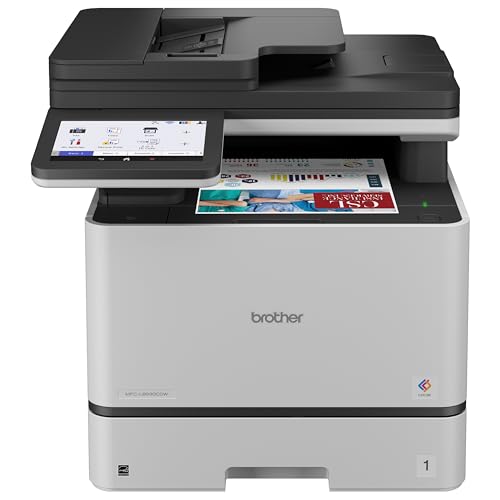
Discover the best color printers for business for your needs. We match features to real use cases so you avoid overpaying and get the right fit the first time.
There is no single printer that suits every business. A two person design studio, a busy real estate office, and a warehouse desk print completely different things, in different volumes, under different time pressure. The smart way to shop for the best color printers for business use is to start with your routine: what you print, how much, how fast it must appear, and who shares the machine. This guide sorts buyers by routine first, then explains the features that matter for each one, so the comparison table below becomes a matching exercise instead of a guessing game.
Matching well matters because the cost of a wrong fit repeats daily, in wasted minutes, pricey ink, and a printer that groans under a workload it was never built to carry.

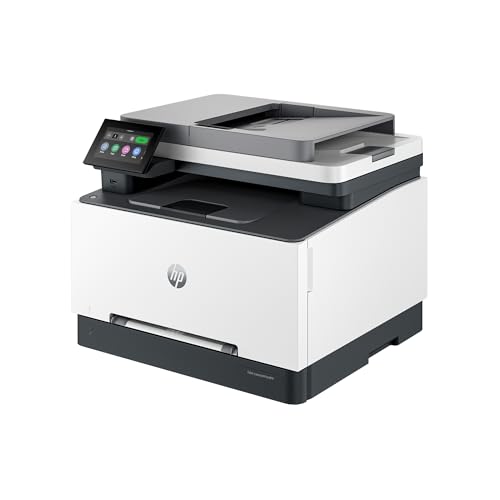


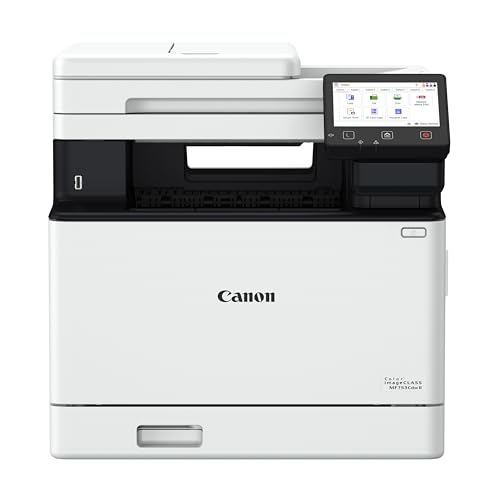


Who Should Buy Which Color Printers?
For Everyday Office Users
Most office printing is a steady mix of invoices, reports, letters, and the occasional color proposal. These users need reliability above all: a printer that wakes fast, rarely jams, and prints duplex to save paper. A mid range color laser or a business inkjet with a 250 sheet tray and automatic two sided printing fits this routine well. Priority features are a clear control screen, simple toner or ink changes that any staff member can handle, and a duty cycle comfortably above your monthly page count. If your team is small but growing, our guide to the best color printers for small business narrows this everyday category further.
For Teams With People on the Road
Sales staff, consultants, and field teams print contracts, handouts, and forms wherever the day takes them, and they send many jobs from phones and laptops. These users need strong mobile printing: AirPrint for Apple devices, a solid maker app, and cloud or email printing for jobs sent back to base. The office anchor printer should join the network once and stay joined, because a printer that drops off WiFi creates help desk tickets. Compact portable printers suit cars and site offices, while the home office of a remote worker needs quiet operation and a small footprint more than raw speed.
For Power Users and Color Critical Teams
Marketing teams, designers, and print heavy departments care about color accuracy, sharp graphics, and volume. These users should prioritize wide color capability, accurate Pantone style matching where offered, large paper trays, and finishing options such as sorting or stapling on bigger workgroup models. Speed in color, not just black, is the honest metric here, along with memory and processor strength for complex files. A workgroup color laser usually anchors this routine, and our guide to the best color laser printers for business compares that class in depth.
Key Features to Compare
Connectivity and Mobile Printing
A business printer is a shared tool, so connection quality shapes daily life. Dual band WiFi and Ethernet give stable access for a whole office, and WiFi Direct lets visitors print without joining your network. AirPrint and common mobile standards mean staff print from phones without training. Look for security features too: PIN release printing keeps payroll and legal pages from sitting in the tray. A printer that supports your actual devices beats one with a longer feature list you will never touch, so inventory your laptops and phones before you shop.
Printer Type: Inkjet, Laser, or Tank
Laser printers dominate offices for good reasons: fast text, crisp pages that resist smudging, and toner that never dries out. Business inkjets have closed the speed gap and often cost less per color page, with tank models pushing costs lower still. Tank printers suit steady moderate volumes where staff can handle bottle refills. Choose the type by your dominant page: documents point to laser, photo rich marketing points to inkjet.
Reliability and Support
Downtime is the hidden price of a cheap printer. Check the recommended monthly volume and buy so your routine sits in the middle of that range, not at its ceiling. Favor brands with next business day service options, widely available toner or ink, and drivers that update cleanly. A clear paper path that staff can clear without tools prevents the classic jam that stops an office. If your printer is mission critical, the warranty and service plan deserve as much attention as the print speed on the box.
Features That Matter for Business
Business use adds demands that home printing never makes. Volume comes first: estimate your monthly pages honestly, including the end of month spike. Cost control comes next, so look for high yield cartridges, toner saving modes for drafts, and admin tools that track usage by person or department. Security is the third pillar, with user authentication and encrypted jobs for sensitive documents. Finally, management matters as the fleet grows: a printer the IT person can monitor and update remotely saves site visits. Our wider roundup of the best business printers shows how these demands scale from one machine to many.
Paper Handling and Duplex
Paper handling decides how often staff babysit the machine. A 250 sheet main tray is the sensible floor for a shared office, and a multipurpose slot handles envelopes, labels, and letterhead without emptying the tray. An automatic document feeder on all in one models speeds scanning and copying of multipage contracts. Duplex printing should be automatic, not manual, or nobody will use it. Legal and ledger paper support matters in some industries, so confirm sizes now rather than at tax time.
Common Mistakes to Avoid When Buying Color Printers
- Judging by purchase price only. Toner and ink over three years usually cost more than the printer. Compare cost per page at your real volume.
- Skipping connectivity checks. A printer that lacks AirPrint or drops off your network will frustrate every phone carrying employee in the building.
- Buying the wrong size class. A home printer in a busy office wears out fast, while an enterprise machine in a two person office wastes money and space.
- Ignoring the warranty and service route. Know who fixes it, how fast, and whether loaner or on site service exists before you need it.
- Forgetting paper costs and storage. Duplex defaults and the right tray sizes cut paper spend quietly every single week.
Tips to Get the Most From Your Color Printer
Set duplex and draft mode for internal documents as the defaults, and reserve best quality for client facing pages. Print a page weekly to prevent clogs on inkjet models that sit idle over holidays. Use genuine or reputable ink and toner, because leaks and poor fusing cost more than the savings. Keep firmware updated for security, store paper in its wrapper away from humidity to prevent jams, and clean paper dust from trays every few months.
Keep the office in mind: the best color printers for business suit a routine, so a mobile team and a color critical team will rightly choose different machines.
FAQs
What features matter most in a color printer for business?
Reliability, cost per page, and connectivity matter most. A shared printer must survive your monthly volume without constant jams, keep color pages affordable at business volumes, and accept jobs from every device your team carries. Add automatic duplex and a decent paper tray, and you have the core business checklist. Speed sells printers, but these quieter features decide whether staff praise or curse the machine a year later.
Inkjet or laser: which is cheaper long term for business?
For text heavy offices, laser usually wins on cost per page and speed, and toner never dries out during quiet months. For color rich work at moderate volumes, a tank or business inkjet can undercut laser color costs by a wide margin. The honest answer comes from your page mix: count your color share. Above roughly a third color pages, run the inkjet numbers carefully before defaulting to laser out of habit.
What does cost per page mean for a business printer?
Cost per page divides the price of a toner or ink cartridge by the number of pages it yields, giving the running cost of each print. Businesses should calculate it separately for black and color pages, then weight the two by their actual page mix. A low black cost can hide a punishing color cost. Include paper and service over the printer's life and you get the total cost that budgets actually feel.
Are ink tank printers worth it for business?
Yes for small and mid sized teams with steady moderate volume, because bottled ink delivers some of the lowest color costs available and refills are quick. The trade offs are slower pace than workgroup lasers and a bit more involved care. If your office prints thousands of pages a month or needs finishing options, a laser workgroup model remains the better tool. Match the class to the volume, not to the marketing.
Which printer type should a business beginner avoid?
Avoid buying a consumer photo printer as your main office machine. Photo printers are slow and costly per page on text. Beginners do best with a business class laser or tank inkjet sized for their monthly volume, with a service plan they understand.
Final Thoughts
Match the printer to the routine: everyday offices need dependable duplex workhorses, mobile teams need effortless connectivity, and color critical teams need volume and accuracy. Run your page counts, compare the product table above, and small companies may also find our guide to the best color laser printers for small businesses useful. Chosen that way, the best color printers for business purchase becomes boring in the best possible way, a machine nobody has to think about again.