Best Color Laser Printers for Small Businesses 2026 Buying Guide
Disclosure: We may earn a commission when you buy through links on this page, at no extra cost to you. As an Amazon Associate I earn from qualifying purchases. Learn more

The best color laser printers for small businesses match your monthly pages, color share and team size, and keep toner costs per page low.
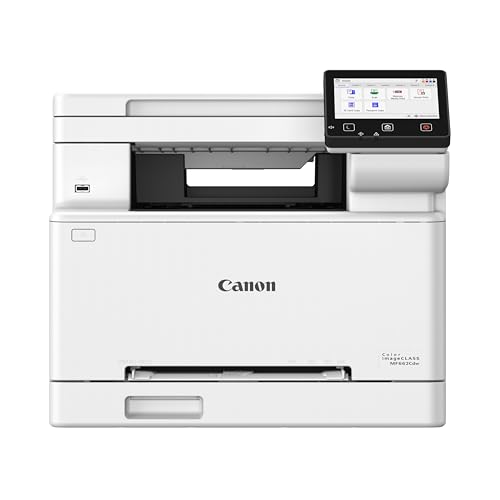
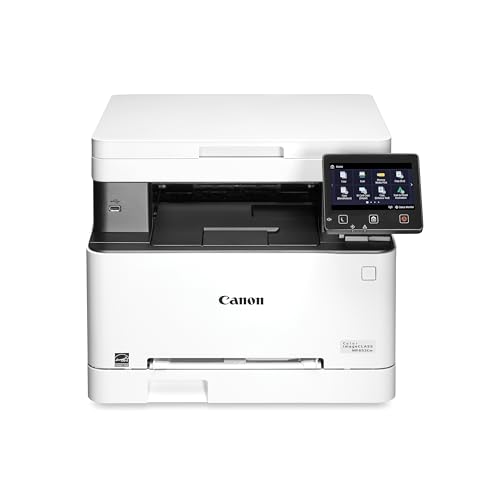
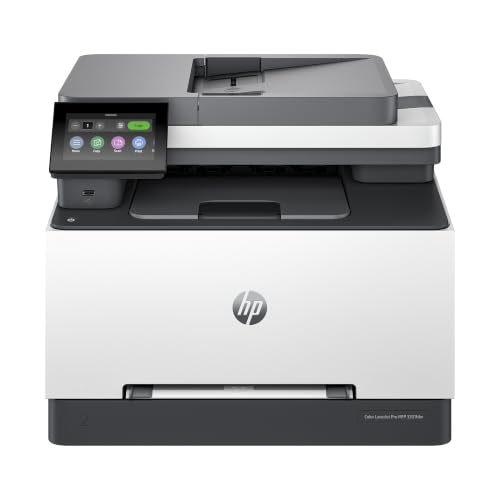
Shopping for the best color laser printers for small businesses can be confusing, because many options look similar while feeling very different in daily use. A small business printer must handle invoices, proposals, and marketing material without slowing the day. Color laser printers suit that work because they print crisp text, resist smudging, and cost less per page than inkjet models at higher volumes. The right model balances speed, capacity, and running cost for your actual print load. The comparison table below gives a quick overview to help you compare the main options before reading the detailed guidance.



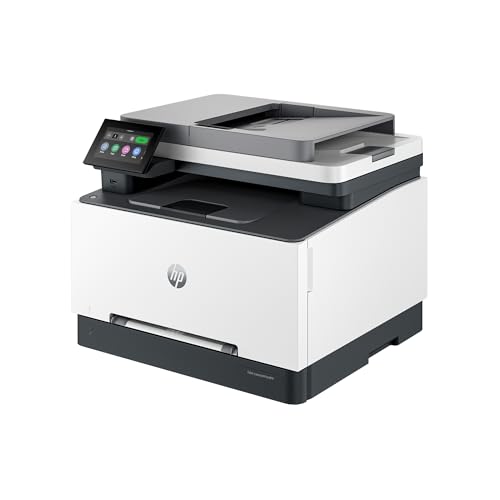

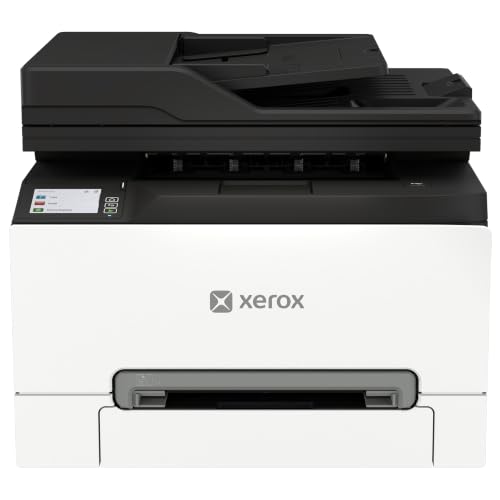
Who Should Buy This
Offices printing several hundred pages a month, plus occasional color documents, benefit most from a color laser model. Very low volume offices may manage with a simpler printer, while offices printing mainly photos should consider a different technology. If your team prints contracts, reports, and presentations daily, laser is a strong fit.
Types to Compare
Understanding the main types helps you narrow the choice quickly, since each type suits a different routine and budget.
- Single function printers: These print only, with no scanning or copying. They suit offices that already have a scanner or that rarely copy documents.
- Multifunction printers: A multifunction model adds scanning, copying, and sometimes fax. It saves desk space and suits small offices that need all four jobs in one unit.
- Compact desktop models: Smaller models fit tight desks and home offices. They may hold less paper and print slightly slower, but they suit modest daily volumes.
- Workgroup models: Larger models offer bigger trays, faster speeds, and stronger duty cycles. They suit teams that share one printer and print throughout the day.
For a related option, see best color printers for small business, which covers a nearby choice that many shoppers compare before deciding.
Key Features to Check
These features decide daily satisfaction more than any single specification, so check each one against your own use.
- Cost per page: Toner cost and cartridge yield decide the real price of printing. Compare cost per page for black and color, not just the purchase price, since toner dominates long term cost.
- Print speed: Pages per minute matter when several people queue for the printer. A faster model clears queues quickly, but speed claims vary by document type, so check real world figures.
- Paper handling: Tray capacity, duplex printing, and paper size support affect daily work. A larger tray means fewer refills, and automatic duplex saves paper and filing space.
- Network and security: Wifi, ethernet, and mobile printing help a team share one printer. User codes and secure print features protect sensitive documents in shared offices.
- Duty cycle: The monthly duty cycle shows how much the printer is built to handle. Choose a model whose recommended volume comfortably covers your busiest month.
For a related option, see best small color laser printers, which covers a nearby choice that many shoppers compare before deciding.
Common Mistakes to Avoid
Avoiding a few common errors saves money and frustration, especially on a first purchase.
- Buying on purchase price alone: A cheap printer with costly toner can cost more within a year. Total cost over two or three years is the fair comparison.
- Ignoring color cost: Color pages cost far more than black pages. If most of your printing is black text, a model with efficient black printing matters most.
- Skipping a trial of your documents: Brochures and invoices stress a printer differently from plain text. Print samples of your real documents before committing when you can.
For a related option, see best laser printers for small business, which covers a nearby choice that many shoppers compare before deciding.
Planning for Everyday Use
Keep spare toner for the colors you use most, and store cartridges upright in a cool dry place. Clear paper jams gently and check for stray paper bits, since a rushed jam clearance can damage rollers. Update firmware on a schedule, and place the printer where staff can reach trays and toner without moving furniture.
Estimate your monthly pages, split black and color, and note your busiest weeks. Add a margin for growth, since a printer bought too small will frustrate a growing team. Then compare running cost and paper handling, and let those numbers, not a single feature, decide the model.
For a related option, see best color laser printers for business, which covers a nearby choice that many shoppers compare before deciding.
For a related option, see best small office color laser printers, which covers a nearby choice that many shoppers compare before deciding.
Sizing a Color Laser Printer for Your Team
Team size and monthly pages decide the class of machine. A three person studio that prints a few hundred pages a month is well served by a compact multifunction model with a document feeder and duplex. A ten person office that shares one machine all day should look at a workgroup model with a larger tray and a duty cycle well above its busiest month. A team that prints brochures or proposals in color several times a week will notice toner cost per page more than anything else on the data sheet, so compare high yield cartridges before choosing a model.
Write down three numbers before you shop: pages per month, the share of those pages in color, and the number of people who print. Those figures narrow the field faster than any feature list, and they stop you buying a machine that is either strained or wastefully large.
Supplies, Support, and Care in a Busy Office
Keep one spare set of toner on the shelf, because color toner tends to run out at the worst moment. Learn where the waste toner container and fuser sit, and note the replacement intervals in the maker guide so they do not surprise you. Clear paper jams by following the path shown on the screen rather than pulling hard, since torn sheets and bent rollers cause repeat jams. Keep the printer in a spot with free airflow, because warm air from the fuser builds up in a cramped corner.
Check what support comes with the machine: warranty length, whether service is on site or by shipping, and how long replacement parts stay available. A slightly pricier model with a longer warranty and cheaper toner often costs less over three years than the bargain at the top of the list.
Before You Order for the Office
Confirm the paper sizes you need, including legal or envelopes if you mail clients, and check that the printer supports the laptops and phones your staff use. Compare the cost of black and color toner at high yield, confirm automatic duplex, and check the installed starter cartridges, which are sometimes partial. When those checks pass, the product table above is a reliable way to compare current models against your three numbers.
In practice, the best color laser printers for small businesses are the ones whose toner cost per page you checked before buying and whose tray fits your busiest week.
Frequently Asked Questions
Is a color laser printer cheaper than an inkjet for a small business?
At moderate to high volumes, usually yes, because toner lasts longer and cost per page is lower. At very low volumes, an inkjet may cost less to buy and maintain. Estimate your monthly pages and compare toner and ink costs over a year for a fair answer.
How important is print resolution for office documents?
For text and charts, standard laser resolution is plenty and looks sharp. For detailed graphics and small print, higher resolution helps, but paper quality matters too. Most offices should prioritize speed and cost over the highest resolution figure.
Do I need duplex printing?
Automatic duplex saves paper, reduces filing bulk, and looks professional for reports and proposals. It also slows printing slightly, since each sheet passes through twice. For offices printing double sided documents often, it is well worth having.
What does duty cycle mean?
Duty cycle is the maximum pages a printer can handle in a month without undue wear, while recommended volume is the comfortable range for regular use. Buy a printer whose recommended volume covers your busiest month, not just your average month.
How can I reduce printing costs?
Print in black when color adds nothing, use duplex, and set sensible defaults for the team. Buy high yield cartridges when they suit your volume, and track usage by department so waste becomes visible and easier to reduce.
Final Thoughts
A color laser printer should make office printing boring in the best sense: fast, reliable, and affordable. Compare running cost, speed, and paper handling, and use the product table above to narrow the choice. With best color laser printers for small businesses as your guide, you can pick a printer that keeps pace with your team.