Best Color Printers for Artists Made Simple: A Clear Buying Guide for 2026
Disclosure: We may earn a commission when you buy through links on this page, at no extra cost to you. As an Amazon Associate I earn from qualifying purchases. Learn more

Shopping for the best color printers for artists for the first time? Learn the terms, compare options, and avoid rookie mistakes with this easy guide.
Your artwork deserves prints that respect it. The reds you mixed on screen should stay reds on paper, fine lines should hold their edges, and a print you sell or frame should not fade by next summer. Choosing among the best color printers for artists comes down to a handful of ideas: ink, paper, size, and color accuracy. This guide explains each one in plain language, with the levels worth choosing and the traps that catch first time buyers. By the end, the comparison table below will read like a menu you already understand.
We will keep the focus on art: reproductions, illustrations, photographs, and mixed media prints. Office speed records and bargain text printing can wait for another day.
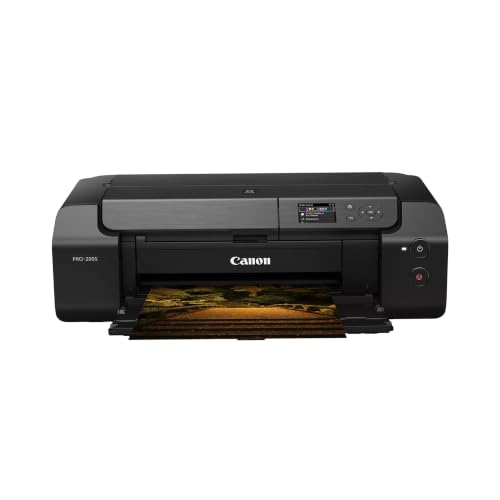

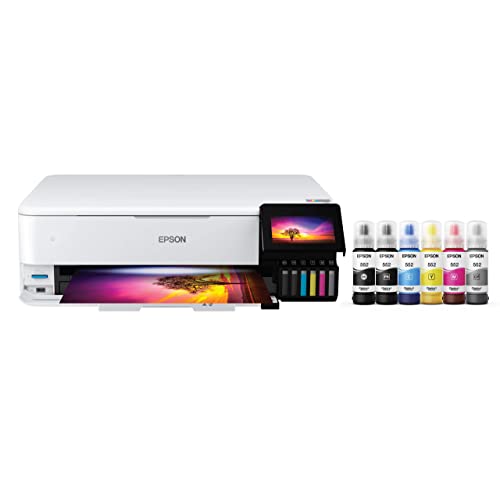

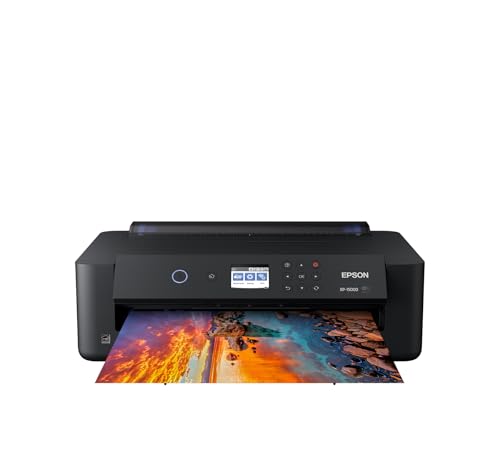
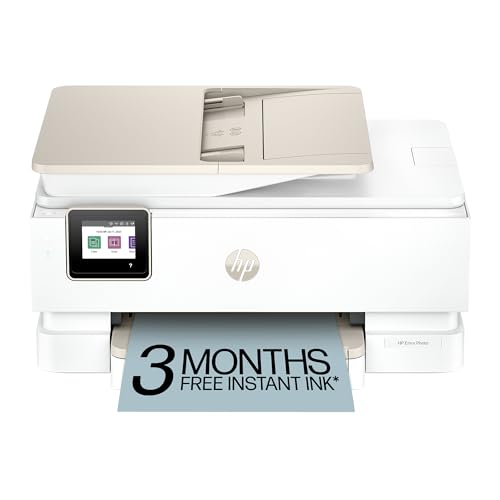
Color Printers 101: The Basics
A color printer builds an image from tiny dots of cyan, magenta, yellow, and black ink or toner. Artist grade inkjet printers go further, adding extra inks such as light cyan, light magenta, gray, or a second black. Those extra channels smooth gradients in skies and skin, and they render gentle shadow detail that a basic four color system tends to crush into mud.
Two ink families matter. Dye inks soak into coated paper and glow with saturated color, which flatters glossy work. Pigment inks sit closer to the surface, resist water and fading, and handle matte and fine art papers beautifully, which is why most printers aimed at artists use pigment sets. Paper is the other half of the system: the same printer can look ordinary on office paper and stunning on cotton rag stock. If you want the broader landscape first, our overview of the best color printers shows where artist models sit among everyday machines.
Key Specs Explained in Plain English
Features That Matter for Artists
Artists need color range, paper freedom, and size. Look for at least six ink channels, and preferably eight or more if you print subtle work. Check the maximum paper thickness and whether the printer offers a straight manual feed path, because fine art papers are thick and dislike bending around rollers. Borderless printing at your target size matters for full bleed posters and prints. Finally, confirm the printer accepts custom paper profiles, often called ICC profiles, which paper makers publish so your printer maps colors correctly for each specific sheet.
Printer Type: Inkjet, Laser, or Tank
Inkjet is the artist standard, full stop. It handles the widest paper range and the richest ink sets. Laser printers fuse toner on top of the page, which limits paper choice and flattens delicate tones, so they suit text and bold graphics rather than reproductions. Tank inkjets refill from bottles and cut ink costs, and some now carry pigment sets suitable for art.
Reliability and Support
Art printers work hard and clog if neglected, so support decides how painful ownership feels. Favor brands with user replaceable maintenance parts, clear head cleaning routines, and drivers updated for current operating systems. A strong user community is gold: fellow artists publish paper settings, profile links, and fixes for banding that no manual covers. Check how long the maker sells ink for older models, because a printer abandoned after five years strands your investment. Warranty length on the print head deserves a close read before you pay.
Footprint and Noise
Wide printers are genuinely wide. A model that prints 13 by 19 inch sheets needs clear space behind it for the rear feed and room in front for finished prints to land. Measure your studio shelf with the trays open, not closed. Noise matters in shared or home studios: most inkjets are quiet, but paper feeding thick stock makes a firm clunk, and cleaning cycles whir at startup. If you print while others sleep or record audio nearby, look for a quiet mode and plan big jobs for daytime hours.
Print Quality and Resolution
Headline DPI numbers, often 4800 by 2400 or higher, describe droplet density, not artistic quality. What you see comes from ink count, droplet size, and screening patterns that blend dots into smooth tone. Small minimum droplet sizes help render hair, fabric, and other fine textures. Resolution still matters for crisp line art and text on posters, so illustrators should not ignore it entirely. Judge quality at your real output size: a printer that dazzles at letter size usually handles 13 by 19 well, while small photo printers may soften when stretched. For photo led work, compare notes with our guide to the best color printers for photos.
Cost per Print and Ink Costs
Art printing drinks ink, especially large prints with deep coverage. Cost per page for a full color 13 by 19 print can run from about a dollar on an efficient tank system to several dollars on small cartridge models, before paper. Bigger cartridges cost more upfront and less per milliliter, so frequent printers save by sizing up. Count paper honestly too, since one ruined sheet of cotton rag can cost more than the ink on it.
Rookie Mistakes to Avoid
- Judging prints on cheap paper. A great printer on office paper looks mediocre. Try the paper you actually plan to sell or frame.
- Skipping paper profiles. Using a generic setting on a specialty paper shifts colors and wastes sheets. Download the profile the paper maker provides.
- Buying too small. If you dream of 13 by 19 prints, a letter size printer will frustrate you within months. Buy for the largest size you will print regularly.
- Ignoring ink costs. Small cartridges on a large format printer turn every print into a budget decision. Compare cartridge sizes and yields first.
- Printing from a dim, uncalibrated screen setup. If your monitor is far too bright, every print looks dark. Set screen brightness to a moderate level and soft proof when your software allows it.
Getting Started: Setup and First Use
Place the printer on a sturdy, level surface with clearance behind it for the rear feed path, then remove all packing material and install the starter ink set. Run the alignment routine and print the built in nozzle check before anything precious. Load one sheet of your main paper, select its exact profile and media type, and print a small sample image with smooth gradients and deep shadows, because those expose banding and color casts early. Print a page weekly to prevent clogs, even if it is only a small color patch sheet, and use genuine or reputable ink so nozzles and colors stay predictable.
Practical tip: keep a simple log of paper, profile, and settings for every print you love. When a result sings, that log lets you repeat it months later instead of rediscovering it by trial and error. Artists who want studio routines in more depth may also like our guide to the best printers for artist workflows, which looks at studio routines in more depth.
As a rule, the best color printers for artists are chosen for ink set and paper support first, so look past speed figures that matter little for prints you will frame.
FAQs
What features matter most in a color printer for artists?
Ink count, paper handling, and profile support matter most. Six or more inks widen the color range and smooth gradients, a straight feed path accepts thick fine art papers without bending them, and ICC profile support keeps colors honest from paper to paper. Add the largest print size you will use often, and you have the core checklist. Speed and fancy screens are pleasant extras, not essentials.
What does cost per page mean for art printing?
Cost per page is the ink cost of a single print, found by dividing the price of the ink by the number of prints it yields. Art prints use far more ink than documents, and cost rises sharply with size and dark coverage. A large cartridge or tank system can cut the ink cost of a big print by half or more compared with small cartridges. Always add the paper price, because fine art sheets often cost more than the ink.
Which printer type should an art beginner avoid?
Avoid laser printers for reproductions. Laser toner cannot match inkjet gradients or paper range, so it suits office documents rather than art prints. Beginners do best with a pigment inkjet that offers at least six inks and borderless printing at the size they want. It grows with your skill and your paper curiosity instead of capping both within a year.
Are ink tank printers worth it for artists?
They are worth it when the ink set suits art and you print often. Bottled ink slashes running costs, which encourages the proof prints and editions that make artists better. The catch is that many tank models use dye inks aimed at family photos, and dyes fade sooner and dislike some matte papers. If a tank model offers pigment inks and fine art paper support, it can be the sweet spot of quality and cost.
Inkjet or laser: which is cheaper long term for artists?
Inkjet, and it is not close for art work. Laser wins on text pages, but artists print images, where toner quality falls short and suitable papers cost more. A pigment inkjet with reasonably sized cartridges or tanks delivers sellable quality at a lower cost per print over years of editions and proofs. If your studio also prints invoices and labels, a small laser can share the desk, but let the inkjet make the art. Our guide to the best printers for color printing maps that mixed workload in more detail.
Our Verdict
Choose ink first, paper second, and size third. A pigment inkjet with six or more inks, honest paper support, and room for the prints you actually sell will serve you for years. Compare the options in the product table above against those three checks, and the best color printers for artists question answers itself: the right printer is the one whose prints you would sign without hesitation.