Best Cherry Mx Keyboards: Our 2026 Checklist and Buying Guide
Disclosure: We may earn a commission when you buy through links on this page, at no extra cost to you. As an Amazon Associate I earn from qualifying purchases. Learn more

Run through our checklist for the best cherry mx keyboards before you buy: switch feel, keycaps, layout, polling rate, build quality, and real value.
Two keyboards can both carry genuine Cherry MX switches and feel completely different at your desk. The case, the keycaps, the plate, and the layout shape the typing experience as much as the switch itself. This guide gives you a clear checklist for judging the best cherry mx keyboards on the parts that actually matter, so you can compare any model in minutes.
Work through the evaluation criteria below, note which ones matter most for your mix of typing and gaming, and then check your shortlist against the comparison table below. A board that scores well on your top three criteria will suit you better than a board with a long feature list you never use.


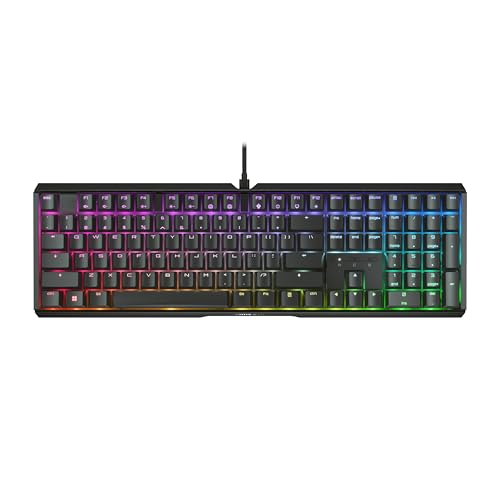


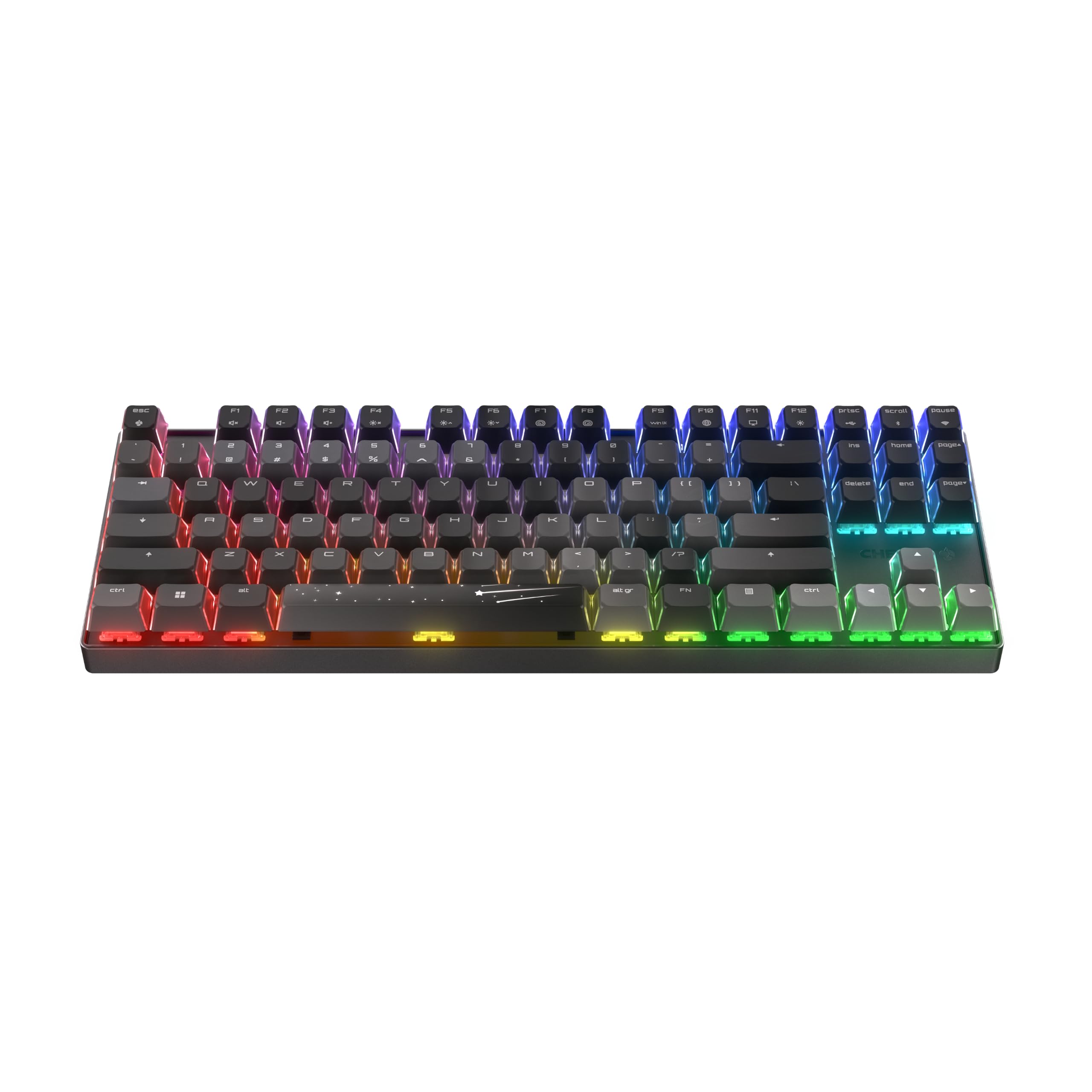


How to Evaluate Cherry Mx Keyboards
Each criterion includes the benchmark we use to separate a strong board from a weak one. Apply the same thresholds when you read spec sheets and product pages.
Wired vs Wireless Connections
Wired boards have zero connection latency and never need charging, which still makes them the simple default for a fixed desk. Wireless boards using a 2.4GHz receiver come close enough on latency for gaming, while Bluetooth suits switching between a laptop, tablet, and phone. The benchmark: a good wireless board offers both modes plus a cable fallback, and its receiver stores inside the case. If you play fast competitive games, wired or 2.4GHz only; Bluetooth adds delay you can feel in rhythm and fighting games.
Durability and Warranty
Genuine Cherry MX switches are rated for a very long service life, well beyond what clone switches promise. Durability elsewhere matters just as much: a metal or thick plastic case, a cable that detaches instead of fraying at a fixed entry point, and stabilizers that stay smooth on the space bar. Look for at least a two year warranty. Hot swappable sockets are a durability feature too, because one dead switch can be replaced in minutes instead of ending the board.
Switch Type and Performance
Cherry MX switches come in three families. Linear switches such as Red press straight down with no bump, tactile switches such as Brown add a small bump you feel but barely hear, and clicky switches such as Blue add both a bump and a deliberate click. Red is the lightest of the three, and stiffer variants need a firmer press. Polling rate is the other performance number: 1000 Hz is standard on wired boards and means the board reports keystrokes every millisecond. Choose the family by sound and feel, not by marketing about gaming.
Compatibility With PC, Mac, and Console
Most Cherry MX boards work instantly on Windows. For Mac, look for a mode switch or included Mac keycaps so the modifier keys match the legends you expect. Console support varies: many boards work on PlayStation and Xbox only in specific games that allow keyboard input, and usually only wired. Check the maker listing for your exact platform before buying. Boards with onboard memory store your settings on the keyboard itself, so your layout follows you between machines without software.
Battery Life and Charging
Wireless boards with backlighting off can run for weeks between charges, while full brightness RGB can cut that to a few days of heavy use. USB C charging is now the standard to expect, and a board that still uses an older connector is a sign of an aging design. A practical know how point: charge the board overnight before a trip or tournament rather than trusting the battery gauge, which on most boards is a rough estimate based on voltage, not a true measurement.
Weight and Build Quality
Heavier boards with aluminum cases feel planted and sound deeper, which many typists love, while lighter plastic boards travel better and cost less. Keycaps decide much of the feel: PBT keycaps resist shine and keep their texture for years, while ABS keycaps feel smoother at first but polish into a greasy shine with use. Doubleshot legends never fade on either material. Flex the board gently in store if you can; a case that creaks and twists will sound hollow at the desk.
What a Good Board Looks Like
Use these three profiles as templates when you scan the product table above. None of them names a model; each describes the spec pattern worth your money.
Well Rounded Profile
The overall template pairs your preferred Cherry MX switch with a solid case, PBT keycaps, and both wired and 2.4GHz wireless modes. Expect a price around $120 to $180. This profile suits a mixed desk where you type all day and game at night. Its strength is the absence of weak points; its limitation is that dedicated specialists, such as esports players or heavy macro users, will find boards tuned harder for their single purpose.
Value Profile
The value template keeps the genuine switches and PBT keycaps but drops wireless and aluminum to land around $70 to $100. You still get the full switch lifespan and a board that feels right; you give up desk tidiness and some case depth in the sound. For a first mechanical keyboard or a second board for the office, this profile delivers nearly all of the daily experience for much less money.
Heavy Use Profile
The heavy use template adds hot swappable sockets, a gasket mounted plate for a softer bottom out feel, and the longest warranty in its class, usually around $150 to $220. It suits writers, programmers, and anyone whose board earns its keep eight hours a day. When a switch eventually wears, you swap it at your desk instead of shipping the board away. The trade off is weight and price; these boards are desk anchors, not travel companions.
Quick Buyer Checklist
- Have you chosen a switch family: linear, tactile, or clicky?
- Does the layout fit your desk: full size, tenkeyless, 75 percent, or 65 percent?
- Are the keycaps PBT with legends that will not fade?
- Is the polling rate 1000 Hz for wired or 2.4GHz use?
- Does it connect the way you need: cable, receiver, Bluetooth, or all three?
- Is the warranty at least two years?
- Can you replace a single switch if one fails?
- Does the price fit once you add a wrist rest if you need one?
Red Flags to Watch For
Beware boards that advertise Cherry style or Cherry like switches, which are clones trading on the name; genuine boards state the exact switch model. Vague switch ratings, such as a lifespan claim with no number, are another warning. Watch for ABS keycaps on boards priced like premium models, missing Mac support on boards marketed to all users, and proprietary charging cables. Finally, a one year warranty on a board above $150 signals that the maker does not expect it to last.
Choosing Cherry Mx Keyboards for Your Situation
Best Cherry Mx Keyboards for Gaming: What to Check
Shoppers comparing the best cherry mx keyboards for gaming should prioritize a 1000 Hz polling rate, linear or light tactile switches for fast repeated presses, and a wired or 2.4GHz connection. N key rollover ensures every simultaneous press registers. Our deeper look at the best cherry mx red keyboards covers the most popular gaming switch in detail.
Best Tenkeyless Cherry Mx Keyboards: What to Check
If the best tenkeyless cherry mx keyboards are on your list, you are trading the number pad for mouse room and a more centered typing position. Check that the function row remains, since tenkeyless keeps it while smaller layouts layer it behind a key. Tenkeyless suits most gamers and writers; only heavy spreadsheet users truly miss the pad.
Best Low Cost Cherry Mx Keyboards: What to Check
Hunting the best low cost cherry mx keyboards means accepting wired only connections and plastic cases while refusing to compromise on genuine switches. Boards around $60 to $90 in this class exist and type far above their price. Skip any deal that swaps in unnamed switches to hit the number, and consider a board with best keyboards with cherry mx brown switches if you want quiet tactility on a budget.
Care and Maintenance Tips
Pull keycaps every few months and clear dust and crumbs with compressed air, because debris under a switch changes its feel. Wash PBT keycaps in warm water with a drop of dish soap, dry them fully, and press them back on. Update firmware through the maker software when a fix is released, and store spare switches from a hot swap board in a small labeled box. A desk mat under the board reduces case resonance and keeps the board from sliding during fast play.
Cherry Mx Keyboards: Your Questions Answered
What polling rate do I need on a keyboard?
A 1000 Hz polling rate is the right target for gaming and is standard on wired boards. It reports each keystroke within a millisecond, which is faster than human reaction by a wide margin. Higher advertised rates exist on some boards, but the practical difference is too small to feel. Connection type matters more: a wired 1000 Hz board beats a Bluetooth board at any rate.
Do Cherry Mx keyboards work with Mac and console?
Most work with Mac computers for basic typing, and better boards include a Mac mode and matching keycaps. Console support is narrower: keyboards generally work only in games that explicitly allow them, and usually over a cable. Check the maker compatibility list for your console and game before you buy, because platform rules, not the keyboard, set the limit.
Wired or wireless: which is better for gaming?
Wired is still the safest choice for competitive gaming because it removes battery worries and any chance of interference. A good 2.4GHz wireless board is close enough that most players cannot tell the difference in blind use. Bluetooth is the one mode to avoid for gaming, since its delay and slower reporting are noticeable in fast titles. Fans of clicky switches can compare options in our guide to the best cherry mx blue keyboards.
Are mechanical keyboards worth it?
They are worth it if you type for hours, want a specific feel and sound, or expect a board to last many years. A mechanical board can be repaired switch by switch, while a membrane board is replaced whole. They are not worth it for occasional use at a shared computer. If you are brand curious beyond switch types, our roundup of the best cherry keyboards covers the wider range.
Final Thoughts
Pick the switch family first, the layout second, and the connection third; everything else is refinement. Genuine switches, PBT keycaps, and a two year warranty are the floor for a board you plan to keep. With those boxes ticked, the best cherry mx keyboards for you is the one whose profile matches your desk, so compare your finalists in the product table above. Typists who like a click with their bump may also enjoy our notes on the best keyboards with cherry mx blue switches.