Best Canon Printers: Every Type Explained Side by Side for 2026
Disclosure: We may earn a commission when you buy through links on this page, at no extra cost to you. As an Amazon Associate I earn from qualifying purchases. Learn more

Canon printers compared by type: inkjet, laser, photo, and all in one models, plus ink costs, paper handling, and the right choice for home or office.
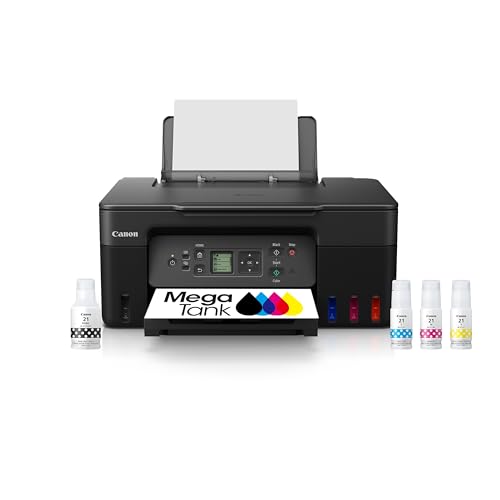
Canon makes printers for very different jobs, from occasional home documents to dedicated photo printing, and choosing well starts with matching type to use. The best canon printers for a home office differ sharply from the best choice for a photographer or a small business, even though the brand name stays the same. The comparison table below gives a quick side by side view, and this guide explains printer types, ink costs, and paper handling in plain terms.
Printer marketing often emphasizes speed and resolution, yet daily satisfaction depends more on ink costs, reliability, and how the printer handles your usual paper and tasks. A printer that prints beautifully but costs a fortune in ink, or jams on your usual envelopes, will frustrate you far more than a slightly slower model that simply works.




Inkjet Printers: The Flexible All Rounder
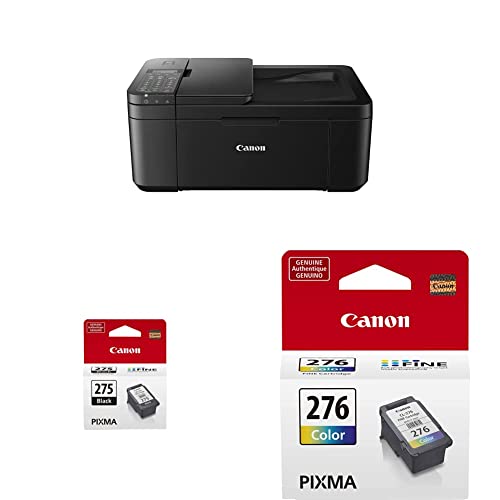
Inkjet printers suit mixed home use: documents, color graphics, schoolwork, and occasional photos. They handle varied paper types well, from plain paper to glossy photo paper, and they usually cost less upfront than laser models. Their weakness is ink cost per page, especially if you print infrequently, since ink can dry or require cleaning cycles that consume ink.
Tank based inkjet models change that equation by using large refillable ink reservoirs instead of small cartridges, which lowers cost per page dramatically for frequent printers. They cost more upfront and suit households or offices that print regularly. If you print only a few pages a month, a standard cartridge model may still be cheaper overall once purchase price is counted. Photo focused models are compared in our guide to best canon photo printers.
Laser Printers: Fast, Sharp Text for Offices
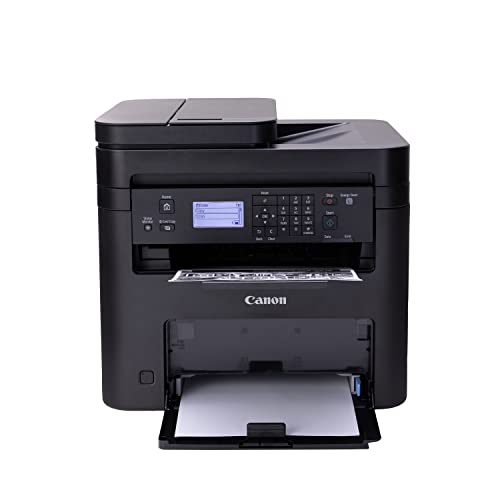
Laser printers excel at sharp text, fast document printing, and low cost per page for black and white work. They suit offices and home workers who print mostly documents and value speed and reliability. Toner does not dry out like ink, so a laser printer that sits unused for weeks still prints cleanly on return, which is a real advantage for occasional office use.
Color laser models handle charts and presentations well, though they rarely match inkjet photo quality for glossy prints. They also tend to be larger and heavier, so check desk space before buying. If your printing is mostly text with some color graphics, a laser model often offers the best long term value and the least fuss. Laser options are covered in our guide to best canon laser printers.
Photo Printers: For Photographers and Keepsakes
Dedicated photo printers prioritize color accuracy, fine detail, and archival paper handling over document speed. They use additional ink colors to reproduce skin tones and subtle gradients more faithfully than a general all in one, and they often support larger paper sizes and borderless printing. For photographers who print regularly, that quality difference is visible and worth the cost.
For casual photo printing, a good general inkjet with photo paper may satisfy you without a dedicated machine. Compare sample prints if possible, and consider how often you will print photos versus documents. A dedicated photo printer that prints rarely may waste ink on cleaning, while a general printer used daily stays ready. Pixma models, which span home and photo use, are compared in our guide to best canon pixma printers.
All in One Models: Print, Scan, and Copy
All in one printers combine printing with scanning and copying, which suits home offices, students, and small businesses that digitise documents. An automatic document feeder speeds multi page scanning, while a flatbed scanner handles books, photos, and fragile originals. Check scan resolution and software ease, since a clumsy scanning app can discourage use of an otherwise good machine.
Also consider connectivity: wireless printing from phones and laptops, cloud printing, and compatibility with your operating system all affect daily ease. A printer that connects reliably and wakes quickly will feel far better than a feature rich model that drops off the network. Mac focused compatibility is covered in our guide to best canon printers for mac.
Ink Costs and Paper Handling
Ink and toner costs decide long term value more than purchase price. Estimate your monthly page count, split it into black and white versus color, and compare cost per page for cartridge, tank, and toner systems. Subscription ink plans can suit predictable printing, but check what happens during low use months and whether unused pages roll over.
Paper handling deserves equal attention. Check supported paper sizes, envelope handling, duplex printing, and tray capacity against your real use. A printer that jams on envelopes or lacks automatic double sided printing will annoy you weekly if those tasks matter.
The product table above shows printer types side by side, and matching paper handling to your routine prevents most daily frustrations. Ink supplies are compared in our guide to best ink for canon printers.
A Final Check Before You Order
Before you order, list your top three printing tasks, estimate monthly pages, and check ink or toner costs for those volumes. Confirm connectivity with your devices, measure desk space including paper tray extension, and check return terms so you can try real documents and photos in your first weeks.
Print a mix of your usual work during the return window: documents, a photo, an envelope, and a double sided set. That real world check reveals ink use, speed, and handling issues that specifications hide. With type, ink costs, and paper handling settled, your choice should serve home or office reliably for years.
Keeping a Home Printer Reliable
Home printers stay reliable with small regular habits rather than occasional rescues. Print a page every week or two if you print rarely, since regular use keeps ink flowing and prevents nozzles drying. Keep paper dry and flat, fan the stack before loading, and avoid overfilling trays, which causes most home paper jams.
Software upkeep matters too. Keep printer drivers and firmware updated, but check update notes before installing major changes, since a rushed update can alter settings. Note your wireless network details and printer IP address somewhere safe, so reconnecting after a router change takes minutes rather than an afternoon of troubleshooting.
Finally, keep a spare set of ink or toner for your most used color, plus a small stock of your usual paper, so a deadline never depends on a shop trip. Store cartridges sealed and upright until needed, and recycle used cartridges through maker programs where available. Those habits keep a home printer ready whenever work, school, or photos demand it.
Paper jams, when they happen, should be cleared gently by following the maker guidance and removing paper in the direction of travel. Forcing jammed paper can tear fragments inside the printer that cause repeat jams. Keeping paper dry, fanning stacks before loading, and avoiding overfilled trays prevents most jams before they start.
Frequently Asked Questions
Should I choose inkjet or laser for home office use?
Choose inkjet for mixed documents, color graphics, and occasional photos, especially with varied paper types. Choose laser for mostly text documents where speed, sharp text, and low cost per page matter, and where the printer may sit unused for weeks without ink drying issues.
Are tank printers worth the higher upfront cost?
Tank printers suit frequent printers, since large ink reservoirs lower cost per page dramatically. For very light printing, a standard cartridge model may cost less overall once purchase price is counted. Estimate monthly pages and compare total cost over two to three years before deciding.
Do I need a dedicated photo printer?
A dedicated photo printer suits photographers who print regularly and value color accuracy and archival quality. Casual photo printers may be satisfied by a good general inkjet with photo paper. Compare sample prints and consider how often photos versus documents dominate your printing.
What paper handling features matter most?
Check supported paper sizes, envelope handling, automatic duplex printing, and tray capacity against your real tasks. A printer that jams on envelopes or lacks double sided printing frustrates weekly if those tasks matter. Match handling features to your routine, not to a feature list.
How can I keep printer ink costs down?
Estimate monthly pages and compare cartridge, tank, and toner cost per page before buying. Use draft mode for internal documents, print double sided where suitable, and keep the printer powered so cleaning cycles stay minimal. Subscription plans suit predictable printing if terms fit your use.
Final Thoughts
Canon printers cover a wide range, and the right choice follows your printing mix rather than a single best model claim. Inkjet suits flexible home use, laser suits fast document work, photo models suit dedicated printing, and all in one models suit scanning and copying needs. The product table above lays out those types, and ink costs plus paper handling will narrow them further.
Try real documents and photos during the return window, and judge the printer on daily reliability rather than headline speed. That practical approach keeps printing simple and affordable, which is the real measure of the best canon printers for your home or office.