Best Canon Pixma Printers: Buying Guide for 2026
Disclosure: We may earn a commission when you buy through links on this page, at no extra cost to you. As an Amazon Associate I earn from qualifying purchases. Learn more

Compare the best canon pixma printers by type, ink cost and features to find the right model for school work, photos or a home office.
Pixma is Canon's long running inkjet line, and it covers everything from small budget printers for school forms to photo focused models and refillable tank printers for heavy users. Picking among the best canon pixma printers starts with what you print most: documents, photos, or a mix. This guide explains the Pixma types, the features that matter, and the running costs that surprise new owners.
The product table above lists current Pixma models. Use the sections below to decide which type fits your routine first, then compare individual models by ink system, paper handling, and connectivity. Keep that in mind as you compare the best canon pixma printers on ink cost and paper handling.




Canon Pixma Printer Types Compared
Everyday All in One Models
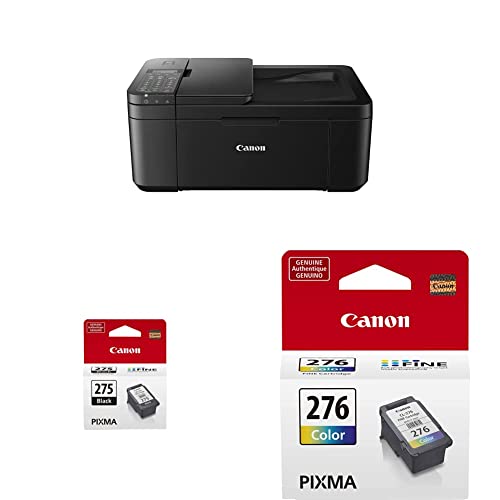
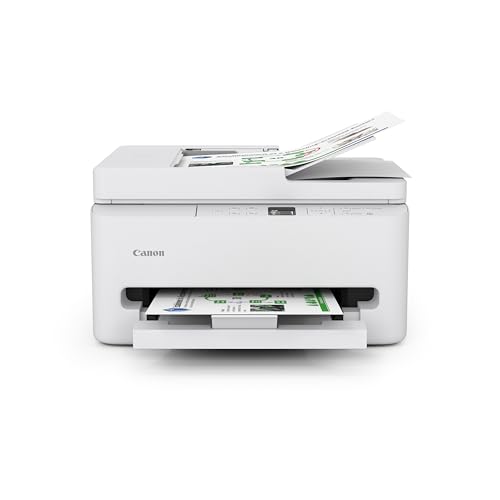
The TS and TR series are the typical home Pixma printers. They print, scan, and copy, connect over WiFi, and suit homework, forms, shipping labels, and the occasional photo. Higher models add a document feeder, automatic two sided printing, and a bigger screen. They use cartridges, so the purchase price is low and the ink is where the money goes over time.
Refillable Tank Models
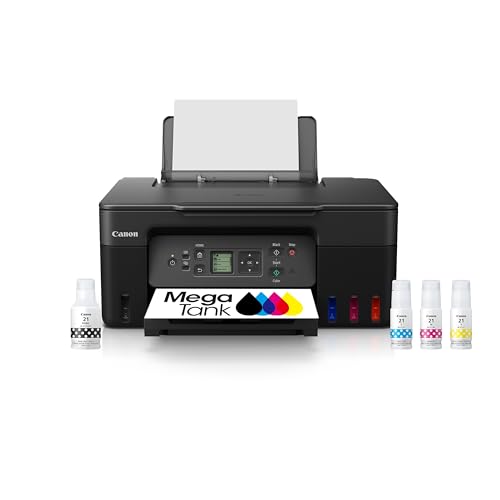
Pixma G series printers, sold as MegaTank models, replace cartridges with ink bottles that refill built in tanks. They cost more up front and far less per page, which suits families and home offices that print every week. They are a poor match for someone who prints a handful of pages a month, because the higher price may never pay back.
Photo Focused Models
Photo oriented Pixma printers use extra ink colors and finer nozzles for smoother skin tones and gradients. Some handle larger paper sizes for wall prints. They print documents more slowly and use more ink per page, so they suit hobbyists who print photos often and care about color accuracy.
Who Should Buy a Canon Pixma Printer
Families and students get the most from an everyday all in one, since it covers printing, copying, and scanning in one small box. Home workers who print contracts and invoices should look for a document feeder and duplex printing. Hobby photographers should compare the photo focused models, and heavy printers should price out a tank model over three years before choosing cartridges.
Key Features to Compare
Ink System and Cost per Page
Cartridge size and page yield affect running cost more than the printer price. Compare the standard and high yield cartridges for a model, and divide each cartridge price by its yield to get a fair cost per page. Tank models publish bottle yields too, and they come out far cheaper for steady printing.
Photo Quality
The number of ink colors, the paper type, and the print settings all shape photo results. Models with more ink colors reproduce skin tones and gradients more smoothly. Always match the paper type setting to the paper you load, or colors will shift and prints may smear.
Paper Handling
A rear paper feed suits thick photo paper and cards, while a front cassette keeps everyday paper clean and ready. Look at tray capacity if you print long documents, and check that envelopes and labels are supported if you use them.
Connectivity and Mobile Printing
WiFi, AirPrint, and the Canon app let phones, tablets, and laptops print without cables. A printer that rejoins your network after a router restart saves a lot of frustration. USB remains a useful fallback for a single computer.
Scanner, Copier, and Document Feeder
An all in one suits a home office, while a print only Pixma suits someone who only needs pages out. If you scan stacks of paper, a document feeder is worth the extra cost over a flatbed alone.
Fit, Setup, and Everyday Care
Set the printer on a stable surface with room to open the scanner lid and extend the output tray. Run the guided setup in the Canon app, load fresh paper, and print the nozzle check pattern so you know every color is flowing. Print a page or two every week or so, because ink that sits unused can dry and clog the nozzles. Store spare cartridges sealed and at room temperature, and install them soon after opening.
Budget and Common Mistakes
Budget Pixma printers cover light home use, midrange all in one models cover most families, and tank or photo models cost more for specific strengths. Spend on the feature you will use daily, such as duplex printing or a document feeder, rather than on extras you never open.
- Choosing by purchase price alone and ignoring the cost of replacement ink.
- Buying a photo model for mostly document printing, which wastes ink and time.
- Picking a tank model for a few pages a month, so the higher price never pays back.
- Loading the wrong paper type setting, which causes dull or smeared prints.
Related Choices to Compare
To see the whole brand, read our guide to the best canon printers. Photo fans can compare the best canon photo printers, document heavy homes can look at the best canon laser printers, and Apple users can check the best canon printers for mac. Supplies are covered in our guide to the best ink for canon printers.
Frequently Asked Questions
Are Pixma printers good for photos?
Yes, Pixma photo models produce good home prints with smooth color, especially on Canon photo paper. Everyday all in one models print decent snapshots too, though with less depth. For large professional prints, a wide format printer may suit you better.
How much does Pixma ink cost?
It depends on the cartridge size, its page yield, and how much color you print. High yield cartridges usually lower the cost per page, and tank models cost the least per page for regular printers.
Can I print from my phone with a Pixma?
Most current Pixma printers support WiFi printing from Android and iPhone through the Canon app, and Apple devices can use AirPrint. Set up the connection during first use and keep the firmware updated.
Why do my prints look streaky?
Run a nozzle check and a cleaning cycle from the printer settings, and check the ink levels. Use the printer regularly to prevent clogs, and avoid cheap paper that sheds fibers. If streaks persist after cleaning, a cartridge or print head may need replacing.
Should I choose a tank printer instead of cartridges?
Choose a tank printer if you print every week, because bottle ink costs far less per page. Choose cartridges if you print lightly and want a low purchase price.
Final Thoughts
Match the Pixma type to your routine: everyday all in one for families, tank models for heavy printing, and photo focused models for hobbyists. Compare ink cost and paper handling among the best canon pixma printers in the product table above, and you will end up with a printer that stays useful for years.