Best Canon Laser Printers Buying Guide Explained 2026
Disclosure: We may earn a commission when you buy through links on this page, at no extra cost to you. As an Amazon Associate I earn from qualifying purchases. Learn more

Compare the best canon laser printers by type, speed, toner cost and features to find the model that suits your desk and your page count.
Home offices, students, and small businesses reach for a laser printer when pages need to come out sharp, fast, and cheap to produce. Choosing among the best canon laser printers comes down to a few practical decisions: black and white or color, print only or all in one, and how much paper and desk space you can give it. This guide walks through each decision in plain language.
Canon sells its laser line under the imageCLASS name, and the range is easy to sort once you know the three types below. The product table above lists current options, so use the sections that follow to decide which type fits your desk and your page count before you compare prices. Keep that in mind when you compare the best canon laser printers on speed and toner cost.
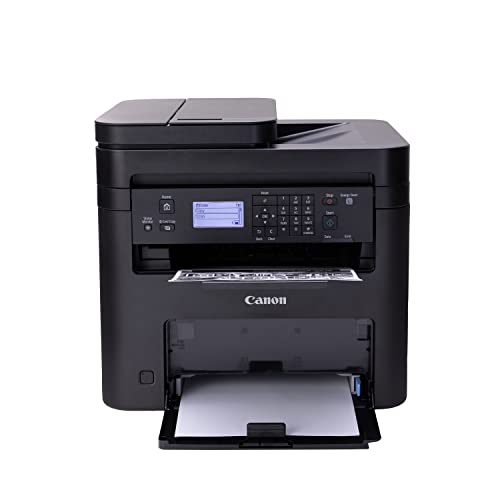


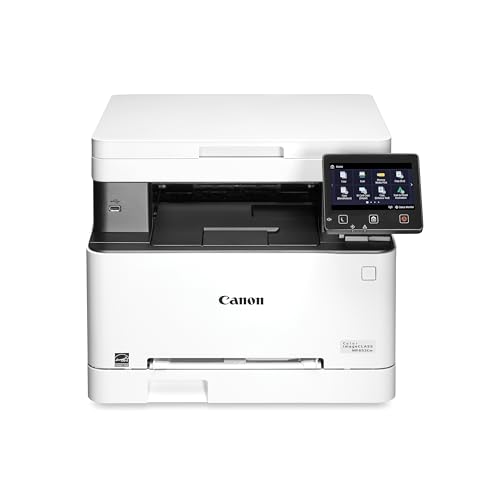
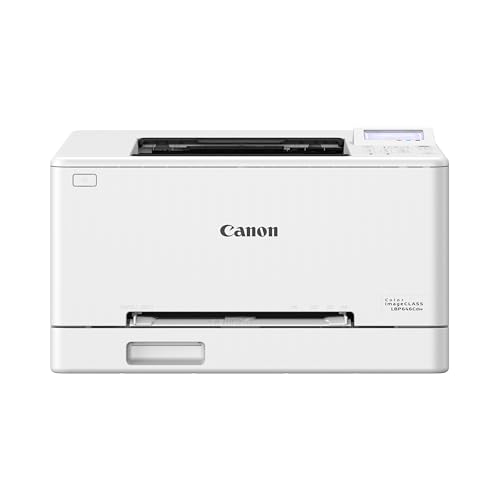
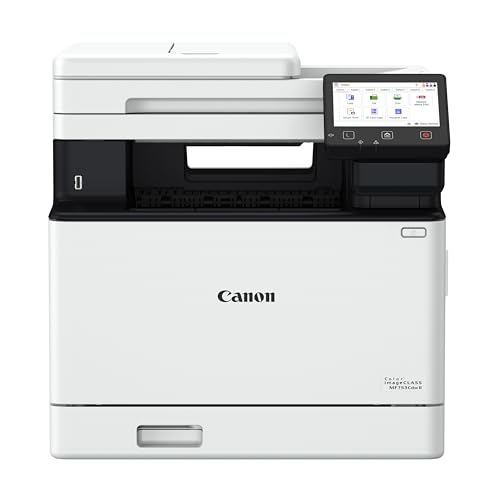


Canon Laser Printer Types Compared
Monochrome Print Only Models
These are the simplest and usually the least expensive Canon laser printers. They print black and white pages quickly, take up little room, and suit anyone who mostly prints documents, forms, shipping labels, and homework. With no scanner or copier, there is less to go wrong and less to pay for. Choose one if text is nearly all you print and you already scan with a phone.
Monochrome All in One Models
An all in one adds a scanner and copier, and many include an automatic document feeder for multi page originals. That feeder is the feature home offices notice most, because scanning a stack of receipts or contracts page by page gets old fast. These models cost more and take more desk space than print only versions, but they replace a separate scanner and save time every week.
Color Laser Models
Color lasers use four toner cartridges and produce clean charts, slides, flyers, and brochures. They cost more to buy and to refill than black and white models, and they are larger and heavier. Color pages from a laser look crisp on plain paper but rarely match an inkjet for glossy photos. Choose color only if you print colored business documents often, since a monochrome model is cheaper per page for everything else.
Who Should Buy a Canon Laser Printer
Home offices that print contracts, invoices, and reports every day get the most from a laser. Toner does not dry out, so the printer starts cleanly after weeks of sitting idle, which is a common failure for inkjets in light use households.
Students and families who print essays and worksheets in bursts also do well, particularly when the printer is shared on the home network. Small businesses with a few users should look at models with larger paper trays and duplex printing. If you mainly print photos, a laser is the wrong tool, and an inkjet or a dedicated photo printer will serve you better.
Key Features to Compare
Speed and First Page Time
Print speed is quoted in pages per minute, but for short jobs the time to the first page matters more. A printer that wakes quickly and delivers page one in a few seconds feels faster than a higher rated model that warms up slowly. If you print long reports, speed deserves more weight; for a few pages a day, almost any laser is quick enough.
Toner Cost and Page Yield
Toner cost per page decides the real price of ownership. Check the page yield of the standard and high yield cartridges, then divide the price by the yield to compare models fairly. Many printers ship with starter cartridges that hold less toner than the ones you buy later, so budget for a replacement sooner than you expect if you print heavily.
Duplex Printing and Paper Handling
Automatic two sided printing saves paper and gives longer documents a professional look. Check tray capacity as well, since a small tray means constant refills for busy users. If you print envelopes or labels, look for a manual feed slot or a straight paper path, because thick media can jam in tight curves.
Connectivity and Mobile Printing
Wireless setup should be quick and the printer should rejoin your network after a router restart without help. AirPrint support lets Apple devices print with no extra software, and the Canon app handles Android phones, scanning, and status checks. An Ethernet port is a reliable choice for a printer that stays on a desk, and USB is a useful backup.
Size and Noise
Laser printers are larger than most inkjets, so measure your shelf with the paper tray extended and the output tray open. Leave room above for a scanner lid on all in one models. Laser printers make a short burst of noise when they warm up and print, which matters in a shared room more than in a separate office.
Common Mistakes to Avoid
- Buying a color model when you print black text, which raises both the purchase price and every toner refill.
- Ignoring toner yield, so a cheap printer ends up costing more per page than a pricier model with larger cartridges.
- Skipping the document feeder on an all in one when you scan multi page paperwork regularly.
- Choosing a laser for photo prints, which look flat on plain paper compared with a good inkjet.
- Forgetting to measure the desk, then finding that the printer blocks a drawer or a window sill.
Setup and Care
Place the printer on a flat, stable surface with room for air to move around it, and keep paper flat and dry in its wrapper. Remove all packing tape and shipping material before the first print, since leftover tape inside is a classic cause of early jams. Update the firmware when the printer offers it, and replace toner when the first warning appears rather than shaking a nearly empty cartridge to squeeze out extra pages. Wipe dust from the exterior with a dry cloth and never use spray cleaners near the toner area.
Related Buying Guides
Readers weighing the wider market can compare our guides to the best laser printers and the best canon printers. If color documents matter, see the best color laser printers, and for scanning and copying needs, read the best multifunction laser printers and the best mfp laser printers.
Frequently Asked Questions
Is a laser printer better than an inkjet for home use?
A laser is better for steady document printing, because toner lasts long, pages come out fast, and nothing dries out between jobs. An inkjet is better when you print photos or colorful school projects. Many households that print mostly text find a monochrome laser the lowest hassle option.
Are Canon laser printers good for a home office?
Yes, especially all in one models with a document feeder, duplex printing, and wireless setup. They handle daily printing, scanning, and copying without much attention. Check the toner yield before you buy so your running costs stay predictable.
Do I need a color laser printer?
Only if you regularly print colored charts, presentations, or marketing material. For letters, forms, and reports, a monochrome model costs less to buy and far less to keep supplied with toner.
How long does laser printer toner last?
It depends on the cartridge yield and how much of each page is covered. Standard text pages use little toner, while graphics and dense tables use more. Starter cartridges that come with a new printer usually run out sooner than replacement cartridges.
Can a laser printer print photos?
It can, but the results look flat and slightly matte on plain paper. For prints you want to frame or share, use an inkjet or a photo printer instead, and keep the laser for documents.
Final Thoughts
Match the type to your daily printing first: monochrome for text, all in one for scanning, and color only when you need it. Then compare toner yield, duplex printing, and wireless support among the best canon laser printers in the product table above, and choose the model that stays fast, quiet, and inexpensive to run for years.