Best Canon Printers for Mac: Budget, Midrange, and Premium Tiers for 2026
Disclosure: We may earn a commission when you buy through links on this page, at no extra cost to you. As an Amazon Associate I earn from qualifying purchases. Learn more

Compare the best canon printers for mac at every price point. Learn what you get at budget, midrange, and premium levels and where spending more pays off.
Canon printers that work with a Mac range from under $100 to well over $500, and the price gaps are not always obvious from a spec sheet. This guide sorts the best canon printers for mac by budget so you can see what each tier actually buys, which features matter for macOS, and where extra spending stops paying off.
Use the comparison table below to scan the current field by price, then read the tier breakdowns to place each candidate in the right group before you compare smaller details. Read each tier with your own printing habits in mind when you compare the best canon printers for mac.

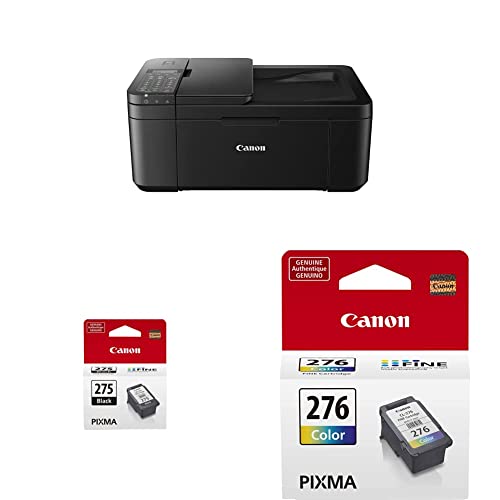


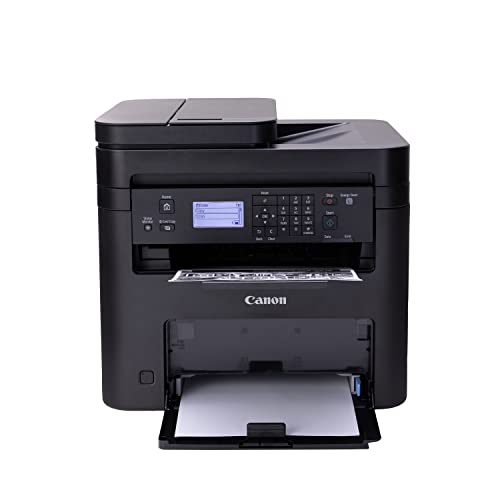
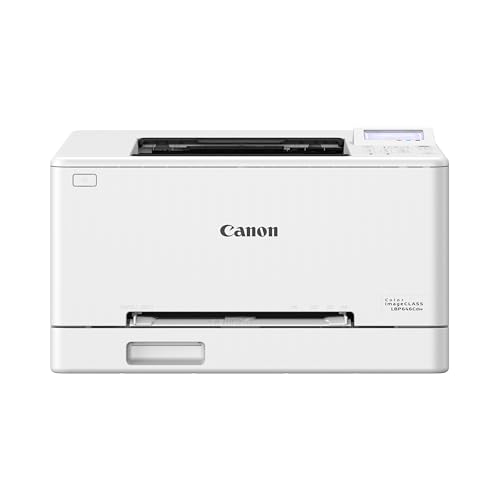


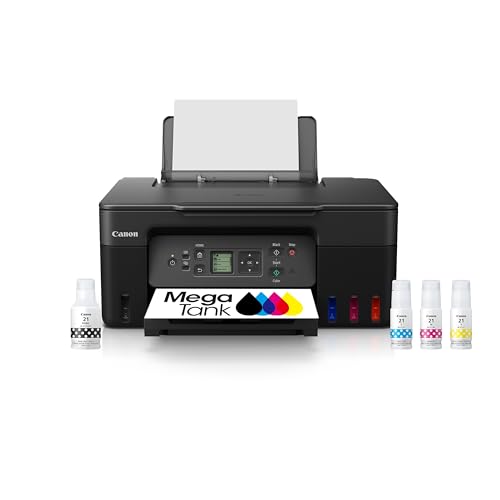
Three Budget Tiers at a Glance
Budget Profile: The Occasional Printer
The budget profile suits Mac owners who print a few pages a week: tickets, forms, school sheets, and the odd return label. A compact inkjet with WiFi and AirPrint covers this life well, and setup from a Mac usually takes minutes because macOS finds the printer on the network automatically. The compromise is speed and ink value. Small cartridges and slow color output are tolerable at this volume, but they become the main cost and the main annoyance if your printing quietly grows over the year.
Midrange Profile: The Family Workhorse
The midrange profile suits households where several people print from several Apple devices. Look for an all in one with a document feeder, automatic two sided printing, and ink that does not punish color pages. This is also the tier where scanning to a Mac becomes genuinely smooth, which matters for school and home office paperwork. Readers who need strong scanning and copying should cross check our guide to the best multifunction printers for mac, since feeder quality varies more between models than print quality does.
Premium Profile: The Home Office and Photo Step Up
The premium profile splits into two kinds of buyer: the home office user who needs speed, big paper trays, and cheap pages, and the photo enthusiast who needs more inks and larger paper sizes. Both pay more upfront to remove a daily friction rather than to gain a novelty feature. If neither friction sounds familiar, premium money is probably wasted on you. Our guide to the best canon printers shows how these premium home models compare with Canon lines built for small offices.
What Your Money Gets You at Each Price Tier
Budget Tier: What to Expect
Budget models, often around $80 to $180, typically include basic inkjet printing, a flatbed scanner, WiFi, and AirPrint. Print speeds are modest, paper trays hold about 60 to 100 sheets, and two sided printing may be manual or missing. Ink is the weak point, with small cartridges that cost more per page than any other tier. What you should not have to give up, even here, is current macOS support. If a cheap model lacks a driver for recent macOS versions and relies on generic printing only, walk away and choose a better supported rival.
Midrange Tier: The Sweet Spot for Most Buyers
Midrange models, often around $180 to $350, add the features that change daily life: automatic duplex printing, a document feeder for scanning stacks, faster output, and either high yield cartridges or a refillable tank. Screens get bigger and setup guidance gets clearer. This tier also tends to receive firmware updates for longer, which protects your Mac compatibility when Apple releases a major macOS upgrade. For most households, the jump from budget to midrange removes nearly every common complaint about home printing, which is why this tier earns the sweet spot label.
Premium Tier: When Spending More Pays Off
Premium models, often around $350 to $600 and above, pay off in three specific situations. First, volume: big trays, fast engines, and tank or high capacity toner systems cut cost per page sharply. Second, photos: extra ink colors and support for larger paper produce visibly smoother prints. Third, shared use: Ethernet networking and better security suit a printer serving a whole household or a small team. Outside those situations, premium spending buys build quality you may appreciate but rarely need, so be honest about which situation is actually yours.
Features Worth Paying For, and Ones to Skip
Features That Matter for Mac
Mac ownership makes two features non negotiable. The first is AirPrint, which lets every Mac, iPhone, and iPad print without installing drivers, and keeps working across macOS updates. The second is confirmed driver and scanner support for your macOS version, because scanning is where older printers fail first on a Mac. Check the Canon support page for your exact model and operating system before buying. For a broader shortlist of printers built around Apple compatibility, see our guide to the best mac friendly printers after you finish the tier checks here.
Connectivity and Mobile Printing
Dual band WiFi is worth paying for because the 5 GHz band is less crowded in apartment buildings, while 2.4 GHz reaches further through walls. Bonjour discovery is the quiet hero on Apple networks, since it lets your Mac find the printer by name without manual address entry. The Canon app adds scanning, ink checks, and firmware updates from a phone. Ethernet, found in midrange and premium tiers, is the most reliable option of all for a printer that never moves. Skip exotic connection extras you will never configure, such as fax modems in a household with no phone line.
Printer Type at Each Tier
Inkjet dominates the budget and midrange tiers because it handles documents and color graphics in one machine. Tank inkjets sit at the top of midrange and reward steady volume with very cheap pages. Laser models appear mainly in the premium tier for Mac homes, trading photo ability for speed and toner that never dries out.
Ease of Setup and Calibration
On a Mac, good setup means the printer appears in System Settings within minutes, the first test page prints cleanly, and alignment runs from the printer screen or the Canon app. AirPrint makes basic printing nearly automatic, but install the full Canon software anyway if you scan often, because it unlocks better scan quality and save destinations. Models that demand an account and a cloud connection before local printing add friction with no benefit. If you want the widest view of Apple compatible choices, our guide to the best mac compatible printers compares support policies across brands.
Long Term Costs to Factor In
The purchase price is often the smaller half of what a printer costs you. Add three years of ink or toner at your real page volume, one replacement set of any wear parts the manual lists, and the paper you prefer, since photo paper costs far more than plain stock. Electricity use is minor for inkjets but worth a glance for laser models that cycle their heaters often. Warranty and support length also carry value on a Mac, because a printer dropped from driver support after a macOS upgrade becomes e waste early, whatever its hardware condition. Our guide to the best printers for mac computers tracks which lines have the strongest update records.
Canon Printers: Your Questions Answered
What features matter most in Canon printers for Mac computers?
AirPrint and current macOS driver support matter most, because they decide whether the printer works at all with your devices today and after the next system upgrade. After compatibility, weigh cost per page and a document feeder if you scan stacks. A practical extra check: confirm the printer supports the paper sizes you use, since some compact models skip legal size paper entirely.
Are Canon ink tank printers worth it for Mac households?
Yes, when the household prints regularly, because bottle ink drops cost per page to a fraction of cartridge pricing and refills happen rarely. Tank models also behave well on Apple networks, with the same AirPrint support as cartridge models. Households printing only a few pages a month recover the higher purchase price slowly, so for them a midrange cartridge model remains the smarter spend.
What does cost per page mean for a printer used with a Mac?
Cost per page means the ink or toner cost of printing one page, calculated from the supply price divided by its rated yield. Your Mac does not change that math, but your habits do: printing from photo apps at best quality uses far more ink than printing text from a browser. Track one month of real printing to see which supply figure deserves your attention.
Is inkjet or laser printing cheaper in the long term on a Mac?
Laser printing is cheaper for steady, text heavy volume because toner yields are high and toner never dries during idle weeks. Inkjet, especially tank inkjet, is cheaper for mixed color work at moderate volume. The Mac side of the equation is equal for both, since AirPrint and driver support exist across both types, so let your page mix and volume decide rather than your computer brand.
Final Thoughts
Start with compatibility, since AirPrint and current macOS support decide whether any printer belongs on your list at all. Then let your tier do the heavy lifting: budget for occasional printing, midrange for most families, and premium only for volume, photos, or shared use. Compare your finalists among the best canon printers for mac in the product table above, and spend the difference between tiers only where your routine will feel it.