
Best Cameras for Stop Motion Animation: A Price Tier Buying Guide for 2026
Disclosure: We may earn a commission when you buy through links on this page, at no extra cost to you. As an Amazon Associate I earn from qualifying purchases. Learn more

Compare the best cameras for stop motion animation by manual controls, sensor size, lenses, lighting, and price for frame by frame work.
If you want to make figures, puppets, or everyday objects move one frame at a time, the best cameras for stop motion animation are the ones that stay still, hold the same exposure from frame to frame, and let you check each shot before you move on. A camera built mainly for fast action or long video clips can still work, but it may fight you with shifting focus, changing brightness, or controls buried in menus. This guide compares camera types, features, and price levels so you can spend on the controls that matter for frame by frame work and skip the extras that add little to a finished scene.
The comparison table below gives a quick side by side look at camera types, while the sections that follow explain sensor size, lenses, lighting control, and long term costs in plain terms. Keep your shooting style in mind as you read, since a short desk project needs different support than a longer set built in a spare room. By the end, you should know which price level fits your plans and which features deserve your budget.


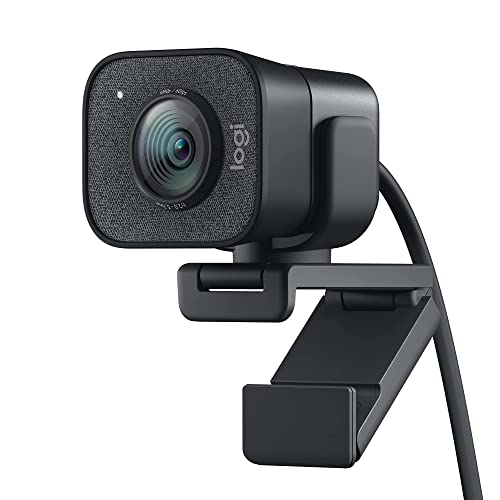
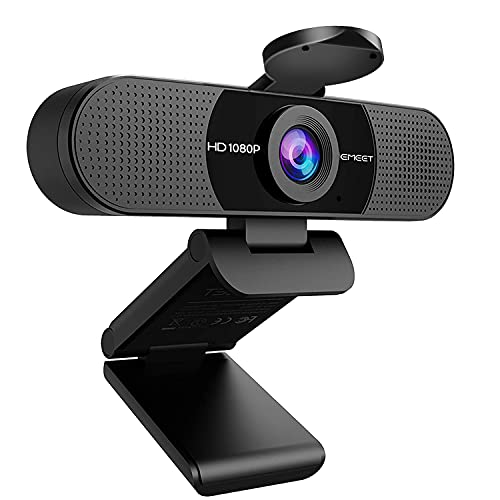

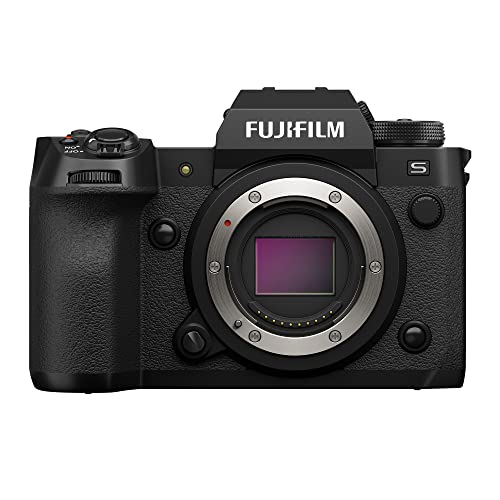


How Spending Levels Shape Your Choice
At a lower spending level, about $100 to $250, compact cameras and simple interchangeable lens bodies cover the basics for short projects. You get manual exposure on many models, a tripod thread for a steady mount, and files that are easy to move to a computer. The trade off is usually a smaller sensor, a fixed or limited lens range, and fewer options for remote capture, so you may need to touch the camera more often between frames.
In the middle range, about $250 to $700, interchangeable lens cameras add the controls that make longer shoots easier. Manual focus, manual white balance, and a flip screen help you check framing without moving the rig. Many models in this range also support a remote shutter or a computer connection, which keeps the camera still while you trigger shots. This range suits creators who plan regular projects and want consistent results across many frames.
Above that range, about $700 to $1,500 and higher, larger sensors and stronger low light performance join the same manual controls. You also tend to get sturdier bodies, better battery life, and wider lens choices. Spend here only if you shoot often, work in dim rooms, or plan to print stills or project scenes at larger sizes. For most first projects, the middle range already covers what matters.
What Your Money Gets You at Each Price Tier
Price tiers in this guide describe typical features, not a promise about any single camera. Use them to judge where your money goes and which trade offs you can accept.
Lower Price Tier Expectations
Lower price cameras keep the setup simple and the learning curve gentle. Expect a compact body, a built in lens or a basic kit lens, and enough manual control for short scenes in good light. Autofocus may hunt in dim rooms, and battery life may be short, so keep a spare battery and a charger nearby. These cameras suit school projects, short social clips, and first attempts at the craft.
Middle Price Tier Expectations
Middle price cameras add control without adding much complexity. You can lock exposure, focus, and white balance, swap lenses for different set sizes, and mount the camera firmly for long sessions. Screens that tilt or flip make it easier to check a small set from a comfortable angle. This tier is a strong match for creators who shoot weekly, build larger sets, or want cleaner files for editing.
Higher Price Tier Expectations
Higher price cameras bring larger sensors, cleaner high ISO files, and more durable bodies. They also open up a wider lens range, from wide views of a full set to close views of a small figure. The extra cost pays off mainly when you shoot in low light, work on long projects, or need very large stills. If your sets are small and well lit, the gains over the middle tier may be hard to notice.
Features Worth Paying For (and Ones to Skip)
Not every headline feature helps a frame by frame shoot. The list below separates the controls that protect consistency from the extras that matter more for other kinds of photography.
Ease of Use for Your Skill Level
Clear menus, a simple manual mode, and a quick way to move files to a computer matter more than a long feature list. Auto modes can help you learn framing, but manual mode is what keeps brightness steady across hundreds of frames. App transfer is handy for quick checks, yet a memory card reader is often faster for a full shoot. Skip cameras that hide manual focus or manual exposure behind several menu layers.
Video Capabilities
Video specs get a lot of attention, but stop motion is built from still frames, so video resolution alone is a weak guide. A flip screen helps you view a low set, and a mic input helps if you record narration or sound after the shoot. High frame rate video and long recording limits matter little when each frame is shot one at a time. Put video features last unless you also plan to shoot regular video with the same camera.
Sensor Size and Image Quality
Sensor size shapes how much light the camera gathers and how clean the file looks in dim rooms. Common sizes run from 1 inch through APS C to full frame, and larger sensors usually handle low light better. Megapixel count alone is a poor guide, since a large sensor with a modest count can beat a small sensor with a high count. For small sets in good light, a modest sensor is often plenty, while dim rooms reward a larger one.
Low Light Performance
Low light performance depends on the sensor, the lens aperture, and how much noise appears at higher ISO settings. A lens with a wide maximum aperture gathers more light, which lets you keep ISO lower and files cleaner. Steady lighting matters even more than the camera, since a bright, even lamp setup reduces noise on any sensor. Skip cameras that force heavy noise reduction, since it can soften fine detail on small figures.
Features That Matter for Stop Motion Animation
Four controls deserve the top of your list: manual exposure, manual focus, manual white balance, and a remote trigger or computer connection. Together they stop the camera from changing brightness, focus, or color between frames. A sturdy tripod thread and a way to lock the camera in place matter just as much, since even a small shift shows up as a jump in playback. Onion skinning, which overlays the last frame on the live view, is a software feature worth checking when you choose capture software.
Picking the Right Cameras for Different Uses
Different projects stress different parts of a camera. The two cases below show how the same buying factors shift with the work.
Digital Cameras for Stop Motion
Digital cameras suit stop motion because you can check each frame at once and adjust before moving a figure. Look for manual exposure and focus, a file format you can edit easily, and a reliable way to trigger shots without touching the body. A computer connection helps on longer shoots, since you can watch frames on a larger screen and spot small shifts early. Keep the lens choice simple: one standard zoom or one prime lens usually covers a desk or tabletop set.
Animating Drawings and Flat Artwork
Animating drawings calls for a flat, even setup rather than a deep three dimensional set. An overhead mount, a copy stand, or a firm tripod arm holds the camera square over the artwork, and two matched lamps reduce glare and shadows. Spend on a lens that focuses close and stays sharp across the page, and on lighting that stays the same color from frame to frame. A remote trigger matters here too, since pressing the camera by hand can shift the framing of a flat page.
Long Term Costs to Factor In
The camera is only part of the total cost, so budget for support gear from the start. A sturdy tripod, a remote shutter or cable, and at least one spare battery keep long shoots moving. Lighting is the next cost: two adjustable lamps with daylight balanced bulbs give steadier results than a single room light. Memory cards, a card reader, and capture software round out the kit, while a simple backdrop or set material costs little but lifts the look of every scene, so add these items to the camera price before you decide on a tier.
| Camera type | Best for | Strengths | Limits | Typical price |
|---|---|---|---|---|
| Compact camera | Short first projects | Simple controls, small size | Smaller sensor, limited lenses | About $100 to $250 |
| Interchangeable lens camera | Regular projects | Manual control, lens choice | Higher cost, larger kit | About $250 to $700 |
| Larger sensor camera | Low light and long projects | Cleaner files, durable body | Highest cost, heavier kit | About $700 to $1,500 |
Frequently Asked Questions
What features matter most in cameras for stop motion animation?
Manual exposure, manual focus, manual white balance, and a remote trigger matter most, because they keep every frame consistent. A firm tripod mount and a lens that suits your set size come next, followed by battery life for long sessions. Sensor size matters when you shoot in dim rooms, but it matters less than steady lighting and a locked down camera. Check that the camera lets you turn off any automatic setting that could shift brightness or color between frames.
Which camera type is better for low light stop motion scenes?
An interchangeable lens camera with a larger sensor and a wide aperture lens usually handles low light best. It gathers more light at a lower ISO, which keeps files cleaner and detail sharper on small figures. A compact camera can still work if you add steady lamps and keep the set bright, since lighting does more than the sensor alone. If you shoot mostly in dim rooms, put sensor size and lens aperture ahead of video features or extra megapixels.
What does focal length mean for a stop motion set?
Focal length describes how wide or narrow the view is, and it shapes how much of your set fits in the frame. A wide view takes in a full room or large set, while a longer view crops tighter on a small figure and flattens the background. For a desk set, a standard view often works best, since it keeps figures natural looking and leaves room to move them. Test the framing with your tripod in place before you start, since moving the camera later breaks the flow of the scene.
Is a smartphone enough instead?
A smartphone can be enough for learning the craft and for short, simple scenes. Its fixed lens and automatic settings can cause brightness or focus to drift, and mounting it firmly takes extra care. A small tripod mount and a capture app with manual controls improve results a lot, but they do not fully match a camera with manual exposure and interchangeable lenses. Start with a phone if you already own one, then move to a dedicated camera when you want steadier long shoots.
How much should I spend on my first one?
Most first time creators do well in the range of about $100 to $400 for the camera, with the rest of the budget going to a tripod and lighting. Spending more buys better low light files and lens choice, but it does not fix a wobbly mount or uneven light. Set aside money for a spare battery and a memory card, since both run out at the worst moment on a long shoot. Check the return window before you buy, so you can confirm the manual controls suit your workflow.
What specs matter most for beginners?
Beginners should weigh manual exposure, manual focus, a tripod thread, and a remote trigger above all else. A quiet shutter or a silent shooting mode is a useful bonus, since mirror or shutter movement can shake a light rig on long exposures. Battery life and simple menus matter too, because long shoots punish fiddly controls and short batteries. Skip exotic specs at first, and spend the savings on a sturdy tripod and steady lamps that improve every frame you shoot.
Final Thoughts
The best cameras for stop motion animation are the ones that lock exposure, focus, and color, sit firmly on a tripod, and fit the size of your sets. Match the price tier to how often you shoot and how dim your rooms are, then put the remaining budget into lighting and support. Use the product table above as a final check on camera types, and choose the setup that lets you focus on the story in each frame rather than on the camera itself.
See our guide to best cameras for stop motion for a closer look at the broader category. If your projects include longer clips, best cameras for stop motion videos covers the video side.


