
Best Cameras for Vlogging in 2026: Every Type Explained Side by Side
Disclosure: We may earn a commission when you buy through links on this page, at no extra cost to you. As an Amazon Associate I earn from qualifying purchases. Learn more

See how compact, mirrorless, action and camcorder options compare for vlogging, what a full creator kit really costs, and which setup fits your style.
Ask ten creators what to buy and you will hear ten different answers, because each of them films a different life. The best cameras for vlogging depend on whether you sit at a desk, walk through a city, or live out of a backpack, and a camera that shines in one of those routines can feel clumsy in another. This guide lays the main types side by side, then matches them to three common creator setups.
It also counts the whole kit, not just the camera. A microphone, a tripod or grip, a light, and memory cards ride along with every serious setup, and they often decide whether the footage feels polished. The comparison table below gives the short version of each type, and the sections after it price out complete kits and walk through the choices setup by setup.



The Main Types, Side by Side
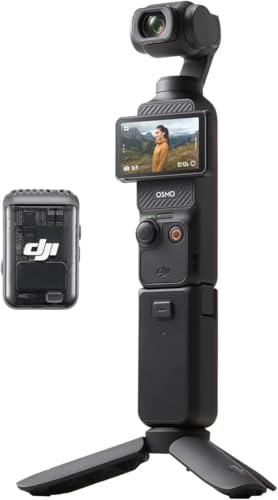
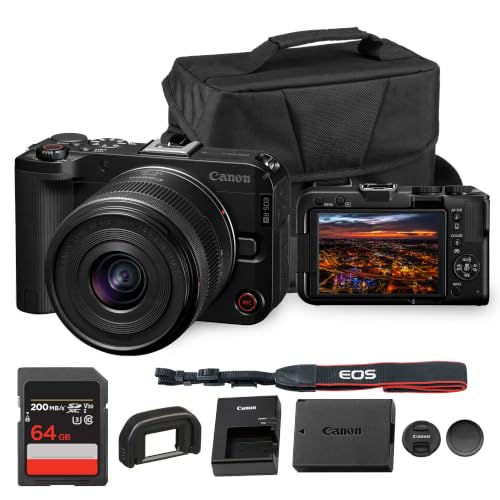
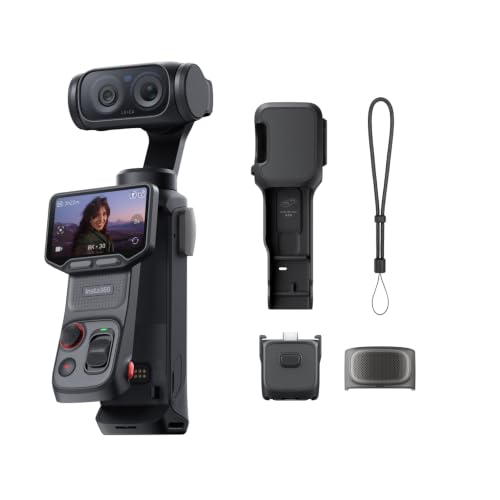
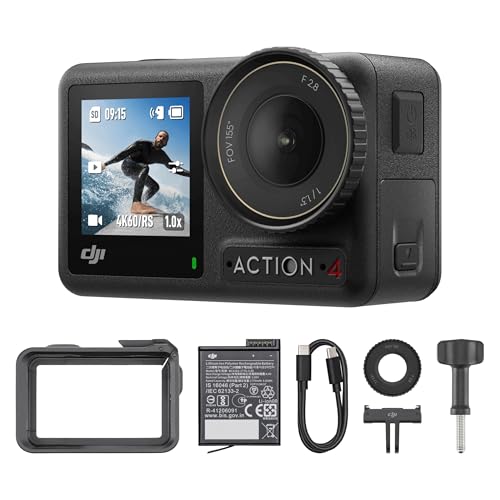
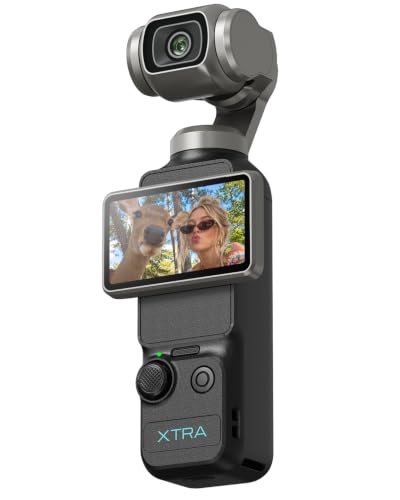
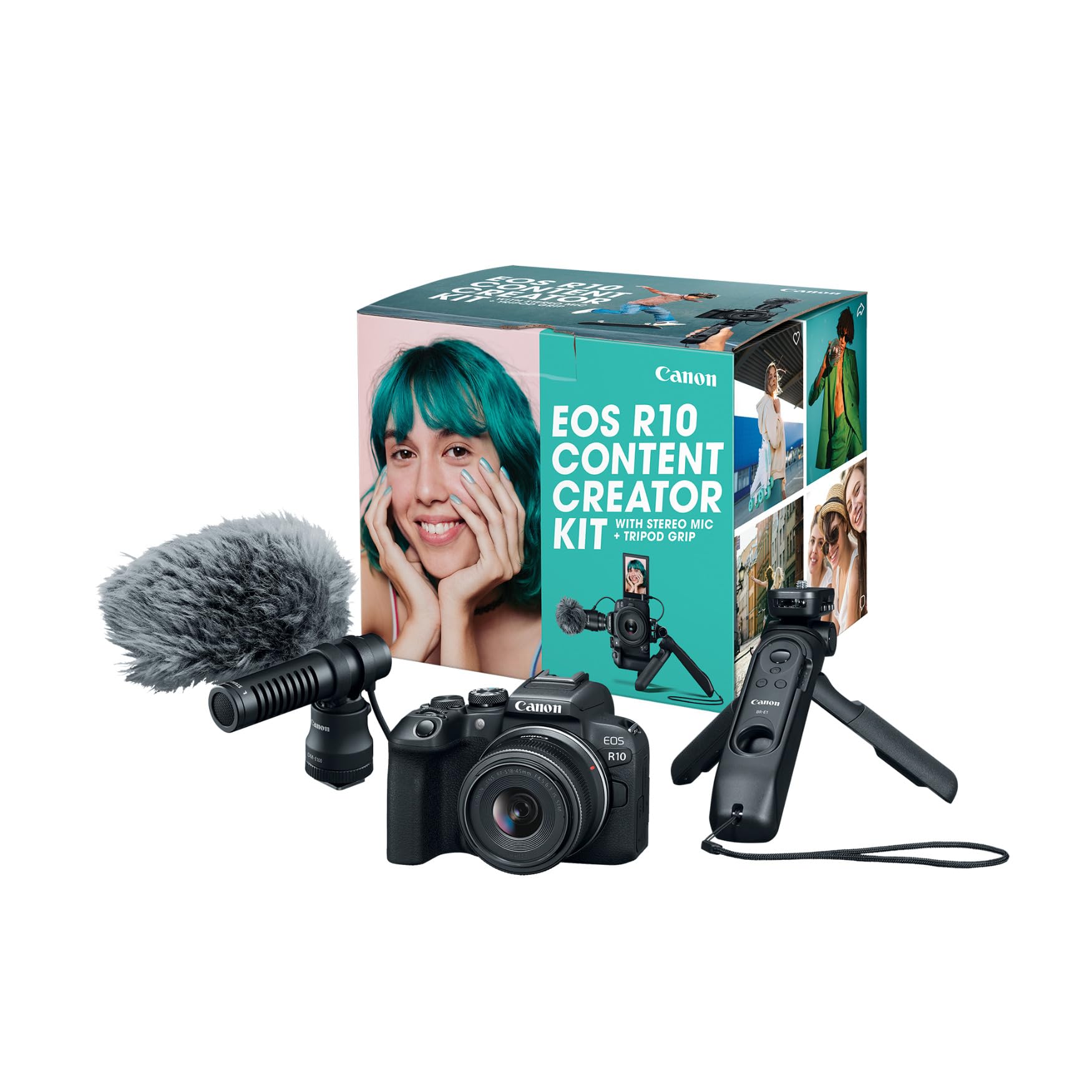
Vlogging cameras cluster into four types: fixed lens compacts made for creators, mirrorless cameras with swappable lenses, action cameras, and camcorders. Phones and webcams enter the picture too, and this guide treats them as baselines and desk tools rather than full types. The table summarizes each type before the detailed sections take them one at a time.
| Type | Best For | Strengths | Trade Offs | Typical Price |
|---|---|---|---|---|
| Fixed lens compact | Everyday filming at home and around town | Pocketable, quick to start, screens that face you | One lens for everything, modest low light reach | about $350 to $750 |
| Mirrorless | Creators who want the best image and room to grow | Big sensors, lens freedom, superb subject tracking | Cost, weight, and more decisions per shoot | about $650 to $2,200 |
| Action camera | Movement, weather, water, and tight mounting spots | Rugged, tiny, silky stabilization, huge field of view | Small display, fixed lens, average built in sound | about $230 to $430 |
| Camcorder | Long form recording and events | Hours of recording, deep zoom, video first controls | Bulky for daily carry, stills are an afterthought | about $280 to $900 |
Fixed Lens Compacts
Creator compacts are built around a 1 inch sensor and a lens in the 24 to 50 mm or 24 to 70 mm range, which covers a talking head shot and a wider room view in one package. They start in about a second, fit in a coat pocket, and their screens flip all the way around so you can monitor yourself. Autofocus tuned for faces keeps you sharp while you gesture or hold items up to the lens. For many daily vloggers this is the whole camera kit, and that simplicity is the point.
Limits appear at the edges: night streets get grainy sooner than on a big sensor camera, and the lens you buy is the lens you keep. Battery life is also modest, so a spare belongs in the bag. Within those limits, a compact is the least demanding way to get clean, well exposed vlogs every day.
Mirrorless Cameras
Mirrorless bodies bring APS C or full frame sensors and interchangeable lenses, which means you choose the look: a wide lens for cramped kitchens, a fast prime for evening streets, a mid range zoom for everything else. Their eye detection autofocus is the best available in consumer cameras, and their video quality in dim light leads this guide. Lines built for creators, including the best sony vlogging cameras category, add vlogging touches like product showcase focus modes and tally lamps.
The bill and the bulk both grow. A body plus one suitable lens commonly lands between about $900 and $2,800, and the kit needs a real bag. Some bodies also cap continuous recording or run hot during long 4K sessions, so makers publish thermal limits worth checking against your filming style. Choose this type when image quality and growth matter more than grab and go ease.
Action Cameras
An action camera is a small sealed box with a very wide lens and remarkable stabilization. It mounts almost anywhere, survives rain and pool days without a housing, and keeps walking footage level even on rough ground. Voice control and a front facing screen on many models make solo filming easier than the size suggests. For sports, cycling, boating, and hands busy filming, nothing else in this guide comes close.
Compromises follow the design. The fixed wide lens bends straight lines near the frame edges and flatters no one at arm length in dim light. The tiny rear screen makes menu work fiddly, and the internal microphones sit behind waterproof membranes that dull the sound. Most vloggers who start here either add an external microphone setup or treat the action camera as a second angle beside a main camera.
Camcorders
Camcorders record video and only video, and that focus shows in long runtimes, cool operation, and zooms that reach across a hall. A hand strap and top handle suit one handed filming at events, and many models include proper headphone jacks and dual card slots for backup recording. For services, recitals, workshops, and interviews that run past an hour, a camcorder is often the calmest tool in the room.
Daily vloggers usually pass them over, though. The bodies are long, the sensors are small, and the look stays closer to broadcast video than to the soft backgrounds viewers now expect from creator channels. If your channel is built on long sessions rather than short daily clips, the trade makes sense; if you film in bursts around your day, a compact will serve you better.
Start From Your Setup, Not the Spec Sheet
Types only make sense against a routine. The three setups below cover most vloggers, and each one points to a different type for concrete reasons.
The Solo Desk Creator
If you film seated, talking to the camera in one room, your camera barely moves and light stays under your control. A fixed lens compact on a small tripod is the natural fit: it frames your face and shoulders, the flip screen confirms focus, and an external microphone on a stand does the heavy lifting for sound. A mirrorless camera earns its premium here only if you also shoot photos or want a softer background in a tight room. New creators in this setup can start with our picks in the best vlogging cameras for beginners guide and upgrade once the format settles.
The Walking and Talking Creator
City walks, market tours, and campus updates punish heavy kits and reward stabilization. Your arm holds the camera at full stretch for long stretches, so every ounce matters and a grip with a wrist strap is not optional. Action cameras lead on stabilization and toughness, while creator compacts lead on face exposure and sound options. Either beats a mirrorless body here, because a heavy rig shortens filming days and tempts you to leave it behind.
Whatever you pick, test it at arm length for ten minutes before committing; comfort at minute ten predicts month two.
The Travel Creator
Travel filming mixes everything: hotel room updates, street walks, dim restaurants, and the odd boat or bike day. Versatility wins, and the middle path is usually a creator compact with a wide lens, backed by an action camera for water and motion days. Mirrorless kits travel well only when you accept one body and one lens as a hard rule.
For a deeper look at packing light and filming on the move, see our guide to the best cameras for travel vlogging. Power planning matters as much as the camera: two spare batteries and a multi port charger keep a travel kit alive through long transit days.
How to Choose the Right Camera
With a setup in mind, four factors do most of the deciding. Work through them in order and the shortlist usually shrinks to two or three models. Creators who split their time between stills and video should also read our notes on the best cameras for photography and vlogging, where hybrid demands change the ranking.
Sensor Size and Image Quality
Sensor size sets the ceiling for low light video. A 1 inch sensor is the sweet spot for creator compacts: clean at indoor light levels, small enough for a pocketable body. APS C and full frame sensors climb higher in darkness and blur backgrounds more easily, at the cost of size and price. Ignore megapixel counts when comparing video cameras; a 20 megapixel sensor and a 24 megapixel sensor produce near identical 4K frames.
What differs is noise behavior, and that traces back to sensor area and processing, not the headline number.
Lens and Zoom Range
Vlogging lives at the wide end. A lens that opens to about 24 mm or wider keeps your face, gestures, and surroundings in frame at arm length, and anything narrower forces you to hold the camera uncomfortably far away. Optical zoom adds framing freedom for details and distant subjects; digital zoom crops and softens, so treat it as a framing aid at best.
Aperture shapes your evening footage: an f/2.0 to f/2.8 wide end gathers the light that keeps street scenes clean. On interchangeable lens bodies, budget for the lens before the body upgrade, because the lens shapes the image more.
Build and Weather Sealing
Sealing ratings describe resistance to splashes and dust, not permission to submerge the camera. A sealed mirrorless body with a sealed lens shrugs off drizzle and beach spray that would end a filming day for an open port compact. Action cameras go further and swim without a case, within their rated depth. Check the weak points before trusting any rating: battery doors, microphone ports, and hot shoes leak first.
If your vlogging happens around water weekly, buy for the worst day, not the average one, and rinse salt water off sealed gear with fresh water after filming.
Features That Matter for Vlogging
Five features separate vlogging cameras from general cameras. A fully articulating screen lets you monitor yourself from any angle. A 3.5 mm microphone input opens the door to external sound, which lifts production value more than any resolution bump.
Face and eye tracking autofocus holds you sharp while you move. Stabilization matched to your movement, in body or in lens, keeps walking footage watchable, while electronic stabilization adds a crop you must frame around. Finally, heat behavior: makers rate continuous recording under test conditions, and real cameras can reach thermal shutdown on summer days, so long session creators should favor models with generous rated record times or fan cooling.
What the Full Kit Really Costs
Camera prices mislead because the camera is only part of the spend. Shoppers comparing the best cameras for vlogging should price the working kit: camera, microphone, support, light, cards, and spare power. A complete compact kit lands around about $550 to $950: the camera, a shotgun or wireless microphone at about $60 to $180, a tabletop tripod or grip at about $25 to $60, a small LED panel at about $30 to $80, and two fast cards.
Mirrorless kits scale quickly. Body and lens at about $900 to $2,800, plus the same accessory list at slightly higher grades, puts a working setup at about $1,100 to $3,300.
Action camera kits stay lean: camera, mounts, a media mod or microphone adapter where needed, and spare batteries total about $350 to $650. Camcorder kits sit between, at about $450 to $1,100 with a tripod that has a proper video head. Our guide to the best affordable cameras for vlogging trims these numbers further for tight budgets.
Two rules keep kit spending sane. First, buy sound before glass: a microphone improves every video, while a second lens improves some. Second, leave about 20 percent of the budget unspent at checkout, because the first month of filming always reveals one missing item, usually a taller tripod, a second light, or more storage than planned. Storage grows quietly: an hour of 4K footage can fill about 20 to 45 GB depending on bitrate, so cards and an archive drive are running costs, not one time purchases.
Choosing Cameras for Your Situation
Best Web Cameras for Vlogging
The best web cameras for vlogging serve the desk bound side of vlogging: streaming, live Q and A sessions, and recorded segments filmed at a computer. A good webcam brings a clean 1080p or 4K image, autofocus that does not hunt, and exposure that handles a window behind you. Webcams lose to dedicated cameras on background blur and low light depth, and they tie you to the desk, but for creators whose vlog is really a seated show with screen sharing, a webcam plus a USB microphone is the simplest honest setup in this guide.
Best Lightweight Cameras for Vlogging
The best lightweight cameras for vlogging answer a specific problem: fatigue. A kit that feels fine for five minutes can ache at arm length after a market tour, so total carried weight, camera plus grip plus microphone, is the number to watch. The lightest credible setups pair an action camera or a small compact with a short grip and stay under about 1 pound all in. Prioritize a wide lens so you can hold the camera closer, a screen you can read in sunlight, and controls you can work one handed, because light gear only helps if it stays easy at the end of a long filming day.
Care and Maintenance Tips
- Wipe the lens with a microfiber cloth. Shirts and sleeves carry grit that scratches coatings; a cloth in every bag removes the temptation.
- Carry spare batteries and rotate them. Mark batteries with tape numbers and use them in turn so none sits empty for months, which shortens battery life.
- Store gear dry and padded. A padded case with a silica gel pack protects hinges, screens, and lens coatings between filming days.
- Format cards in the camera, not the computer. In camera formatting keeps the file system exactly as the camera expects and prevents card errors mid recording.
- Air out gear after wet filming days. Open the battery door and let everything dry at room temperature before sealing it into a bag.
Cameras: Your Questions Answered
Do vloggers need 4K, or is 1080p enough?
1080p is enough for most vlogs today, and platforms compress uploads so heavily that the practical gap is small on phones. Shooting 4K still earns its keep in two ways: you can crop a tighter frame in editing without losing sharpness, and downscaled 4K often looks cleaner than native 1080p from the same camera. The costs are heat, battery drain, and file sizes about four times larger. If your camera runs hot or your storage is tight, 1080p is the smarter daily setting.
How important is a microphone input on a vlogging camera?
A microphone input is close to essential for anyone filming talking content. Built in camera microphones sit at the wrong distance, facing the wrong way, and they record room echo and handling noise along with your voice. An input lets you place a microphone near your mouth, which is the single largest sound improvement available at any budget. If a camera lacks an input, budget for a separate audio recorder and sync sound in editing, or choose a different camera.
How much memory card storage does a travel vlogger need?
Plan on about 128 GB of fast card space per heavy filming day, and carry at least twice your daily need so a full card never stops a shoot. An hour of 4K footage can take about 20 to 45 GB depending on the camera bitrate. Back up each night to a laptop or portable drive and keep the copy in a different bag from the cards. Cards are cheap insurance; a lost day of travel footage cannot be reshot at any price.
Can one camera handle both vlogging and photography well?
Yes, mirrorless cameras handle both jobs well, and creator compacts with good stills modes cover casual photography too. The compromises sit in ergonomics: vlogging wants a flip screen and video friendly controls, photography wants a viewfinder and fast dials, and hybrid bodies balance both rather than perfecting either. If stills pay your bills, buy for photography and accept a slightly heavier vlogging rig. If video leads, choose the vlogging setup first and let stills ride along.
What should a beginner vlogger buy first, the camera or the kit?
Buy the camera and a microphone together, then add the rest as the format demands. A camera alone with built in sound teaches you filming basics but caps your quality early, and the frustration usually ends the channel before the gear does. A tripod or grip comes next for stable framing, then a light when indoor footage looks flat. This order spends money in the sequence that viewers actually notice: image, sound, stability, light.
How do I protect a vlogging camera in the rain?
Use a rain cover or a simple plastic sleeve with a hole for the lens, and keep a dry cloth in a sealed bag for the front element. Sealed cameras tolerate drizzle, not downpours, and water finds battery doors and microphone ports first. After filming, dry the outside, open every door, and let the camera air at room temperature before charging. Never seal wet gear into an airtight case, because trapped moisture fogs lenses from the inside.
Final Thoughts
Match the camera to the routine first: desk creators thrive on compacts, walking creators on light stabilized kits, travel creators on versatile pairings, and long session recorders on camcorders. Then confirm the screen, the microphone input, and the autofocus, and price the full kit before you compare bodies. The product table above puts the leading types in one view so you can check prices against the kit math in this guide.
The best cameras for vlogging are ultimately the ones light enough, simple enough, and tough enough for the filming you actually do every week. Choose for your real setup, spend on sound early, and the camera will fade into the background where it belongs, leaving your viewers focused on the story instead of the gear.


