
Best Cameras for Stop Motion in 2026: A Spending Level Guide
Disclosure: We may earn a commission when you buy through links on this page, at no extra cost to you. As an Amazon Associate I earn from qualifying purchases. Learn more

Learn what makes a camera steady, consistent, and easy to control for stop motion, which features are worth paying for, and how to plan your total budget.
Stop motion rewards patience and control, and the right camera makes both easier. The best cameras for stop motion hold the same exposure and focus from frame to frame, let you trigger shots without touching the body, and work smoothly with a tripod and simple lighting. This guide explains what each spending level delivers, so you can see the comparison table below and put money where it changes your finished animation.
Prices on the market range widely, from basic models that shoot one frame at a time to advanced bodies with full manual control and tethered shooting. A higher price does not always mean smoother animation, because consistency matters more than headline specs. The sections below compare spending levels, sort features worth paying for from ones to skip, and cover the long term costs that catch new animators by surprise.


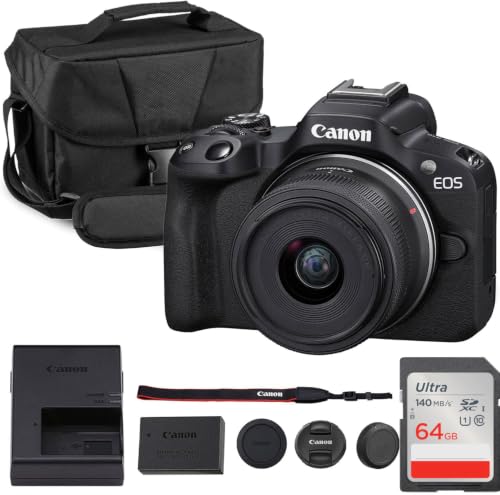
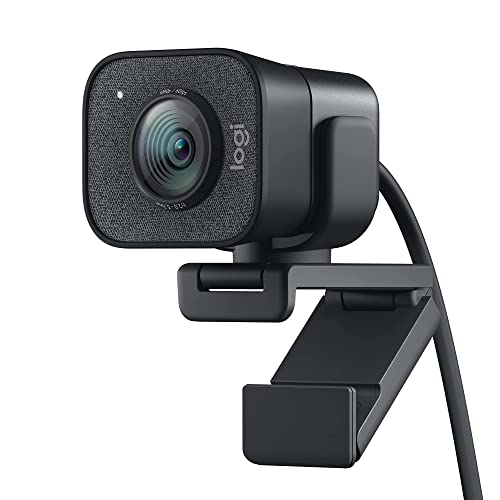
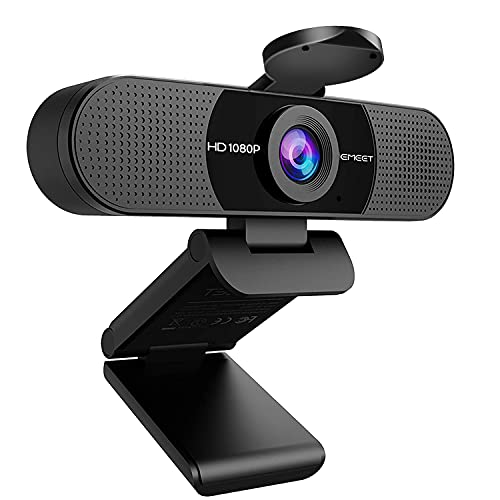

Who Should Buy Which Camera for Stop Motion?
Stop motion suits different makers, and each group needs a different balance of control, simplicity, and budget. Match yourself to a group below before you compare specs, because the right camera for a classroom differs from the right camera for a short film.
Classroom and Family Makers
Classroom and family makers need simple controls, a sturdy mount, and a camera that forgives mistakes. A basic model with manual focus and a remote trigger is enough for short clips with clay, paper cutouts, and toys. Ease of use matters more than sensor size here, because the project succeeds when children and beginners can shoot frame after frame without fighting menus.
Hobby Animators Building Short Films
Hobby animators building short films need fuller manual control over exposure, white balance, and focus, plus a way to review frames on a larger screen. Tethering to a computer helps, because it shows each new frame beside the last one and reveals small shifts before they become big problems. A midrange body with interchangeable lenses suits this group, since it grows with longer projects and varied sets.
Freelance and Studio Animators
Freelance and studio animators need reliability across long shoots, consistent color, and clean files that hold up in editing. A larger sensor helps in dim studio light, and a solid tripod mount plus a wired remote reduce drift over hundreds of frames. For this group, durability and workflow matter as much as image quality, because a failed card or a loose mount can cost a full day of work.
Spending Levels Without the Guesswork
Think in spending levels rather than in single models, because each level brings a predictable set of features and tradeoffs. The levels below describe what you typically get, what you give up, and who each level suits best.
Lower Spending Level: A Simple Start
At a lower spending level, expect about $150 to $400 for a camera that shoots still frames reliably with basic manual settings. You usually get a fixed lens or a simple zoom, a smaller sensor, and a tripod socket, which is enough for bright, simple sets. The tradeoff is limited low light performance and fewer manual controls, so you must set exposure carefully and keep lighting steady. This level suits first projects, classrooms, and anyone checking whether stop motion holds their interest before spending more.
Middle Spending Level: Room to Grow
At a middle spending level, expect about $400 to $900 for a camera with fuller manual control, better low light results, and often an interchangeable lens. You gain finer focus control, cleaner files for editing, and a wider choice of lenses for closeups and wide sets. The tradeoff is size and complexity, since larger bodies need sturdier tripods and a little learning time. This level suits hobby animators who shoot regularly and want results that hold up on a larger screen.
Higher Spending Level: Full Control for Long Projects
At a higher spending level, expect about $900 to $2,000 for a camera with a larger sensor, strong manual controls, and dependable tethered shooting. You gain cleaner dim light results, precise focus tools, and a build that survives long studio days. The tradeoff is cost and weight, plus accessories that add to the total, such as lenses, cards, and lighting. This level suits serious makers and studios where consistency across thousands of frames justifies the investment.
Features Worth Paying For (and Ones to Skip)
Not every feature improves animation. The factors below rank by how much they change frame to frame consistency, which is the heart of smooth stop motion.
Lens and Zoom Range
A sharp lens with manual focus matters more than a long zoom range for stop motion, because you lock focus once and shoot many frames from the same position. A fixed focal length lens often gives sharper results and fewer shifts than a zoom that creeps between frames. If you shoot varied sets, a standard zoom still helps, but check that it holds focus and focal length firmly. Skip extreme zoom claims, since reach matters little when the camera sits still on a tripod.
Features That Matter for Stop Motion
Stop motion needs manual exposure, manual white balance, and manual focus, because any automatic change between frames shows up as flicker. A remote trigger or an intervalometer lets you shoot without touching the camera, which prevents small bumps that ruin a sequence. Tethering to a computer adds a live view that helps you spot drift, and a flip screen helps when the camera sits low or high on a rig. Pay for these control features before you pay for video specs, since stop motion is built from still frames.
Durability and Weather Sealing
Durability matters in a different way for stop motion than for outdoor photography, because the camera lives on a tripod for hours and gets handled between every frame. A solid tripod socket, a firm battery door, and a body that resists dust from clay and set materials all help. Weather sealing matters mainly if you shoot outdoors, where wind, dust, and damp air threaten consistency. For indoor studio work, skip heavy sealing and spend instead on a sturdier tripod and a reliable remote trigger.
Sensor Size and Image Quality
Sensor size affects low light results and how much you can crop in editing, with larger sensors giving cleaner files in dim studio light. Common sizes run from 1 inch sensors in compacts, through APS C sensors in many interchangeable lens models, up to full frame sensors in higher end bodies. Megapixels matter less than consistency, since a moderate count already gives sharp frames for most screens. If you project your work or crop tightly, favor a larger sensor; if you share online, a smaller sensor with full manual control is often enough.
Picking the Right Cameras for Different Uses
Two common uses pull camera choice in different directions. The sections below focus on what changes for each use, so you can match the camera to the work rather than buying general specs.
Video Cameras Used for Stop Motion
Video cameras for stop motion earn their keep through steady live view, clean output for monitoring, and easy frame capture over long sessions. Spend on manual exposure lock, a reliable tripod mount, and a screen or tethered view that shows small movements clearly. Video resolution matters less than control, because the final animation comes from still frames rather than recorded footage. If you already own a video camera with full manual settings, it may serve well without a new purchase.
Photography Cameras Used for Stop Motion
Photography focused cameras for stop motion earn their keep through sharp still files, precise manual focus, and consistent color from frame to frame. Spend on a good lens, a remote trigger, and a sensor that handles your studio lighting without noise. File quality matters here, since still frames carry the whole animation, so favor RAW or high quality JPEG output for editing room. A photography body with full manual control is the natural pick when your sets are detailed and your shoots run long.
Long Term Costs to Factor In
The camera body is only part of the total cost, and accessories add up over time. Budget for a sturdy tripod, because a weak tripod drifts and ruins sequences, and for spare batteries and memory cards, since long shoots drain both. Lighting matters too: steady, flicker free lights prevent brightness shifts between frames, and cheap lights that vary in output cause problems no camera can fix. Set materials, rigging arms, and software for assembling frames add further cost, so total your full kit before you choose a spending level.
Cameras: Your Questions Answered
What features matter most in cameras for stop motion?
Manual exposure, manual white balance, and manual focus matter most, because automatic changes between frames show up as flicker in the finished animation. A remote trigger or intervalometer ranks next, since it lets you shoot without touching the camera and shifting the frame. Tethered shooting or a clear live view helps you spot drift early, and a solid tripod mount keeps the camera fixed for hours. Together these control features matter more than video resolution or burst speed.
Which camera type is better for low light stop motion?
Cameras with larger sensors and fast lenses usually perform best in low light stop motion, because they gather more light and produce less noise at higher sensitivities. A steady light source matters just as much, since dim or uneven lighting forces higher sensitivities and reveals flicker. If your sets are dark, favor a larger sensor and a lens with a wide aperture, and add steady lights before you upgrade the body. A tripod is essential in any case, since long exposures only work when the camera stays perfectly still.
Do I need a remote trigger for stop motion?
A remote trigger is strongly recommended for stop motion, because pressing the shutter button by hand nudges the camera and shifts the frame. Even a small shift shows up as a jump in the animation, and fixing it in editing costs time. A wired remote, a wireless remote, or a tethered computer control all solve the problem, so choose the option that fits your camera and budget. If you shoot only a few frames as a test, a timer delay can help, but a remote is worth the small cost for any real project.
Is a smartphone enough instead of a dedicated camera?
A smartphone is enough for short, simple stop motion projects, especially in bright light, because free and low cost apps capture frames and assemble clips easily. A dedicated camera pulls ahead for longer projects, dim sets, and detailed work, where manual focus, manual exposure, and a larger sensor give steadier results. Phones also limit lens choice and tripod mounting options, which matters once sets grow complex. If you are learning the craft, a phone is a fine start before you invest in a dedicated body.
How much should I spend on my first stop motion camera?
Most first time makers find a good balance at about $150 to $500, where basic models offer manual focus, manual exposure, and a tripod socket without professional cost. Spending less still works for bright, simple sets, but low light and control options drop off quickly. Spending more buys larger sensors, tethered shooting, and tougher build, which pay off if you shoot long projects regularly. Start with a sturdy tripod and steady lights, since those accessories improve any camera you choose.
The Bottom Line
For smooth stop motion, control and consistency beat headline specs. Choose a camera with full manual settings, a remote trigger, and a solid tripod mount, then match the spending level to how often and how seriously you shoot. Check the product table above for a side by side view, and budget for a tripod, spare batteries, and steady lights alongside the body. With those pieces in place, best cameras for stop motion becomes a practical choice: the camera that holds still, holds its settings, and lets you focus on the story frame by frame.
Read our guide to best digital cameras for a broader view of camera types.


