Best Cameras for Photographing Art: A First Time Buyer's Guide for 2026
Disclosure: We may earn a commission when you buy through links on this page, at no extra cost to you. As an Amazon Associate I earn from qualifying purchases. Learn more

First time photographing your own artwork? Compare the best cameras for photographing art by color accuracy, resolution, and lens choice, in plain terms.
Photographing your own paintings, prints, or drawings sounds simple until the first attempt comes back with glare on one side and colors that drift from the real piece. First time buyers comparing the best cameras for photographing art do not need the fastest camera on the shelf. They need honest color, even light, and enough detail to print or share the work faithfully.
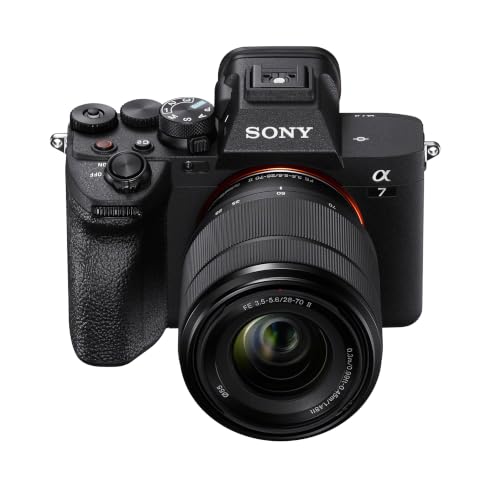
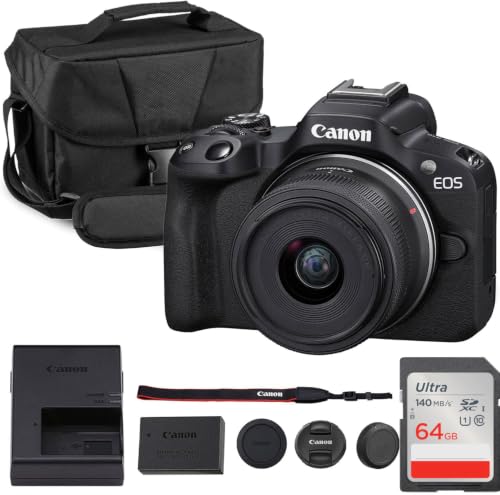
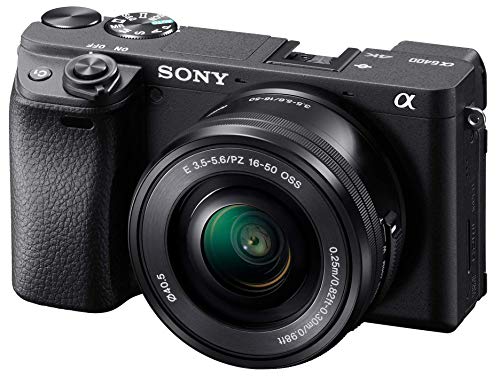
This guide starts with the basics, explains each spec in plain English, and ends with a first session routine you can copy. The comparison table below sums up the main camera types so you can see where each one fits before you spend anything.




Cameras 101: The Basics
Photographing art is copy work. The camera sits square to a flat piece, the light falls evenly from both sides, and the goal is a file that matches the original as closely as possible. That goal changes what matters. General guides to the best cameras for photography rank autofocus speed and video first, while copy work ranks color and controlled light above both.
Most guides to the best digital cameras also assume a moving subject, but your subject holds still, which makes a tripod and careful setup worth more than fast burst rates.
Almost any current camera type can do this job: mirrorless bodies, DSLRs, advanced compacts, and even phones. The differences show up in color control, lens quality, and how large you can print the result.
Key Specs Explained in Plain English
Read these specs in order. The first three decide whether your file tells the truth about the piece.
Color Accuracy Comes First
Color accuracy governs copy work, because a buyer or juror often sees the file before the original. Choose a camera that shoots RAW files, since RAW keeps the color data you need to correct white balance precisely with a gray card. Faithful color profiles and a screen you can trust matter more than vivid default settings, which push reds and blues past the truth. If a listing brags about rich, punchy color, treat that as a warning for art rather than a feature.
Even Lighting and Glare Control
Flat, even light from two sides governs glare, and glare is the first enemy of a good copy shot. Two matched lights placed at equal angles, about 45 degrees from the piece, cancel reflections that a single lamp creates. Your camera helps when its live view shows hot spots as they happen, so you can shift a light before shooting the full set. The same care with angles explains the advice in our guide to the best cameras for photographing jewelry, where shiny surfaces punish careless light.
Resolution and Print Size
Resolution governs print size, so match megapixels to the largest print you plan to sell or hang. A 24 megapixel file prints cleanly at about 20 by 13 inches, and viewers standing back accept larger sizes from the same file. More megapixels also give room to crop out a crooked edge without dropping below print quality. Readers planning editions can compare print focused options in our guide to the best cameras for photographing artwork.
Sensor Size and Image Quality
Bigger sensors collect more light, but copy work happens at low ISO under controlled light, where even a one inch sensor stays clean. APS C is the sweet spot for most artists, pairing affordable lenses with files that print large. Full frame earns its cost when you also shoot portraits or dim gallery events. Megapixels alone do not set quality, since a clean 24 megapixel file from a steady tripod beats a shaky 45 megapixel one.
Lens Choice for Flat Artwork
A copy lens should draw straight lines straight. Look for low distortion and even sharpness to the corners, traits common in modest prime lenses around 50 mm on full frame or 35 mm on APS C. Kit zooms work if you use their middle focal lengths and stop down to about f/8, where most lenses sharpen up. Avoid ultra wide lenses for flat work, since they bend edges and stretch corners.
Tripod Friendly Focus and Power
On a tripod, autofocus matters less than precise manual focus with a magnified live view, which lets you confirm sharpness on a single brushstroke. Turn stabilization off on a solid tripod, because some systems hunt and soften the shot. For power, USB C charging or a dummy battery keeps a long copy session running without swaps. One charged battery still covers about 300 to 500 frames for most shooters.
Rookie Mistakes to Avoid
- Shooting at an angle, then fixing perspective later and losing resolution along the edges.
- Trusting auto white balance under warm room lights, which shifts every color in the piece.
- Using the widest aperture, where corners go soft, instead of stopping down for even sharpness.
- Skipping the tripod and raising ISO, which adds grain to smooth painted skies and skin tones.
- Judging color on an uncalibrated phone screen before sending files off to print.
Getting Started: Setup and First Use
Hang the piece flat and vertical, then set the camera on a tripod at the height of its center and square the body to the surface. Place two matched lights at equal distances and angles, and shoot a gray card frame before the real exposure. New buyers, including readers comparing the best cameras for art students, can run this same first session with a single painting before tackling a full portfolio. Keep a lens cloth, not your shirt, beside the tripod, and carry a spare battery so a flat cell never ends the session.
FAQs
What features matter most in cameras for photographing art?
Color accuracy, a low distortion lens, and solid tripod support matter most, because together they decide whether the file matches the piece. One tool the spec sections skip is a remote shutter or a two second timer, which removes the shake your finger adds when pressing the button. That small habit sharpens more files than a sensor upgrade. Add it to your routine from the first session.
What specs matter most for beginners photographing art?
Beginners should look for RAW capture, a tilting screen, and simple manual controls before chasing megapixels. The tilting screen earns its place at the tripod, since it lets you check framing and focus without kneeling behind the camera. A modest kit zoom used at its middle range is fine for a first portfolio. Spend the leftover money on lights, which shape results more than body features do.
Which camera setup works better in low light for artwork?
A tripod setup works better than any high ISO mode, because artwork does not move and a long exposure costs you nothing in quality. Rather than raising ISO and adding grain, open the shutter longer or add a second light. Keep ISO at its lowest native setting for copy work. This is the one genre where dim rooms are a minor problem, solved with time instead of money.
How much should I spend on my first camera for photographing art?
About $400 to $900 covers a capable first setup, new or used, with a kit lens that handles copy work well. Put lights and a tripod ahead of a pricier body in the budget, since even light improves files more than extra megapixels. Many artists shoot a full portfolio on this class of gear. Upgrade the lens first when print sizes grow, not the camera.
Is a smartphone enough for photographing art?
A smartphone is enough for a web portfolio when you control glare and square the phone carefully to the piece. Its limits show in edge distortion and in processing that quietly boosts contrast and saturation beyond the original. If your phone offers a RAW mode, use it, and lock the white balance before shooting the set. For prints and juried submissions, a dedicated camera still gives cleaner, calmer files.
Final Thoughts
Start with color, light, and a steady tripod, and the camera choice gets much simpler. The product table above shows how the main types compare on those points. Pick the best cameras for photographing art for the size you print and the room you shoot in, and your files will finally match the piece on the wall.