
Best Cameras for Makeup Tutorials: Budget, Midrange, and Premium Guide for 2026
Disclosure: We may earn a commission when you buy through links on this page, at no extra cost to you. As an Amazon Associate I earn from qualifying purchases. Learn more

Compare cameras for makeup tutorials by budget, color accuracy, autofocus and screen type, so you can pick the right tier for your desk and filming style.
A makeup tutorial lives or dies on small details. Viewers need to see the true shade of a foundation and the edge of a blended shadow without guessing. The best cameras for makeup tutorials protect those details with honest color, focus that follows your face while your hands move, and a screen you can check without leaving your chair. Price alone guarantees none of that, so this guide sorts choices by what each budget actually buys.
Start with how you film. A creator who records short seated lessons at a vanity needs different strengths than an artist who films long client sessions or streams live. Use the comparison table below to compare sensor size, screen style, and recording limits, then read on for the features that matter at a makeup desk.
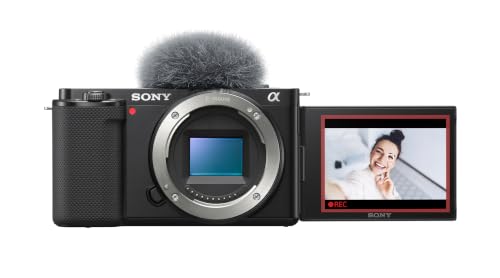


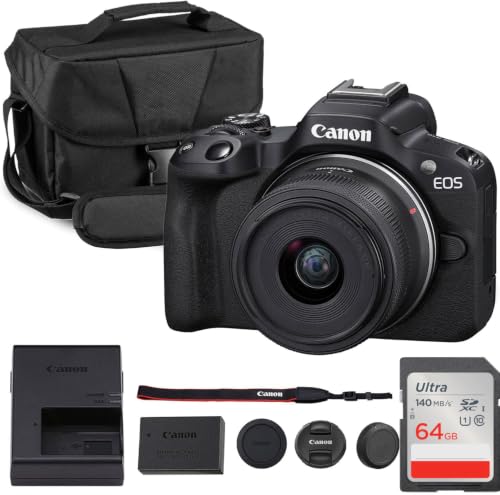
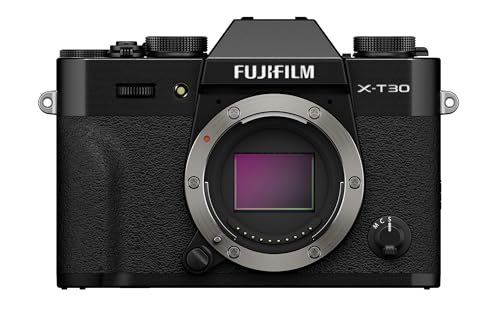


Who Should Buy Which Camera for Makeup Tutorials?
Your filming routine and room size shape the right choice more than any single spec.
New Creators Filming Short Lessons at a Vanity
If you post a few short lessons each month from a small desk, you need a camera that starts fast and forgives simple lighting. Look for reliable face detection, a screen that flips toward you, and clean 1080p video. A compact body with a built in lens keeps the setup small. You can accept a smaller sensor if your room has a bright window or a soft panel light.
Growing Creators Posting Weekly Tutorials and Live Sessions
Creators who publish every week need consistency more than novelty. You benefit from 4K recording for cropping a wide shot into a closer view in editing, a microphone input for clearer voice, and power from a wall outlet during long sessions. Clean output over HDMI matters if you stream. At this level the best cameras for makeup tutorials earn their price through fewer retakes and steadier focus during application.
Professional Makeup Artists Filming Client Work
Artists who film paying clients need color they can trust and a camera that never stops mid session. Prioritize a larger sensor, strong manual white balance controls, and lenses you can swap for wide or tight shots. If your work also includes portfolio stills, see our guide to the best cameras for makeup artist for how the two needs overlap. Plan for a sturdy tripod and, where available, two card recording.
Key Features to Compare
Five factors decide whether tutorial footage looks true to life.
Color Accuracy and Manual White Balance Control
Color is the core promise of a tutorial, because viewers shop based on the shade they see. Manual white balance lets you lock the setting to your main light, so foundation does not shift as clouds move. Look for settings that keep skin tones natural without pushing saturation, and a custom option you can set from a gray card. Creators who also shoot stills can compare approaches in our guide to the best cameras for makeup photography.
Face and Eye Autofocus While Your Hands Move
During application your hands cross your face and brushes block an eye many times in one minute. Good eye autofocus finds your eye again after each blockage without hunting across the background. Check that focus tracking stays active in video mode, not only for photos, and that tapping the screen moves focus to a product in your hand. If focus pumps when you reach for a palette, viewers lose the shade story.
Flip Screen and Framing From a Seated Position
A screen that rotates to face you lets you check framing and exposure without standing up or adding a monitor. A fully rotating screen also helps for a top down shot of a palette. Check that the screen stays visible when a microphone or light sits on top, since some designs block the view. Touch focus on that screen speeds up setup, and good brightness helps under vanity bulbs.
Sensor Size and Results Under Vanity Lighting
Sensor size shapes how clean footage looks when light is soft and close. A larger sensor gathers more light, so skin texture stays smooth at lower sensitivity settings and backgrounds soften. A smaller sensor can still work if your lighting is strong and even, but it shows more grain when you dim the room for an evening look. Match the sensor to your worst lighting case, not your best.
Lens Choice and Close Focus for Detail Shots
Your lens decides how much of your desk fits in frame and how close you can show a brush tip. In a small room, a wider lens around 16 to 24 mm in full frame terms keeps your shoulders and products in view from a short distance. For detail inserts, check the minimum focus distance, because some lenses cannot focus on a compact held close to the glass.
What Each Camera Budget Adds for Tutorial Filming
Camera prices spread widely, but the gains at each step are specific.
Budget Tier: Clean Basics for About $300 to $600
At about $300 to $600 you get solid 1080p video, basic face detection, and either a fixed lens compact or an entry body with a kit lens. Screens often tilt rather than fully rotate, and microphone inputs may be missing. This tier suits new creators with good light who film short clips. Spend the savings on a soft light and a stable tripod first, because those improve budget footage more than a small step up in body price.
Midrange Tier: 4K, a Mic Input, and Focus You Can Trust
At about $600 to $1,200 the meaningful upgrades arrive together. Most cameras here record 4K, track eyes reliably in video, include a microphone input and a rotating screen, and offer better color control. Heat handling improves, so a full lesson records in one take more often. This is the tier where most channels stop needing workarounds. If you also publish shorter clips, see our guide to the best cameras for makeup videos for format ideas.
Premium Tier: Larger Sensors and Room to Grow
Above about $1,200 you pay for larger sensors, richer color depth in the video files, stronger heat management, and lens systems with many options. Footage tolerates heavier editing, and skin tones stay smooth in mixed light. This tier fits professionals whose footage earns income. It does not fix poor lighting or messy audio, so budget for those too. Buyers comparing broader types can read our overview of the best cameras for makeup.
Common Mistakes to Avoid
- Relying on full auto white balance makes foundation shades drift between clips, so viewers cannot trust the color you describe.
- Placing the camera too far away wastes resolution on the room, so blending edges become too small to judge.
- Skipping a focus test with brushes crossing your face leads to soft footage during the moments viewers watch most closely.
- Recording a long tutorial on battery power alone risks a shutdown near the final steps, so the ending must be filmed again.
- Buying a premium body before improving your main light leaves skin texture looking harsh, so the upgrade never shows on screen.
Care and Maintenance for Tutorial Cameras
Makeup rooms are hard on cameras. Powder and spray settle near a vanity, so wipe the body with a dry soft cloth after filming and keep cosmetics away from the lens mount. Clean the front glass with a blower first and a lens cloth second, because dragging dry powder across glass can scratch the coating. Store the camera away from your product shelf.
Check the sensor with a test shot against a plain wall every few weeks, since one dust spot shows in every video. Format memory cards in the camera after each upload, keep two batteries in rotation, and update camera software when the maker releases focus or heat fixes. Inspect tripod plates monthly, because a loose plate can tilt the frame during a long recording.
FAQ
What resolution do makeup tutorial cameras need for clear blending detail?
1080p is enough for clear blending detail when the camera sits close and the light is even. Choose 4K if you want to crop a wide framing into a closer view in editing. Note that 4K files need more card space and can shorten recording time on bodies with strict heat limits, so test a full session first.
Can makeup tutorial creators film well without a flip screen?
Yes, makeup tutorial creators can film without a flip screen by using a phone or small monitor connected to the camera. That screen adds cables, setup time, and its own power needs. Many creators accept the tradeoff on a fixed desk, but a rotating built in screen is simpler for anyone who changes angles often.
Which lens focal length suits a small vanity desk for makeup tutorials?
A lens around 16 to 24 mm in full frame terms suits a small vanity desk because it frames your face, shoulders, and products from about an arm length away. On smaller sensors the matching numbers are lower, so check the equivalent view rather than the printed number. Test framing at your real desk depth before buying, since a lens that feels right in a store can feel too tight once a mirror and lights fill the space.
How long can a camera record one makeup tutorial without stopping?
Recording length varies by model and room warmth, and many cameras stop between about 30 minutes and a few hours. Makers publish limits, but heat from vanity lights can shorten them. Run a trial at your highest settings with your lights on, and plan chapter breaks before the stop point. A power adapter removes battery limits but not heat limits.
Do makeup tutorial cameras need a microphone input?
A microphone input is not required, but it gives clearer voice than a built in microphone. An external microphone placed closer to you picks up less room echo and less desk noise. If a camera lacks an input, a separate audio recorder works, though you must sync the sound in editing.
Wrapping Up
Choose by color first, focus second, and screen third, then let your budget tier decide the rest. New creators can start small with good light, weekly creators gain most from the midrange step, and professionals should pay for sensor size and reliability. When you compare the best cameras for makeup tutorials for your desk, test framing at your distance, and check the product table above.
