
Best Cable for 4K Security Cameras 2026: Every Type Explained Side by Side
Disclosure: We may earn a commission when you buy through links on this page, at no extra cost to you. As an Amazon Associate I earn from qualifying purchases. Learn more

Learn how to choose the best cable for 4k security cameras by comparing Ethernet and coax types, run length, shielding, PoE power and jacket ratings.
A 4K camera can only deliver the detail you paid for if the cable feeding it carries a clean signal and steady power. Choosing the best cable for 4k security cameras confuses many buyers because stores list Ethernet, coax and power cables side by side with little explanation of which system each one fits. The right choice depends on your camera type and the length of each run.
This guide compares each cable type in plain terms, then walks through bandwidth, power delivery and jacket ratings. Use the comparison table below to match a cable type to your layout before you buy in bulk.


Who Should Buy Which Cable for a 4K Camera System?
Homeowners Wiring New PoE Cameras
If you are installing new cameras that draw power over Ethernet, standardize on one cable type for every drop so runs stay consistent. Confirm your camera picks from our guide to the best security cameras 4k support PoE before you order. One bulk box costs less per foot and leaves spare cable.
Owners Upgrading an Older Coax System
Homes with existing coax runs from an older DVR system can often reuse that wiring with HD over coax cameras or baluns that send network signals over coax. Reuse only works when the old cable is intact, with no splices hidden in walls. Test the longest run first, because it reveals weak signal problems before the others do.
Owners Running Long Outdoor Lines
Detached garages, barns and gate cameras push runs toward their length limits and expose jackets to sun, moisture and soil. You need cable rated for outdoor or burial use, plus a plan for keeping every run within its limit. Where one run would exceed that limit, a switch partway along the route beats hoping extra long copper holds a stable picture.
Types of Cables Compared for 4K Cameras
Three cable families cover nearly every 4K install. Ethernet carries data and power for IP cameras, Siamese coax serves HD over coax cameras, and separate power cable supports cameras that keep data and power apart. Matching the family to your system matters more than any spec, because the wrong family will not connect at all.
Ethernet Cable for PoE IP Cameras
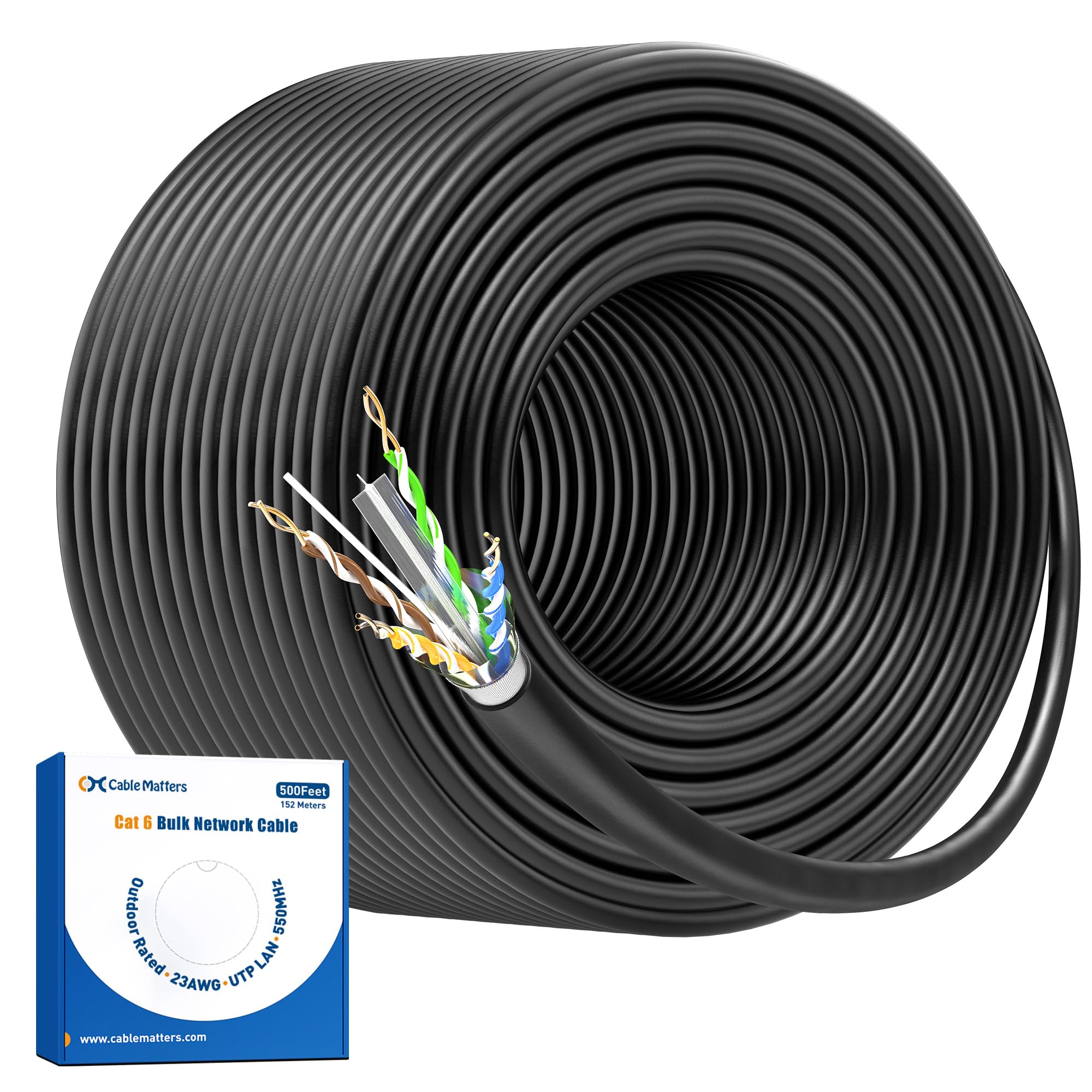
Ethernet is the default choice for modern 4K IP cameras because one cable carries the video stream and the power through PoE, so each camera needs a single run. Cat6 is the common pick, and Cat5e works on short runs. For a deeper category comparison, see our guide to the best ethernet cable for 4k security cameras. Bulk solid copper cable terminated on site fits custom lengths best, while patch cords suit short runs inside one room.
Siamese Coax Cable for HD over Coax Cameras
Siamese cable pairs an RG59 coax core for video with two power conductors bonded alongside it, so one pull feeds signal and power to an HD over coax camera recording to a DVR. Picture quality depends on the camera standard and recorder, and long coax runs lose fine detail sooner than Ethernet does. Keep BNC connectors clean and tight, because a loose fitting is the most common cause of flicker.
Separate Power Cable and Short Extension Runs
Some cameras, especially WiFi models used outdoors, still need a wired power feed even though video travels through the air. A two conductor low voltage cable, often 18 AWG, carries power from an adapter or central supply to each camera. Voltage drop grows quickly on thin wire, and a long thin run can starve a camera at night when its lights draw more current. Size the wire for the longest run.
Key Features to Compare
Once the cable family matches your cameras, compare the specs below. Choosing the best cable for 4k security cameras comes down to these factors far more than to brand names, because each one affects your longest run.
Bandwidth and Cable Category
A 4K stream typically uses about 8 to 16 Mbps depending on compression and frame rate, yet interference and poor terminations eat into that headroom fast. Cat5e supports one gigabit up to 100 meters and handles most single camera runs. Cat6 adds tighter twists that resist interference, and Cat6a extends that margin to the full 100 meters.
Power Delivery and Voltage Drop
PoE sends power and data on the same Ethernet cable, and standards such as 802.3af and 802.3at define how many watts reach the camera. Every foot of cable resists current a little, so voltage falls along the run. Pure copper reduces that loss. Cameras with heaters or motorized zoom draw the most power, so check the watt rating of your hungriest camera against your switch budget.
Maximum Run Length
Ethernet standards set 100 meters, about 328 feet, as the longest channel for a reliable link, patch cords included. Past that distance the signal weakens and packets drop. Coax limits vary by camera standard, and detail loss appears before total failure. Measure your longest route along the real path, then add about 10 percent for slack.
Conductor Material and Shielding
Solid pure copper conductors carry PoE power with less heat and less voltage loss than copper clad aluminum, a thin copper layer over an aluminum core. Copper clad aluminum also turns brittle at connectors, so avoid it even when the price tempts you. Shielded cable adds a foil or braid layer that drains interference from power lines and motors. Shielding only works when connectors and grounding are also shielded, so most homes do fine with unshielded cable.
Jacket Rating for Indoor and Outdoor Runs
The jacket decides where a cable may safely run. Riser rated cable suits vertical runs between floors, and plenum rated cable is required in air handling spaces under many local codes, so check local rules before ordering. Outdoors, choose a sunlight resistant jacket and burial rated cable underground. Cameras mounted outside, such as those in our guide to the best 4k outdoor security cameras, also need drip loops and sealed connections.
How to Plan and Install a 4K Camera Cable Run
Start with a sketch of every camera position, the recorder location and the route between them, then measure each route along the real path. Leave a service loop of about 2 to 3 feet at each camera, label both ends of every run, and avoid sharp bends and routes running close to power wiring, because tight bends and interference both degrade a 4K stream.
Terminate each run with care, keeping wire twists intact right up to the connector, and test every finished run with a cable tester before mounting the camera. A tester catches a split pair that would pass power yet corrupt data. If you are still deciding between cable families, our overview of the best cable for security cameras explains how the types divide by system. Try one camera on its longest run overnight, since low light raises power draw.
Common Mistakes to Avoid
- Buying copper clad aluminum cable to save money, which raises voltage drop and can leave far cameras rebooting.
- Guessing run lengths from room dimensions, which understates the real path and produces runs past the Ethernet limit.
- Running indoor rated cable outdoors, which lets sun and moisture crack the jacket and corrode the conductors.
- Untwisting long sections of wire at connectors, which invites interference and turns a sharp 4K picture unstable.
- Powering every camera from one small supply without adding up the watt draw, which overloads it when infrared lights switch on.
- Burying plain cable in soil, which exposes the jacket to moisture and garden tools.
Care and Maintenance of Camera Cable Runs
Cable needs little routine care once installed well, but a yearly walk of the visible runs catches problems early. Look for cracked jackets on sun exposed sections, corrosion on outdoor connectors and loose fittings. Keep spare slack coiled rather than kinked, and reseal outdoor junction boxes whenever you open them.
Frequently Asked Questions
What features matter most in cables for 4k security cameras?
Conductor material, category rating and jacket type matter most. Pure copper conductors protect PoE power delivery, a Cat6 rating gives a 4K stream clean headroom, and the jacket must match where the cable runs. Buyers also miss termination quality: a modest cable finished carefully beats a premium cable with sloppy connectors.
Is Cat5e cable enough for a 4K PoE security camera?
Yes, Cat5e is enough for most single 4K camera runs. A typical 4K stream uses far less than the one gigabit Cat5e carries over the full 100 meter limit, and PoE power travels fine on solid copper Cat5e. Choose Cat6 instead when the run passes near heavy electrical interference.
How far can I run cable for a 4K security camera?
Plan on 100 meters, about 328 feet, as the longest Ethernet run, patch cords included. Beyond that point, use a switch partway along the route, a PoE extender, or a fiber link for very long spans to a barn or gate. Each option adds a powered device along the path, so confirm a power source at the midpoint first.
Can a wired 4K security camera record without an internet connection?
Yes, a wired camera can record with no internet connection at all. Cable runs back to a network video recorder store footage on local storage inside your home, and you view it on a monitor or your home network. Internet access only adds remote viewing and cloud storage options. Local recording also continues during an internet outage.
When should I replace a cable run for a 4K security camera?
Replace a run when the picture freezes or drops on one camera only and swapping patch cords and ports does not fix it. Jacket cracks, corroded connectors and a failed cable tester result also call for replacement rather than repair, because faults inside a wall rarely stay small. If the cable tests clean, suspect the camera or its power supply first.
Final Thoughts
Match the cable family to your camera system first, then judge category, conductor material and jacket rating against your longest run. Ethernet in solid copper Cat6 covers most new 4K installs, and honest measurements prevent nearly every common failure. When you order, the best cable for 4k security cameras for your home is the one sized for your worst run, not your easiest one, so compare your plan against the product table above before you buy.


