Best Budget Graphics Card: Every Type Explained Side by Side
Disclosure: We may earn a commission when you buy through links on this page, at no extra cost to you. As an Amazon Associate I earn from qualifying purchases. Learn more

The best budget graphics card by type: Intel Arc, Radeon, GeForce and low profile cards compared for 1080p and 1440p.
The graphics card decides how good games look and how smoothly they run, and it is usually the most expensive part of a gaming PC. Prices have climbed over the past few years, so finding a card that plays modern games well without blowing your budget takes some care. Budget graphics cards now include Intel Arc cards with generous memory, AMD Radeon cards with strong raster performance, NVIDIA GeForce cards with DLSS upscaling and low profile cards for small PCs. This guide to the best budget graphics card options compares each type side by side, so you can choose the right card for your PC and budget.
We cover the main types of budget cards, how mainstream and small form factor options compare, how to choose, tips to get more from your card and common questions. Every card in the table above is sold new on Amazon US. GPU prices change often, so compare current prices before buying, and check that your power supply, case and motherboard support the card.



Types of Budget Graphics Cards Compared
The main types of budget graphics cards are entry 1080p cards, mainstream 1440p capable cards, upper budget cards with more memory and low profile cards for small form factor PCs. Entry cards suit 1080p gaming at modest settings, mainstream cards suit high settings at 1080p and entry 1440p, upper budget cards suit 1440p and longer life and low profile cards suit slim office PCs and compact builds.
| Type | Best For | Pros | Cons | Typical Price |
|---|---|---|---|---|
| Entry 1080p (Arc B570, RX 7600) | 1080p gaming on a budget | Low price, efficient | Limited for 1440p | around $290 to $350 |
| Mainstream (Arc B580, RTX 4060) | 1080p high, entry 1440p | Good balance, modern features | 8 to 12GB memory | around $310 to $530 |
| Upper budget (RX 9060 XT 16GB, RTX 5060 Ti) | 1440p, longer life | More memory, newer architecture | Higher price | around $520 to $680 |
| Low profile (RTX 3050 LP, RX 550 LP) | Small form factor PCs | Fits slim cases | Lower performance | around $120 to $330 |
Entry 1080p Cards
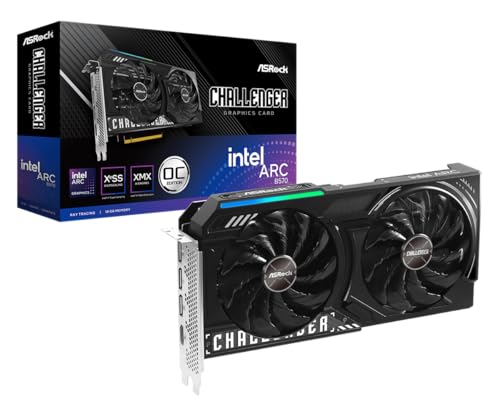
Entry cards are the best fit for players who game at 1080p and want the lowest cost. The ASRock Intel Arc B570 Challenger, at around $290, offers 10GB of GDDR6 on a 160 bit bus, Intel's Xe2 architecture with XeSS 2 upscaling, a dual fan cooler with 0dB silent mode and three DisplayPort 2.1 outputs plus HDMI 2.1a, according to ASRock. The XFX Radeon RX 7600, at around $350, offers 8GB of GDDR6 with AMD's RDNA 3 architecture.
These cards run popular esports and many modern games well at 1080p, especially with upscaling enabled. The Arc B570's 10GB of memory gives it extra headroom for newer games with large textures.
The trade off is limited performance at 1440p and in the most demanding new releases at high settings. Intel Arc cards also work best on newer systems with Resizable BAR enabled, so check your motherboard and BIOS settings.
Mainstream Cards: Arc B580 and RTX 4060
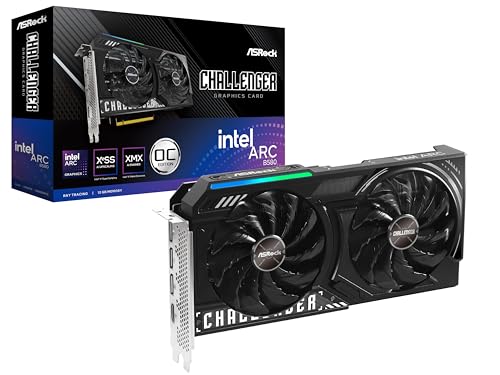
Mainstream cards suit players who want high settings at 1080p and playable 1440p. The ASRock Intel Arc B580 Challenger, at around $310, offers 12GB of GDDR6 on a 192 bit bus, a 2,740 MHz GPU clock and XeSS 2 support, and ASRock lists a 249mm length, one 8 pin power connector and a 650W power supply requirement. The Gigabyte GeForce RTX 4060 Windforce, at around $530, offers 8GB of GDDR6 with DLSS 3 and ray tracing support.
The Arc B580's 12GB of memory stands out at this price, while NVIDIA cards offer DLSS, which is supported in a very large number of games, and strong efficiency.
Choose based on the games you play: titles with DLSS support favor NVIDIA, while games that need more memory favor the Arc B580.
Upper Budget Cards: RX 9060 XT 16GB and RTX 5060 Ti
Upper budget cards suit players who want 1440p gaming and a card that stays relevant longer. The ASRock Radeon RX 9060 XT Challenger 16GB, at around $520, uses AMD's RDNA 4 architecture with 32 compute units, 3rd generation ray tracing, 16GB of GDDR6 at 20 Gbps and a boost clock up to 3,290 MHz, according to ASRock. The ASUS TUF Gaming RTX 5060 Ti 8GB, at around $680, offers NVIDIA's newer architecture and DLSS 4 support.
16GB of memory helps with high resolution textures in new games and gives the card more years of useful life. The XFX Swift RX 9060 XT, at around $530, is another 16GB option with a different cooler design.
These cards cost more but often deliver the best value per year of use for players who upgrade infrequently.
Low Profile Cards for Small Form Factor PCs
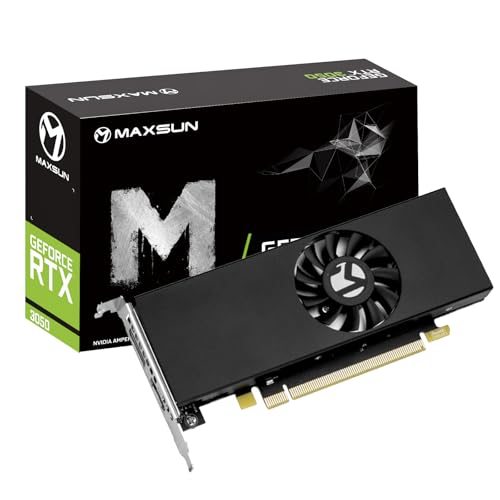
Low profile cards suit slim desktops and compact builds that cannot fit full size cards. The maxsun GeForce RTX 3050 6GB low profile, at around $330, measures about 6.65 by 2.71 inches, uses PCIe 4.0 x8 and offers HDMI 2.1 and DisplayPort 1.4a outputs, according to maxsun. The maxsun Radeon RX 550 low profile, at around $122, suits light gaming, media and multi monitor office use.
Low profile cards turn office PCs into light gaming machines, but check your power supply, since many slim PCs have limited wattage and no PCIe power connectors.
Performance is lower than full size cards, so expect lower settings in modern games.
Mainstream Cards vs Low Profile Cards: Which Should You Choose?
Choose a mainstream or upper budget card if your PC has a standard ATX or micro ATX case with room for a dual slot card, a power supply of 550 to 650W or more with the right connectors and you want the best performance per dollar.
Choose a low profile card if you have a slim office desktop or a compact case that only fits half height cards, or if your power supply is small. Low profile cards make sense for upgrading an existing small PC on a budget.
If you are building a new PC, a standard case with a mainstream card almost always delivers more performance for the money than a small form factor build.
For prebuilt systems, check the GPU before buying; many budget prebuilts use RTX 3050 or RTX 4060 class cards.
How to Choose the Best Budget Graphics Card
To choose the best budget graphics card, match the card to your monitor's resolution and refresh rate, check memory and features, then confirm your power supply, case and CPU can support it.
What You Can Realistically Get on a Budget
Around $300 buys solid 1080p performance with cards like the Arc B570 and B580. Around $500 to $550 buys stronger 1080p and entry 1440p with cards like the RX 9060 XT 16GB and RTX 4060. Above around $650, cards like the RTX 5060 Ti push 1440p further. Upscaling technologies like DLSS, FSR and XeSS help every tier run demanding games smoothly.
Set realistic expectations: budget cards target 60 frames per second or more at 1080p in most games, often with settings at medium or high and upscaling enabled. Competitive games like esports shooters run far higher frame rates, which suits 144Hz and 165Hz monitors.
VRAM and Memory Bus
Video memory holds textures and game data. 8GB is enough for many 1080p games, while 10 to 16GB gives more headroom for new releases and 1440p. The Arc B570 offers 10GB, the B580 12GB and the RX 9060 XT 16GB, which helps them age well.
CPU and GPU Pairing
A budget GPU pairs well with a modern 6 core CPU. Very old CPUs can limit performance, especially in games that need high frame rates. Check whether your platform supports PCIe 4.0 or 5.0; cards like the RTX 3050 low profile use PCIe x8, which loses some performance on older PCIe 3.0 boards.
Also make sure your PC has at least 16GB of system memory, since modern games use plenty of RAM alongside video memory.
Power Supply and Size
Check the card's length, slot width and power requirements. ASRock lists 249mm length, one 8 pin connector and a 650W recommended supply for the Arc B580. Make sure your case has clearance and your power supply has the right connectors and enough wattage.
Cooling and Noise
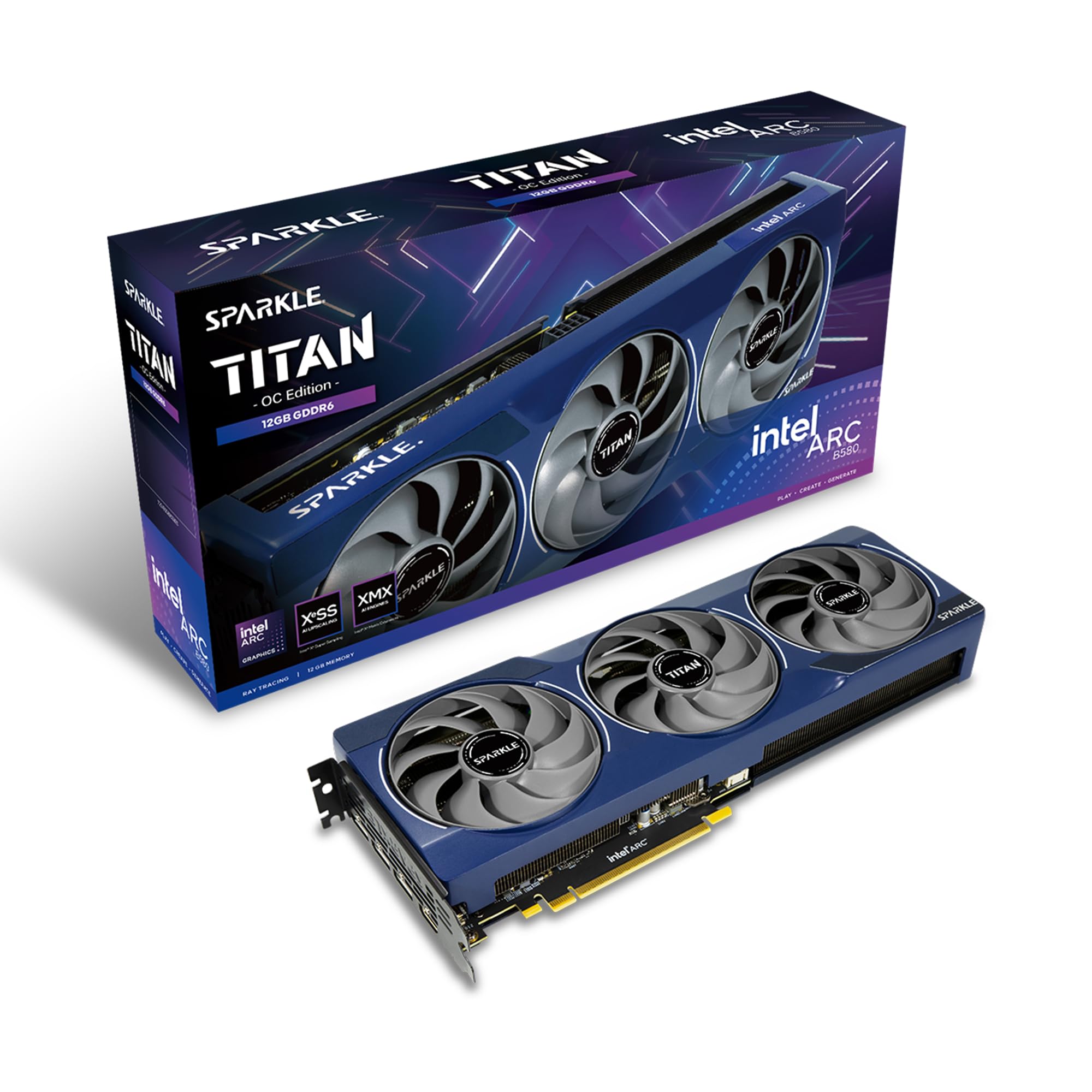
Dual fan coolers, like ASRock's Challenger cards, handle budget GPUs well, and 0dB modes stop fans at idle for silent desktop use. Triple fan models run cooler and quieter under load but need longer cases. Good case airflow matters as much as the card's cooler.
Check reviews of the specific cooler model, since the same GPU from different brands can run hotter or louder. Dual fan cards suit most mid tower cases, while compact cases may need shorter cards with a single fan.
Warranty, Support and Drivers
Warranties vary by brand, so check coverage length and support options. Driver updates improve performance over time; Intel Arc drivers in particular have improved significantly, and all three makers release regular updates for new games.
Register the card with the maker after purchase and keep the box for the warranty period, which simplifies returns or repairs if a fan or the card fails.
Tips to Get the Most From Your Graphics Card
Install the latest drivers from NVIDIA, AMD or Intel. Enable Resizable BAR in your BIOS, which Intel Arc cards especially benefit from. Use upscaling like DLSS, FSR or XeSS to boost frame rates.
Connect your monitor to the graphics card, not the motherboard's video port. Keep the case dust free and fans unobstructed. Set an FPS cap near your monitor's refresh rate to reduce heat and noise.
Monitor temperatures with the driver software or a free utility during your first gaming sessions. A budget card running in the 60s to 70s Celsius under load is normal; much higher temperatures suggest airflow problems in the case.
FAQs
What GPU do I need for 1440p?
For 1440p, aim for upper budget cards like the RX 9060 XT 16GB or RTX 5060 Ti, or use upscaling with mainstream cards like the Arc B580. More memory helps at 1440p in new games.
How much VRAM do I need for gaming?
8GB handles many 1080p games, 10 to 12GB adds headroom for new releases and 16GB suits 1440p and longer card life. Lower texture settings help cards with less memory.
If a game warns that you are exceeding video memory, lower texture quality first; it usually has the biggest effect on memory use with modest visual impact.
Is Intel Arc good for gaming?
Yes, Intel Arc B570 and B580 cards offer strong value with generous memory and XeSS upscaling. They perform best with Resizable BAR enabled and updated drivers on newer systems.
Older DirectX 9 and 11 games have improved greatly on Arc with driver updates, though a few older titles may still run better on AMD or NVIDIA cards.
How long will a budget graphics card stay relevant?
A budget card typically plays new games well for three to five years at reducing settings. Cards with more memory, like 12 to 16GB models, tend to last longer.
Driver support and upscaling updates also extend useful life.
Is it cheaper to buy a prebuilt PC with a GPU?
Sometimes. Prebuilt PCs can bundle GPUs at good prices, but check the exact card, power supply quality and upgrade options. Building your own lets you choose each part.
Final Thoughts
The best budget graphics card matches your resolution and PC. The Intel Arc B570 and RX 7600 suit 1080p on a tight budget, the Arc B580 and RTX 4060 offer mainstream balance, the RX 9060 XT 16GB and RTX 5060 Ti suit 1440p and longer life and low profile cards like the maxsun RTX 3050 suit small PCs. Check your power supply and case before buying.
For more PC gaming guides, see the best gaming pc prebuilt, the best gaming ssd, the best 240hz monitors and the best vr headset for pc. Then compare current prices in the product table above.