
Best Beginner Gaming Keyboard and Mouse in 2026: What Actually Matters Before You Buy
Disclosure: We may earn a commission when you buy through links on this page, at no extra cost to you. As an Amazon Associate I earn from qualifying purchases. Learn more
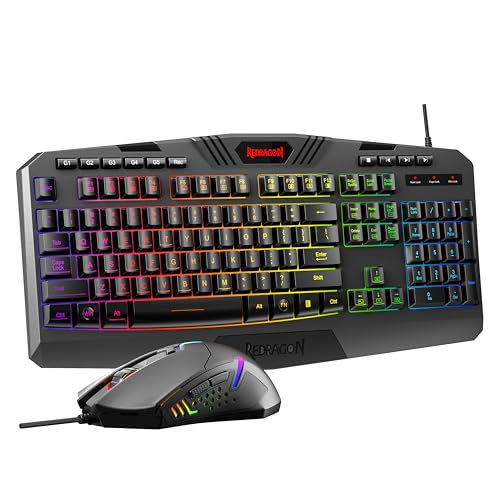
Compare the best beginner gaming keyboard and mouse combos by switch feel, mouse sensor, connection and size, with a simple checklist for your first desk.
Your first gaming set should feel clear and easy. The best beginner gaming keyboard and mouse pair gives you readable keys, trusted clicks and a mouse that tracks where your hand aims. This checklist style guide shows what to compare in the comparison table below, and what you can ignore for now.
Start with fit, connection and control. A keyboard that suits your desk and a mouse that suits your hand will help you more than bright lighting or a long spec list. The sections below match each choice to your games, your device and your budget.
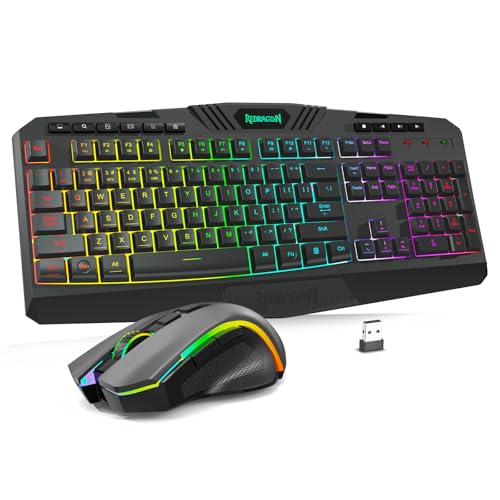
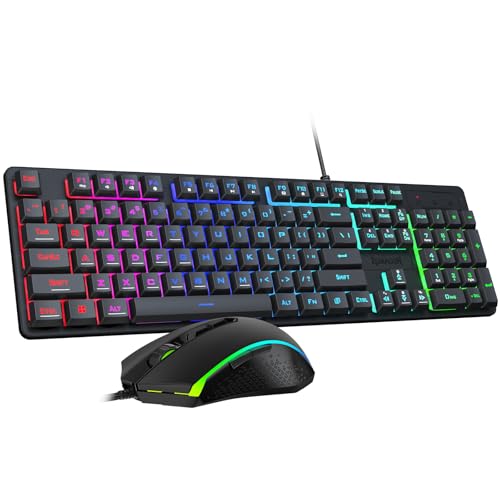
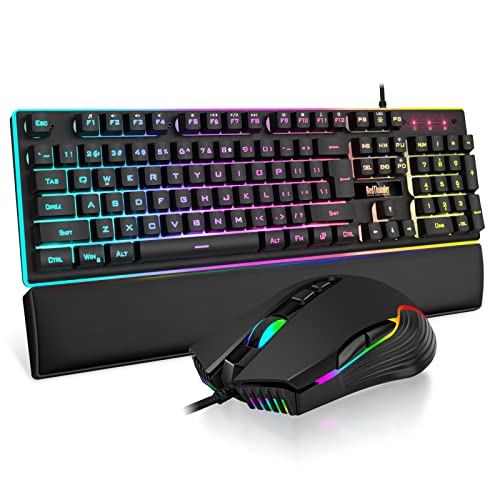

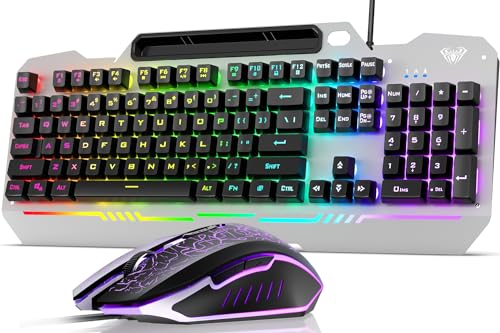


Who Should Buy Which Beginner Gaming Keyboard and Mouse Set?
Beginners are not all starting from the same place. Your device, desk space and first games should shape the set you choose.
First PC Gamers Building a First Desk
You are moving from a laptop keyboard or a plain office set and want gear made for play. Choose a wired or wireless combo with clear key legends, simple media keys and a mouse with two side buttons. Skip complex software. You need a set you can plug in, understand in one evening and adjust later.
Laptop Players Short on Desk Space
Your screen sits close and your desk may also hold books and a stand. A compact keyboard in a 75 percent or tenkeyless layout leaves real room for mouse movement, which matters more than a number pad for most games. Pair it with a medium mouse and a plain pad. For deeper keyboard only guidance, see our guide to the best gaming keyboards for beginners before you decide on layout alone.
Console Players Adding a Keyboard and Mouse
You play on a console but some games support keyboard and mouse input from a couch or a small desk. Your first job is checking game by game support, since the console alone does not grant it. Choose a wireless set with a shared receiver if ports are few, and a mouse that works well without a large pad.
Key Features to Compare
Work through these six factors in order. They cover feel, connection and how long the set should serve you.
Switch Type and Key Feel for New Players
Mechanical switches give clear feedback and each key stands on its own switch, so a worn key matters less than on a membrane board where keys share one sheet. Linear switches move straight down, tactile switches add a small bump and clicky switches add sound housemates may dislike. PBT keycaps resist shine and keep legends readable longer than basic ABS caps. Hot swappable boards let you change switches without soldering.
Mouse Sensor, DPI and Polling Rate
DPI sets how far the pointer moves for each inch your hand travels. Most new players aim best at about 800 to 1600 DPI in fast games, even when a sensor advertises far higher numbers, since lower settings give your arm room to correct aim. A polling rate of 1000 Hz means the mouse reports position about one thousand times each second, keeping motion smooth. For mouse only depth, see our guide to the best gaming mouse for beginners and compare sensor notes there.
Wired and Wireless Connections and Latency
A wired set has no battery to charge and no receiver to lose, so it suits a fixed desk and a tight budget. A 2.4 GHz wireless link with a small USB receiver feels close to wired in play, with low wireless latency and no cable drag. Bluetooth pairs easily with laptops but can feel less direct in fast games. USB C charging is welcome, since one cable can serve several desk devices.
Keyboard Layout, Mouse Size and Grip Style
Full size boards add a number pad but push your mouse hand far right, while tenkeyless and 75 percent layouts bring both hands closer and ease shoulder strain. Palm grip suits a larger shell that supports your whole hand, claw grip suits a medium shell with a raised back and fingertip grip suits a small light shell. Measure your hand from fingertip to wrist and compare it with shell length before you buy.
Compatibility With PC, Mac and Console
Most gaming sets work at once on Windows for basic play, but companion apps for lighting and macros often run on Windows only. On a Mac, you may lose some function row behavior even when the keys work. On console, support depends on the system and each game. Check the maker page for your exact device list, and store the receiver and cable together for travel.
Weight, Build Quality and Warranty Cover
A mouse at about 50 to 80 grams feels easy to flick and stop, while a heavier mouse can feel steadier but tires a small hand sooner. A firm keyboard frame, stable stabilizers on large keys and feet that grip the desk all signal care. Look for a stated click rating in the tens of millions and at least one year of warranty. This is where the best beginner gaming keyboard and mouse options separate themselves from flimsy sets.
Combo Types Compared for a First Setup
Sets reach you in three broad styles. A simple wired combo costs least, often about $40 to $80, and suits a fixed desk where charging would only add chores. It is the easiest first step if you are unsure gaming will hold you.
A wireless combo costs more, often about $80 to $150, and frees your desk for work between sessions. It suits shared rooms and couch play, but you must build a charging habit. A mixed approach, a mechanical keyboard with a light wireless mouse bought as separate pieces, costs most yet lets each half fit you well. For mixed sets against matched combos, see our guide to the best gaming mouses and keyboards for that wider view.
First Gaming Keyboard and Mouse Buyer Checklist
Answer each question before you order.
- Does the keyboard layout leave enough room for your mouse to move freely?
- Can you read every key legend in your normal room light?
- Does the mouse shell fit your grip style and hand length?
- Have you set a DPI range you plan to learn, not just the maximum?
- Does the set connect to every device you plan to use this month?
- Is the charging or cable type the same as cables you already own?
- Does the warranty run for at least one full year?
Common Mistakes to Avoid
- Buying the highest DPI number as a goal leaves you with aim that jumps at the smallest hand movement.
- Choosing a full size board for a narrow desk cramps your mouse space and twists your shoulder outward.
- Paying for complex macro software you never open wastes money that could fund a better shell fit.
- Ignoring vague spec pages with no click rating, no weight and no warranty length risks a set you cannot judge or return with confidence.
- Mixing Bluetooth play with fast ranked games can add delay you feel at the worst moment.
- Skipping a mouse pad makes even a good sensor track unevenly across bare wood grain or glass.
How to Make Your Gaming Keyboard and Mouse Last Longer
Turn the keyboard upside down over a bin each week and tap out crumbs, then wipe caps with a barely damp cloth. Use short bursts of canned air around mechanical switches, and keep drinks behind the keyboard. Clean the mouse sensor lens with a dry cotton swab and wash cloth pads in cool water, then let them dry flat.
Update firmware only through the maker app while the device has charge or a cable attached, since an interrupted update can leave it unresponsive. Store the receiver in its slot during travel. Replace worn mouse feet when glide feels scratchy, because fresh feet protect both the mouse base and your pad.
FAQ
What makes a gaming keyboard and mouse set different for beginners?
A beginner set is different because it limits choices on purpose and labels everything clearly. You get fewer software layers, legends you can read at a glance and a default setup that plays well on day one. Many sets also add a printed quick start card with pictures, which saves real time when a receiver or mode switch confuses you.
Are mechanical keyboards worth it for beginner gamers?
Yes, a mechanical keyboard is worth it for many beginners if the price gap is small. The gain is not speed at first, it is clarity, since each press feels distinct and stray presses drop as you learn. Start on a tactile or linear switch. If you share thin walls, membrane boards remain the polite late night choice.
Should beginner gamers choose a wired or wireless gaming keyboard and mouse?
Choose wired if your desk never changes and you want the lowest cost with zero charging. Choose 2.4 GHz wireless if cable drag annoys you or your desk doubles for work. A useful new point is storage: wireless sets travel better between rooms, but only if the receiver has a built in slot you will use.
Does a beginner gaming keyboard and mouse work with a Mac and a games console?
Basic typing and mouse control usually work on a Mac and on supported console games, but extra features often do not. Lighting control, macros and remapped keys may need a Windows app, so treat them as a bonus. Before a console purchase, check the support list for your favorite games, since support can differ even within one series.
What DPI should a beginner gamer set on a gaming mouse?
Most beginners should start a gaming mouse at 800 or 1600 DPI and stay there for two full weeks. That pause lets your hand learn one speed instead of chasing a new setting each day. Raise the in game sensitivity for turning if you must, rather than raising DPI, since one change at a time shows which setting helped.
The Verdict
For most new players, fit and connection matter more than any headline spec. Pick a layout that frees your mouse space, a shell that matches your grip and a link type that suits your desk. Then use the product table above to check price and weight.
Chase clarity over flash and the best beginner gaming keyboard and mouse choice for your room becomes simple. Buy the set you can set up fast and still enjoy later.


