Best Battery Gaming Laptops: A First Time Buyer's Guide for 2026
Disclosure: We may earn a commission when you buy through links on this page, at no extra cost to you. As an Amazon Associate I earn from qualifying purchases. Learn more

Shopping for the best battery gaming laptops for the first time? Learn the terms, compare options, and avoid rookie mistakes with this easy guide.
Buying your first gaming laptop feels like learning a new language. Every listing shouts about cores, refresh rates, and graphics power, yet the number you care about most, how long it runs away from the wall, is often buried. The best battery gaming laptops balance play and portability instead of winning on one spec alone.
This guide starts with the basics in plain English, explains each key spec with a simple target to aim for, and flags the mistakes first time buyers make most. By the end, you can read the product table and know exactly why one model fits your life better than another.




Battery Gaming Laptops 101: The Basics
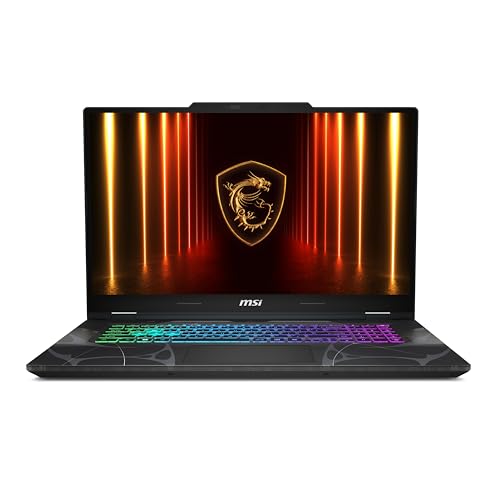
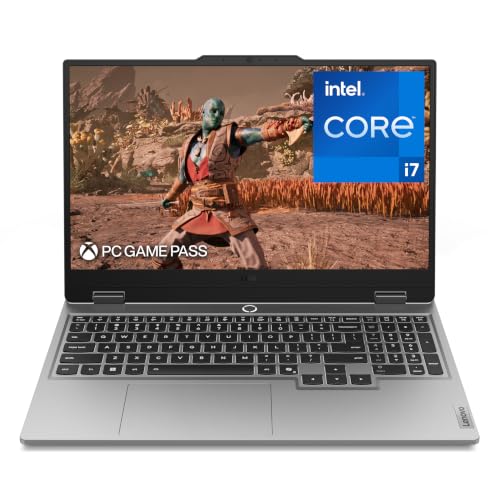
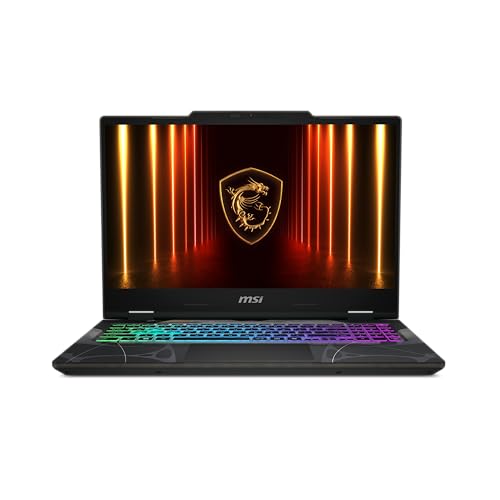
A gaming laptop is a portable computer with a dedicated graphics chip strong enough for modern games, plus cooling to keep that chip fast. A battery focused gaming laptop adds a large battery, efficient parts, and settings that slow the machine down gently when you are not gaming, so it can handle classes, work, or travel between play sessions.
Two terms explain most of the trade off. Watt hours, written as Wh, measure battery size, and bigger is generally better, with about 70 to 99 Wh being the large end for laptops. Hybrid graphics means the laptop uses a low power integrated chip for light tasks and switches to the strong graphics chip only for games, which saves a lot of energy. If a model lacks that switching or has a small battery, expect short unplugged time no matter what the marketing says.
Key Specs Explained in Plain English
Processor and Performance Tier
The processor, or CPU, handles game logic, school and office work, and everything behind the scenes. Current Intel Core and AMD Ryzen chips in gaming laptops are more than fast enough for study and everyday tasks, so focus on generation and efficiency rather than the top tier. A mid tier chip paired with a good graphics card plays games better than a top chip paired with a weak card, and it often uses less power. For a first purchase, choose a recent mid tier processor and spend the savings on graphics, memory, or a bigger battery.
Weight and Portability
Weight decides whether the laptop leaves your desk at all. Models under about 4 lb feel easy in a backpack, models around 4 to 5 lb are manageable for daily carries, and models over 5.5 lb plus a heavy power brick become a chore. Battery focused models tend to sit in the middle, since a large battery adds weight. Add the charger weight to the laptop weight when you compare, because you will carry both on long days. If you commute or walk across campus, treat total carry weight as a top three deciding factor.
Keyboard, Trackpad, and Build
You touch the keyboard and trackpad more than any other part. Look for keys with about 1.5 mm of travel, a layout without cramped arrow keys, and backlighting for dim rooms. A large smooth trackpad matters on days you leave the mouse at home. For build, an aluminum lid and deck feel sturdier and flex less than thin plastic, and good hinges open with one hand without wobbling. Check the ports as well, since USB C charging support lets you top up slowly from a shared charger when the main brick is elsewhere.
Graphics (Integrated vs Dedicated GPU)
Integrated graphics live inside the processor and sip power, which is perfect for notes, browsing, and video. A dedicated graphics chip, or GPU, is a separate powerful part that makes modern games look smooth, but it drinks power when active. For battery life, the magic is switching, use integrated graphics on battery and the dedicated chip when plugged in or gaming. For play targets, a mid tier dedicated GPU handles popular games well at 1080p, while higher tiers suit faster screens and heavier titles. If you never game, you do not need this chip at all.
Battery Life in Real World Use
Claimed battery life is usually measured with light tasks and a dim screen, so treat it as a ceiling, not a promise. In real mixed use, a strong battery gaming laptop often gives about 7 to 10 hours of browsing, documents, and video, but only about 1.5 to 2.5 hours of gaming on battery, since gaming pushes every part hard. Screen brightness is your biggest lever, dropping it a few steps can add an hour. Fast charging helps too, many models regain about half the battery in around 30 minutes. For deeper comparisons of unplugged endurance alone, see our guide to the best gaming laptops with good battery life.
Rookie Mistakes to Avoid
- Buying for gaming battery life alone. No gaming laptop plays demanding games for long unplugged, so plan to game near an outlet and judge battery life on light tasks.
- Chasing the fastest screen. A 240 Hz display looks smooth, but it uses more power and needs a strong GPU, so a 120 Hz or 144 Hz screen is the smarter first buy for most players.
- Ignoring the power brick. Some bricks weigh over 1.5 lb, which changes how the laptop feels in a bag every single day.
- Skimping on memory and storage. 16 GB of RAM and at least 512 GB of storage prevent early upgrades, since games are large and modern apps are hungry.
- Forgetting heat and noise. Thin models can run loud under load, which matters in a library or shared room, so check fan comments in owner feedback.
Getting Started: Setup and First Use
Start by updating the operating system and the graphics drivers, then install the maker control app for power modes. Set the laptop to use integrated graphics and a lower refresh rate on battery, and the dedicated GPU when plugged in. Keep the OS and firmware updated in the first month, since early updates often improve battery behavior. Avoid running at 100 percent charge all the time if the maker offers a charge limit, setting a cap around 80 percent for desk heavy weeks reduces battery wear. Finally, check your real battery life in the return window with a normal day of use, so any surprise appears while a return is still simple. If gaming is secondary and long life is primary, compare with our guide to the best battery laptops to see what you gain by dropping the gaming chip.
FAQs
How long should a battery gaming laptop last?
The machine itself should last about four to six years for school or work, with game settings lowered over time as new titles get heavier. The battery will age faster, often holding noticeably less charge after two to three years of daily cycles. You can slow that wear with charge limits and by avoiding constant heat. A replaceable battery or an affordable service option is a plus worth checking before you buy.
Is a dedicated GPU worth it?
A dedicated GPU is worth it if you play modern games, edit video, or work in 3D, because integrated graphics cannot keep up with those loads. It is not worth it for essays, browsing, and light photo work, where it only adds cost, weight, and heat. Be honest about your weekly habits. Playing twice a month still justifies a mid tier GPU, but playing never means you should choose a lighter non gaming model.
Is a Chromebook enough for school?
A Chromebook is enough for school only when all your work runs in a browser and your games are cloud streamed or very light. It cannot install most PC games or many specialist class programs. Battery life is often excellent and prices are low, which tempts many students. Check your course software list first. If any class needs installed Windows programs, a gaming laptop or a standard Windows laptop is the safe choice, and our guide to the best notebook laptops covers lighter options.
How much RAM do I need?
Choose 16 GB of RAM as the sensible standard for a gaming laptop today. It handles modern games plus a browser and chat apps without stutter. 8 GB feels tight quickly and can shorten the useful life of the machine. 32 GB helps for heavy video editing, large code projects, or keeping many virtual machines open. If the model allows upgrades later, that flexibility is valuable, but many thin models have soldered memory that cannot change.
Should I buy a laptop or a tablet?
Buy a laptop if you type long work, need full programs, or want to play PC games, because a tablet cannot replace a keyboard and desktop software for most people. Buy a tablet if your use is reading, video, and light notes, and you value the lightest carry. Some students use both, but a first purchase should be the laptop. For budget context before you stretch your spend, our guide to the best inexpensive gaming laptops shows where costs can safely come down.
Final Thoughts
For a first purchase, lock in three things, a battery of at least about 70 Wh with graphics switching, 16 GB of RAM, and a total carry weight you can live with daily. Then choose the GPU tier for the games you actually play and set power modes correctly in week one. That balance is what makes the best battery gaming laptops feel fast at a desk and calm on the move. Compare your short list in the product table, and if build quality is your tie breaker, check our guide to the best quality gaming laptops before you order.