The Best 240Hz Monitors for Competitive Gaming in 2026
Disclosure: We may earn a commission when you buy through links on this page, at no extra cost to you. As an Amazon Associate I earn from qualifying purchases. Learn more
Competitive shooters and fast-paced esports titles reward split-second reactions, and that's exactly where the best 240Hz monitors earn their keep, showing nearly four times as many frames per second as a standard 60Hz display. Here is what to look for and our picks for the best 240Hz monitors for 2026.
What to Look for in 240Hz Monitors
Refresh rate is only part of the picture with 240Hz monitors, and a few other specs matter just as much for how the display actually feels to use.
Panel type affects color accuracy and viewing angles. Fast IPS panels deliver the best color and viewing angles at this refresh rate, while VA panels offer deeper contrast and are common on curved ultrawide models, and TN panels are the least common now but remain the cheapest option.
Resolution is a real tradeoff against refresh rate. Full HD (1080p) at 240Hz is the easiest combination for a graphics card to drive consistently, while 1440p at 240Hz demands considerably more GPU power to hit that frame rate consistently in demanding games.
Response time should sit at 1ms or close to it for a 240Hz panel to actually look smooth, since a slower response time can introduce ghosting that undermines the benefit of the high refresh rate in the first place.
Adaptive sync support, whether AMD FreeSync or NVIDIA G-SYNC Compatible, prevents screen tearing by matching the monitor's refresh rate to your graphics card's output, and it's worth checking that your GPU supports whichever standard the monitor uses.
Screen size and curve come down to personal preference and desk space. Flat panels in the 24 to 27 inch range are the standard for competitive gaming, while curved ultrawide models trade some competitive-gaming practicality for a more immersive, cinematic feel.
Ports and stand adjustability matter more than buyers often expect. DisplayPort is typically required to hit the full 240Hz refresh rate, and a stand with height, tilt, and swivel adjustment makes it much easier to get comfortable during long gaming sessions.
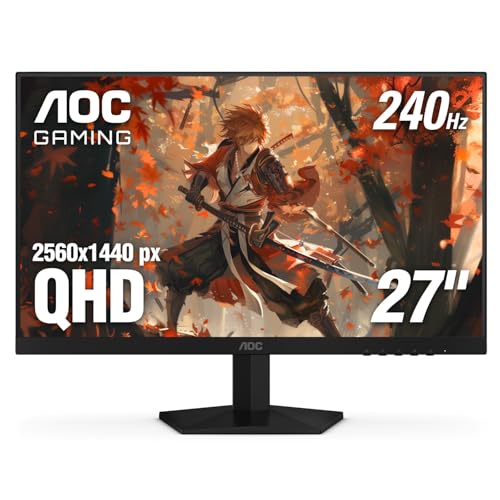
Best Overall: AOC 27" QHD 260Hz Gaming Monitor
AOC pairs sharper QHD resolution with an overclocked 260Hz refresh rate on an IPS panel, giving you both the visual clarity of 1440p and the fluid motion competitive players want. G-SYNC Compatible certification means it plays nicely with NVIDIA graphics cards without introducing tearing, and its solid review base reflects consistent real-world performance.
- Resolution: QHD (2560 x 1440)
- Refresh rate: Up to 260Hz, IPS panel
- Best for: Buyers who want sharper resolution alongside high refresh rate
Pros:
- QHD resolution delivers noticeably sharper image quality than 1080p rivals
- Fast IPS panel with G-SYNC Compatible certification
- Strong, consistently positive review base
Cons:
- Needs a stronger graphics card to consistently hit high frame rates at QHD
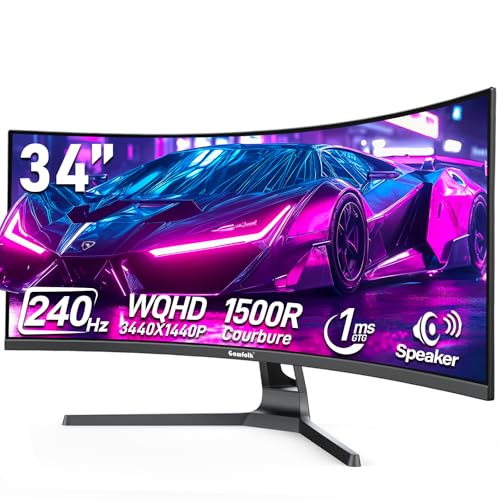
Best Ultrawide: Gawfolk 34 Inch Curved Gaming Monitor
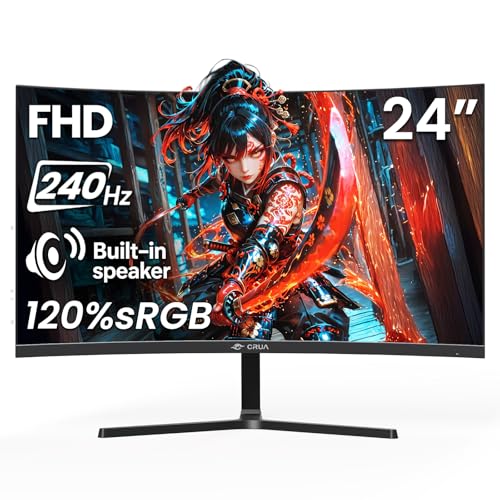
Gawfolk's 34 inch curved panel is the largest and priciest monitor on this list, and it earns that position with a genuinely immersive curve, built-in speakers, and the full 240Hz refresh rate carried across a much wider field of view than a standard flat panel offers.
- Size: 34 inches, curved
- Extras: Built-in speakers
- Best for: Immersive gaming and multitasking on a wider screen
Pros:
- Large curved ultrawide panel adds real immersion
- Built-in speakers reduce the need for separate desk speakers
- Strong review base for a large-format curved monitor
Cons:
- Highest price on this list and needs a capable GPU to drive it well
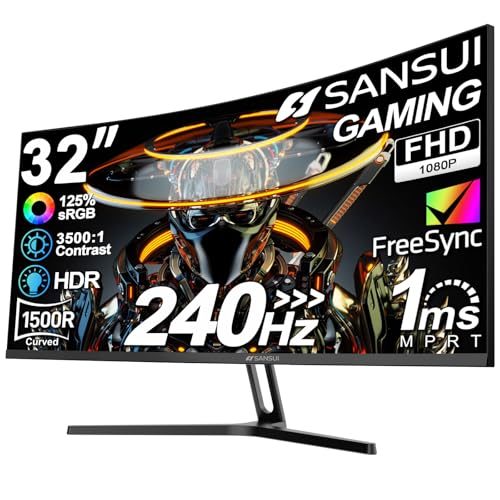
Best Budget: SANSUI 34 Inch Curved Gaming Monitor

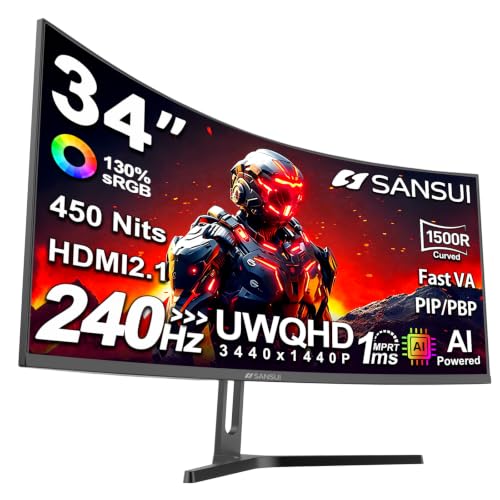
SANSUI delivers a 34 inch curved 21:9 ultrawide panel at 240Hz for around $250, and its well-established review base shows that an ultrawide gaming monitor doesn't have to mean an unreliable one. It's a smart starting point for anyone who wants a wide, immersive 1440p-class setup.
- Resolution: UWQHD (3440 x 1440)
- Curve: Curved 21:9 VA panel
- Best for: Gamers who want an ultrawide, high refresh rate setup without stepping up to a premium price
Pros:
- Strong, well-established customer reviews for its price
- Curved 21:9 ultrawide panel adds immersion
- Full 240Hz refresh rate with HDMI 2.1 and DisplayPort 1.4 inputs
Cons:
- No built-in speakers, so you'll need headphones or external audio
1080p vs. 1440p at 240Hz: Which Should You Choose?
A 1080p panel at 240Hz is the easier combination to drive consistently, since even a mid-range graphics card can maintain frame rates near the panel's limit in most competitive titles. A 1440p panel at 240Hz looks noticeably sharper and shows more of the game world, but it demands a considerably more powerful GPU to actually hit those frame rates in demanding games rather than settling for something closer to 120 to 150 frames per second. If your graphics card is a few generations old, 1080p is the safer, more consistent choice.
Frequently Asked Questions
Is 240Hz noticeably better than 144Hz?
Most players do notice a difference moving from 144Hz to 240Hz, particularly in fast-paced competitive shooters, though the improvement is smaller than the jump from 60Hz to 144Hz. The benefit is most apparent to players who are already sensitive to motion clarity and input responsiveness.
Do I need a powerful graphics card for a 240Hz monitor?
You don't strictly need a top-tier GPU to benefit from a 240Hz monitor, since even hitting 150 to 180 frames per second still looks and feels smoother than a standard 60Hz or 144Hz display. That said, a stronger graphics card lets you get closer to the full 240 frames per second the panel is capable of.
What cable do I need to run 240Hz?
DisplayPort is the most reliable way to hit a full 240Hz refresh rate on most monitors, while HDMI can also support 240Hz on newer HDMI 2.1 equipped monitors and graphics cards. Always check your specific monitor and GPU's port specifications before assuming either cable will hit the advertised refresh rate.
Conclusion
For most competitive gamers who want sharper resolution alongside high refresh rate, the AOC 27" QHD 260Hz Gaming Monitor is the strongest all-around pick among 240Hz monitors. If you want a more immersive, wider field of view, the Gawfolk 34 Inch Curved Gaming Monitor delivers that at a premium price. Gamers who want an ultrawide 21:9 panel with 1440p-class resolution at around $250 should look at the SANSUI 34 Inch Curved Gaming Monitor instead.