Best Battery Powered Home Security Cameras: Everything to Know Before Your First Purchase for 2026
Disclosure: We may earn a commission when you buy through links on this page, at no extra cost to you. As an Amazon Associate I earn from qualifying purchases. Learn more
Compare the best battery powered home security cameras by battery life, video quality, storage, and alerts, with simple setup tips for first time buyers.
Buying your first camera can feel confusing because every box lists different numbers, apps, and storage plans. This guide explains the basics in plain English, so you can match a camera to your doors, yard, and daily routine. When you shop for best battery powered home security cameras, the right choice is rarely the one with the longest spec list. It is the one you can place well, charge without hassle, and understand at a glance.
Start with the comparison table below to compare core features side by side, then read on for what each spec means in daily use. By the end, you will know how much resolution you need, how storage works, and which mistakes to skip.




Battery Powered Home Security Cameras 101: The Basics
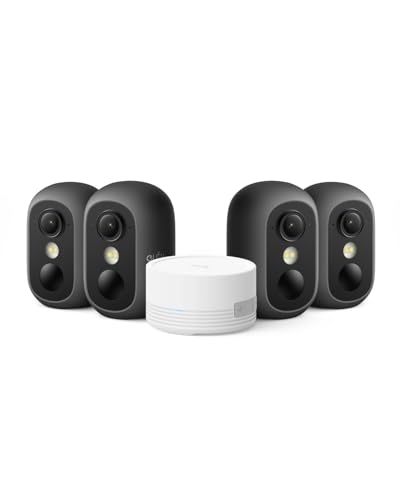
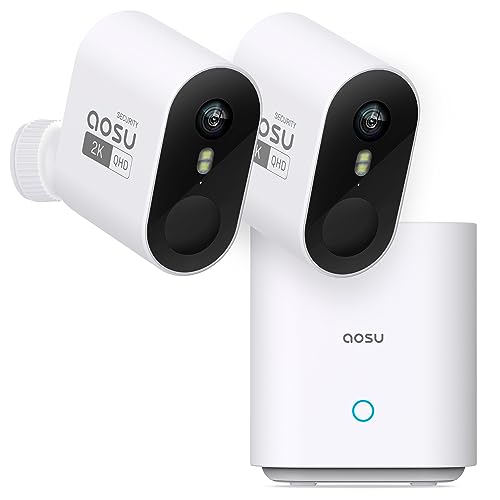
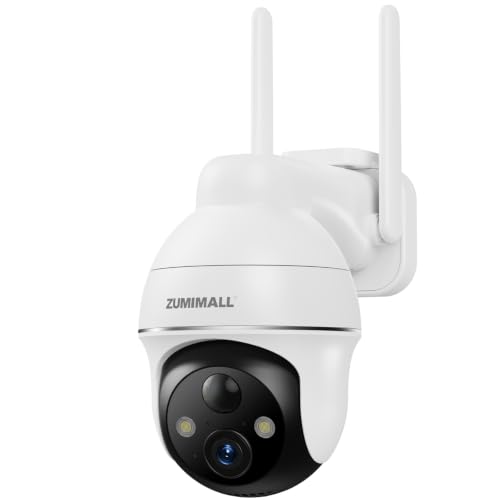
A battery powered camera records video without a power cord, so you can mount it on a porch, fence, or hallway wall where running a cable would be awkward. It connects to your home WiFi, sends motion alerts to a phone app, and stores clips either in the cloud or on a memory card inside the camera or a home hub. Most models sleep until their motion sensor wakes them, which is why a busy street can drain a battery far faster than a quiet side door.
In the app you can watch a live view, review recorded clips, and talk through two way audio to a visitor or delivery driver. Night vision uses infrared lights to capture a clear black and white image after dark. These cameras watch entrances, driveways, and yards, which is different from baby monitors that sit in one room and stream sound and video to a parent unit. As you plan whole home coverage, see our guide to the best home cameras for security for a wider look at indoor and outdoor placement.
Battery life claims deserve a careful read. Brands often quote months of runtime based on a few daily recordings in mild weather. A camera over a front walk that records dozens of clips a day and works through cold nights will need charging much sooner, so plan a mounting spot you can reach safely.
Key Specs Explained in Plain English
The six areas below decide most of your day to day experience with the best battery powered home security cameras. Read each one before you compare prices, because a low price loses its appeal if the video is unclear or the alerts annoy you.
Video Resolution and Field of View
Resolution describes how much detail the sensor records. A 2K resolution camera captures noticeably finer detail than a basic 1080p model, which helps when you zoom in on a face or a license plate at the edge of a driveway. A 4K option adds detail but uses more storage, more WiFi bandwidth, and more battery with every clip. Field of view is the width of the scene, often 130 to 160 degrees on wide models. A wider view covers more of a porch from one spot, but it can make people at a distance look smaller, so match the view to the area rather than chasing the biggest number.
Smart Home Integration
Integration decides how the camera fits the rest of your home. With Alexa or Google Assistant, you can show the live feed on a smart display with a voice command. Apple HomeKit support matters if your household already uses the Apple Home app and wants clips stored through that account. Check the exact camera model against the platform list before you buy, because support can differ between models from the same brand.
Power Options: Wired, Battery, Solar, and PoE
Battery power gives you the freest placement, and you recharge or swap the pack every few weeks or months depending on traffic. A wired camera never needs charging, but it limits you to spots near an outlet and may need drilling for the cable. PoE, which sends power and data through one network cable, suits wired camera systems in larger homes, but it needs cable runs and a compatible switch, so it rarely fits a first camera. Naming varies across brands, so see our guide to the best battery operated home security cameras if you want the battery terms untangled further.
Weather Resistance: IP65 and IP66 Ratings
An IP65 rating means the housing keeps out dust and resists water jets from any direction, which covers normal rain on an exposed wall. IP66 adds protection against stronger water spray. Neither rating means you should mount a camera where a downspout pours over it or where sprinklers soak it daily. Temperature range matters just as much, because batteries lose capacity in deep cold and electronics dislike attic level heat. For exposed yards and gates, see our guide to the best battery powered outdoor security cameras for placement ideas built around weather.
Privacy and Security: Encryption and Account Protection
Your camera records private moments, so how the brand protects that footage matters. Encryption scrambles video as it travels between the camera, the cloud, and your phone, and end to end encryption limits who can view it to your own devices. Read the privacy policy for how long clips are kept, whether footage is used to train software, and how you can delete your data. A privacy mode or a physical lens shutter on indoor models is a welcome extra, because it lets you stop recording when you are home.
Smart Detection and Alerts
Basic motion detection reacts to any change in the scene, including swaying branches and passing headlights. Smarter cameras can tell a person from a vehicle or a package, which cuts the number of pointless alerts buzzing your phone. Activity zones let you draw the area that counts, such as the walkway but not the street, and sensitivity settings help tune out minor movement. Some brands keep the smarter detection behind a paid plan, so check what works without a subscription before you buy.
Picking the Right Camera for Different Uses
Your busiest entrance should get your best camera, with the sharpest video and the most reliable alerts. A quiet side gate or garden shed needs less, so a simpler model with a longer stretch between charges often fits better there. Renters should favor mounts that use clamps or adhesive and leave no holes, while owners can use screws for a firmer hold in wind. If your front door gets many deliveries, prioritize package detection and a wide view. To compare whole home layouts, see our guide to the best battery security cameras for home and map each camera to one clear job.
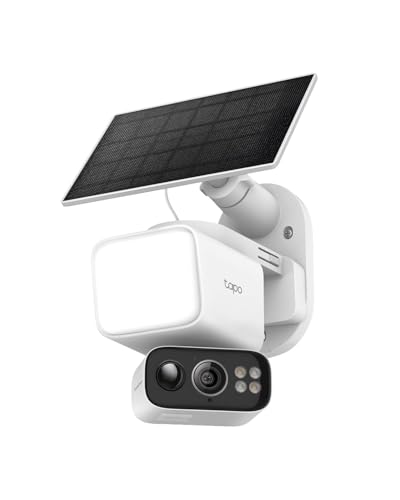
Best Solar Powered Home Security Cameras: Tips for First Time Buyers
The phrase best solar powered home security cameras describes battery cameras paired with a small panel that recharges them in daylight. Solar helps most where the mount is hard to reach and the panel can face open sky for several hours a day. Check three things before you choose this route. First, panel cable length, since the panel may need to sit a few feet from the camera to escape shade. Second, your roofline and tree cover, because a shaded panel in winter may not keep up with a busy door. Third, whether the panel connector fits the exact camera, since ports differ between brands.
Rookie Mistakes to Avoid
- Mounting the camera too high, so it records the tops of heads instead of faces and misses the detail you bought it for.
- Pointing the camera straight at a busy street, so constant passing cars drain the battery and bury real alerts in noise.
- Ignoring your WiFi strength at the mounting spot, so live view stutters and clips upload slowly or fail.
- Skipping the storage decision until after setup, so you discover later that playback needs a plan you did not budget for.
- Sharing the account password with the whole household, so nobody can tell who changed a setting or viewed a clip.
- Forgetting to test the view at night, so a porch light or reflective wall ruins the night image without you knowing.
Getting Started: Setup and First Use
Charge the battery fully before you mount anything, and set the camera up indoors first where the WiFi is strong. Create the account, turn on two factor authentication right away, and update the camera firmware if the app offers it. Name each camera by its location, such as front porch or garage, so alert messages make sense at a glance. Walk through the detection settings and draw your first activity zone before the camera goes outside.
Mount cameras 8 to 10 feet high and angle them slightly down, which captures faces and the ground in front of a door while keeping the mount out of easy reach. Hold the camera in place and check the live view on your phone before you drill, and confirm the motion sensor covers the path people actually walk. After mounting, walk the route at normal speed to trigger test events, then adjust sensitivity if pets or shadows set it off. Set a phone reminder to check battery levels each month.
FAQs
How much storage do battery powered home security cameras need?
Most homes do fine with a small local memory card or a basic cloud plan that keeps clips for a few weeks. Storage needs grow with recording length, resolution, and how many events each camera captures daily. One step many first time buyers miss is setting clips to delete automatically once the card fills, so new events are never lost to old footage of an empty yard.
Can battery powered home security cameras work without WiFi?
Yes, many models keep recording to local storage when the WiFi drops, but you lose live view, phone alerts, and cloud backup until the connection returns. A camera on a hub with a cellular backup can still send alerts during an outage, though that setup costs more. If your internet is unreliable, place the router closer to the busiest camera or add a WiFi extender on the same floor as the mount.
Are battery powered home security cameras or wired camera systems more reliable?
Wired camera systems are generally more reliable for nonstop recording, because they never run out of charge and rarely drop off the network. Battery models trade that certainty for easy placement and quick setup. A useful middle path is to wire the one camera that guards your main entrance and use battery models for secondary spots, so your most important view stays up even during a long stretch of heavy recording.
Do battery powered home security cameras need a subscription?
No, most battery powered cameras work without a subscription for live view, motion alerts, and local storage playback. A paid plan usually adds longer cloud history, smarter detection labels, and extra features such as richer phone notifications with a preview image. Before you commit, run the free period for a full month of normal life, including a busy weekend, and note which paid features you actually opened before paying for a year.
Are battery powered home security cameras easy to hack?
No camera is easy to hack when the account uses a strong unique password, two factor sign in, and current firmware. Most real world break ins trace back to reused passwords or accounts shared too widely, not to the camera hardware itself. One extra habit helps a lot: review the list of devices signed in to your account every few months and remove anything you do not recognize, then change the password if you spot a stranger.
Final Thoughts
For a first purchase, focus on three things: a clear image from a sensible mounting height, alerts smart enough that you keep them on, and a charging routine you can actually keep up with. Storage and smart home features matter too, but they serve those basics rather than replacing them. Use the product table above to compare your short list against the specs explained here, and pick the camera that fits your busiest entrance first. Chosen with care, the best battery powered home security cameras give you calm awareness of your home without wires or fuss.