Best Affordable Home Security Cameras: A Buying Guide for 2026
Disclosure: We may earn a commission when you buy through links on this page, at no extra cost to you. As an Amazon Associate I earn from qualifying purchases. Learn more

Pick the best affordable home security cameras by spot: compare video, detection, power, storage and privacy tips for doors, paths and rooms.
Choosing best affordable home security cameras starts with one question: which doors, paths, and rooms do you actually want to watch? A low price camera can cover a porch or a hallway well, but it will disappoint if you expect it to watch a large yard, record in total darkness, and store months of video for free. This guide compares the features that matter, so you can match a camera to each spot in your home. Use the product table to line up models side by side before you buy.
Affordable cameras now offer sharp video, phone alerts, and two way talk, yet they still differ in detection quality, storage costs, and power needs. The sections below explain each factor in plain terms, describe the main camera types, and cover placement and privacy habits that shape real world results. No camera can guarantee safety, so treat these devices as one part of a wider home routine that includes good locks, lighting, and neighbor awareness.


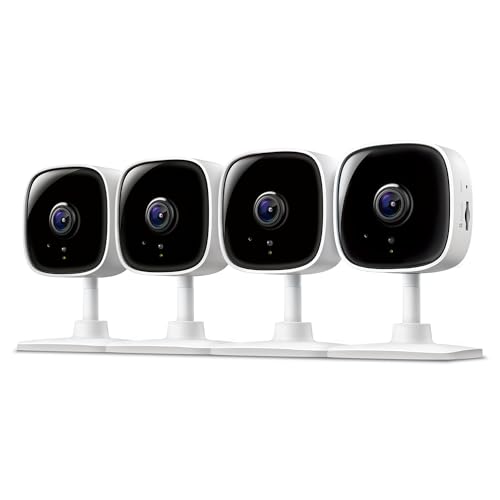


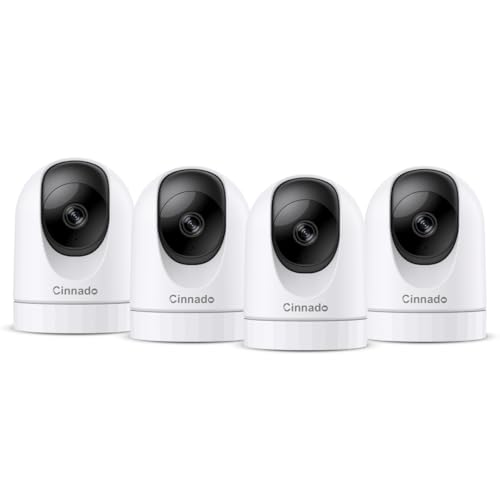
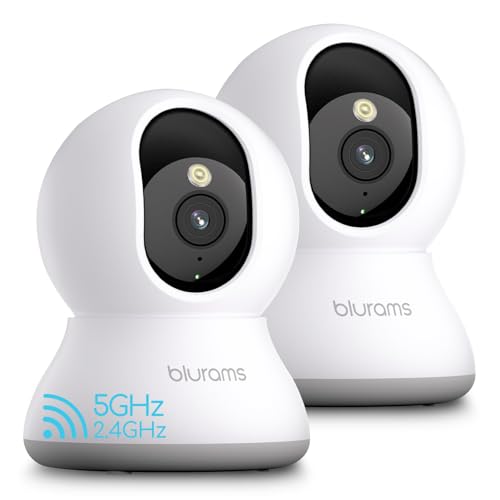
What Your Money Gets You at Each Spending Level
Think in spending levels rather than single models, since prices shift often and features move between bands. Each level below describes realistic expectations, so you can spot when a cheap camera is good value and when a step up is worth it. Check the product table against these descriptions while you compare.
Lower Price Choices
Lower price cameras suit a single porch, a hallway, or a garage entrance where you want basic alerts and live viewing. Expect clear daylight video, simple motion alerts, and a phone app, with cloud clips that may need a paid plan for longer history. You give up fine detail at night and advanced person detection, but you gain an easy way to check on a door from anywhere.
Middle Price Choices
Middle price cameras suit homes that want several cameras with steadier detection, better night video, and more storage choice. You may get person detection, activity zones, local storage, and a wider field of view at this level. This band fits front and back doors plus a main indoor room, where false alerts from pets or passing cars would otherwise get annoying.
Higher Price Choices
Higher price cameras suit larger homes that want sharper detail, longer range night video, and stronger smart home links. You may get 2K or 4K video, color night vision, and a wired power option that avoids battery swaps. Only move to this band if you need to read faces or plates at a distance, since a basic camera already covers most porches well.
How to Choose the Best Affordable Home Security Cameras
Work through these factors for each camera spot, not for the home as a whole. A porch camera needs weather resistance and a wide view, while an indoor camera needs discreet placement and clear audio. Note your answers beside the product table, and you will see which models fit each spot.
What You Can Realistically Get on a Budget
At about $30 to $100 per camera you can expect clear daytime video, phone alerts, and live viewing through an app. You may give up long free cloud history, advanced detection, or a fully wireless setup, and that is normal at this price. Do not cut corners on a clear app and a stable wireless link, since a camera you cannot view quickly is little help. Spend first on placement and power, then on extra features such as color night vision.
Video Resolution and Field of View
Resolution shapes how much detail you can read, while field of view shapes how much area one camera covers. A 1080p camera suits a porch or a hallway, while 2K helps when you need to read a face at the end of a drive. A field of view of about 130 to 160 degrees covers a wide porch, but it can shrink distant subjects, so pair a wide camera with a narrower one for long paths. Check night samples too, since bright daylight specs say little about dark porch video.
Smart Home Integration
Smart home links let you view a camera on a display, get alerts through a speaker, or trigger lights when motion starts. Check which platforms a camera supports before you buy, since support varies and some features need a hub or a paid plan. Voice control suits hands free viewing, while routines suit automatic actions such as turning on a porch light at dusk. If you use more than one platform, pick cameras that work with your main one rather than chasing every badge.
Two Way Audio and Siren
Two way audio lets you speak to a visitor or a delivery driver through the app, which helps when you are away from home. A built in siren can draw attention to unexpected motion, though it works best as a deterrent alongside lights and locks. Check the audio delay and volume in the app, since slow or quiet audio frustrates real conversations. Follow local rules on recording audio, since audio consent rules differ by place and some areas limit it more strictly than video.
Power Options
Battery cameras install almost anywhere and suit renters, but they need recharging and may pause recording to save power. Wired cameras run without battery swaps and suit permanent spots near an outlet or a wired network point. Solar panels can top up a battery camera in sunny spots, while power over ethernet suits larger wired systems with a central recorder. Match the power type to each spot, and check cable routes and outlet access before you order.
Smart Detection and Alerts
Smart detection sorts motion into people, packages, vehicles, or pets, which cuts the false alerts that make owners ignore their phones. Activity zones let you watch a path while ignoring a busy street, and sensitivity settings fine tune how easily motion triggers a clip. No detection is perfect, so expect some missed events and some false alerts, especially in rain, snow, or strong shadows. Check zones after install, and adjust them over a few days rather than trusting the first setup.
Weather Resistance
Outdoor cameras need a weather rating that suits rain, dust, and your local temperature range, with IP65 or IP66 common for exposed spots. A sheltered porch needs less protection than an open fence post, so match the rating to the spot rather than paying for the toughest rating everywhere. Check the operating temperature range for cold winters and hot summers, and keep the lens clear of direct sun glare and sprinkler spray. A small hood or eave above the camera often helps more than a higher rating alone.
Types of Home Security Cameras
Indoor Cameras
Indoor cameras suit hallways, living rooms, and entry points where you want to check on pets, kids arriving home, or a back door. They are usually small, plug into an outlet, and offer two way talk for quick check ins. Keep them out of bedrooms and bathrooms, since those rooms deserve full privacy even in your own home. Point them at doors and main paths rather than seating areas to respect guests and family.
Battery Powered Wireless Cameras
Battery powered wireless cameras suit porches, garages, and sheds where running a cable is hard. They install with a mount and a wireless link, and many offer local or cloud storage for clips. Battery life depends on motion frequency, temperature, and video settings, so a busy street facing camera will need charging far more often than a quiet side door camera. Check the charging method before you buy, since some models need a full removal while others charge in place.
Wired Camera Systems
Wired camera systems suit larger homes that want several cameras recording around the clock to a central recorder. They avoid battery swaps and wireless dropouts, but they need cable runs and a place for the recorder. Installation takes more planning, so map each camera spot, cable path, and power source before you start. A wired system fits owners who want steady recording more than quick plug and play setup.
Setup and Care Tips
- Mount outdoor cameras about 8 to 10 feet high so they see faces while staying out of easy reach.
- Enable two factor authentication on the camera account, and use a strong unique password for the app.
- Position cameras away from direct sun glare and bright reflections that wash out video.
- Check local laws before recording audio, and tell household members and regular visitors where cameras sit.
- Check motion zones, night video, and alerts in the first week, then adjust sensitivity and angles.
- Keep firmware updated, and check stored clips regularly so storage never fills without you noticing.
Frequently Asked Questions
Wired or wireless: which is more reliable for home cameras?
Wired cameras are usually more reliable for steady recording, since they avoid battery limits and wireless dropouts. Wireless cameras are easier to install and move, which suits renters and spots far from outlets. The best choice depends on each spot: use wired cameras for main doors and driveways where steady video matters most. Use wireless cameras for sheds, garages, and temporary spots where running cable would cost more than the camera itself.
Are home cameras easy to hack?
Home cameras can be attacked when owners reuse weak passwords, skip two factor authentication, or leave old firmware in place. Strong unique passwords, two factor authentication, and regular updates lower that risk a great deal, though no connected device is fully immune. Buy from makers with a clear security update record, and avoid sharing camera access more widely than needed. If an account alert looks odd, change the password at once and check who has access.
Can home security cameras work without WiFi?
Some cameras work without WiFi by recording to local storage or by using a wired network link to a recorder. A camera without any network link can still record clips, but you lose live viewing and phone alerts until you check the storage directly. Cellular cameras offer remote viewing without home WiFi, though they need a data plan and a strong signal. Decide whether live alerts matter to you, since that answer shapes whether a fully offline camera fits your needs.
How much storage do I need for home security cameras?
Storage needs depend on camera count, resolution, motion frequency, and how long you want to keep clips. A single porch camera with motion only recording may need only a modest card or a short cloud plan, while several high resolution cameras need far more room. Local storage avoids monthly fees but can fill or fail, while cloud storage adds cost yet keeps clips off site. Start with motion only recording and a two week history, then adjust after you see real clip counts.
Do I need a subscription for affordable home security cameras?
You do not always need a subscription, since many affordable cameras offer live viewing and local storage without one. Paid plans usually add longer cloud history, smart detection, and richer alert features, so they suit owners who want to look back at events days later. Check exactly what works without a plan before you buy, since free tiers vary widely between makers. A camera that covers your main door well without a plan is often better value than a cheaper camera that needs one.
The Bottom Line
Pick cameras by spot, not by brand hype: match resolution, detection, power, and storage to each door, path, and room. Use the product table to compare models that fit your spending level, and check placement, zones, and alerts in the first week. Keep cameras out of bedrooms and bathrooms, follow local placement and recording rules, and pair cameras with good locks and lighting for a stronger home routine. With those habits in place, best affordable home security cameras can give you useful awareness without a large monthly bill.
For related options, see our guide to the best home cameras for security and our guide to the best affordable home cameras. If you want a full setup, compare our guide to the best affordable home security system with cameras, and for cable free spots see our guide to the best affordable wireless home security cameras.