
Best Battery Operated Home Security Cameras in 2026: Types Compared and How to Choose
Disclosure: We may earn a commission when you buy through links on this page, at no extra cost to you. As an Amazon Associate I earn from qualifying purchases. Learn more

The best battery operated home security cameras install anywhere with no wiring. Compare battery life, video, night vision and storage.
Battery cameras promise simple placement, but the choices can feel confusing once you compare battery life, video quality and storage plans. The best battery operated home security cameras for your home depend on where each camera will sit, how often it will record and how you want to view clips. Use the product table to match each type to your doors, yard and rooms.
Start with the spot, not the specification sheet. A quiet side door needs different coverage from a busy front porch where packages and cars trigger alerts all day. The sections that follow compare types first, then the features that change daily use.
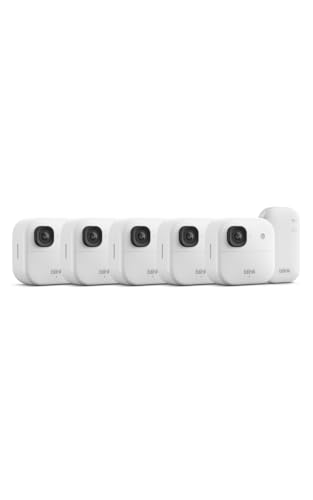


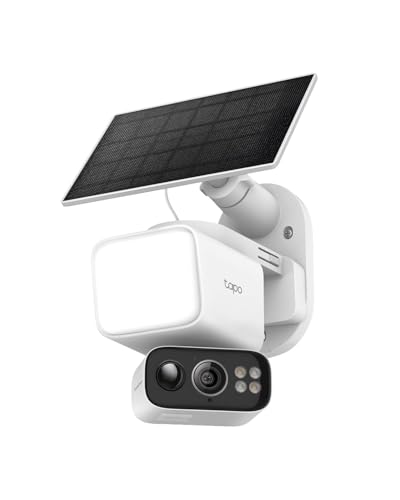


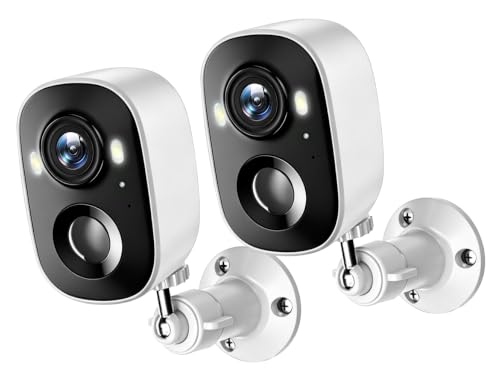
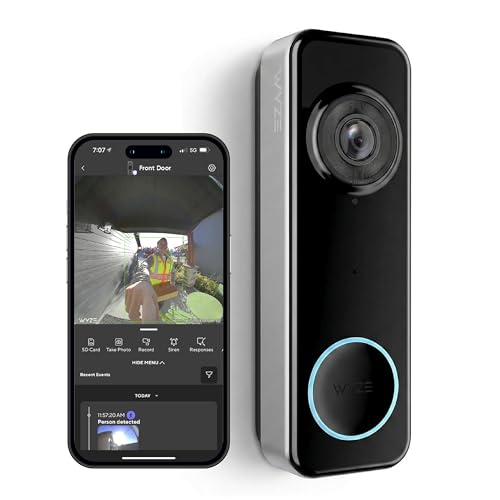
Types of Battery Operated Home Security Cameras Compared
Lists of the best battery operated home security cameras often mix types that suit very different spots, so compare by type first. Each type below uses battery power, but charging, view and placement differ in ways that matter every week.
Rechargeable Battery Cameras for Flexible Placement
This is the standard type for most homes. You charge the battery, mount the camera where WiFi reaches, and move it later if your needs change. Expect about $60 to $180 per camera and a charge that lasts weeks to months based on activity. Choose it for a door, garage or back yard where you want freedom to adjust the angle.
Solar Powered Cameras With Battery Backup
Solar powered cameras pair a battery with a small panel that tops up the charge in daylight. They suit sunny spots that are hard to reach, such as a high gable or a fence line, where climbing a ladder to charge would be a chore. Shade can undo the benefit, so pick this type only where the panel gets several hours of direct sun.
Indoor Battery Cameras for Rooms and Hallways
Indoor battery cameras are smaller, need no weather seal and often sit on a shelf rather than a mount. They help you check a living room, hallway or basement entrance without running a cord across the room. Privacy controls matter most here, such as a lens cover or a schedule that pauses recording while you are home.
Battery Video Doorbells for the Front Door
A battery video doorbell watches one fixed spot, your entry, and adds a chime and a call style view when someone presses the button. It records visitors and packages at close range, but its view is too narrow for a whole yard. Many renters choose it because it can mount beside the door without new wiring.
Battery Power Alone vs Battery With Solar: Which Should You Choose?
Choose battery power alone if your camera is easy to reach, sits in shade or records a busy area where you accept charging every few weeks. The camera costs less, the mount stays simple and you can charge on your own schedule. A quiet side door may go far longer between charges than a porch on a busy street.
Choose solar help if the mount is high and the spot gets strong sun. The panel adds cost and needs a clean, well aimed surface, but it stretches the time between manual charges. If the spot faces north or sits under deep eaves, solar adds little.
How to Choose the Right Battery Operated Home Security Camera
Work through these factors in order, because a clear picture means little if the battery fades fast or the clips you need are locked behind the wrong storage plan.
Battery Life and Charging Options
Battery life claims assume light use, so judge them against your scene. A camera that records ten short clips a day will outlast one facing a street with constant motion. Look for a removable battery if you want a spare charged and ready. Cold weather shortens each charge, so homes in cold regions should plan shorter intervals in winter.
How Sharp the Video Is and How Much of the Yard One Camera Sees
Resolution and field of view work together. A 2K resolution camera shows faces and plate details better than a basic 1080p model when a subject is near, while 4K adds detail at a higher cost in battery and storage. A field of view of about 130 to 160 degrees covers a porch or yard corner in one frame, but very wide views make distant subjects look small. Place wide view cameras closer to the action.
Night Vision in Infrared and Color
Infrared night vision gives clear black and white clips in full darkness and uses less power. Color night vision relies on a spotlight or a sensitive sensor, so it can show shirt or car color, but a spotlight may disturb neighbors and drains the battery faster. Choose infrared for quiet side areas and discreet coverage. Choose a spotlight model for a driveway where color detail helps you describe a vehicle.
Local Storage, Cloud Storage and Motion Alerts
Local storage keeps clips on a memory card or a home hub, with no monthly fee but a risk that a stolen camera takes its clips with it. Cloud storage keeps clips off site and makes sharing easy, yet full history often needs a paid plan. Smart alerts that tell people, pets and vehicles apart cut false alarms, and tuned motion zones stop passing cars from waking the camera all day. Our guide to the best battery security cameras for home explains storage choices for whole home setups.
Weather Resistance and Mount Height
An IP65 rating means the camera resists rain and dust for normal outdoor use, while IP66 adds stronger protection against heavy spray. Check the stated temperature range too, because a camera rated for mild weather may shut down in deep cold. Mount cameras about 8 to 10 feet high, angled down, so faces stay clear and the camera stays out of easy reach. Avoid aiming straight into sunrise or sunset glare.
Privacy, Security and Two Way Audio
Look for encryption in transit, a unique password for your account and two factor authentication you can turn on in the app. Read the data policy before you buy, and check how long clips stay on company servers after you delete them. Two way audio lets you speak to a visitor from your phone, which is most useful at doors. Test speaker volume outdoors, because wind can carry voices away.
Common Mistakes to Avoid
These errors cost time and leave gaps in coverage.
- Mounting a camera too high gives you the tops of heads instead of faces you can recognize.
- Pointing a camera at a busy street drains the battery and fills storage with clips you will never watch.
- Skipping a WiFi check at the mount spot leads to dropped clips and slow live views.
- Ignoring storage costs means the low camera price grows once you add the plan you actually need.
- Leaving the default password in place makes your account an easy target for strangers.
- Placing a solar panel in shade leaves the battery to do all the work you paid the panel to share.
Care and Maintenance Tips for Battery Operated Home Security Cameras
Wipe the lens with a soft, dry cloth every few weeks, because dust and pollen blur night clips first. Check the mount after storms and tighten it before the angle drifts. Charge batteries at room temperature when you can, and top them up before a trip away.
Clean a solar panel with plain water and a soft cloth so dirt does not cut its output. Update the app and camera software when prompted, and review motion zones each season as light and foliage change. For a broader view of placement across rooms, see our guide to the best home cameras for security.
FAQ
Are battery operated home security cameras easy to hack?
Battery operated home security cameras are not easy to hack when you use strong account protection. The bigger risk is a reused password from another site, so use a fresh password and turn on two factor authentication on day one. A camera that lets you review signed in devices gives you an extra check you can run each month.
How much storage do battery operated home security cameras need?
Most homes do well with enough storage for about 7 to 30 days of motion clips. A quiet door may keep a month of clips on a modest card, while a busy porch can fill the same card in days. If you travel often, keep a longer window so you can review an event after you return.
Do battery operated home security cameras need a subscription?
No, battery operated home security cameras do not need a subscription for live view and basic motion alerts. A paid plan usually adds longer clip history, smarter labels for people and packages, and cloud backup if a camera is taken. Before you buy, check which alert types stay free. Shoppers comparing cord free layouts can also see our guide to the best wireless battery operated security cameras.
Can battery operated home security cameras work without WiFi?
Yes, some battery operated home security cameras can record without WiFi, but you lose live view and phone alerts while the connection is down. Models with local storage can save motion clips to a card or hub for later review, while others pause most functions until WiFi returns. Our guide to the best battery powered home security cameras covers similar power setups.
How long do batteries in home security cameras last between charges?
Batteries in home security cameras often last about 1 to 6 months between charges. The wide range comes from how often motion wakes the camera, how long each clip runs and how cold the nights get. A camera over a quiet garden gate sits near the top of that range, while one over a shared driveway sits near the bottom.
The Bottom Line
Pick the type that fits the spot first, then check battery life, night vision and storage in that order. A camera you can reach and charge with ease will serve you better than a feature rich model mounted where you dread going. Use the product table to compare view, rating and price.
Chosen with those points in mind, the best battery operated home security cameras give you clear clips, simple placement and coverage you can maintain without a fuss. Start with your busiest door, and add views only where a real gap remains.


