
Best Bang for Buck Gaming Mouse Made Simple: A Clear Buying Guide for 2026
Disclosure: We may earn a commission when you buy through links on this page, at no extra cost to you. As an Amazon Associate I earn from qualifying purchases. Learn more

Shopping for the best bang for buck gaming mouse for the first time? Learn the terms, compare options, and avoid common mistakes with this easy guide.
Buying your first gaming mouse can feel confusing because listings throw around numbers like DPI, polling rate, and sensor names with no plain explanation. You do not need the most expensive model to play well. You need a shape that fits your hand, a sensor that tracks cleanly, and clicks that feel reliable. This guide walks you step by step toward a best bang for buck gaming mouse that suits your games and your budget.
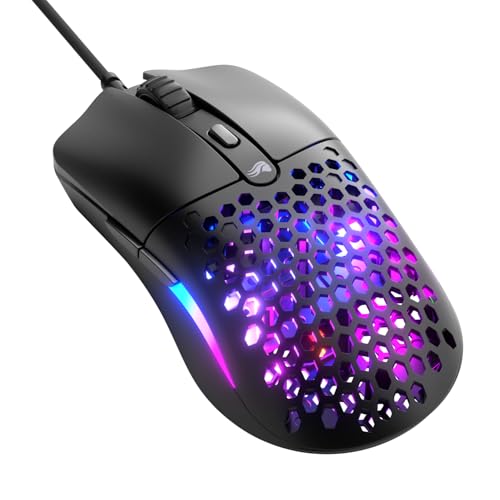
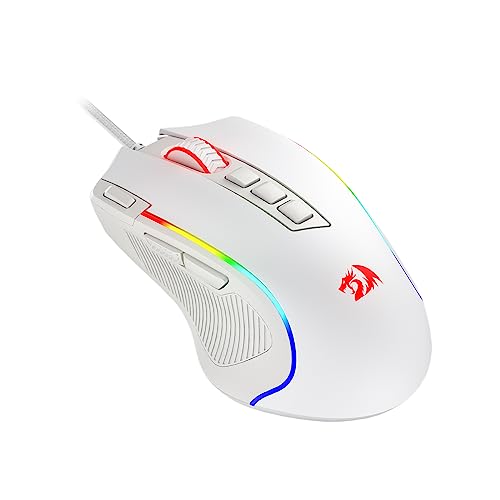
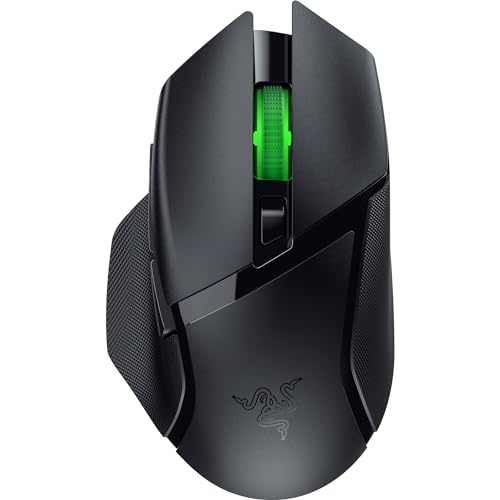
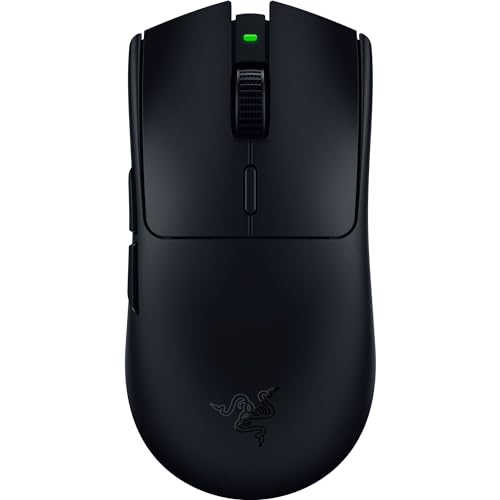
We will start with the basics, translate each key spec into simple language, and show you the mistakes new buyers make most often. The product table gives you a quick view of current value options, and the sections after it help you read those listings with confidence.





Gaming Mouse Basics for First Time Buyers
A gaming mouse differs from a basic office mouse in three ways: a more accurate sensor, faster reporting to your computer, and buttons and switches built for many more clicks. Shape matters just as much. An ergonomic shape supports a relaxed palm grip, while a symmetrical shape suits fingertip and claw grips and players who move the mouse with quick flicks.
Value in this category means you pay for sensor quality, switch life, and fit, not for extra lights or heavy metal extras. Most strong value models cost around $25 to $60, while premium wireless models cost around $80 to $150. If a low price model skips a good sensor or uses vague switch ratings, it is not a bargain, because you will replace it sooner and play worse in the meantime.
Key Specs Explained in Plain English
Read each spec below as a decision, not as a contest for the biggest number. Once you know the level you actually need, comparing value models becomes much easier.
Features That Matter in a Value Gaming Mouse
A value gaming mouse needs a flawless sensor first, meaning it tracks without smoothing, acceleration, or jitter at the speeds you use. Next comes weight: about 50 to 80 grams feels nimble for shooter games, while about 80 to 100 grams can feel steadier for slower paced games. Button placement matters too. Two side buttons within easy thumb reach cover most games, and extra buttons only help if you play games with many commands. Finally, check grip style and hand size. A mouse that is too large or too small will tire your hand no matter how good the sensor is.
Wired vs Wireless
Wired models cost less, never need charging, and have no battery weight. The cable can drag on the desk, though a light flexible cable or a simple cable holder reduces that a lot. Wireless models using a 2.4 GHz dongle now have latency so low that most players cannot feel a difference from wired in normal play. Bluetooth is handy for travel and office use but adds more delay, so it is a poor choice for fast games. If you choose wireless, confirm the dongle can sit close to the mouse, ideally on your desk with a short extension cable.
For pad size and surface choices that help a value mouse perform, see the best gaming mouse and pad guide.
Sensor and Switch Type and Performance
DPI, also called CPI, measures how far the cursor moves for each inch you move the mouse. Most players use about 400 to 1,600 DPI in shooter games and adjust sensitivity in game, so a huge maximum DPI number is mostly marketing. What matters is clean tracking at your chosen setting. Polling rate measures how often the mouse reports position, with 1,000 Hz as the standard good level for value models. Higher rates can feel slightly smoother on high refresh screens but use more battery and CPU. Switches matter for click feel: mechanical switches give a clear click and long rated life, while optical switches can reduce double click faults over time.
Battery Life and Charging
Wireless value models vary a lot, from about 40 hours to well over 100 hours per charge depending on polling rate and lighting. Turning lights off and using 1,000 Hz instead of higher polling can extend life a great deal. USB C charging is the standard you want, because it uses the same cable as most phones and lets you play while charging. Check whether the mouse warns you at low battery and whether a quick ten minute charge gives you several hours of play, a small feature that saves a session more often than you expect.
Durability and Warranty
Look for a click rating of at least 50 million clicks on the main switches and a warranty of at least one year, with two years being better value. Feet made of pure PTFE glide smoothly and wear slowly, and a set of spare feet in the box adds real value. Hot swappable switches appear on some models and let you replace a worn switch without soldering, which extends life. Keep the receipt and check the return window, because grip comfort is personal and you may need to exchange a shape that does not suit you.
Value Options for Specific Needs
Your game type should guide the final choice. Shooter players benefit most from low weight and a safe symmetrical shape. Strategy and role playing players may prefer more side buttons they can map to commands. If you also work at the same desk, an ergonomic model with a quiet scroll wheel can serve both uses well.
Buying a Gaming Keyboard and Mouse Together
If you are buying a gaming keyboard and mouse together, spend a larger share on the mouse, because sensor and fit affect aim directly every minute you play. For the keyboard half, prioritize a layout that fits your desk, switch feel you enjoy typing on, and solid keycaps over extra lighting. Buying each piece separately often gives better value than a boxed combo, since combos often pair a decent keyboard with a weak mouse. Also leave desk room for a large mouse pad, because consistent glide helps a value mouse perform at its best. Our guide to the best gaming mouse and pad explains pad size and surface choices, and the best gaming mouse mat guide covers materials in detail.
Rookie Mistakes to Avoid
- Chasing maximum DPI. A huge DPI number does not mean better aim. Clean tracking at 800 to 1,600 DPI matters far more.
- Ignoring hand size and grip. Measure your hand length and note your grip style before you buy, or even a great sensor will feel wrong.
- Paying for lights over parts. Lighting adds cost and battery drain. Put that money toward better switches, feet, and a lighter body.
- Skipping the mouse pad. A worn or tiny pad makes any mouse feel inconsistent. Budget around $15 to $30 for a large, smooth pad.
- Forgetting total setup cost. If you also need a headset or a larger desk pad, set the full budget first. Our guide to the best mouse for gaming shows how priorities shift at higher budgets.
Getting Started: Setup and First Use
Start by plugging in the mouse or its dongle and letting your system detect it, then install the companion app only if you want to remap buttons or save DPI steps. Set one DPI level you will actually use, turn off pointer acceleration in your system settings for consistent aim, and test on your pad with slow and fast movements. Clean switches and sensors regularly with a dry soft brush and a slightly damp cloth for the shell, never with harsh cleaners.
Update firmware via the companion app when a stable update is offered, and keep the charging cable nearby if your model is wireless. Give a new shape at least a week of normal play before judging it, because your hand needs time to adjust. If wrist or hand pain appears and persists, change grip, take breaks, adjust desk and chair height, and talk with a clinician if pain continues.
FAQs
What features matter most in a value gaming mouse?
A clean sensor, a shape that fits your hand and grip, and reliable main switches matter most. Weight under about 80 grams helps shooter play, and PTFE feet keep glide consistent. Add one new point many buyers miss: check scroll wheel feel in store photos and user notes, because a loose or noisy wheel annoys you daily and is costly to fix later.
How heavy should a gaming mouse be?
Under about 80 grams suits fast shooters and flick aim, while 80 to 100 grams feels steadier for slower games. Try to match the weight you already play with, then change by small steps.
What DPI do I need?
Most players need only about 400 to 1,600 DPI, combined with in game sensitivity that lets you turn comfortably with one arm sweep. Higher DPI can feel twitchy and harder to control for fine aim. A useful test: you should be able to track a slow moving target smoothly without the cursor shaking. If it shakes, lower DPI or sensitivity until tracking feels calm.
Wired or wireless: which is better for gaming?
Modern 2.4 GHz wireless performs on par with wired for most players and frees your desk from cable drag. Wired still wins on price, zero charging, and slightly lower weight at the same budget. Bluetooth is the exception and is best saved for office use. Choose based on budget and desk setup rather than old assumptions about wireless delay.
Does a gaming mouse work with Mac and console?
Most wired and dongle wireless mice work as basic pointing devices on Mac and on consoles that support mouse input, but companion apps for remapping are often Windows only. Console support also depends on the game, not just the system. Check the maker compatibility list for your exact system and game before you buy, and keep a simple wired backup if you switch platforms often.
Final Thoughts
Start with fit, then sensor quality, then switch life, and let price tiers guide the rest. The product table above can help you compare current options side by side once you know your grip and hand size. For most new players, a best bang for buck gaming mouse in the around $25 to $60 range will play well for years when paired with a good pad and sensible settings.

