
Best Antenna for Multiple TVs: How to Choose for 2026
Disclosure: We may earn a commission when you buy through links on this page, at no extra cost to you. As an Amazon Associate I earn from qualifying purchases. Learn more
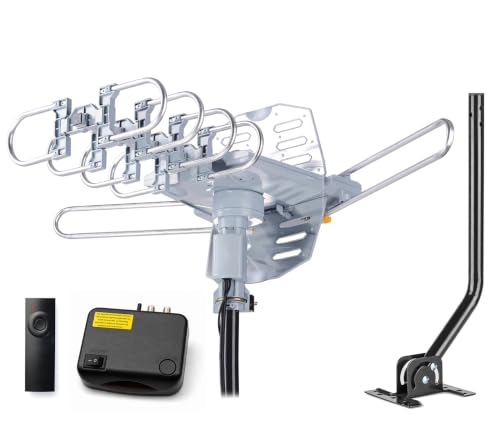
Best antenna for multiple TVs: compare range, splitter loss and indoor, attic or outdoor mounting for whole home viewing.
The best antenna for multiple TVs has to deliver a strong, clean signal to every set in the house, which is harder than feeding one TV. Each split of the cable weakens the signal, so range, mounting spot, and how you distribute the signal matter more than a headline mile rating.
This guide explains how to choose between indoor, attic, and outdoor antennas for whole home free television, how many splits you can get away with, and what to check before you order.



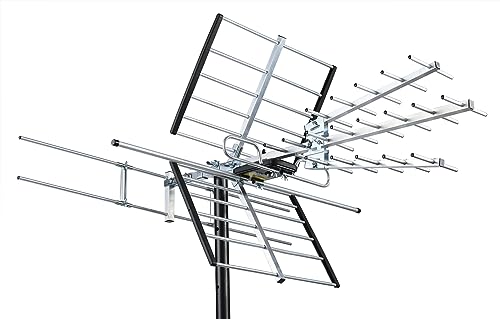

Who Should Buy an Antenna for Multiple TVs
A single antenna feeding several TVs suits households that want local channels in the living room, bedroom, and basement without paying for a second antenna. It also suits anyone cutting cable who still wants news, sports, and network shows on every screen.
If your TVs are far apart or your signal is weak, you may need a stronger outdoor or attic antenna and a distribution amplifier. If you only watch one TV with an antenna, a simpler single-room model is cheaper.
How a Single Antenna Feeds Several TVs
The antenna cable runs to a splitter, and each output goes to one TV. A two-way splitter cuts the signal roughly in half for each output, and a four-way splitter cuts it further, so more TVs need either a strong signal to begin with or a distribution amplifier after the antenna.
Use a quality splitter, keep cable runs as short as practical, and avoid sharp bends in the coax. Add an amplifier only when splitter loss demands it, because an amplifier can overload a signal that is already strong.
Key Features to Compare
- Range: Check coverage for your address and transmitter distance rather than trusting a mile rating.
- Gain and amplification: More gain helps when you split to several TVs, but only if the signal is clean.
- Mounting: Attic and outdoor mounts give the best height and clearest line to transmitters.
- Weather resistance: Outdoor parts need sealed connections and sturdy hardware.
- Cable and connectors: RG6 coax with tight, weatherproof fittings loses less signal than thin cable.
Types Compared
Indoor Antennas
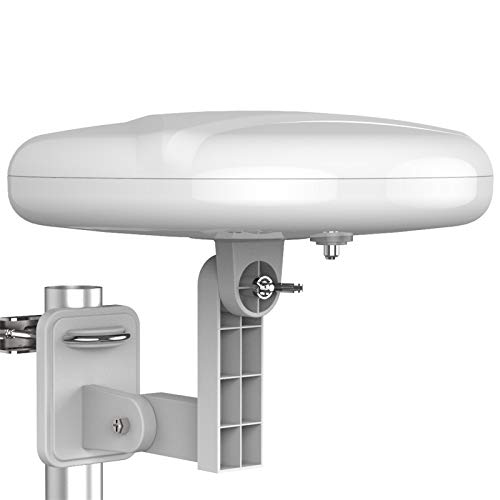
Indoor antennas suit strong signal areas and homes with TVs close together. They are easy to place near a window but struggle through thick walls and metal framing, and they usually cannot feed more than two TVs well.
Attic Antennas
Attic antennas are sheltered from weather and sit high above the rooms, which makes them a good fit for multi room homes. A central cable point makes it simple to run coax to each TV.
Outdoor Antennas
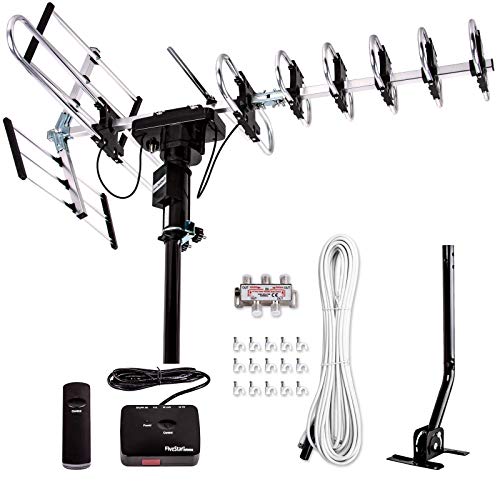
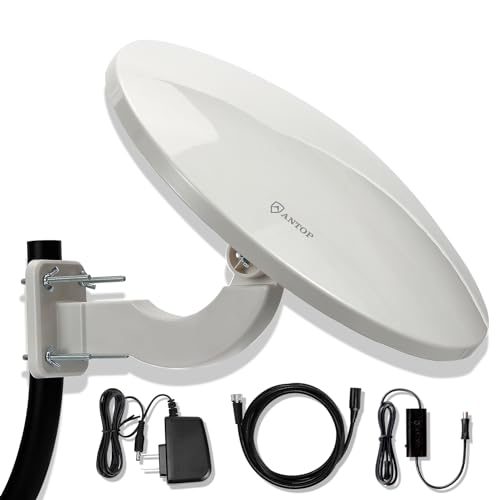
Outdoor antennas offer the best height and range, which helps in weak signal areas and when a signal must be split many ways. They need safe installation, weatherproofing, and a longer cable run.
Fit, Setup, and Compatibility
Check transmitter distance and direction, count your TVs, and plan the cable route before you buy. Most modern TVs include a tuner and a coaxial input, but older sets may need a converter box.
After installation, scan channels on every TV, since each set tunes separately. Rescan after storms or if local stations change frequency.
Budget and Value
Expect to spend about $30 to $200 for the antenna, plus a few dollars for splitters and coax, and more if you add an amplifier or a mast. Spending a bit more on a stronger antenna often saves you from buying a booster later.
Safety and Care
Mount outdoor antennas away from power lines, use proper safety gear on a roof or ladder, and follow the manufacturer's instructions. Secure mounts against wind, seal outdoor connections, and inspect cables after storms.
Common Mistakes to Avoid
- Splitting a weak signal four ways without an amplifier.
- Choosing an indoor antenna for a house with a distant transmitter.
- Using thin or damaged coax between the antenna and splitter.
- Placing an antenna behind metal or low in a basement.
- Forgetting to rescan channels on each TV after setup.
Related Guides
For a closer look at each type, see best attic antenna for multiple tvs, best outdoor tv antenna for multiple tvs, best indoor tv antenna for multiple tvs, and best hdtv antenna for multiple tvs.
Frequently Asked Questions
Can one antenna feed several TVs?
Yes, with a splitter. Each split reduces the signal, so a strong antenna, short cable runs, and sometimes a distribution amplifier keep every TV watchable.
Do I need an amplifier for multiple TVs?
Only if the signal is weak after splitting. A strong signal can be overloaded by an amplifier, so try without one first.
Which type is best for a whole house?
An attic or outdoor antenna is usually the best base for a multi room home, since height and a clear line to transmitters matter most.
Does each TV need its own tuner?
Each TV needs a built in or external tuner to receive over the air channels. Most modern sets include one.
How do I find which channels I can get?
Use a local coverage map for your address, then confirm with a channel scan on your TV.
Final Thoughts
The best antenna for multiple TVs is a strong, well placed model with enough signal left over after splitting to give every screen a clean picture.
Use the product table to compare range, mounting type, and price, and plan your splitter and cable run before you order.


