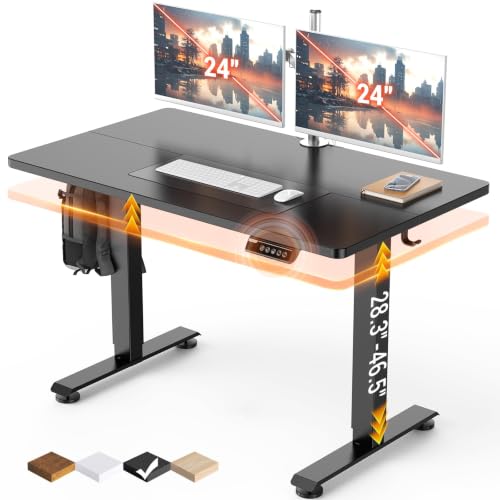
Best Affordable Computer Desks 2026: A Buying Guide
Disclosure: We may earn a commission when you buy through links on this page, at no extra cost to you. As an Amazon Associate I earn from qualifying purchases. Learn more

The best affordable computer desks balance desktop size, stability, cable management and storage for work and study spaces.
A computer desk is the base for hours of work, study or play, and the best affordable computer desks give you a stable surface, room for your gear and sensible storage without a showroom price. A desk that is too small crowds your monitor, while one with a wobbly frame distracts you all day. This guide explains how to check size, stability, cable management and ergonomics before you buy.
The product table below the introduction shows current options. Read the sections that follow to match a desk to your room, your equipment and the way you work.


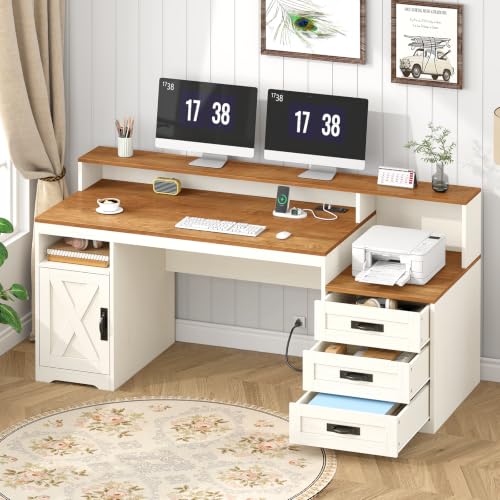

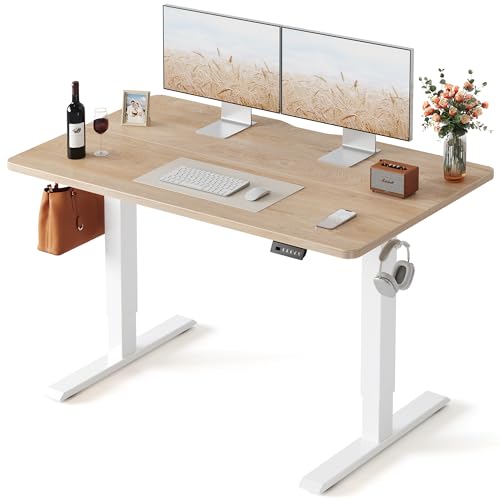
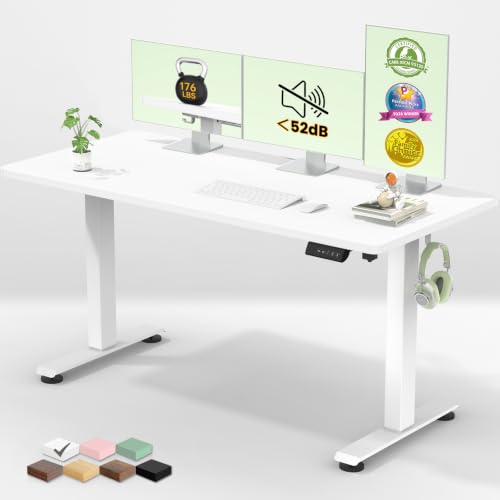
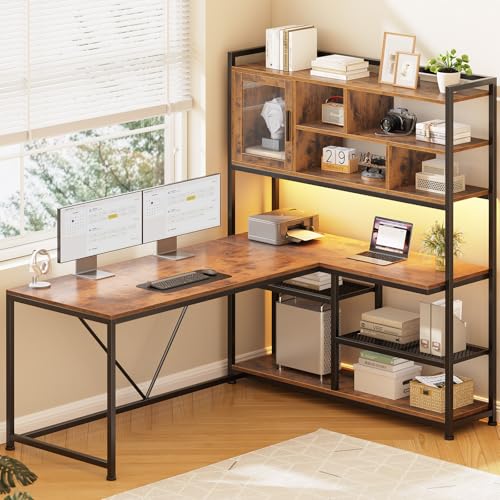

Who Affordable Computer Desks Suit
Affordable computer desks suit students, remote workers, gamers and families who need a dedicated workspace. They also suit small apartments, where a compact desk can turn a corner into a home office. If you work from the desk for many hours, put stability and ergonomics first. If you use it for occasional tasks, a smaller, simpler model may be enough.
Consider who uses the desk. Children and teens may need an adjustable chair and a desk height that suits their growth, while adults benefit from a depth that lets them sit an arm's length from the monitor.
Key Features Explained in Plain Language
Desktop Size and Depth
A width of 42 to 48 inches suits a single monitor, laptop and notebook. For dual monitors or a gaming setup, look for 55 inches or more. Depth matters for eye comfort, and 24 inches is a good minimum for a monitor at a sensible distance.
Height and Legroom
Standard desk height is about 29 to 30 inches. Check clear legroom under the desktop and any drawers or crossbars so your knees are free. A keyboard tray can help if the desk is too high for typing comfort.
Stability and Frame Build
A steel frame with cross bracing reduces wobble, especially for standing or gaming use. Thicker desktops of 0.6 inch or more feel more solid. Check the stated weight capacity against your monitors, a PC tower and other gear.
Cable Management
Grommet holes, cable trays and a rear gap keep cords tidy. This matters more than it seems, because a messy cable bundle gets caught on legs and looks distracting.
Storage and Shape
Drawers and shelves help if they match what you store. L shaped desks add surface area for dual monitors, while compact desks fit corners. Make sure shelves do not block monitor height or chair movement.
Spending Smart: Where Your Money Goes Furthest
Spend on stability and surface area first, and treat extras as a bonus.
- Under $100: simple desks with laminate tops and basic frames, fine for light use.
- $100 to $200: sturdier frames, larger surfaces and useful storage.
- $200 to $300: thicker tops, L shapes with drawers and better hardware.
When you compare the best affordable computer desks, look at the weight capacity and the thickness of the desktop. Those two figures say more about quality than a long accessory list.
Care and Everyday Use
Tighten the screws after the first week and then every few months, because wood and metal settle with use. Wipe laminate with a damp cloth and avoid harsh cleaners. Use a desk mat or coaster to prevent stains and heat marks. Keep heavy items near the legs, not in the middle of long spans.
Set your chair so your elbows rest at about a right angle and your monitor top sits near eye level.
Mistakes to Avoid
- Buying without measuring the room, doorways and space for your chair.
- Choosing a shallow desk that forces the monitor too close.
- Ignoring weight capacity, which matters for large monitors and PC towers.
- Skipping cable management, which leaves cords tangled behind the desk.
- Overlooking assembly effort, since large desks take time and a second pair of hands.
Related Guides
For general desks, read the best affordable desks guide, and for style see the best looking computer desks. To complete your setup, compare the best affordable desk chairs, the best affordable computer monitors and the best affordable computer speakers.
Setting Up Your Desk for Comfort
A good desk setup starts with the chair. Adjust the seat so your feet rest flat and your elbows sit at about a right angle when you type. Place the monitor an arm's length away with the top edge near eye level, and keep the keyboard close enough that your shoulders stay relaxed.
Lighting also matters. Put the desk at a right angle to a window to avoid glare on the screen, and add a task lamp for evening work. A footrest or a small mat under the chair helps if the desk height is fixed and slightly too tall for you.
Small Space Solutions
In a small room, a compact desk with a shelf or a corner design uses space efficiently. A wall mounted monitor arm frees desktop surface, and vertical storage keeps papers off the work area. Look for a desk with a narrow footprint if your room doubles as a bedroom, and choose a light color to keep the room feeling open.
Questions to Ask Before You Order
Ask how much weight the desktop holds, how deep the surface is, and whether the legs leave room for your knees and a chair with armrests. Check the number of people needed for assembly, and whether the hardware includes spare screws. Confirm the return process too, because large boxes are harder to send back.
If you plan to add a second monitor later, buy a desk that already has the width. Replacing a desk costs more than choosing a slightly larger one today.
Look at the finish as well. Matte surfaces hide fingerprints and glare better than glossy ones, and a rounded front edge is kinder to wrists during long typing sessions.
Keeping Cables and Clutter Under Control
Use adhesive clips along the desk edge, a power strip mounted under the desktop and a few reusable ties to keep cords tidy. A clear surface helps focus, so give small items such as pens, chargers and notebooks a tray or a drawer.
Frequently Asked Questions
What size computer desk do I need?
For one monitor, 42 to 48 inches wide is usually enough. For two monitors or a gaming setup, choose 55 inches or more, with at least 24 inches of depth.
Are L shaped desks worth it?
Yes if you need extra surface for multiple screens, paperwork or a printer. They need more floor space, so measure your corner first.
How do I stop a desk from wobbling?
Tighten all fittings, adjust the leveling feet and make sure cross bracing is fitted correctly. Place heavy items near the legs rather than the middle.
What material is easiest to maintain?
Laminate and engineered wood with a coated surface wipe clean easily and resist stains. Solid wood looks richer but needs more care.
How much weight can an affordable desk hold?
Many hold 100 to 200 pounds. Check the listing for the stated capacity and stay below it, especially with monitors and a PC tower.
Final Thoughts
Measure your space, check stability and weight capacity, and plan your cable routes before you order. Compare the picks in the product table above against your equipment and your room, and choose the best affordable computer desks that fit how you work. A solid, well sized desk makes every hour at the computer more comfortable.