
Best Computer Desks for Home Offices and Gaming Setups
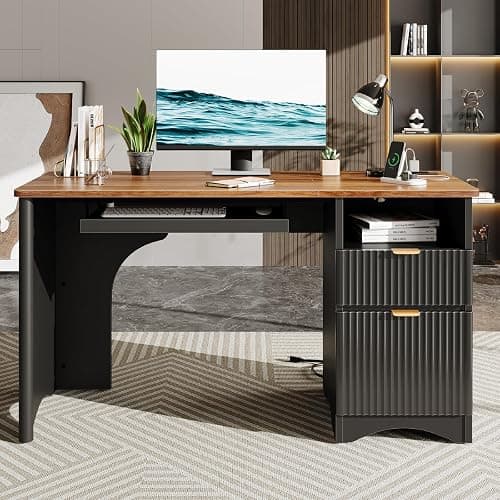
A guide to computer desks for home offices and gaming, covering surface size, weight capacity, cable management, and durability.
A desk that looks great in a showroom photo can fall apart within a year once it's actually loaded with monitors, a tower, cable clutter, and daily typing pressure. Computer desks need to balance surface space, cable management, and structural stability in a way that general-purpose writing desks often don't account for. Whether you're setting up a productivity-focused home office or a multi-monitor gaming station, the right desk comes down to a handful of specs that matter more than style alone.
This guide covers surface size, weight capacity, cable management, height and ergonomics, and material durability so you can choose a desk that actually holds up to daily computer use.






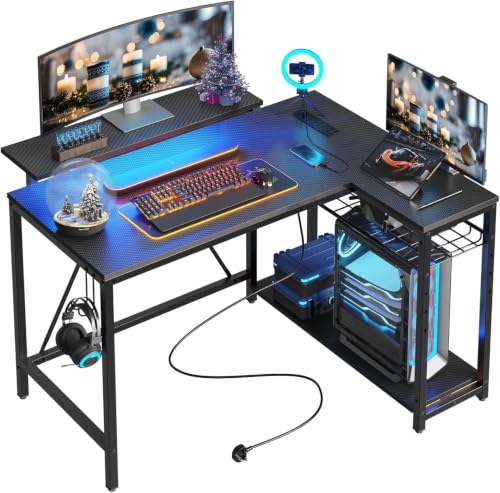

Surface Size for Your Monitor Setup
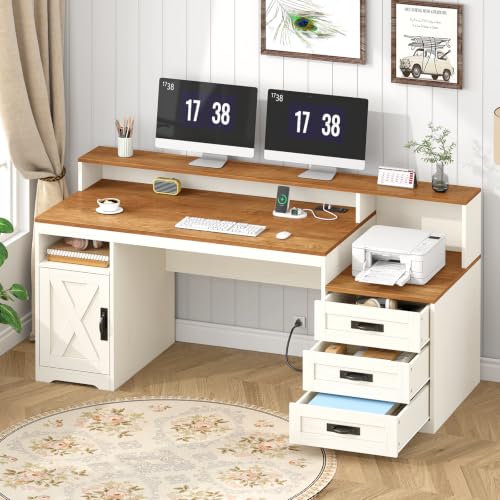
A single monitor and keyboard fit comfortably on a desk around 40 inches wide, but dual or triple monitor setups typically need 60 inches or more to avoid a cramped, overlapping arrangement. Measuring your actual monitor stands or arm mounting footprint against the desk's usable surface, rather than just its total width, gives a more accurate sense of whether everything will fit comfortably.
Depth matters just as much as width, especially for anyone using a monitor arm rather than a stand, since arms need enough desk depth behind the mounting clamp to sit securely without extending precariously off the back edge. A desk depth of at least 24 inches accommodates most monitor arm clamps and still leaves room for a keyboard and mouse in front.
Weight Capacity for Multiple Monitors and Equipment
Between a tower, multiple monitors, a monitor arm, speakers, and other peripherals, the total load on a computer desk adds up faster than people expect when shopping by looks alone. Checking a desk's listed weight capacity against a realistic estimate of everything you plan to place on it prevents the sagging or wobbling that shows up months after a desk that looked sturdy in photos turns out to be underbuilt.
Weight capacity matters even more if you're mounting a monitor arm, since these clamp-based mounts put concentrated stress on a specific section of the desktop rather than distributing weight evenly. Confirming that a desk explicitly supports monitor arm mounting, not just general weight capacity, avoids a mismatch between the two specs.
Cable Management Built Into the Design
A computer desk without dedicated cable management quickly turns into a tangle of cords running to monitors, speakers, chargers, and peripherals, which is both an eyesore and a practical hazard for tripping or accidentally unplugging something. Built-in grommet holes, cable trays mounted underneath the desktop, and integrated power strips all help route cords away from the visible workspace.
Desks with a rear cable channel or basket keep cords accessible for troubleshooting while still hiding them from view during normal use. This detail matters more for setups with a lot of peripherals or docking station connections, where cable clutter tends to accumulate fastest without a dedicated system to contain it.
Height and Ergonomic Considerations
Fixed-height desks built around a standard 29 to 30 inch height work fine for average-height users but can cause wrist or shoulder strain for people significantly taller or shorter than average. Height-adjustable desks solve this by letting you dial in a precise typing height, and many also support alternating between sitting and standing throughout the day.
Keyboard tray attachments are worth considering for fixed-height desks, since they let you position the keyboard and mouse slightly lower than the main desktop surface, which can reduce wrist strain during long typing sessions. Checking whether a desk supports adding a keyboard tray later gives some flexibility even if you don't need one immediately.
Material and Frame Durability
Particleboard desktops with a laminate finish are common at lower price points and can look convincing, but they're more prone to sagging under sustained weight and swelling if moisture reaches the edges. Solid wood, bamboo, or a thicker engineered wood desktop generally resists sagging better over years of daily monitor and equipment weight.
Frame material affects stability just as much as the desktop itself, particularly for larger desks supporting multiple monitors. A steel frame with cross bracing tends to resist wobble far better than a lightweight frame relying mostly on the desktop panel for rigidity, which becomes especially noticeable during typing on a desk that isn't solidly built.
Corner and L-Shaped Layouts for Limited Space
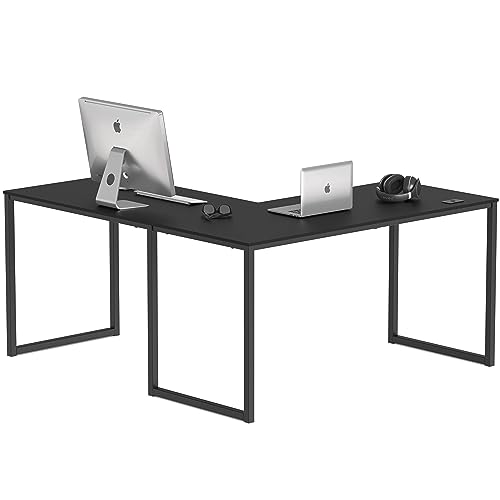
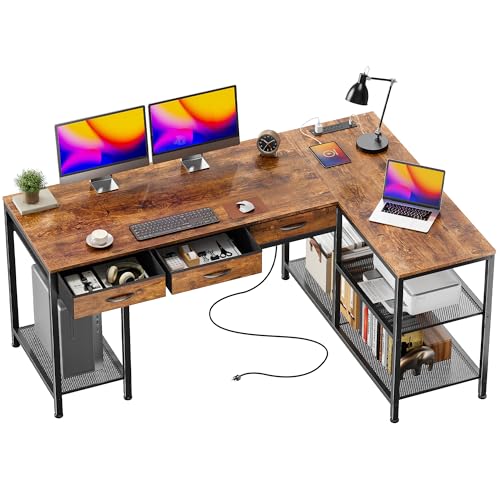
An L-shaped or corner desk can meaningfully increase usable surface area without requiring more floor footprint along a single wall, which makes it a practical option for smaller rooms that still need room for multiple monitors or a combined work and gaming setup. The extra return section works well for secondary tasks like writing, a laptop, or additional storage without crowding the main monitor workspace.
Corner desks do require more careful measurement than straight desks, since the diagonal or angled footprint interacts with door swings, closet access, and existing furniture differently than a simple rectangular shape. Sketching the room layout to scale, or using painter's tape on the floor to mark the desk's footprint, helps confirm the fit before committing to a large corner piece that's difficult to return.
Assembly and Long-Term Stability
Most computer desks ship flat-packed, and assembly quality has a real effect on long-term stability, particularly for larger desks that see daily use and repeated weight from monitors and equipment. Following the recommended assembly order and fully tightening all hardware, rather than leaving screws slightly loose to save time, prevents the gradual wobble that develops in desks assembled too casually.
Revisiting and re-tightening hardware a few weeks after initial assembly is worth doing for any desk under regular daily use, since wood fasteners can settle slightly as the material adjusts to the load. This small maintenance step meaningfully extends how long a desk stays solid before any wobble becomes noticeable during typing or mouse use.
Frequently Asked Questions
How wide should a desk be for a dual monitor setup?
Most dual monitor setups are comfortable on a desk in the 55 to 60 inch range, though the exact figure depends on your specific monitor sizes and whether you're using stands or an arm mount.
Do height-adjustable desks wobble more than fixed desks?
Quality height-adjustable desks with dual motors and a sturdy frame are generally stable, though very cheap models or desks raised to maximum height can develop noticeable wobble during typing.
Is particleboard a bad choice for a computer desk?
Not necessarily for lighter setups, but it's worth checking weight capacity carefully if you're loading the desk with multiple monitors, a heavy tower, or a monitor arm mount.
How much desk depth do you need for a monitor arm?
At least 24 inches of usable depth is a reasonable minimum for most monitor arm clamps to mount securely without extending precariously off the back edge of the desk.
Can you add cable management to a desk that doesn't have it built in?
Yes, aftermarket cable trays, clip-on grommets, and adhesive cable channels can retrofit basic cable management onto most desks that didn't ship with it.
What weight capacity is enough for a typical gaming setup?
A capacity of at least 150 to 200 pounds comfortably covers a tower, multiple monitors, and peripherals for most gaming and productivity setups, though heavier equipment warrants checking a higher-rated desk.
Matching the Desk to How You Actually Work
Choosing the right computer desk comes down to sizing the surface to your monitor setup, confirming weight capacity matches your actual equipment, and deciding how much you value built-in cable management and height adjustability. A desk that handles your specific setup well from day one saves the frustration of outgrowing it within the first year of daily use. Taking accurate measurements of your current or planned setup before shopping remains the single most useful step in avoiding a costly mismatch.