
Best A3 Printers for Photographers: Matching the Right Printer to Your Routine for 2026
Disclosure: We may earn a commission when you buy through links on this page, at no extra cost to you. As an Amazon Associate I earn from qualifying purchases. Learn more

Compare ink systems, paper handling, color accuracy, and print costs to pick the best a3 printers for photographers.
There is no single A3 printer that suits every photographer. A wedding shooter printing client albums, a hobbyist making one large print a month, and a fine art photographer selling gallery pieces all need different machines, even though they shop in the same category. This guide matches the best a3 printers for photographers to real routines first, and only then to specifications.
Read the routine descriptions below and find yourself before you study any feature list. Once your routine is clear, the comparison table below becomes a short exercise: most models will rule themselves out, and the right one tends to stand out quickly.
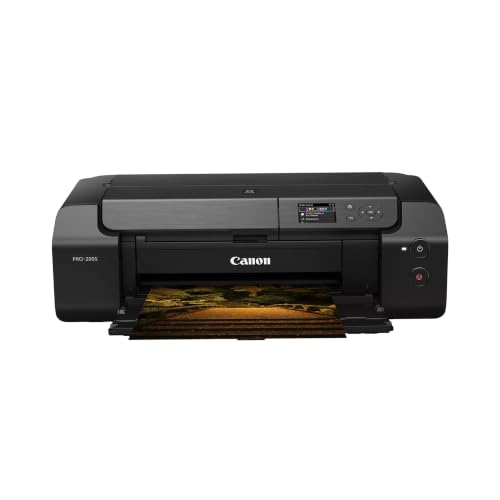

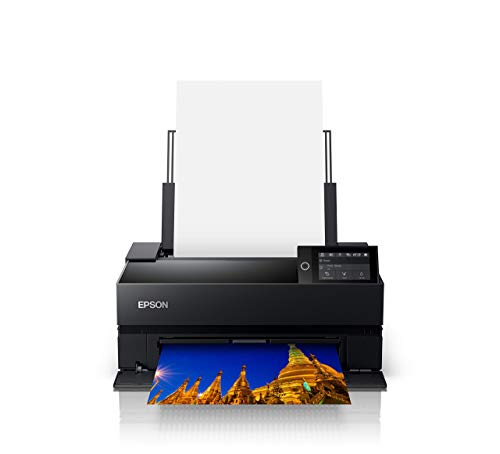
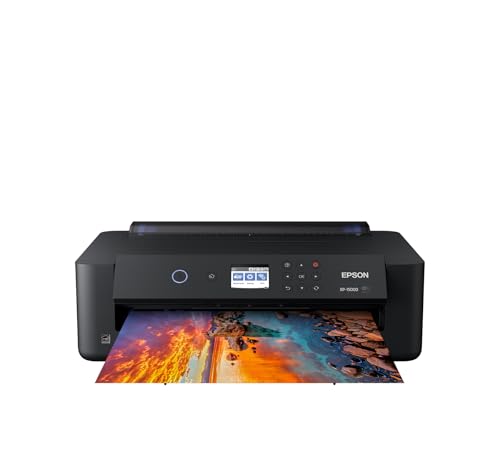
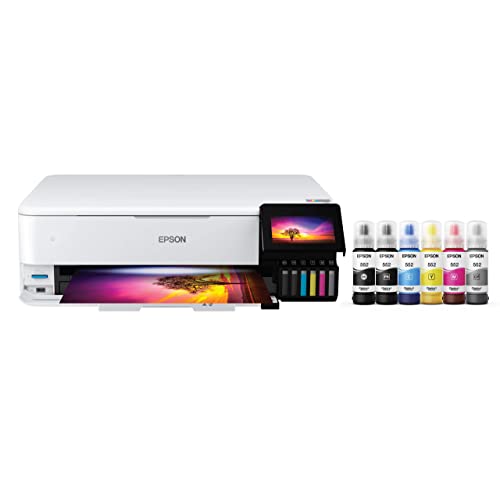
Who Should Buy Which A3 Printer?
Your routine decides which compromises you will feel every week and which ones you will never notice. Read all three profiles, even the ones that sound unlike you, because many photographers sit between two of them and should weight their feature list accordingly.
For Working Professionals and Client Work
If clients pay for your prints, consistency and deadlines rule your choice. Prioritize a pigment ink printer with at least eight ink channels, a reliable rear feed for album and presentation papers, and ink supplies large enough to finish a full job without a swap mid run. Speed matters less than repeatability: the tenth print must match the first. Our broader guide to the best printers for photographers covers smaller formats if most of your client work stays at A4.
For Enthusiasts Who Print at Home
Enthusiasts print in bursts: a trip, a family event, then a quiet month. You need a printer that tolerates idle weeks without clogging, produces rich color on luster and matte papers, and does not demand constant calibration. A six to eight ink cartridge or tank model around the middle of the price range usually fits. Borderless A3 output for the occasional statement piece is worth having, while roll paper support probably is not.
For Students and Portfolio Builders
Students print often, on a budget, and mostly for critique and portfolios. Your priorities are a low cost per print, honest color, and paper handling that accepts the matte stock most schools supply. A refillable tank model with decent color controls keeps semester costs predictable. If you are comparing formats before committing, our guide to the best a3 printers explains what the larger size adds over standard home models and what it demands in desk space.
Key Features to Compare
Specifications only help when you translate them into your own routine. A landscape photographer printing matte panoramas and a portrait photographer printing glossy A3 sheets stress different parts of the same machine. Work through the four comparisons below in order, because the early ones, ink and running costs, shape your budget for years, while the later ones decide daily convenience.
Cost per Page and Ink Costs
Ink will cost you more than the printer over its working life, so compare cost per print, not just cartridge prices. Tank systems refill for a fraction of cartridge costs and suit high volume routines, while cartridge photo printers often deliver more ink colors for subtle tones. Ink subscriptions rarely suit photographers, because art and photo printing uses ink unevenly and a heavy month can blow through a plan allowance. Estimate your monthly print count honestly, including test sheets, before you decide.
Printer Type: Inkjet, Laser, Tank, and 3D
Photography means inkjet. Laser toner sits on the paper surface and cannot reproduce photographic gradients or deep blacks, and 3D printers belong to an entirely different craft. Within inkjet, dye inks give punchy color on glossy paper but fade faster, while pigment inks trade a little gloss impact for far better light resistance. Tank models are inkjets with refillable reservoirs. For a focused look at the technology itself, read our guide to the best inkjet printers for photographers after this one.
Paper Handling and Duplex
Paper handling decides which photographs you can actually print. A rear manual feed or straight path is essential for thick fine art and matte papers that jam in standard trays. Check the maximum paper weight and thickness, borderless support at A3, and whether the printer handles roll paper if you print panoramas. Duplex printing matters only for booklets and contact sheet drafts, so treat it as a bonus rather than a priority. Tray capacity counts for pros running long jobs.
Features That Matter for Photographers
Photographers should shop by ink system first: more channels, including dedicated black and gray inks, mean smoother monochrome prints and gentler color transitions. Next, confirm the driver accepts ICC profiles for your exact papers, because profile support is what ties screen and print together. A small preview screen helps for printing straight from a card, but your computer workflow matters more. Studios that also print plans or boards sometimes cross shop our guide to the best a3 printers for architects, although line work and photo work reward different strengths.
Common Mistakes to Avoid When Buying A3 Printers
- Judging by purchase price alone and ignoring the ink cost of every large print you make.
- Choosing dye inks for prints you plan to sell or display, then watching them fade within a few years.
- Buying a printer whose paper path cannot handle the thick fine art stock you actually prefer.
- Skipping color management entirely, then blaming the printer for prints that look dark or flat.
- Forgetting to measure the desk: an A3 printer with trays and rear feed open needs serious space.
- Ignoring warranty and printhead replacement costs on a machine you depend on for client deadlines.
Tips to Get the Most From Your A3 Printer
Print something small every week, even a single test image, so ink keeps moving through the nozzles and you avoid long cleaning cycles. Use genuine ink or a reputable brand matched to your printer, and keep one paper type as your reference stock while you learn its behavior. Soft proof your images with the correct ICC profile before printing, and let prints dry fully before judging color, because ink darkens slightly as it settles into the paper coating.
Keep a simple print log for your first months: date, paper, image, and any settings you changed. Patterns appear quickly, such as one paper always printing slightly dark, and the log saves you from repeating the same test prints. Store finished prints away from direct sunlight and frame display pieces behind UV filtering glass or acrylic, because even pigment inks fade faster under strong daily light.
FAQs
What features matter most in a3 printers for photographers?
The ink system matters most, then paper handling, then color management. Look for pigment inks with dedicated black and gray channels, a rear feed for thick media, and full ICC profile support in the driver. A point worth adding: check whether the printer switches black inks automatically when you change paper types, because manual swaps waste ink and time on every change.
Are ink tank printers worth it?
They are worth it if you print weekly or in volume, because refill ink costs far less per print than cartridges. The compromise is that many tank models offer fewer ink colors, which can soften subtle gradients. Also weigh the idle factor: a tank printer that sits unused for months can still clog, so regular small prints protect your investment either way.
Which 3D printer is easiest for beginners?
No 3D printer prints photographs, so keep it out of this purchase. If you want one for props or display stands, an enclosed FDM model with auto bed leveling running PLA filament is the gentlest start. Your photo budget is better spent on ink and paper. Photographers who split funds between two machines usually end up under equipped for the prints that actually matter.
Inkjet or laser: which is cheaper long term?
Inkjet is the only real option for photographs, so the long term question is which inkjet. Tank models win on cost at steady volume; cartridge photo printers win on color range for demanding work. Laser only enters the picture for text documents. Remember to count paper in your maths as well: premium photo paper often costs more per sheet than the ink printed on it.
What does cost per page mean?
Cost per page is the price of the ink a printer uses for one page, worked out from cartridge or bottle price divided by rated yield. Photo printing breaks the standard maths, because a full bleed A3 photograph uses many times more ink than a text page. Track your own cost per print for a month of real work; that number, not the box rating, should guide your next ink purchase.
Final Thoughts
Match the printer to your routine first: client work rewards pigment inks and reliability, home printing rewards tolerance for idle weeks, and student life rewards cheap refills. Keep ink costs and paper handling ahead of headline specifications. Chosen that way, the best a3 printers for photographers are the ones that fit how you already shoot and print. Shortlist two or three from the product table above and let your most common paper type make the final call.


