
Best 5 Inch Monitor Speakers Complete Buying Guide 2026
Disclosure: We may earn a commission when you buy through links on this page, at no extra cost to you. As an Amazon Associate I earn from qualifying purchases. Learn more

Compare the best 5 inch monitor speakers for a home studio or desk: woofer reach, inputs, port placement and room controls explained before you buy.
A 5 inch monitor speaker is a powered studio speaker with a woofer about five inches wide, built to play music honestly at a desk or in a small room. This guide to the best 5 inch monitor speakers explains the features that matter for home studios, podcast editing, and critical desktop listening.
The product table below lines up the main choices. The sections that follow cover what the size suits, the specs to compare, and how to place and care for your pair so it sounds its best.
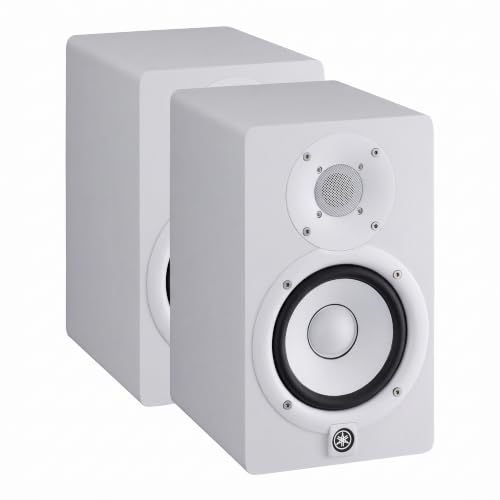
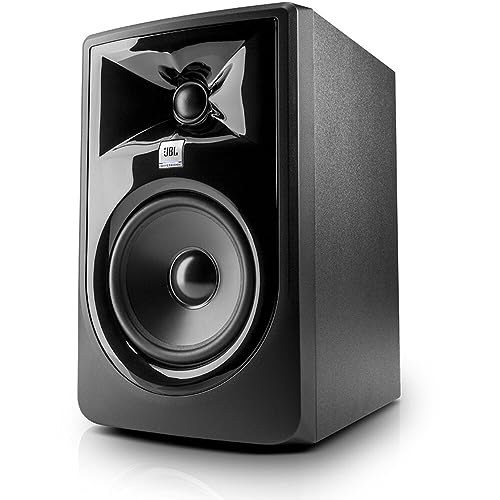


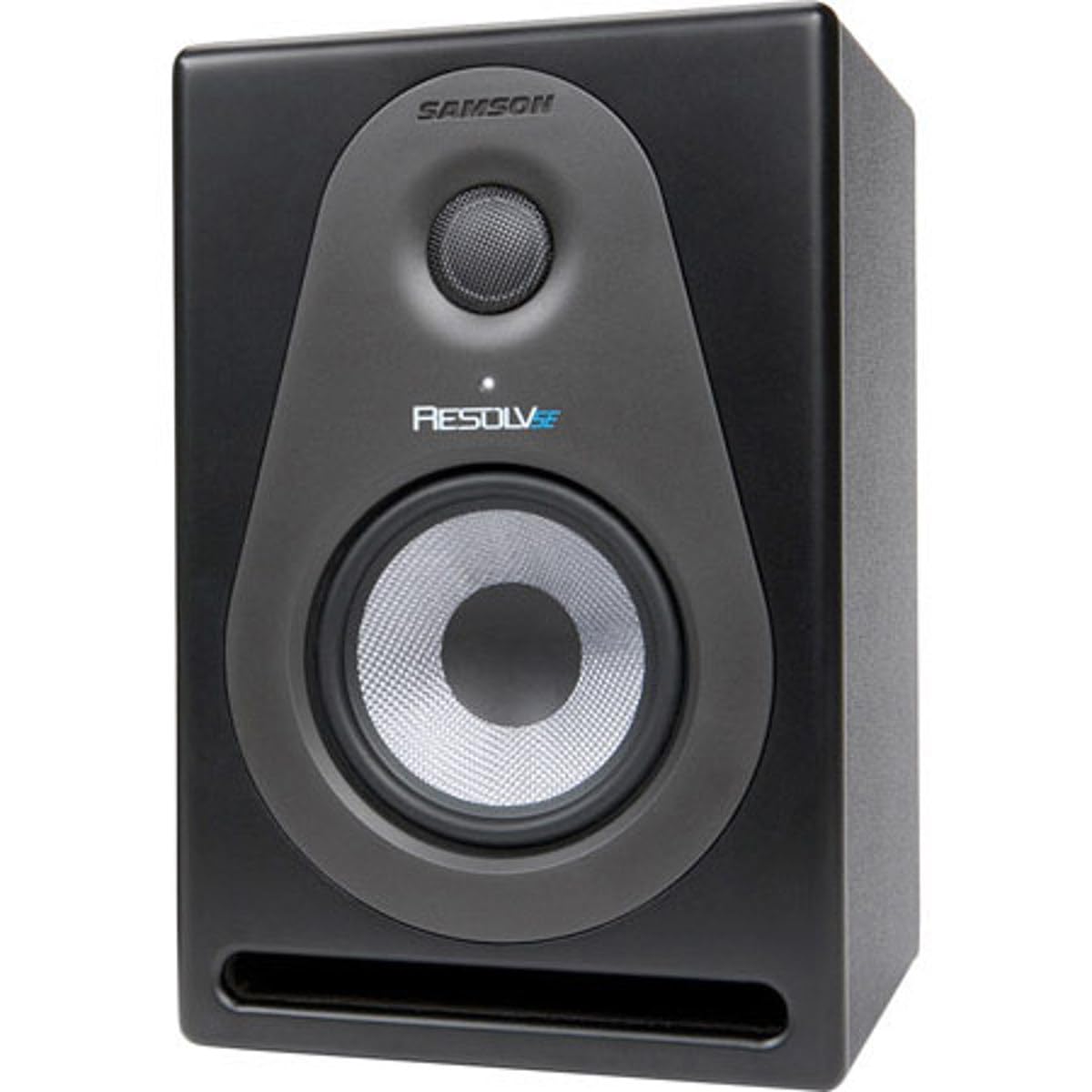
Who Should Buy 5 Inch Monitor Speakers
This size suits home studio producers who need accurate sound in a small room, podcasters and video editors who need to hear voices clearly, and music lovers who want honest sound at a desk. It sounds fuller than a tiny desktop speaker yet still fits a normal desk.
If your seat is a sofa across a large room, a bigger speaker will serve you better. Near field monitors are voiced for close listening, usually three to five feet away.
Key Features to Compare
- A 5 inch woofer for balanced low end in small rooms
- A flat frequency response for honest mixing
- Front or rear port placement that suits your desk layout
- Balanced inputs that match your audio interface
- Room adjustment switches for bass and treble
- A cabinet size that fits a desktop without crowding
Rank these for your own room before you look at price. Inputs and port placement decide how easily the speakers fit your setup, while frequency response decides how well your mixes translate to other speakers.
Woofer, Tweeter and Amplifiers
The woofer plays bass and midrange, and a five inch cone usually reaches down to about 50 to 60 Hz, enough to follow bass guitar and most kick drums. The tweeter plays high notes, and most models use a dome about one inch wide. Choose treble that sounds clear rather than sharp, because sharp treble tires your ears in long sessions.
Active models carry their own amplifiers, usually one for each driver, matched at the factory. Power often falls between about 30 and 80 watts per speaker, and higher figures mainly buy clean headroom. You also skip a separate amplifier box, which saves desk space.
Size, Fit, and Placement
Place the monitors at ear height in a triangle with your listening position, with each side about three to five feet long. Leave room behind rear ported models so air can move, and keep both speakers the same distance from the side walls so the stereo image stays centered. Measure your desk depth before you order, because cabinets vary more than the woofer size suggests.
Foam pads or stands help aim the tweeters at your ears and keep desk vibration out of the sound. Start with the room control switches in their neutral position and move the speakers a few inches at a time before you touch any switch.
Connecting Your Monitors
Most monitors offer balanced XLR or TRS inputs, which resist hum on longer runs from an audio interface, plus an unbalanced RCA input for short runs from a computer or phone. An interface gives you a proper volume knob, a headphone output, and cleaner conversion than many built in sound cards.
Budget and Common Mistakes
Monitors in this size often cost about $100 to $300 each, with matched pairs costing more. A higher price should buy better drivers, flatter response, or more useful inputs, not just a bigger power number. Check whether the listing prices one speaker or a pair before you compare.
Common mistakes include expecting deep sub bass from a five inch woofer, pushing a rear port tight against a wall, and sitting closer to one speaker than the other. Mixing at high volume in a small room is another trap, because wall reflections make you cut notes that only sounded loud in your seat.
Care and Related Guides
Keep the cabinets clean with a dry cloth, never press on a cone or dome, and keep the rear vents clear of paper and cables. Switch the monitors on last and off first so a pop from another device cannot reach the drivers at full level.
For related reading, see our guides to the best 5 inch studio monitors, the best 5 inch monitors, and the best 5 inch speakers. Marine buyers can read the best 5 inch marine speakers, and desk users who want built in speakers can compare the best 32 inch monitor with speakers.
Frequently Asked Questions
Are 5 inch monitors enough for mixing?
Yes, for small rooms and most mixing work. They lack deep sub bass, so check the low end on headphones too. Room treatment helps accuracy, and a subwoofer can extend the bass later.
How far should I sit from 5 inch monitors?
Sit about three to five feet away in a triangle with the monitors, with the tweeters at ear height. Avoid sitting too close to a wall, because reflections blur the bass.
Do I need an audio interface for monitors?
Not always, since many monitors accept a computer or phone through an unbalanced cable. An interface gives cleaner sound, proper outputs, and lower latency for recording, so it suits most home studios.
Front port or rear port for a desk?
Front ports suit desks against a wall, while rear ports need space behind the cabinet. Rear ports can boom near walls, so check your desk layout first. Room controls can tame the bass.
Can 5 inch monitors work for casual listening?
Yes. They sound clear and detailed, and a bit less flattering than hi fi speakers, which suits many listeners. Add a subwoofer only if the bass feels thin.
Final Thoughts
Choosing the best 5 inch monitor speakers comes down to your room, your seat, and your inputs. Measure your desk, compare the main options in the product table above, and pick the pair that sounds even at the volume you actually use.

