Best 38 Inch Monitors: What Actually Matters Before You Buy 2026
Disclosure: We may earn a commission when you buy through links on this page, at no extra cost to you. As an Amazon Associate I earn from qualifying purchases. Learn more

Compare the best 38 inch monitors with a clear checklist: resolution, panel type, refresh rate, ports and price bands explained before you spend.
A 38 inch monitor is a serious desk commitment, and the spec sheets make nearly every model sound identical. This checklist approach cuts through that: it judges the best 38 inch monitors on the handful of criteria that change daily use, and it ignores the numbers that only look good in a brochure. Work through the criteria in order and the right choice usually names itself.
Panel and resolution come first, then motion, ports, and ergonomics, with price last. The product table shows how current models stack up on those same points.
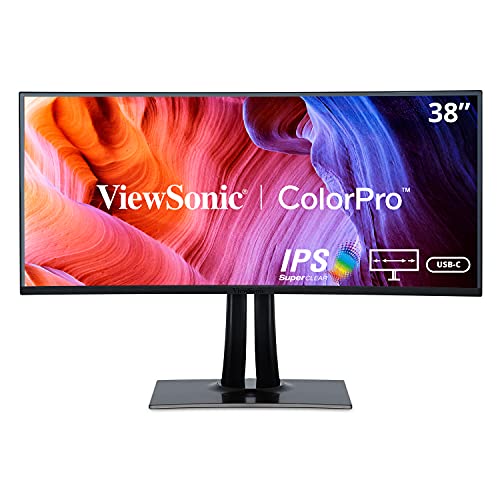


The Criteria That Matter Most
Six checks do most of the work when you sort the best 38 inch monitors from the rest of the shelf. A model that passes all six at a fair price is rarely a mistake.
Resolution and Pixel Density
Nearly every 38 inch monitor is an ultrawide with a 3840 by 1600 picture, which works out to about 110 pixels per inch. That is sharp enough for crisp text at a normal desk distance while keeping icons at a comfortable size without scaling. Most models curve gently, and the curve governs how evenly the far edges read from a single centered seat.
The width is the real story here. One wide screen replaces a dual screen setup for window layouts, so a document, a spreadsheet, and a chat window sit side by side with no bezel gap in the middle and one set of cables to manage. Only step up to best 49 inch monitors if your desk and your software truly reward the extra span. If you mostly watch films or play games full screen, compare the smaller field of best 32 inch monitors before paying for width you may not use.
Panel Technology
Most 38 inch models use IPS panels, which hold color well across that wide surface and suit design work, office days, and mixed use. A smaller number use VA panels with deeper blacks for dark rooms, at the cost of some smearing in fast dark scenes. OLED exists at this size but stays costly and asks for care with static content. Whichever type you pick, a matte finish helps, since a wide screen catches reflections from more angles.
Refresh Rate and Response Time
Office work is well served by 75Hz, and many 38 inch models offer 144Hz or more for smoother motion. A higher rate also shortens the delay between your input and the picture, which fast paced players feel at once; the guide to best gaming monitors digs into that side in depth. Printed response times come from maker chosen test modes, so read them as rough tiers rather than exact rankings. For mixed work and play, 144Hz with adaptive sync is the comfortable middle ground.
Connectivity and Ports
One USB C cable that carries the picture, data, and about 65 to 90 watts of charging turns a laptop setup into a single plug. Check for at least two HDMI ports and one DisplayPort so a PC, a console, and a work laptop can all stay connected. A built in USB hub keeps a keyboard receiver and a webcam off the desk surface, and picture by picture mode is worth having when two computers share the screen.
Stand, Mounting, and Ergonomics
A panel this wide and heavy needs a stand with real height and tilt range, plus a 100 mm VESA pattern if you plan to use an arm. Set the top of the screen near eye level and the center a little below, roughly 24 to 32 inches from your eyes. No monitor at any price treats eye strain, so brightness matched to the room and a break every half hour do more for comfort than any panel feature. An arm also returns the desk depth that a stock stand tends to eat.
HDR and Brightness
Expect about 400 to 600 nits from the stronger models here, enough for bright rooms and modest HDR highlights. Local dimming zones are few at this size, so HDR lifts highlights without matching a good television for contrast. Read the HDR label as a bonus and judge the screen on its normal brightness and uniformity instead. If your desk faces a window, raw brightness and the matte finish matter more than any HDR badge on the box.
What Your Money Buys at This Size
Prices spread widely for screens that share the same headline resolution, and the extra money buys panel quality, refresh rate, and ports rather than more inches.
Entry Models: About $700 to $900
Expect a sound IPS panel at 75Hz to 144Hz, basic HDR support, and a stand with tilt and height adjustment but little else. Port counts run lean, and USB C charging, when present, sits at the low end of the watt range. This band suits a first ultrawide for office work and study. Some buyers pair the savings with one of the best 22 inch monitors as a side screen for chat and email.
Midrange Models: About $900 to $1,200
This is where most buyers should land. Panels get brighter and more uniform, 144Hz becomes standard, and USB C charging reaches the wattage a laptop actually wants, while stands improve, hubs appear, and warranties settle at three years. A midrange model passes every check in the criteria above without forcing a compromise you will feel daily. If your budget reaches only one band with confidence, make it this one.
Premium Models: About $1,200 to $1,600
The top band adds higher refresh rates, stronger factory color calibration, fuller port sets, and sleeker stands. Uniformity screening tends to be tighter, so bright screens look even from edge to edge. None of it changes the resolution, so the jump should follow a real need, such as color critical work or serious play.
Quick Buyer Checklist
Answer these honestly before you order. If several answers point to a smaller desk or one app at a time, step down a class and compare best 27 inch monitors instead, because width you do not use is just cost and glare.
- Is your desk at least 24 inches deep, with room for the stand or an arm?
- Can your computer output 3840 by 1600 over DisplayPort or USB C?
- Will you actually keep two or three windows open at the same time?
- Does the model charge your laptop at 65 watts or more over USB C?
- Can the stand lift the screen so its top edge meets your eye level?
- Is the warranty at least three years, with a clear dead pixel policy?
- Does the price leave room for an arm or a desk lamp if you need one?
Red Flags to Watch For
- A spec sheet that hides the panel type, because sellers bury weak panels behind vague words like LED display.
- An HDR claim with no brightness figure in nits, which usually means the effect is too faint to notice.
- A one year warranty on a screen this costly, when serious makers cover three years as standard.
- No VESA mount pattern in the specs, which locks you into the stock stand for the life of the screen.
- A headline refresh rate that only applies at a lower resolution, revealed only in the fine print.
How to Make Your 38 Inch Monitor Last Longer
Turn off the vivid picture mode and set brightness to match your room, since a panel run at full brightness ages faster. Clean the screen with a dry microfiber cloth only, and never spray cleaner straight onto the surface. If you chose an OLED model, run its pixel refresh routine when prompted and vary what stays on screen. Keep the rear vents clear, because a wide back panel sheds real heat.
Frequently Asked Questions
Is 4K sharper than a 38 inch ultrawide monitor?
On paper, yes, but the difference is smaller than the labels suggest. A 32 inch 4K screen packs more pixels into less area, reaching about 138 pixels per inch against about 110 here, so fine text looks crisper up close. The ultrawide answers with space: more columns of a spreadsheet and more timeline in a video editor without a second screen. Choose density if you read small text all day, and width if your work spreads sideways.
What desk size does a 38 inch monitor need?
Plan on a desktop at least 55 inches wide and 24 inches deep, because the panel itself spans about 35 inches across and the stand needs depth behind it. The detail buyers miss is the trip into the room: measure doorways and hallway turns, since a boxed ultrawide is awkward to carry and easy to bang. A wall or arm mount relaxes the depth need.
How many years should a 38 inch monitor last?
Most owners get about six to nine years from a good panel before brightness loss or an aging power supply ends its run. Backlights are commonly rated near 30,000 hours, so electronics usually fail before the picture does. A three year warranty with a clear panel policy is the practical signal of maker confidence. Budget a replacement fund by year seven and any earlier failure is covered ground.
Does refresh rate matter on a 38 inch monitor used only for office work?
It matters more than most office buyers expect. At 144Hz, scrolling a long contract keeps lines legible, so you lose your place less often, and the pointer tracks your hand without a trailing feel. None of that shows up in a spec comparison with a 75Hz model until you sit in front of both. If the price gap is small, take the faster panel; if it forces a cut in panel quality or ports, skip it without regret.
IPS or OLED: which panel is better at 38 inches?
IPS is the safer default at this size because office screens hold static menus, toolbars, and spreadsheets in place for hours, which is exactly the pattern OLED handles worst. OLED answers with contrast that makes films and dark games look richer than any IPS can manage. The price gap is also wide here, often several hundred dollars for the same span. Media first buyers who vary their content can justify OLED; everyone else should take the IPS and the savings.
The Bottom Line
Judge this size on density, panel, and ports first, then let price sort what remains. The product table gathers the models that clear those checks in one place. Measured against them, the best 38 inch monitors earn their desk space by replacing two screens with one calm, wide workspace that stays comfortable all day.